TopPodcast.com
Menu
  • Home
  • Top Charts
  • Top Networks
  • Top Apps
  • Top Independents
  • Top Podfluencers
  • Top Picks
    • Top Business Podcasts
    • Top True Crime Podcasts
    • Top Finance Podcasts
    • Top Comedy Podcasts
    • Top Music Podcasts
    • Top Womens Podcasts
    • Top Kids Podcasts
    • Top Sports Podcasts
    • Top News Podcasts
    • Top Tech Podcasts
    • Top Crypto Podcasts
    • Top Entrepreneurial Podcasts
    • Top Fantasy Sports Podcasts
    • Top Political Podcasts
    • Top Science Podcasts
    • Top Self Help Podcasts
    • Top Sports Betting Podcasts
    • Top Stocks Podcasts
  • Podcast News
  • About Us
  • Podcast Advertising
  • Contact
Not in our directory?
Add Show Here
Podcast Equipment
Center

toppodcastlogoOur TOPPODCAST Picks

  • Comedy
  • Crypto
  • Sports
  • News
  • Politics
  • True Crime
  • Business
  • Finance

Follow Us

toppodcastlogoStay Connected

    View Top 200 Chart
    Back to Rankings Page
    Technology

    StorageReview.com

    StorageReview.com is a leading provider of news and reviews throughout the entire IT stack – from the datacenter to the edge, and all points in between.

    Advertise
    • Apple Podcasts
    • Google Play
    • Spotify

    Latest Episodes:
    Dell AI Factory with NVIDIA Adds a 256-CPU Vera Rack, a Groq 3 LPU Inference Rack, and a 64GB GB10 Desktop Oct 21, 2026
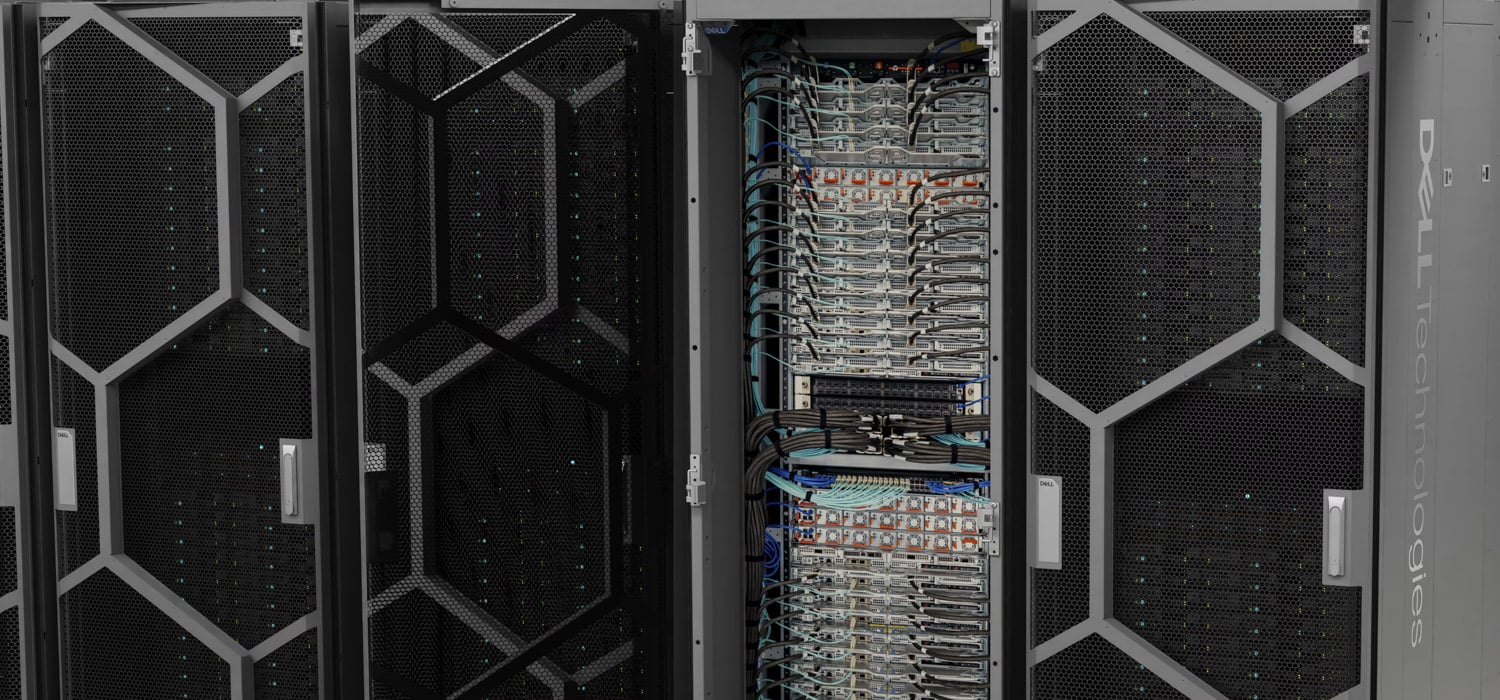
    Show notes Dell Integrated Rack Scalable Systems cabinets with the center rack open to show a column of PowerEdge M7725 sleds and cabling, the rack-scale hardware behind the Dell AI Factory with NVIDIA Dell Integrated Rack Scalable Systems cabinets with the center rack open to show a column of PowerEdge M7725 sleds and cabling, the rack-scale hardware behind the Dell AI Factory with NVIDIA

    Dell Technologies expanded the Dell AI Factory with NVIDIA today at NVIDIA GTC Berlin with a 48U PowerEdge M9882 rack holding 256 NVIDIA Vera CPUs for agentic workload execution, the PowerEdge XE9810 rack-scale inference system built on Groq 3 LPUs, an air-cooled two-socket Vera server, a 64GB Dell Pro Precision with GB10, and a set of validated software and deskside deployment templates. The software is available now, and the new hardware arrives between this month and early 2027. Dell says the platform has passed 6,500 customers, up from 5,000 last quarter.

    Dell Integrated Rack Scalable Systems cabinets with the center rack open to show a column of PowerEdge M7725 sleds and cabling, the rack-scale hardware behind the Dell AI Factory with NVIDIA

    Dell builds its case for the expansion on cost of ownership, citing a September 2026 Signal65 and Futurum Group analysis that puts the Dell AI Factory at up to 90 percent more cost-effective than public cloud over two years, a figure that assumes deskside and data center systems running knowledge, sales, and software development workloads. Dell also cites Goldman Sachs and Gartner projections that agentic AI will drive 24x token consumption while inference costs fall more than 90 percent by 2030. These are vendor and analyst figures, and we did not audit them.

    “Enterprises used to think about AI infrastructure as an IT budget question, but that’s changed. AI infrastructure is no longer a cost center. It’s a value creation center,” said Michael Dell, chairman and chief executive officer of Dell Technologies.

    PowerEdge Expands CPU Execution and LPU Inference

    The Dell PowerEdge M9882 packs 256 NVIDIA Vera CPUs into a single 48U rack as Dell’s build of the NVIDIA Vera CPU Rack, aimed at the CPU side of agentic work: orchestration, tool use, code execution, and evaluation, with model inference left to GPU clusters. Each Vera CPU carries 88 Olympus cores, so a full rack comes to 22,528 cores. NVIDIA’s reference design specifies 400TB of LPDDR5X, 300TB/s of aggregate memory bandwidth, and 64 BlueField-4 DPUs per rack; Dell has not yet published the M9882’s memory or networking configuration.

    Dell’s argument for a CPU-only rack is power and cooling: separating CPU execution from GPU clusters lets a data center size each pool to its workload, which Dell says makes better use of power and cooling capacity than over-provisioned mixed-use servers. The M9882 is the second CPU-only agentic rack announced this month, after AMD’s Helion blueprint, which packs up to 32,768 EPYC cores in an open OCP design. Dell lists M9882 availability as Q1 CY27.

    The Dell PowerEdge R8822 brings Vera to conventional data centers as an air-cooled, two-socket 2U server for standard 19-inch racks. Dell lists agent orchestration, sandboxing, reinforcement learning, and data processing and analytics as target workloads, and the chassis takes up to four double-wide GPUs. It ships this month, which makes it the first of the new PowerEdge platforms to reach customers.

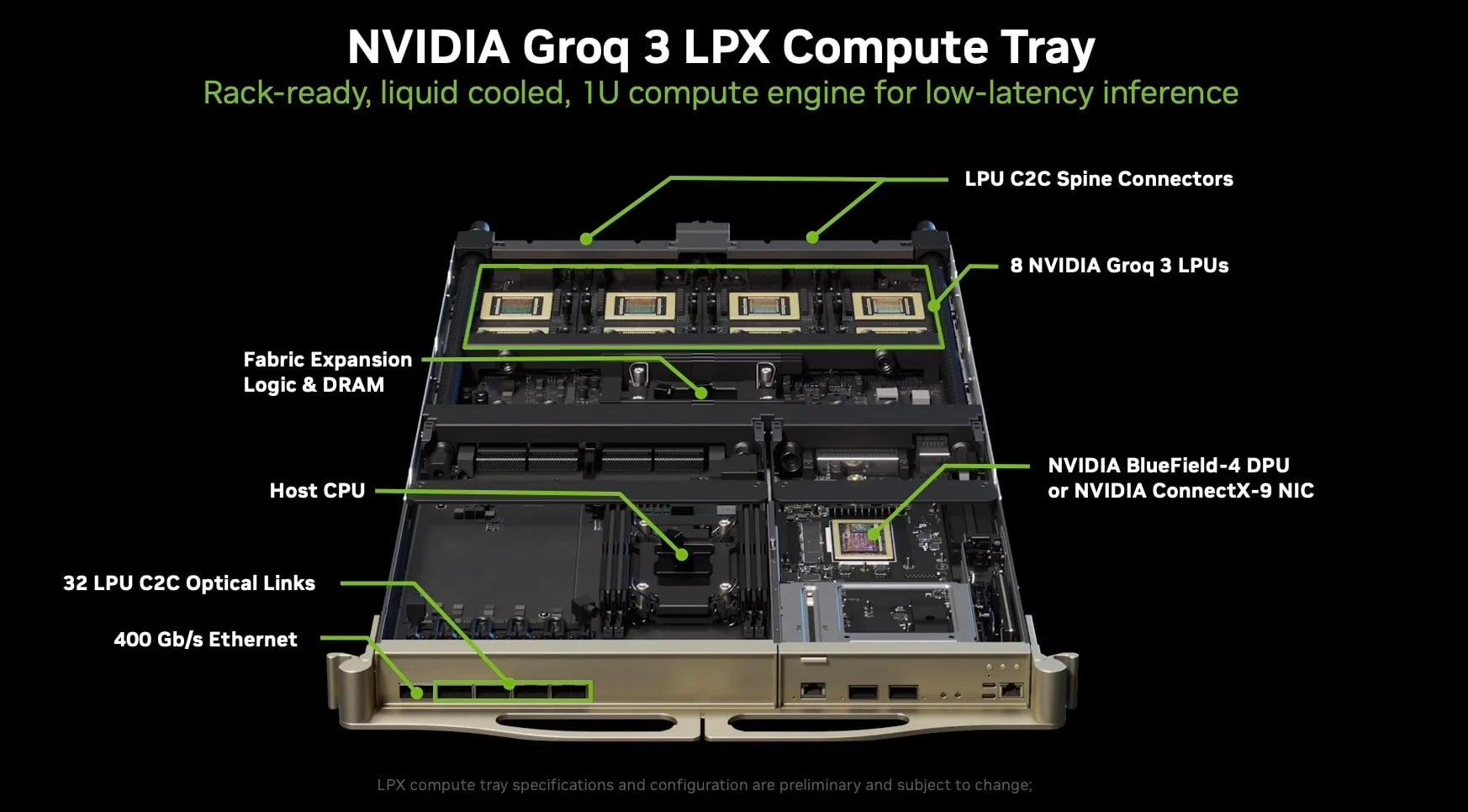
    The Dell PowerEdge XE9810 is Dell’s first Groq LPU rack-scale inference system, with 16 direct-liquid-cooled compute trays built on NVIDIA Groq 3 LPUs. Dell positions it as a disaggregated complement to GPU clusters for production agentic AI, with consistent time to first token at scale as the design target. Dell has not published the LPU count per tray, throughput figures, or a full system configuration, and the XE9810 is due in Q1 CY27.

    NVIDIA Groq 3 LPX compute tray diagram: a 1U liquid-cooled tray with eight Groq 3 LPUs, host CPU, BlueField-4 DPU or ConnectX-9 NIC, and 400Gb/s Ethernet

    The Dell Modular Data Center with NVIDIA DSX POD is a containerized reference design that ships with compute, storage, networking, rack-level power, and liquid cooling integrated and validated at the factory, so a site connects it to prepared power. Dell says deployment at a prepared site can move from six months to 14 days, and capacity grows by adding containers. It is slated for early 2027.

    For telecom operators, NVIDIA Aerial RAN Computer (ARC) platforms on Dell PowerEdge servers run RAN and AI workloads on one compute footprint, which Dell pitches as lower total cost of ownership than separate siloed systems. Dell lists the ARC framework on PowerEdge as coming soon.

    Deskside Systems Add Memory and Deployment Templates

    Dell Pro Precision with GB10, the system we reviewed as the Dell Pro Max with GB10, gains a 64GB unified memory configuration on October 23, the same day NVIDIA’s DGX Spark 64GB arrives at $4,999. Dell pitches it at individual developers and small teams running open-weight models locally, and it has not listed a price for the 64GB configuration.

    Clustering runs to two 64GB systems or four 128GB systems, and Dell says a customer can start with one system and scale to an eight-node GB10 cluster for more model capacity and concurrent users. We have run eight GB10 systems, two of them Dell’s, against shared storage over 100GbE, where the fleet pulled 24.9GiB/s from one Solidigm QLC array.

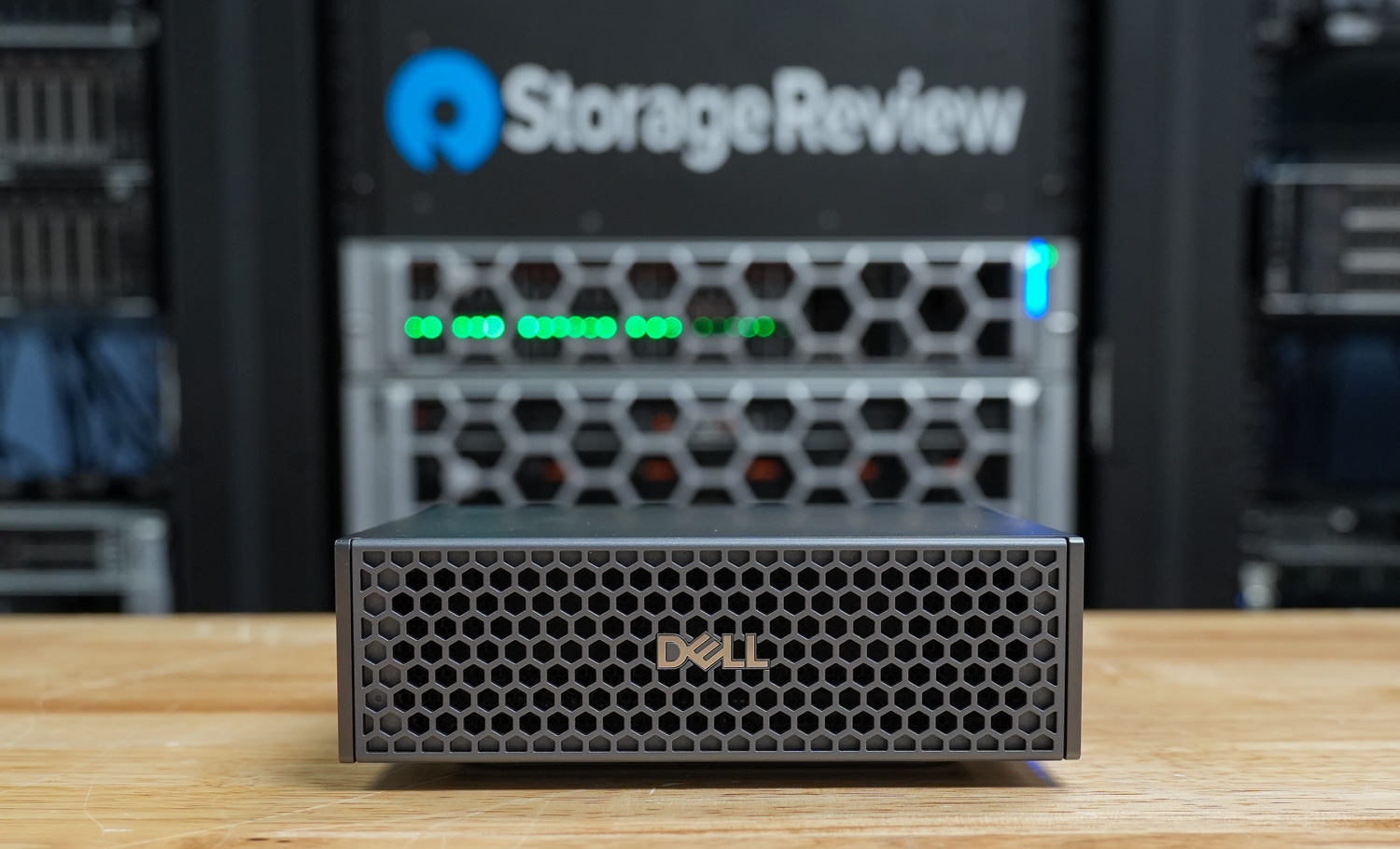
    Dell Pro Precision with GB10 desktop, sold at review time as the Dell Pro Max with GB10, front hexagonal grille with the Dell badge on the StorageReview lab bench

    Dell Pro Precision with GB300 is coming to Windows with up to 748GB of coherent memory, and 20 petaflops of FP4 compute, which puts the desk-side Grace Blackwell Ultra system inside the Windows environments enterprises already manage. Dell gives no date beyond coming soon.

    Dell Deskside Agentic AI Solutions for NVIDIA, the reference deployment templates, are on GitHub now. Five launch blueprints cover agentic coding, agentic VSS, NVIDIA NemoClaw, Hermes Agent on NemoClaw, and a Higher Education AI Lab platform. Each specifies the hardware, models, and software stack for its use case, and Dell says they scale from a single developer to 1,000 or more systems, with support for up to 96 developers on a single platform.

    Software Validation and Governance Extend Across the Stack

    Reflection’s Beam, an Apache 2.0 open-weight model built for software engineering and long-horizon agentic tasks, is validated and available on the platform now, as are a knowledge assistant and an agentic AI platform with Mistral. AI observability with Dynatrace and computer vision with Fogsphere follow in Q4 CY26, and SUSE Linux joins the supported operating systems in early Q1 CY27.

    Dell’s security architecture for agents stacks three layers: hardware-rooted Dell infrastructure, Red Hat AI Factory software for platform orchestration, and the NVIDIA OpenShell reference architecture for runtime governance, covering the runtime, network, data, and infrastructure layers. Dell Managed Services for AI, due in Q1 CY27, adds resource optimization, access governance, and consumption and cost management, giving development teams self-service access to AI resources while IT keeps the governance and financial controls.

    Dell AI Factory with NVIDIA

    The post Dell AI Factory with NVIDIA Adds a 256-CPU Vera Rack, a Groq 3 LPU Inference Rack, and a 64GB GB10 Desktop appeared first on StorageReview.com.


    Nutanix Private Inference System With Supermicro Puts Eight NVIDIA B300 Blackwell Ultra GPUs per Node Behind Dedicated NX Management and Storage Clusters, Ships Early 2027 Oct 21, 2026
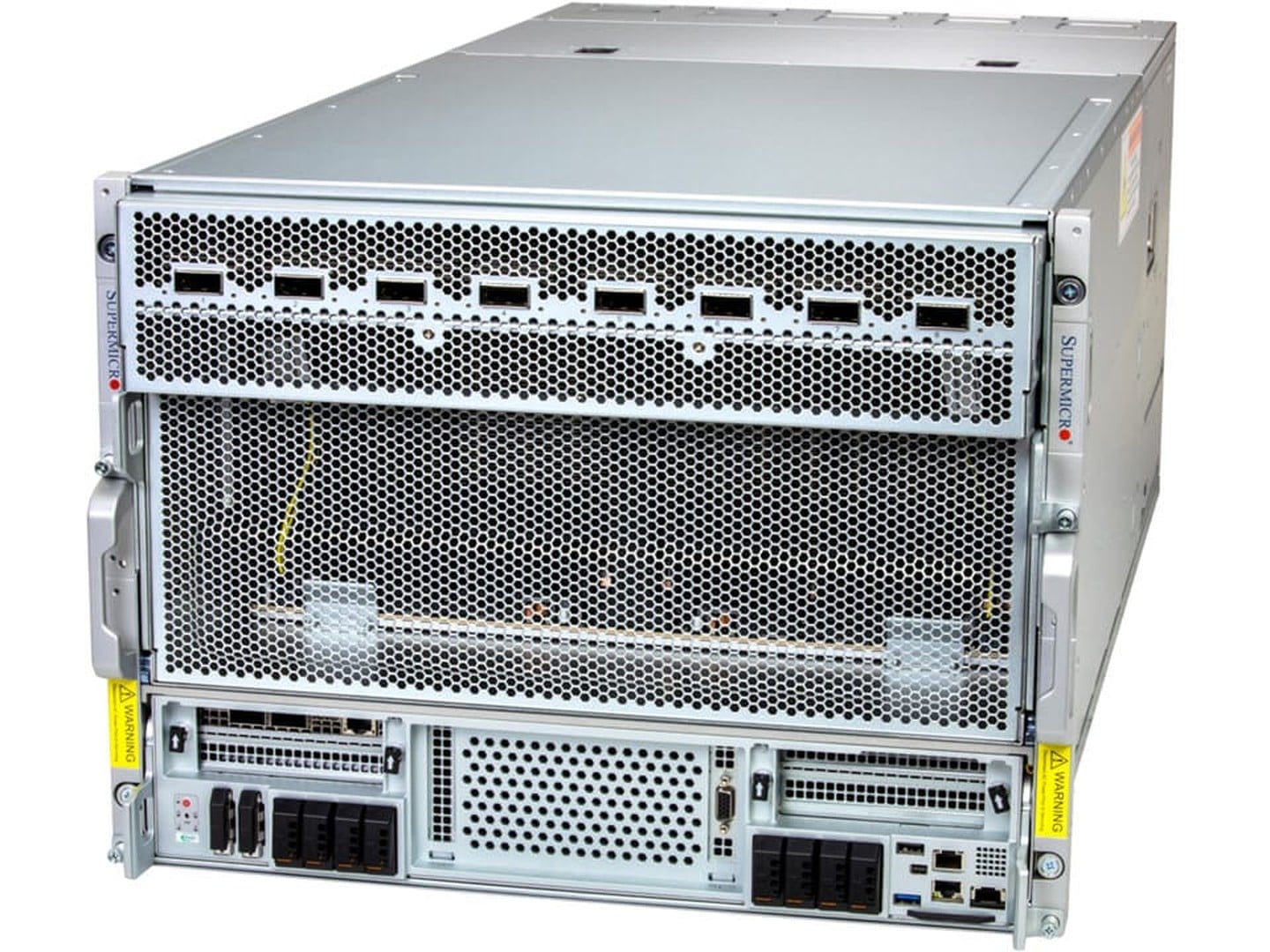
    Show notes Supermicro AS-8126GS-NB3RT 8U GPU server with an NVIDIA HGX B300 eight-GPU baseboard, front view showing the E1.S and M.2 drive bays, one of the server classes behind the Nutanix private inference system Supermicro AS-8126GS-NB3RT 8U GPU server with an NVIDIA HGX B300 eight-GPU baseboard, front view showing the E1.S and M.2 drive bays, one of the server classes behind the Nutanix private inference system

    Nutanix announced three collaborations today at NVIDIA GTC Berlin: a jointly engineered private inference system with Supermicro built on servers with eight NVIDIA B300 Blackwell Ultra GPUs per node, Day Zero support for NVIDIA Vera CPUs starting with NKP Bare Metal, and a multitenant stack with Netris that extends tenant isolation into the physical network. The Supermicro system pairs Nutanix Agentic AI (NAI) with dedicated management and storage clusters and NVIDIA Spectrum-X networking, and it is scheduled to ship in early 2027 through Supermicro and its channel partners.

    Supermicro AS-8126GS-NB3RT 8U GPU server with an NVIDIA HGX B300 eight-GPU baseboard, front view showing the E1.S and M.2 drive bays, one of the server classes behind the Nutanix private inference system

    Private Inference With Dedicated Management and Storage

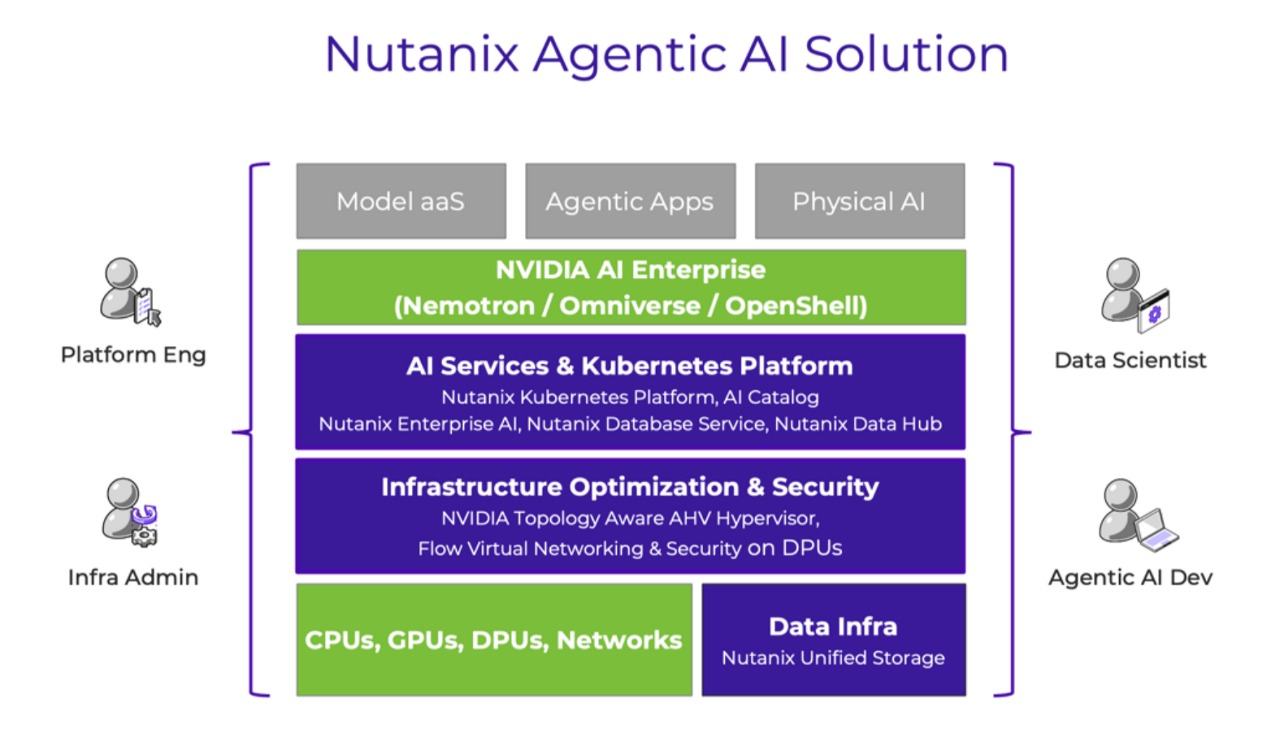
    The Supermicro system combines Nutanix Cloud Platform, Nutanix Kubernetes Platform (NKP), and Nutanix Enterprise AI on validated Supermicro GPU servers. Nutanix says the stack covers provisioning from bare metal through model-as-a-service and a secure Agent Gateway, with a built-in AI catalog for common AI applications. The stated goal is to cut custom configuration and integration delays and to control the cost per token of private inference as GPU capacity grows, though neither company has published pricing or a measured cost-per-token figure.

    Nutanix Agentic AI solution diagram: model-as-a-service, agentic apps, and physical AI over NVIDIA AI Enterprise with Nemotron, Omniverse, and OpenShell, Nutanix Kubernetes Platform, AI Catalog, and Enterprise AI, AHV and Flow on DPUs, and Nutanix Unified Storage

    A dedicated, resilient Nutanix management cluster on the NX-8170-G10 provides the single-tenant control plane, an arrangement meant to keep a management-plane failure from disrupting GPU execution. A separate Nutanix Unified Storage (NUS) cluster on the NX-8150-G10 handles the high-bandwidth I/O for data ingestion, checkpointing, and cache warming; Nutanix describes NUS as NVIDIA Enterprise-certified storage that supports context caching and model serving.

    NVIDIA Spectrum-X networking ties the clusters together with Spectrum-4 Ethernet switches (SN5610 and SN5600), ConnectX-7 and ConnectX-8 SuperNICs, and BlueField-3 DPUs for infrastructure offload and in-band management. The companies describe the fabric as deterministic, non-blocking GPU-to-GPU connectivity. “Collaborating with Nutanix, we want to accelerate time-to-online for enterprise AI,” said Matthew Thauberger, chief revenue officer at Supermicro.

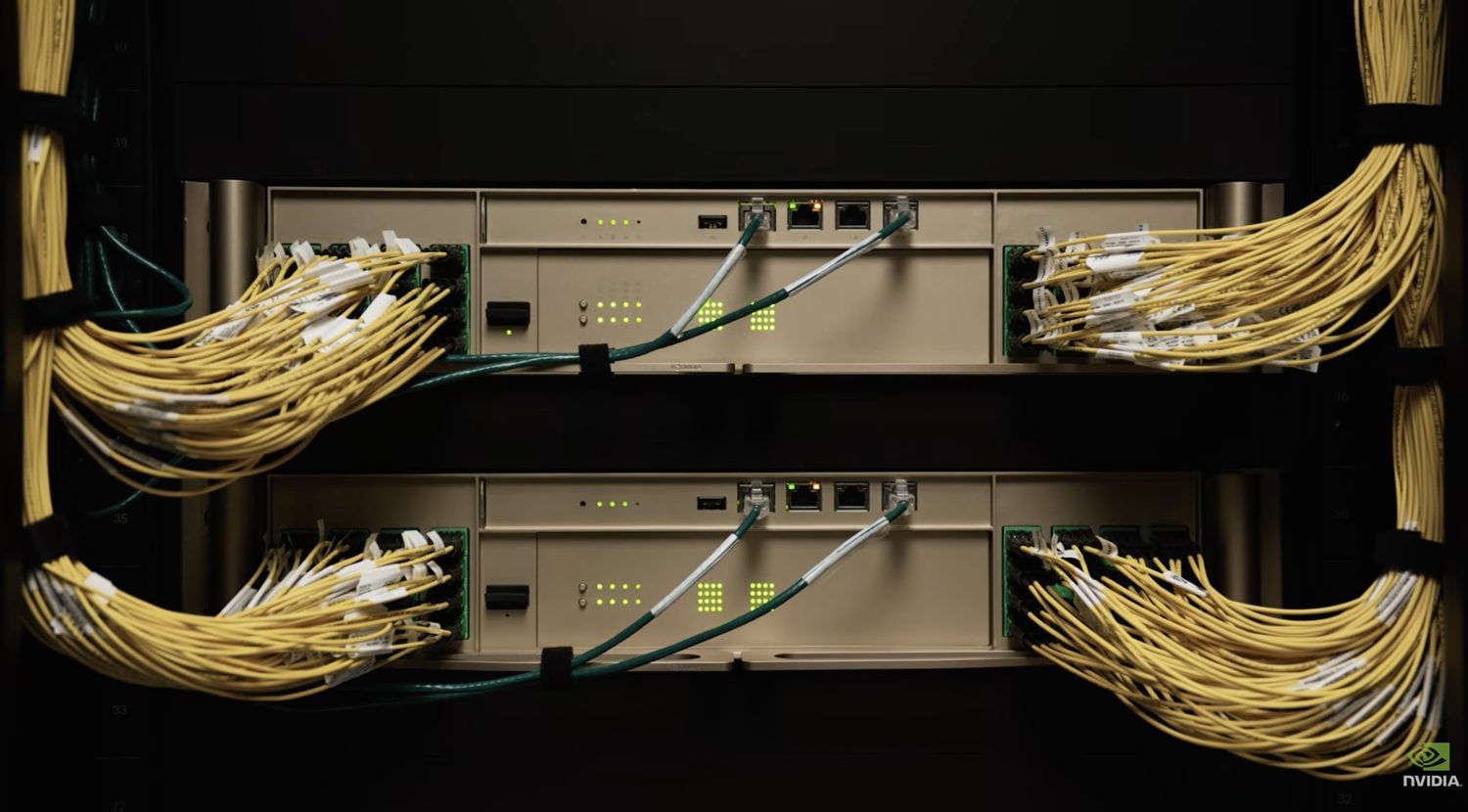
    NVIDIA Spectrum-X Photonics switches with fiber in a rack, an early co-packaged optics deployment

    NVIDIA Vera Support Starts With NKP Bare Metal

    Nutanix plans to work toward Day Zero support for NVIDIA Vera CPUs, beginning with NKP Bare Metal and expanding later to virtualized Nutanix environments, with no date set for either. The CPU side of an agentic application is the work between GPU operations: tool calls, code execution, retrieval, orchestration, and outcome processing. Nutanix says it will pair Vera CPUs with NVIDIA OpenShell and NKP to build safe, private runtime environments for agents, and it has published no performance figures for the planned implementation.

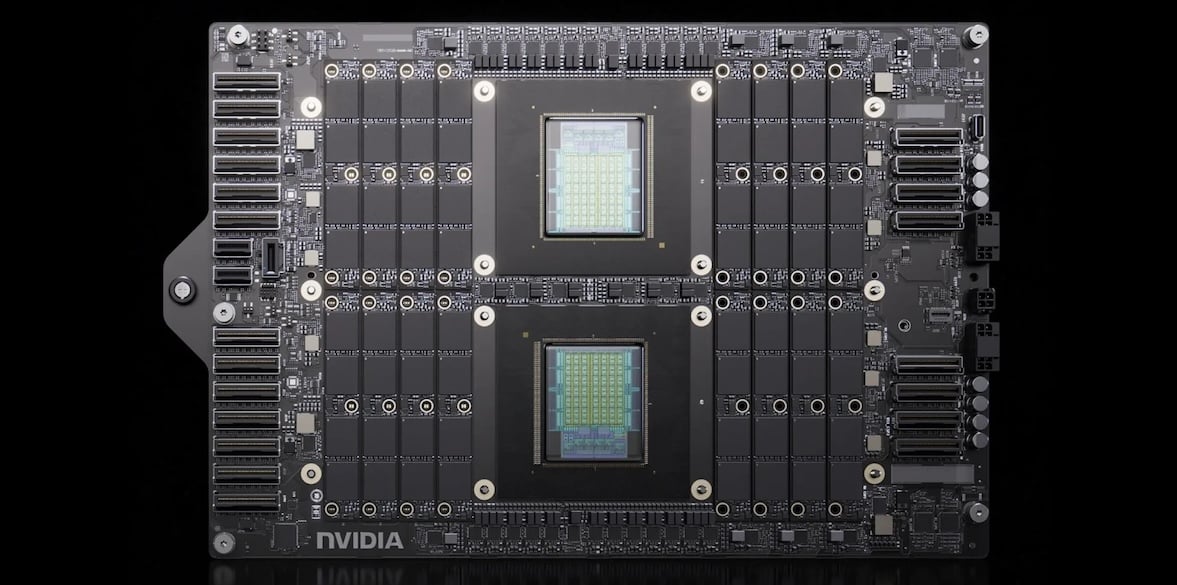
    NVIDIA Vera CPU module render with two compute dies surrounded by memory packages

    Netris Extends Multitenancy Into the Physical Network

    Nutanix and Netris are building a jointly engineered stack that combines Nutanix Cloud Platform with the Netris Network Automation, Abstraction, and Multitenancy (NAAM) platform for neoclouds, NVIDIA Cloud Partners, and enterprises running multitenant GPU infrastructure. Nutanix supplies compute orchestration across virtual machines, containers, CPUs, and GPUs, along with storage, Kubernetes, security, the Nutanix Agent Gateway, and model-as-a-service and AI platform services. Netris supplies physical network automation, abstraction, and multitenancy, translating each tenant’s requirements into network services for bare-metal and virtualized GPU nodes and configuring the physical fabric as the tenant’s resources are provisioned.

    The network layer exposes VPCs, elastic IPs, NAT, and L4 load balancers through a web console, a REST API, and Terraform, and covers edge, East-West, North-South, scale-up, and host-based traffic. Tenant isolation runs from virtual workloads through DPUs to the physical switches, with hard isolation enforced in the networking hardware. Netris automates Ethernet, InfiniBand, DPUs, and virtual and edge networking from Day Zero design through live operations, and the company counts more than 70 live deployments. The Nutanix and Netris stack is planned for tech preview in early 2027; no general availability date has been set.

    Nutanix Agentic AI

    The post Nutanix Private Inference System With Supermicro Puts Eight NVIDIA B300 Blackwell Ultra GPUs per Node Behind Dedicated NX Management and Storage Clusters, Ships Early 2027 appeared first on StorageReview.com.


    CoreWeave Physical AI Launchables Put Isaac Sim, CARLA, and MuJoCo Behind One Command, With a Six-Layer Zero Trust AI Framework Oct 21, 2026
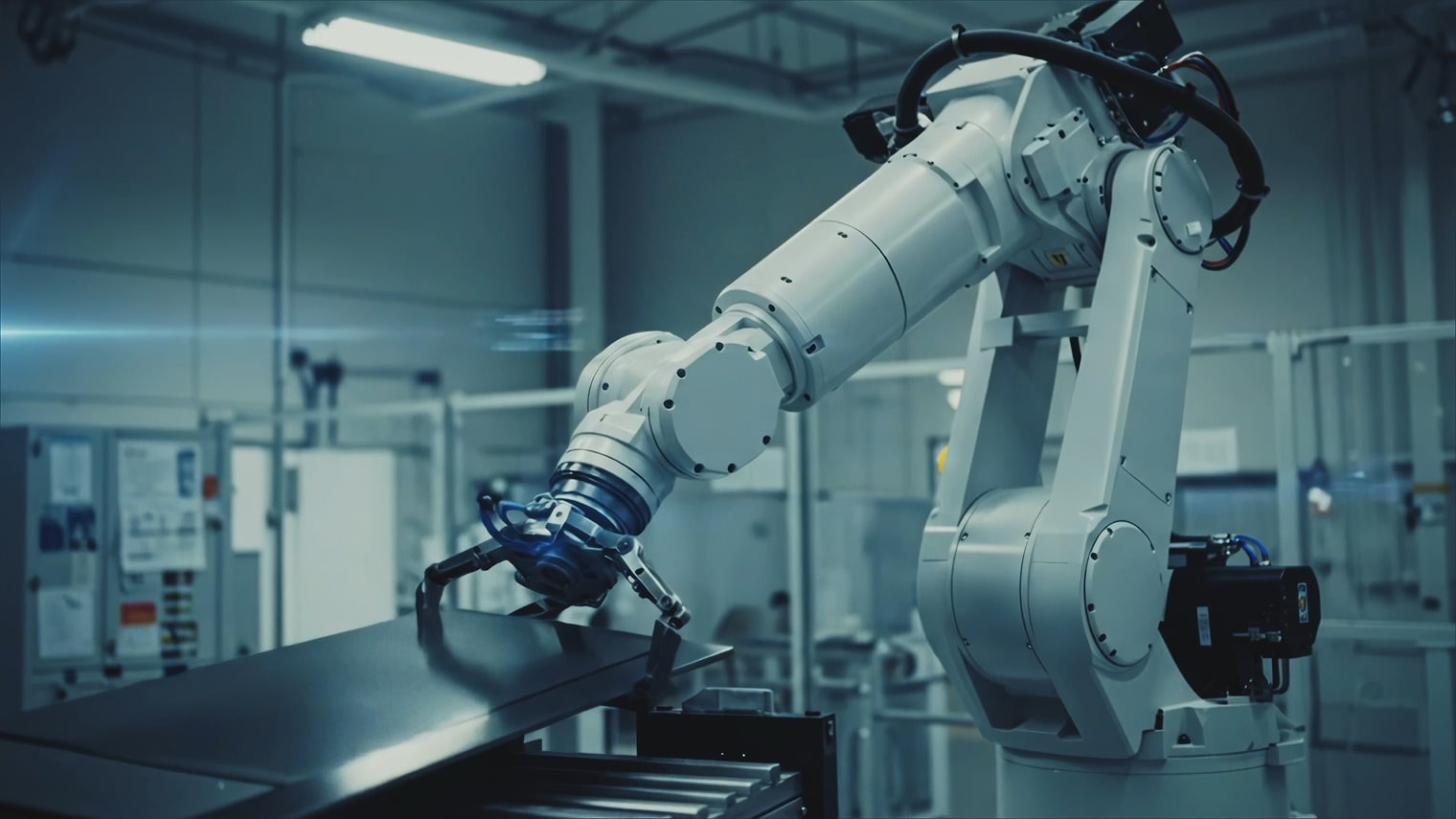
    Show notes Industrial robot arm picking a part from a table in a factory cell, CoreWeave's hero image for Physical AI Launchables Industrial robot arm picking a part from a table in a factory cell, CoreWeave's hero image for Physical AI Launchables

    CoreWeave launched Physical AI Launchables and the CoreWeave Zero Trust AI Framework today at NVIDIA GTC Berlin. Launchables is a catalog of tested, ready-to-run templates for robotics and autonomous vehicle tools, each started with one command, that pairs environments for NVIDIA Isaac Sim, CARLA, MuJoCo, NVIDIA AlpaSim, and NVIDIA Cosmos 3 with coding-agent skills tuned to CoreWeave’s cloud. The Zero Trust framework is the security half of the announcement: six controls that keep encryption keys, administrative access, and model data under the customer’s authority.

    Industrial robot arm picking a part from a table in a factory cell, CoreWeave's hero image for Physical AI Launchables

    Five Tool Templates and Cosmos Data Factory Skills

    At launch, the catalog covers five tools. Isaac Sim ships four templates: a Franka pick-and-place task, a forklift-and-pallet scene with labeled synthetic data, vehicle-dynamics variants with driving and braking trajectories, and a warehouse with workers and incidents captured by multiple cameras. CARLA gets a driving-scenario matrix, MuJoCo a GPU-parallel reinforcement learning sweep on MuJoCo Warp and a RoboCasa kitchen task, AlpaSim a closed-loop evaluation of NVIDIA’s Alpamayo driving model over reconstructed real scenes, and Cosmos 3 a text-to-video scenario generator on Cosmos 3 Nano. Every tool also ships a blank template for workloads the catalog does not cover, and a Voxel51 FiftyOne template is listed as coming soon.

    Settings change as name=value pairs on the command line (scenarios, duration, parallelism, the model under test), and bigger changes go into the template’s application code; CoreWeave’s Isaac Sim example launches each hand-edited variation in about 30 seconds. The catalog also integrates NVIDIA Cosmos Data Factory agentic skills for auto-labeling, data curation, retrieval, and generative augmentation across video, image, and text, with more Cosmos Data Factory workflows promised as templates.

    Decoupled CPU Stages, Agent Skills, and ISV Partners

    Where a workload allows it, the templates run CPU-only preparation and post-processing before GPU execution begins and release the GPU nodes as soon as the accelerated stage ends. Each template declares its resource and concurrency limits so parallel runs do not compete for the same host, states its inputs and what it returns, and sends reports, metrics, media, and diagnostics back through one interface. Every operation is documented, and every response is machine-readable, so a script or a coding agent can launch, monitor, and retrieve a run.

    CoreWeave ships agent skills tuned to its cloud with every template, alongside the reference physical AI skills NVIDIA publishes for any cloud, and they work with Claude Code, Codex, and other coding agents. Humans and agents share the same visible workflow of inputs, settings, runs, and results, so an agent’s changes can be inspected and traced. On the partner side, Cadence, Convergent Science, Encord, nTop, PhysicsX, and Voxel51 run their applications on CoreWeave compute while keeping their interfaces, and customers can run a sustained program on reserved capacity or a single burst job to test one idea.

    Six-Layer Zero Trust Framework Isolates Keys, Compute, and Network Paths

    The CoreWeave Zero Trust AI Framework sets six control boundaries around enterprise data, model weights, and multi-tenant runtimes, on the premise that agentic AI spreads sensitive data across prompts, embeddings, weights, traces, outputs, and runtime systems. “Security for AI workloads cannot rest on a provider’s promises about its own behavior,” said Chen Goldberg, executive vice president of product and engineering at CoreWeave.

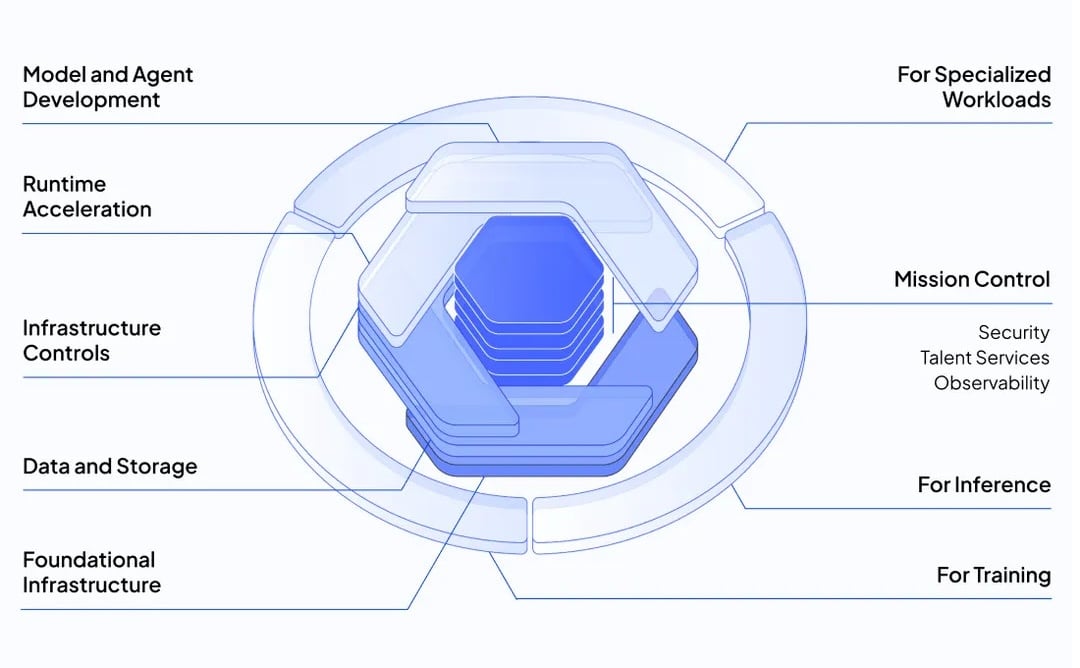
    CoreWeave Cloud Platform diagram with stacked hexagon layers for foundational infrastructure, data and storage, infrastructure controls, runtime acceleration, and model and agent development, ringed by mission control, training, inference, and specialized workloads

    Zero Key Access (Remote Key Encryption) keeps keys in the customer’s infrastructure, whether a software key manager, a hardware security module, or a KMS in another cloud, with no key authority transferred to CoreWeave. Zero Node Access (Support Access Management) makes provider access an explicit customer decision, scoped to a defined operational need and ended when that work is complete. Zero Trust Infrastructure uses hardware roots of trust and CoreWeave’s attestation services, so a key manager, orchestrator, or workload can demand valid attestation evidence before releasing secrets, decrypting data, or proceeding.

    Zero In-Use Access is confidential computing. CoreWeave intends to support it on NVIDIA Blackwell and Vera Rubin, with Vera Rubin NVL72 extending NVIDIA’s third-generation confidential computing across CPUs, GPUs, and the NVLink fabric, and HGX Rubin NVL8 due on CoreWeave Cloud in Q4 2026, starting with select bare-metal environments before Kubernetes-based workloads. CoreWeave also plans to support the NVIDIA OpenShell reference architecture, which pairs Rubin GPUs and Vera CPUs running the OpenShell secure runtime.

    Zero Model Data states that CoreWeave, as an AI cloud and not a model provider, does not use customer prompts, training data, model weights, or outputs to train or improve models of its own. Zero Trust Network Encryption runs IEEE 802.1AE MACsec across CoreWeave’s backbone, so encrypted transport comes with the network and no application team has to build it. CoreWeave gives no availability dates for the framework’s layers beyond the Q4 2026 HGX Rubin NVL8 arrival.

    CoreWeave Physical AI

    The post CoreWeave Physical AI Launchables Put Isaac Sim, CARLA, and MuJoCo Behind One Command, With a Six-Layer Zero Trust AI Framework appeared first on StorageReview.com.


    HPE Private Cloud AI Adds MCP Servers, Mixed H200 and RTX PRO 6000 Clusters, and a 256-CPU NVIDIA Vera Rack Oct 21, 2026
    Show notes HPE AI Factory with NVIDIA render of a row of compute racks with Vertiv Liebert XDU coolant distribution units at the end of the row HPE AI Factory with NVIDIA render of a row of compute racks with Vertiv Liebert XDU coolant distribution units at the end of the row

    HPE announced updates to HPE AI Factory with NVIDIA today at NVIDIA GTC Berlin, and most of the changes land in HPE Private Cloud AI. Developers, independent software vendors, and AI agents get governed access to the platform’s inference, models, and pipelines through production APIs and Model Context Protocol (MCP) servers, clusters can now mix NVIDIA H200 and RTX PRO 6000 Blackwell Server Edition GPUs, and HPE is introducing the NVIDIA Vera CPU Rack for the agentic workloads that run on CPUs.

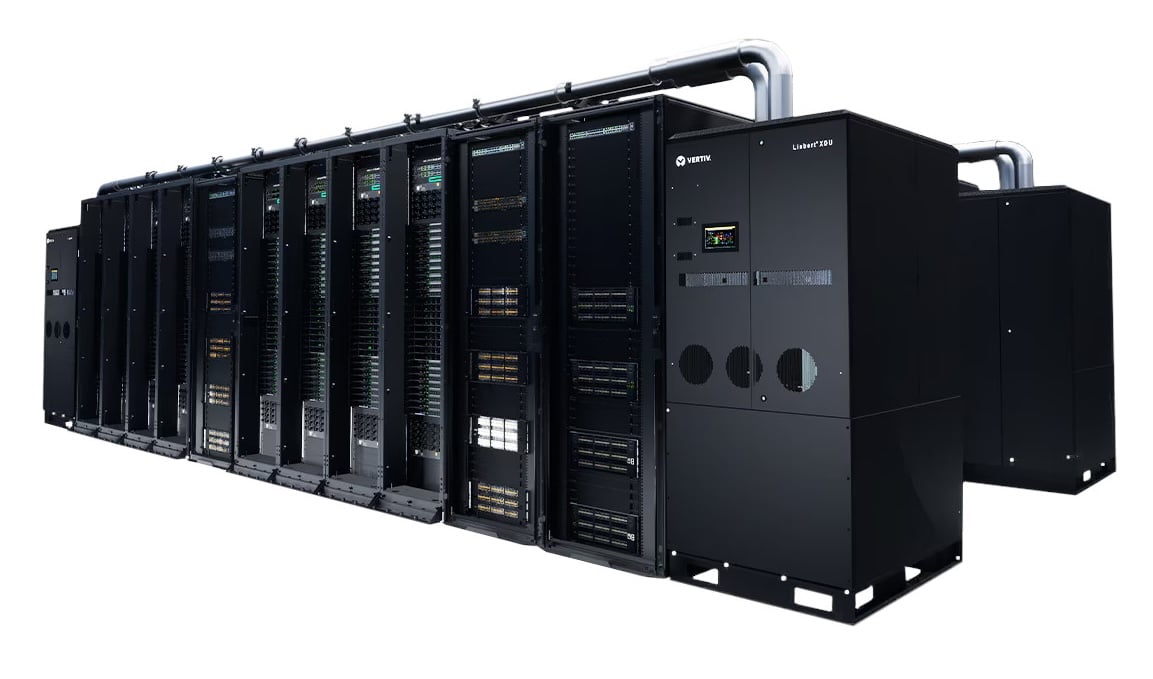
    HPE AI Factory with NVIDIA render of a row of compute racks with Vertiv Liebert XDU coolant distribution units at the end of the row

    HPE AI Factory with NVIDIA bundles models, infrastructure, data, and workflows so enterprises can run AI under centralized security, governance, and operational control. The GTC Berlin updates follow the agentic AI additions HPE made at Discover in June, and they target the same customers: organizations in hybrid, regulated, and sovereign environments that want autonomous AI workloads in production without giving up control of the data and the infrastructure.

    “AI agents are becoming an essential part of how enterprises operate and create value,” said Cheri Williams, SVP and GM, Private Cloud and Flex Solutions, HPE. “As organizations deploy AI across industries and increasingly sensitive environments, they need infrastructure that gives them greater control over security, sovereignty, and how enterprise data is accessed and used.”

    HPE Private Cloud AI Adds Governed APIs and MCP Servers

    The new HPE AI Essentials capabilities give developers, ISVs, and AI agents access to Private Cloud AI’s inference, models, knowledge services, and AI pipelines through production-grade APIs and MCP servers, all under centralized identity management and governance. Developers and ISVs can build Private Cloud AI services into applications and industry-specific solutions, and the MCP servers extend the same access to autonomous agents, with versioning and governance scoped by role, tenant, and project. Audit logging records what agents do inside enterprise systems.

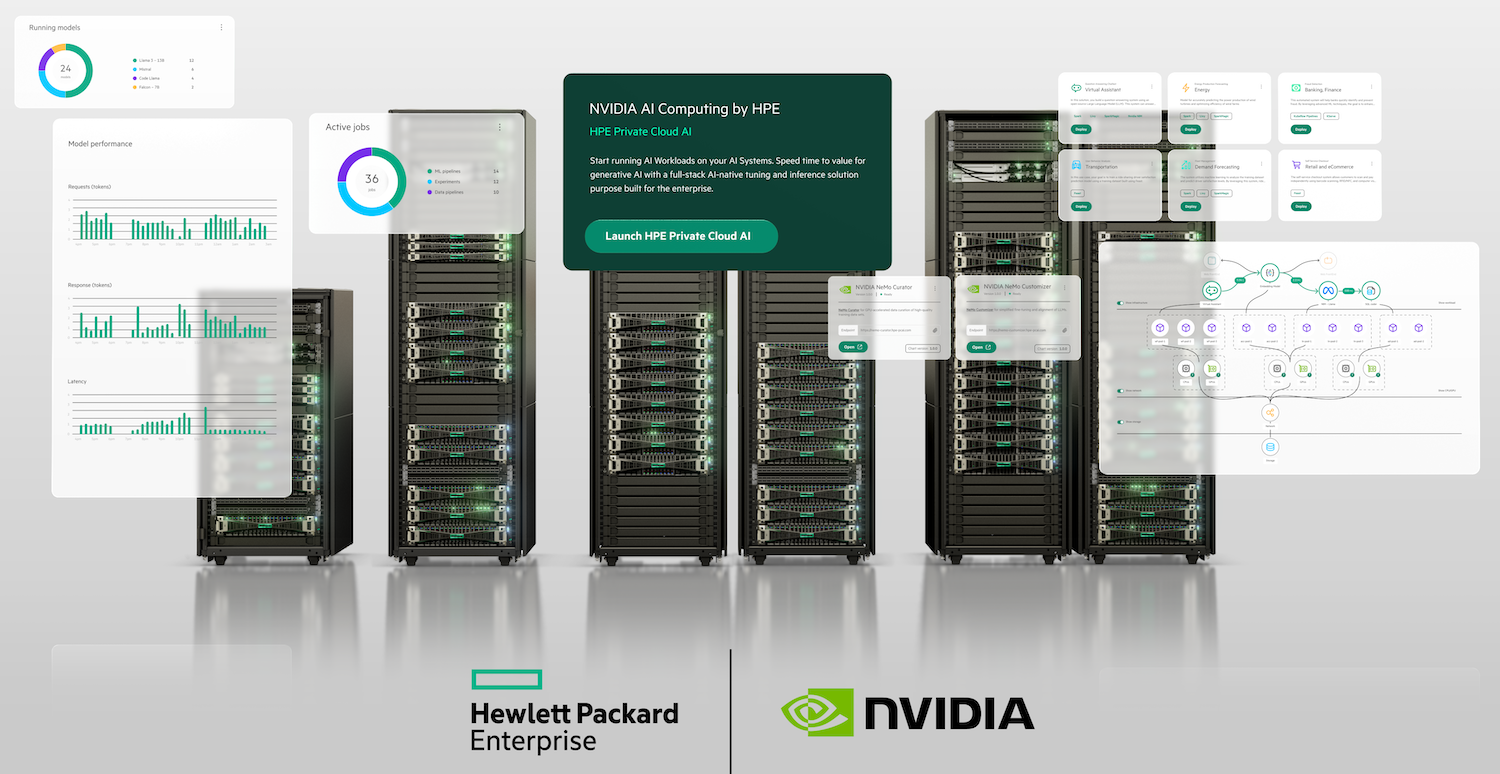
    HPE Private Cloud AI graphic with NVIDIA AI Computing by HPE racks surrounded by model performance and active job dashboards

    OpenAPI is the source of truth for every supported interface, so documentation, software development kits, and code samples are generated from the same definitions. Role-based access control, machine identity support, and audit logging apply to human and agent access alike. HPE also outlined API-first and Kubernetes-assisted onboarding for connected and air-gapped Private Cloud AI deployments, aimed at organizations with regulated or sovereign deployment requirements.

    Mixed-GPU Clusters and Workload Scheduling

    HPE Private Cloud AI now runs NVIDIA H200 and RTX PRO 6000 Blackwell Server Edition GPUs in the same cluster, so a customer can match each workload to the GPU that fits it under one operating and governance environment. That capability is generally available, as is NVIDIA’s open-source KAI Scheduler, which adds quota-based and priority-based scheduling across projects to improve GPU utilization and workload placement. Our RTX PRO 4500 Blackwell Server Edition review covers the single-slot member of the same GPU family.

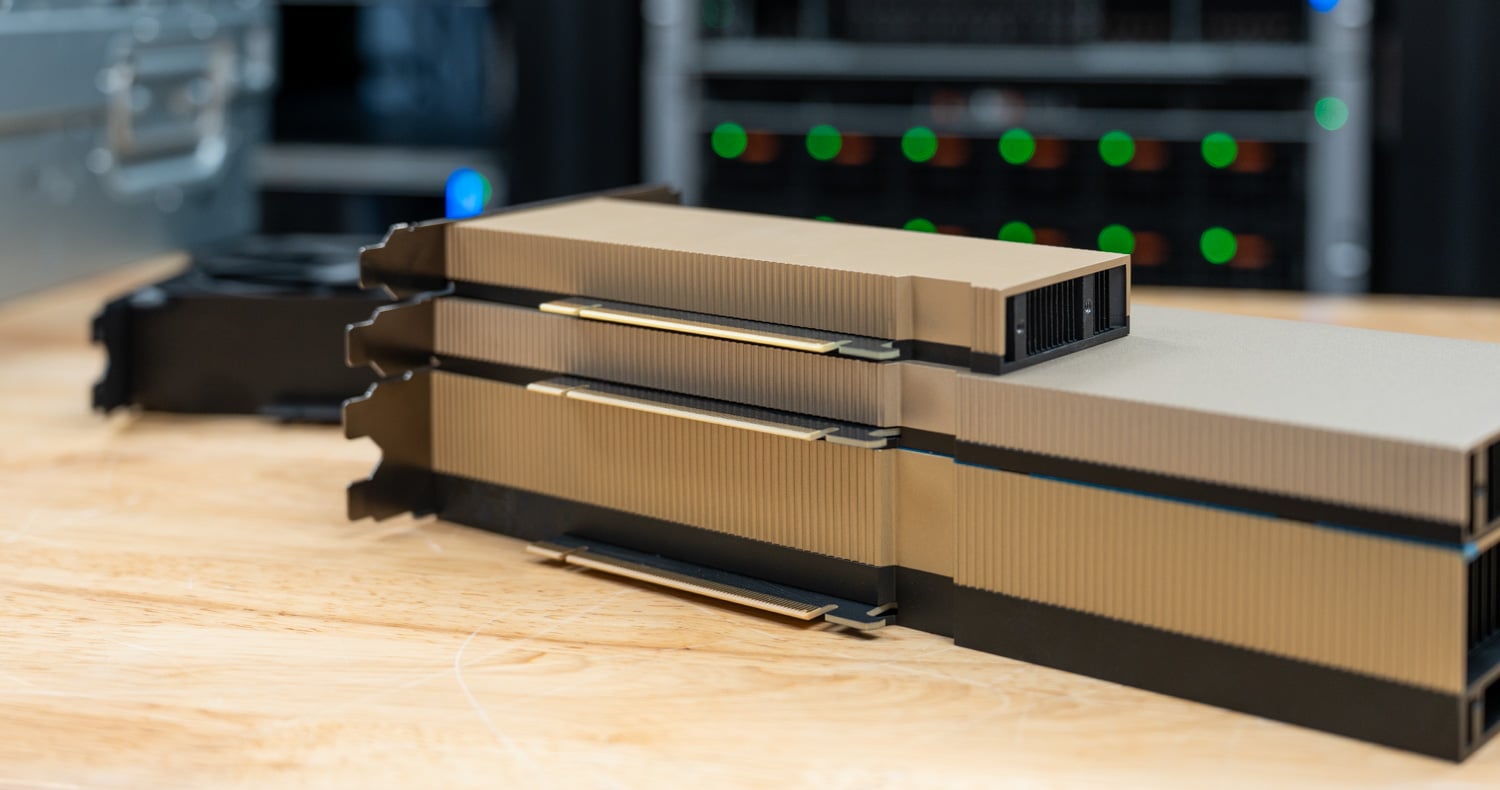
    NVIDIA L4, RTX PRO 4500 Blackwell Server Edition, and L40S stacked edge-on from top to bottom to compare slot thickness and length, with the RTX PRO 6000 Workstation Edition behind

    Schneider Electric plans to combine HPE Private Cloud AI with its industrial and operational technology expertise to support what it calls Industrial AI Agents at the Edge, putting inference closer to where operational decisions are made while keeping control over sensitive data. HPE and Schneider Electric have not said which sites or workloads come first.

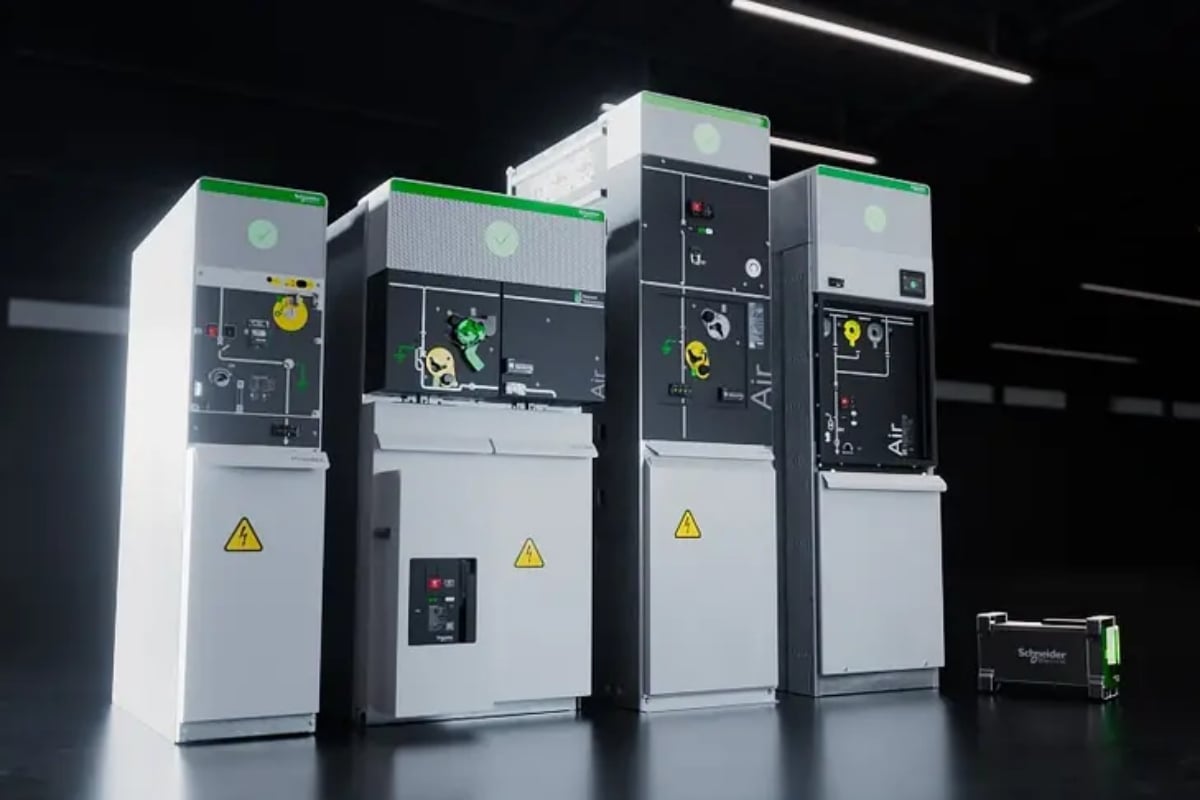
    Schneider Electric render of four AirSeT medium-voltage switchgear cabinets in white and green with a small control unit beside them

    NVIDIA Vera CPU Rack Targets Agentic Workloads

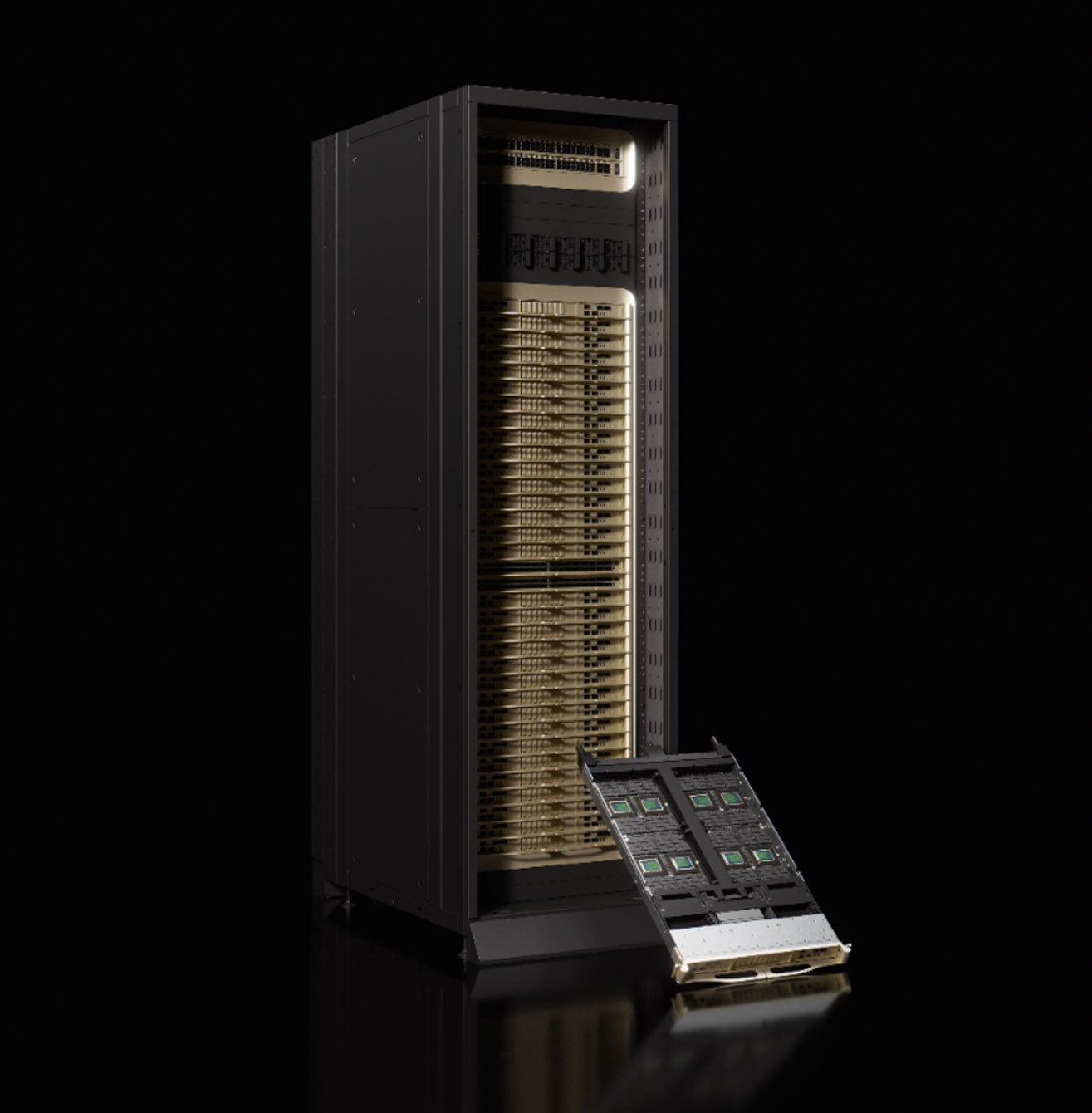
    HPE is introducing the NVIDIA Vera CPU Rack by HPE for the CPU-heavy side of agentic AI and reinforcement learning: agent sandboxes, RL evaluations, and data-processing pipelines that run beside the GPU infrastructure. The liquid-cooled rack carries 256 Vera CPUs and supports more than 22,500 sandboxes. HPE claims 80 percent faster agentic CPU performance without naming a baseline; NVIDIA’s Vera CPU Rack page frames the same figure against traditional CPU infrastructure, also without a test configuration.

    NVIDIA render of a Vera CPU rack with a compute tray pulled out in front, showing the processor sockets on the tray

    NVIDIA’s render of the Vera CPU Rack with a compute tray pulled out

    Availability

    The Private Cloud AI updates, including administrator-enabled developer and ISV access through the HPE AI Essentials API platform, are scheduled to roll out in late 2026. A self-service developer experience covering application and agent registration, API and MCP discovery, and credential management is planned for 2027. Mixed H200 and RTX PRO 6000 Blackwell Server Edition clusters and KAI scheduling are generally available now.

    HPE Private Cloud AI

    The post HPE Private Cloud AI Adds MCP Servers, Mixed H200 and RTX PRO 6000 Clusters, and a 256-CPU NVIDIA Vera Rack appeared first on StorageReview.com.


    Dell Pro Precision 9 T2 Review: Xeon 6 Brings Four Channels of DDR5-6400 and E3.S to the Single-GPU Tower Oct 20, 2026
    Show notes

    The Dell Pro Precision 9 T2 is the Xeon version of the single-GPU tower we reviewed a year ago as the Dell Pro Max Tower T2, and it arrives with two changes at once: a new name, as Dell moves its workstations back under the Precision brand, and a new platform, with Intel’s Xeon 6 replacing the Core Ultra 9 285K inside the same 32-liter chassis. Our unit shipped with the 24-core Xeon 658X, 128GB of DDR5-6400 RDIMM ECC, the 300W RTX PRO 6000 Blackwell Max-Q, and two 2TB E3.S Gen5 drives striped in the front FlexBay. Configured the same way on Dell.com, it lists at about $28,300. We tested it as a matrix: the Pro Precision 9 T2 ran our full suite with the Max-Q card it shipped with and again with the 600W RTX PRO 6000 Blackwell pulled from our Pro Max Tower T2, and the Core-based T2 ran both cards too, so all the results below have four columns, and each pair isolates one variable: the CPU platform, or the GPU’s power limit. The suite is the same one that ran on last week’s RTX Spark notebooks, with a few additions that debut here. The Xeon buys throughput and gives back latency. The Pro Precision 9 T2 scored 12,322 in Cinebench 2026 multi-core against 8,856 on the Core T2, built LLVM in 140.2 seconds against 182.5, and read 122,233MB/s in STREAM Triad against 33,003, while its single-core Cinebench score of 454.1 trails the 285K’s 564.4 and its Speedometer score of 36.8 trails 46.3. The 600W card adds about 7 to 20 percent on LLM decode and 20 to 39 percent on prompt processing and diffusion in either tower, and in the Xeon tower it costs the CPU 4 to 5 percent on all-core work. Key Takeaways Xeon 6 is a throughput platform in a single-socket tower: 12,322 in Cinebench 2026 multi-core, 39 percent ahead of the Core Ultra 9 285K in the same chassis, 289.6 GIPS in 7-Zip against 174.8, DGEMM at 1,638 GFLOPS against 768, and 3.7x the memory bandwidth from four channels of DDR5-6400. The 285K still owns per-thread speed: the Xeon trails it by 20 percent in Cinebench single-core, 21 percent in Speedometer, and 20 to 31 percent in single-threaded Python, with core-to-core latency of 56.2 ns against 38.1. The GPU decides the AI results, and the 600W card earns its power on prompts: MLPerf Llama 3.1 8B generates at 230.9 tokens per second with the Max-Q and 252.8 with the 600W card, while time to first token drops from 0.082 to 0.059 seconds and Qwen-Image 20B renders a 1024×1024 image in 19.7 seconds against 26.1. The 600W card taxes the Xeon’s CPU work by 4 to 5 percent: Cinebench multi-core fell from 12,322 to 11,705 and the 30-minute sustained loop from 12,328 to 11,764, with steady-state clocks down from 4,274 to 4,178MHz; the same swap changed nothing in the Core T2. E3.S in the FlexBay, striped by VROC by Graid: the front bay takes two E3.S Gen5 drives, a first for a tower workstation in our lab, and Dell’s RAID0 boot option builds them into a 4,097GB volume with VROC by Graid Technology. The stripe reads 9,332MB/s sequentially and peaks at 840.1K IOPS on 4K random reads, against 1.78M IOPS from the single Gen5 M.2 in the Core T2. From Pro Max to Pro Precision Dell retired the Precision name at the start of 2025, when every workstation became a Dell Pro Max, and it has now brought it back. On October 7, Dell renamed its GB10 and GB300 desksides from Dell Pro Max to Dell Pro Precision, and Dell.com lists the Pro Precision 9 T2 alongside new T4 and T6 towers under the same brand. Pro Max remains for the Core-based machines, so the Core Ultra tower we reviewed last year is still sold as the Dell Pro Max Tower T2, and the Xeon tower reviewed here is the Dell Pro Precision 9 T2, model PW9T2260. The T4 and T6 made the same move to Xeon 6 with the rename, and Dell positions the three towers by expansion. The Pro Precision 9 T4 (PW9T4260) runs the same processor list up to the 86-core Xeon 698X, adds 16 DIMM slots for up to 4TB of DDR5-6400 on all eight memory channels, and takes a single 600W RTX PRO 6000 or two Max-Q cards on a 1500W supply, with a 2400W chassis as an option. The Pro Precision 9 T6 (PW9T6260) is the top of the line, with six slots, a 2400W supply, and room for two 600W RTX PRO 6000 cards, three Max-Q cards, or up to five RTX PRO 5000s. The T2 is the single-GPU, four-channel entry to the family. The naming accuracy matters because the two towers are identical from the outside, sharing the same 32-liter chassis at 387 x 187.7 x 438mm, the same bezel and front FlexBay, and the same RTX PRO 6000 Blackwell options in Dell’s configurator, so the difference is the board. Where the Pro Max Tower T2 pairs the 24-core Core Ultra 9 285K with four DIMM slots of unbuffered DDR5, the Pro Precision 9 T2 moves to Intel’s Xeon 6 for workstations, the Granite Rapids-WS platform we reviewed on a bare board in June, with registered ECC memory, more PCIe lanes, and a 250W processor in the top configuration. Dell offers six Xeon 6 processors in the Pro Precision 9 T2, from the 12-core Xeon 634 at 150W to the 24-core 658X at 250W in our unit, and the step from the 634 to the 658X is a $1,560 option. The 658X runs 24 cores and 48 threads at 3.0GHz base and 4.9GHz turbo with 144MB of L3, three times the 285K’s 36MB, and it supports AVX-512 and AMX, neither of which the 285K has. The chip carries eight DDR5-6400 channels and 128 Gen5 lanes; the T2 breaks out four DIMM slots and five expansion slots, and the larger T4 and T6 expose the rest. Platform Dell Pro Precision 9 T2 (as tested) Dell Pro Max Tower T2 (as tested) Processor Intel Xeon 658X, 24 cores / 48 threads, 3.0 to 4.9GHz, 144MB L3, 250W Intel Core Ultra 9 285K, 24 cores / 24 threads (8P + 16E), up to 5.7GHz, 36MB L3, 125W Instruction sets AVX-512, AMX AVX2 (no AVX-512), Intel AI Boost NPU Memory 4 x 32GB DDR5-6400 RDIMM ECC (four channels; 1TB maximum) 4 x 32GB DDR5-4400 ECC UDIMM Expansion Gen5 x16, Gen5 x4, Gen4 x16, two Gen4 x8 (one x4 electrical) Gen5 x16, one Gen4 x4 and two Gen3 x4 Boot storage as tested 2 x 2TB E3.S Gen5 NVMe in the front FlexBay, RAID0 (VROC by Graid Technology), 4,097GB 2TB SK hynix PCB01 M.2 Gen5 (single drive) Internal M.2 3 x M.2 2280 Gen5 1 x Gen5 and 2 x Gen4 M.2 Power supply 750W standard; 500W or 1500W optional (1500W as tested) 360W, 500W, or 1500W (80 Plus Platinum) Graphics as tested RTX PRO 6000 Blackwell Max-Q (300W) as shipped; 600W card also tested RTX PRO 6000 Blackwell (600W) as shipped; Max-Q card also tested Chassis 387 x 187.7 x 438mm, 11.6 to 21.8kg 387 x 187.7 x 438mm, 8.17 to 23kg The Core T2 booted from a single M.2 drive, while our Pro Precision 9 T2 came with Dell’s FlexBay NVMe boot configuration: two hot-pluggable E3.S Gen5 drives behind the front bezel, striped into one 4,097GB volume by the RAID0 boot option. E3.S is the enterprise form factor we have been asking tower vendors for, since it moves the capacity ceiling well past M.2 and the drives come out the front without opening the chassis. The RAID layer is VROC by Graid Technology, the Intel VROC code Graid took over last year and relaunched at Computex, and this is the first workstation in our lab to ship with it. The 600W card needs a little extra room; the Max-Q does not. Our unit shipped with an Intel E810-XXV dual-port 25GbE adapter in the slot next to the GPU, and to install the 600W RTX PRO 6000 we had to remove it; the card’s cooler occupies the adjacent slot’s space as well as the slot’s power. Buyers who want the full-power card and a high-speed NIC should plan the slot layout before ordering, and a 1500W supply is the only reasonable pairing for it; our unit had the 1500W option, a $40 upgrade from the 750W standard supply. Build and Design The Pro Precision 9 T2 uses the same tool-less tower as the Pro Max version, with a full-height mesh front grille for intake, a side latch and captive thumbscrew for the side panel, and the FlexBay and optional slim optical drive behind the lower bezel. Dell lists the chassis at 11.6kg empty and up to 21.8kg configured, and ours, with the 1500W supply, the 658X’s cooler, and a two-slot GPU, sits toward the top of that range. The inside of the chassis is built around airflow, and Dell directs the air exactly where it needs to go. The large cooling shroud, which keeps the DIMMs cool and moves hot air from the CPU straight out of the chassis, has a fan integrated into the shroud itself. With the case open, you can see how the shroud works into the structural layout of the chassis, resting its lower edge on the GPU support bracket and fitting snugly against the side cover. Inside, the layout follows the Pro Max tower’s: the processor and four DIMM slots sit above the expansion area, the GPU in the Gen5 x16 slot is supported at its far end by a retention bracket, and the power supply mounts at the rear with a handle for tool-less removal. All five slots are full height: slot 2 is the Gen5 x16 for the GPU, slot 1 is Gen5 x4, and the other three are Gen4, one x16 and two open-ended x8, for a NIC, a storage card, or a second GPU. Three internal M.2 2280 Gen5 slots and two 3.5-inch SATA bays sit behind the front E3.S bay. Front I/O is a headset jack, a 20Gbps USB-C port with PowerShare, a 10Gbps USB-C port, two USB-A ports, and an optional SD slot. The rear carries audio line-out, 20Gbps and 10Gbps USB-C ports, two USB 2.0 ports with SmartPower, two USB-A 5Gbps ports, 1GbE, an optional module slot that takes a 5GbE NIC or two more USB-A ports, and an optional legacy serial port. Our unit added the MediaTek MT7925 Wi-Fi 7 card in the internal M.2 2230 slot and the Intel E810-XXV 25GbE card, the one that came out for the 600W GPU. Dell Pro Precision 9 T2 Specifications Specification Dell Pro Precision 9 T2 (PW9T2260) Platform Overview Processor options Intel Xeon 634 (12C, 150W), 636 (12C, 170W), 638 (16C, 180W), 654 (18C, 200W), 656 (20C, 210W), 658X (24C / 48T, 144MB L3, 250W)Xeon 658X as tested Memory DDR5 RDIMM ECC, 5600 or 6400 MT/s, four slots, up to 1TB (4 x 256GB)128GB (4 x 32GB) DDR5-6400 as tested Graphics options NVIDIA RTX A400, A1000, RTX PRO 2000 / 4000 / 4500 / 5000 / 6000 Blackwell (600W) / 6000 Blackwell Max-Q (300W), A800 Active; AMD Radeon Pro W7400; dual and triple configurations on selected cardsRTX PRO 6000 Blackwell Max-Q Workstation Edition, 96GB GDDR7, as tested Storage Front FlexBay: up to two E3.S / NVMe drives plus optional slim ODD, or one 3.5-inch SATA bayInternal: 3 x M.2 2280 Gen5 NVMe, 2 x 3.5-inch SATARAID: Intel VMD with VROC by Graid Technology (RAID0 boot, internal RAID0)2 x 2TB E3.S Gen5 NVMe in RAID0 (4,097GB) as tested Expansion Slot 1: Gen5 x4; Slot 2: Gen5 x16; Slot 3: Gen4 x8 (x4 electrical, open-ended); Slot 4: Gen4 x16; Slot 5: Gen4 x8 (open-ended); M.2 2230 for Wi-Fi I/O Front ports 1 x USB-C 20Gbps with PowerShare, 1 x USB-C 10Gbps, 1 x USB-A 5Gbps with PowerShare, 1 x USB-A 5Gbps, headset jack, optional SD slot Rear ports 1 x USB-C 20Gbps, 1 x USB-C 10Gbps, 2 x USB 2.0 (SmartPower), 2 x USB-A 5Gbps, audio line-out, 1 x RJ45 1GbE, optional 5GbE or dual USB-A module, optional serial Networking as tested Intel E810-XXV DA2 dual-port 25GbE SFP28 (removed for the 600W GPU runs); MediaTek MT7925 Wi-Fi 7, Bluetooth 5.4 Power and Physical Power supply 750W standard; 500W or 1500W optional; 1500W as tested Dimensions 387 x 187.7 x 438mm (15.23 x 7.38 x 17.24 in) Weight 11.6kg (25.57 lb) minimum to 21.8kg (48.06 lb) maximum Operating system Windows 11 Pro for Workstations (as tested) or Ubuntu Linux 24.04 LTS Management and security Intel vPro, TPM 2.0, chassis intrusion switch, lockable bezel options, Kensington slot Price Dell.com base configuration $3,978 (Xeon 634, 16GB, RTX A400, 256GB, 750W); about $28,300 as tested (Xeon 658X, 128GB DDR5-6400, RTX PRO 6000 Max-Q, 2 x 2TB Gen5 FlexBay drives in RAID0, 1500W, 25GbE, Wi-Fi 7), Dell.com pricing as of October 19, 2026 That price comes with two caveats. Dell.com’s configurator lists the FlexBay drives as 2TB M.2 2280 Gen5 modules at $1,700 each, while the drives in our unit are E3.S, and we have asked Dell when the E3.S option appears online. And Dell is candid that few business workstations are bought at web price, so treat the $28,300 as a ceiling that volume and contract pricing come in under. The memory and the GPU account for $19,090 of it, and the GPU option costs the same whether you pick the 300W or the 600W card. Dell puts this exact review unit at $31,700 as tested, a figure that adds the E810-XXV 25GbE adapter, Wi-Fi 7, the optical drive, and three years of ProSupport to the build we priced. Test Setup and Methodology Every result in this review comes from sr-client 1.2, our scripted Windows client benchmark suite, on its full run profile, using Dell’s factory Windows image with Dell’s drivers and NVIDIA driver 596.71 on all four configurations. The suite applies the same settings everywhere: Windows power mode at Best performance, all sleep and display-off timers disabled, Windows Firewall and UAC prompts off, VBS and Memory Integrity left on as shipped. Each result is the median of repeated passes, and the suite reruns a test whose spread exceeds 2 percent before accepting it. The four configurations below are two towers and two GPUs. The Pro Precision 9 T2 ran the full suite with its Max-Q card and again with the 600W RTX PRO 6000 Blackwell from our Pro Max Tower T2, and the Pro Max Tower T2 ran both cards in turn, so the GPU columns within a tower differ only in the card and the tower columns within a GPU differ only in the platform. The Core T2’s drive is the single 2TB Gen5 M.2 it shipped with, and the Xeon T2’s is its two-drive E3.S stripe, so the storage and model-loading rows compare those as configured. Configuration CPU Memory GPU Boot drive OS and power mode Dell Pro Precision 9 T2 (PW9T2260), Max-Q Intel Xeon 658X, 24C / 48T, 250W 128GB DDR5-6400 RDIMM ECC (4 x 32GB) NVIDIA RTX PRO 6000 Blackwell Max-Q Workstation Edition, 300W, 96GB 2 x 2TB E3.S Gen5 NVMe, VROC RAID0 (4,097GB boot volume) Windows 11 Pro for Workstations 25H2, Best performance Dell Pro Precision 9 T2 (PW9T2260), 600W Intel Xeon 658X, 24C / 48T, 250W 128GB DDR5-6400 RDIMM ECC (4 x 32GB) NVIDIA RTX PRO 6000 Blackwell Workstation Edition, 600W, 96GB 2 x 2TB E3.S Gen5 NVMe, VROC RAID0 (4,097GB boot volume) Windows 11 Pro for Workstations 25H2, Best performance Dell Pro Max Tower T2 (FCT2250), Max-Q Intel Core Ultra 9 285K, 24C / 24T, 125W 128GB DDR5-4400 ECC (4 x 32GB) NVIDIA RTX PRO 6000 Blackwell Max-Q Workstation Edition, 300W, 96GB SK hynix PCB01 2TB, Gen5 x4 Windows 11 Pro 26H2, Best performance Dell Pro Max Tower T2 (FCT2250), 600W Intel Core Ultra 9 285K, 24C / 24T, 125W 128GB DDR5-4400 ECC (4 x 32GB) NVIDIA RTX PRO 6000 Blackwell Workstation Edition, 600W, 96GB SK hynix PCB01 2TB, Gen5 x4 Windows 11 Pro 26H2, Best performance Several tests debut here, starting with LLM serving, which runs llama-server with four models and sweeps concurrency from one request up to the most that fit in GPU memory, reporting total and per-user throughput, time to first token, and time per output token. The image generation test renders 1024×1024 images with FLUX.2 klein 4B, Z-Image Turbo 6B, and Qwen-Image 20B at Q4_0, Q8_0, and BF16 weights, and scores the quantized outputs against BF16 with PSNR and SSIM, so speed and fidelity sit side by side. The coding agent test now runs on Crush, and the agent-beside-user test uses a revised method that holds the browser benchmark to three full passes. Three labels recur in the tables, starting with N/A, which means a test does not apply to the hardware: SMT single-core on the 285K, which has no SMT, and the OpenBLAS top-core-class rows on the Xeon, whose 24 cores are one class. Partial marks a result the suite accepted with a note, most often a coding agent tier where one of three runs failed its tests. Neither desktop exposed CPU or GPU temperatures to the suite’s sensor path, so this review reports mean CPU clocks per test in place of a thermal table. Local AI Performance With 96GB of GDDR7 on every c…

    Full show notes at the publisher

    NVIDIA JUPITER Quantum Simulation Models a 104-Qubit Fault-Tolerant Processor Across 8,192 GH200 GPUs and 512 TiB Oct 20, 2026
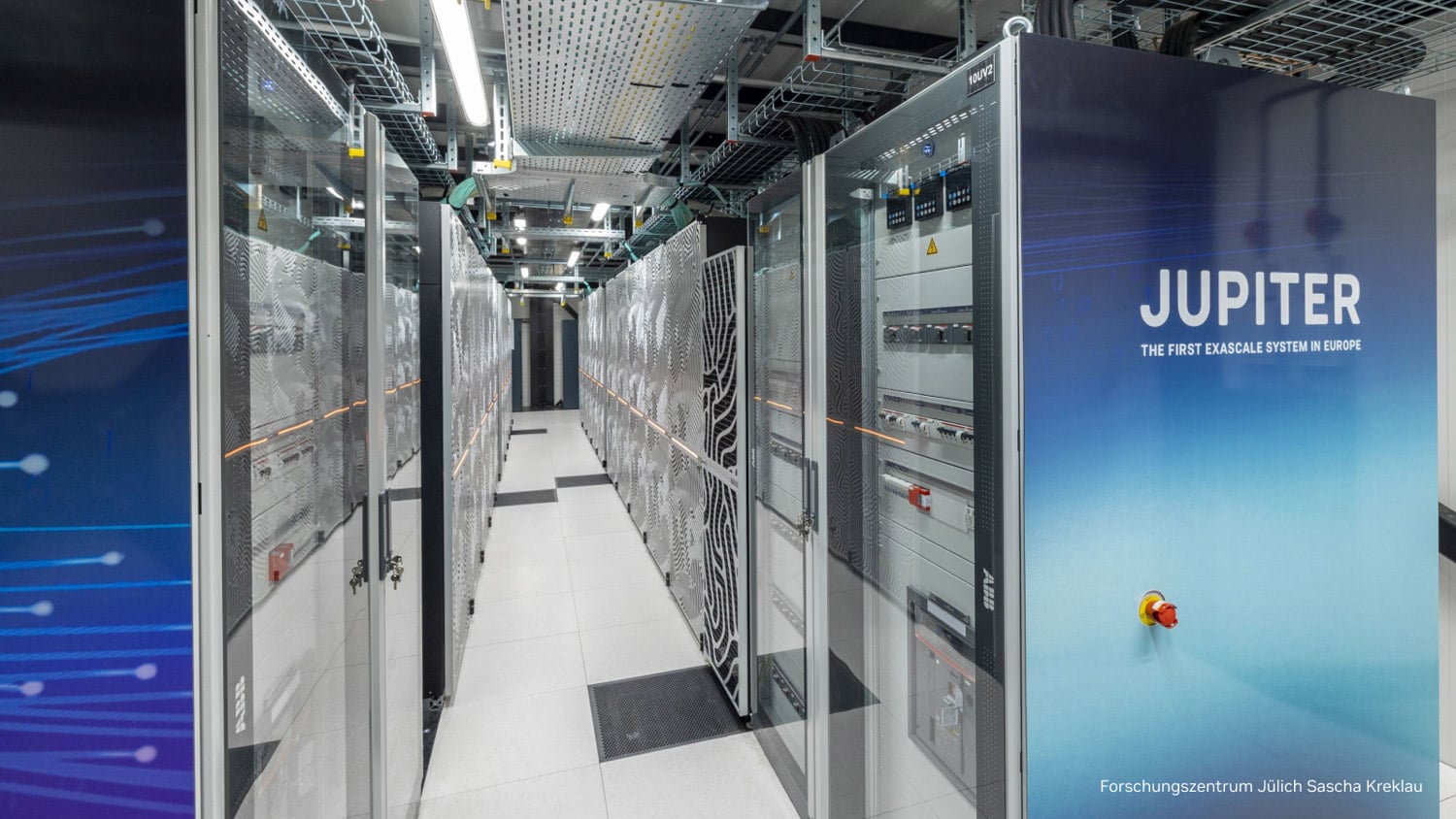
    Show notes JUPITER supercomputer rack aisle at Forschungszentrum Jülich with a JUPITER The First Exascale System in Europe panel on the end cabinet JUPITER supercomputer rack aisle at Forschungszentrum Jülich with a JUPITER The First Exascale System in Europe panel on the end cabinet

    NVIDIA has run a 104-qubit simulation of a fault-tolerant quantum processor on JUPITER, Europe’s first exascale supercomputer at the Jülich Supercomputing Centre, using 8,192 GH200 GPUs. Announced ahead of GTC Berlin, the run models magic state cultivation, a method of producing the non-Clifford states a fault-tolerant computer consumes during logical operations, under realistic hardware noise. NVIDIA calls it the largest comprehensive simulation of a fault-tolerant quantum processor to date and says cultivation needs 90 percent fewer qubits than previous methods, a comparison the company does not spell out.

    JUPITER supercomputer rack aisle at Forschungszentrum Jülich with a JUPITER The First Exascale System in Europe panel on the end cabinet

    104-Qubit Fault-Tolerant Modeling Under Realistic Noise

    Earlier Jülich work simulated 50 qubits under ideal, noiseless conditions, and this run keeps the noise in. The 104 physical qubits cover the data and auxiliary qubits across the whole protocol, which starts a magic state in a distance-3 color code, adds flag measurements to catch harmful faults, grows it into a distance-7 hybrid color and surface code, and finishes with further error-correction rounds and readout. The noise model goes beyond random bit and phase flips to coherent phase errors that can accumulate and interfere, and selected sites carry a third energy level so the simulation captures leakage out of the computational states.

    The state is a full state vector, with no Clifford shortcuts for the non-Clifford operations that prepare the magic state. The encoded register comes to 45 bits, about 35.2 trillion complex amplitudes, which occupy 512 TiB of distributed GPU memory in double precision, or 64 GiB on each of the 8,192 GPUs, with room left for communication and analysis.

    NVIDIA’s simulator reorders operations while preserving dependencies and measurement statistics, reuses storage as qubits are measured and released, and packs the three-level sites into binary storage, so five of them (243 basis states) fit in eight bits. In small cases, independent tensor-network calculations matched the state-vector results to about one part in 10 trillion.

    Development on GB200 NVL72 and the cuQuantum Stack

    A GB200 NVL72 system at the NVIDIA Accelerated Quantum Research Center served as the development platform. Researchers scaled tests from four GPUs to hundreds there, compared results against JUPITER, and studied how accuracy changed with more compute before committing the full 8,192-GPU allocation, which NVIDIA says cut a week-long simulation effort to days. The run uses cuQuantum’s cuStateVec library for the state-vector evolution, with cuBLASMp and cuSOLVERMp factoring selected partitions of the stored state so approximate methods can be checked against the full reference. The cultivation circuit is expressed through the fault-tolerant logical layer of CUDA-Q.

    Kristel Michielsen, director of the Jülich Supercomputing Centre at the Forschungszentrum Jülich facility, said: “Europe’s investment in JUPITER gives researchers the ability to investigate questions that were previously beyond reach.” NVIDIA’s stated goal for the work is to connect the error propagation it observed to the quality and cost of logical operations, so hardware teams can weigh designs before fabricating them. No logical error rates, fidelities, or runtimes have been published for the run so far.

    NVIDIA CUDA-Q

    The post NVIDIA JUPITER Quantum Simulation Models a 104-Qubit Fault-Tolerant Processor Across 8,192 GH200 GPUs and 512 TiB appeared first on StorageReview.com.


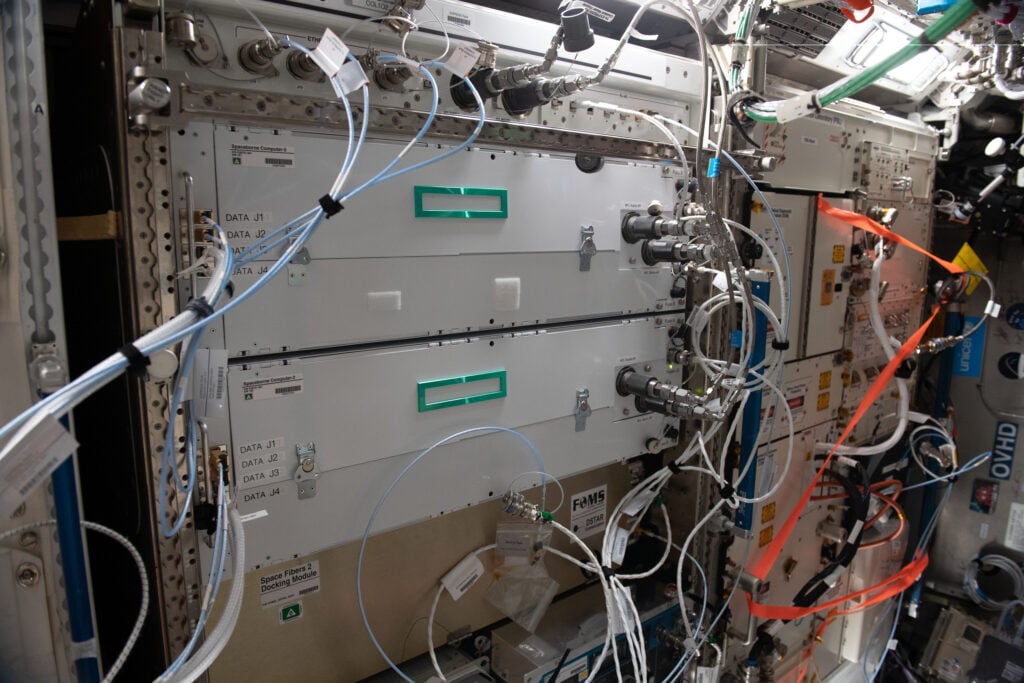
    HPE Spaceborne Computer-4 Will Run AI Inference on the Moon Aboard Astrolab’s FLIP Rover Oct 20, 2026
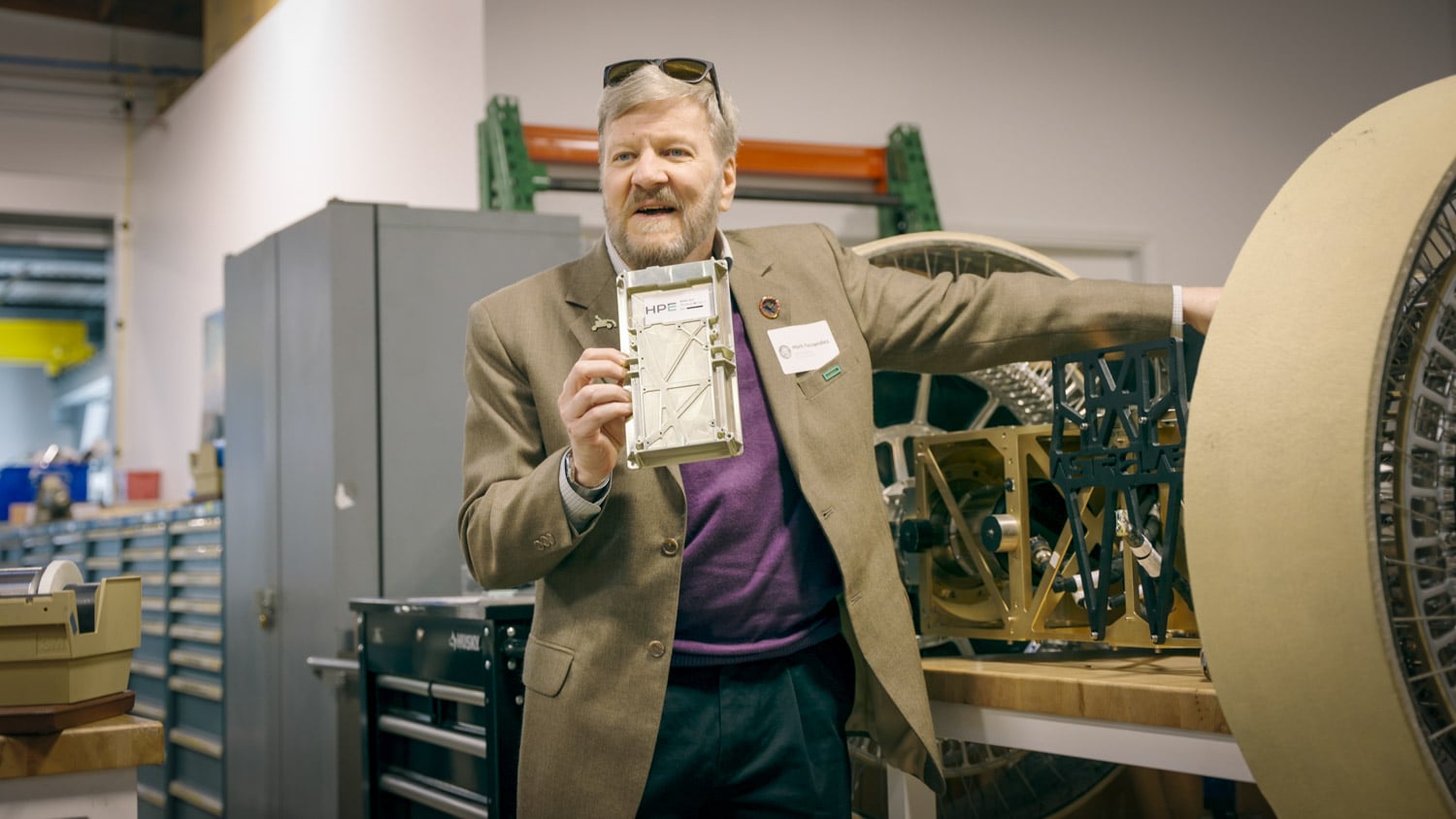
    Show notes Dr. Mark Fernandez of HPE holding a mockup of HPE Spaceborne Computer-4, a flat aluminum compute module about 249 by 132 by 26 mm, at Astrolab in Los Angeles Dr. Mark Fernandez of HPE holding a mockup of HPE Spaceborne Computer-4, a flat aluminum compute module about 249 by 132 by 26 mm, at Astrolab in Los Angeles

    HPE announced HPE Spaceborne Computer-4, a compute module that will run AI inference and what HPE says will be the first HPC benchmarks on the Moon. Loaded with KIOXIA SSDs, the module will fly as a payload on Astrolab’s FLIP rover, which Voyager Technologies’ Griffin-1 lander will deliver near the lunar south pole. Launching in late 2026, this mission is part of NASA’s Commercial Lunar Payload Services (CLPS) initiative, which aims to bring scientific, exploration, and technology payloads to the Moon from commercial vendors.

    Dr. Mark Fernandez of HPE holding a mockup of HPE Spaceborne Computer-4, a flat aluminum compute module about 249 by 132 by 26 mm, at Astrolab in Los Angeles

    HPE’s Dr. Mark Fernandez, principal investigator for HPE Spaceborne Computer-2, holds a mockup of HPE Spaceborne Computer-4. The entire system is contained in an approximately 249 mm by 132 mm by 26 mm aluminum chassis.

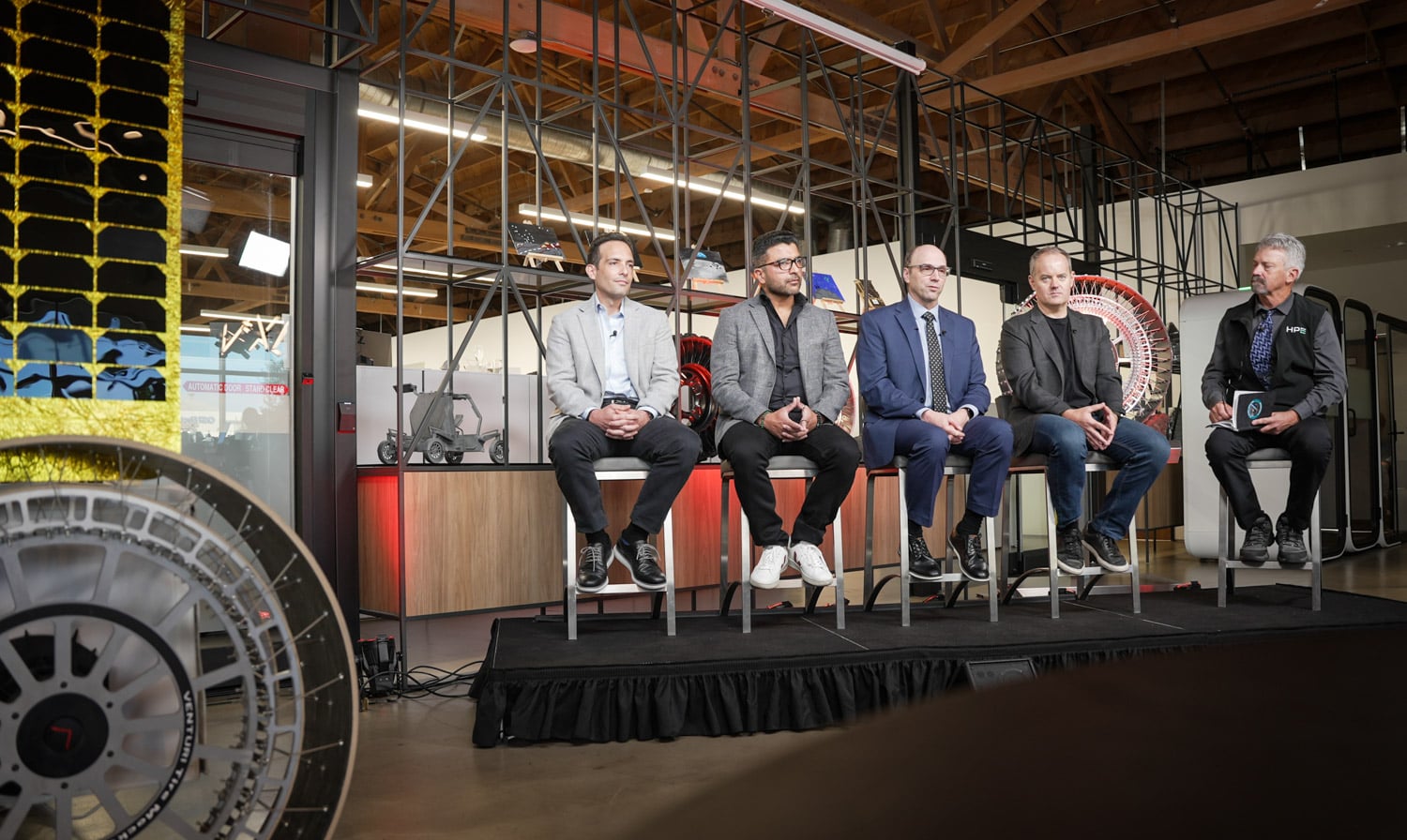
    HPE invited us to a press event at Astrolab’s Hawthorne, California facility. The event included a one-hour panel featuring Francisco Cordova, COO of the ISS National Laboratory; HPE’s Scott Wiest; Astrolab’s CEO Jaret Matthews; and KIOXIA’s Faraz Velani. The panel discussion was followed by a tour of the facility, including what will become mission control (powered by HP Omen systems) and its IT infrastructure, which runs on HPE Alletra Storage and HPE Private Cloud PC3000.

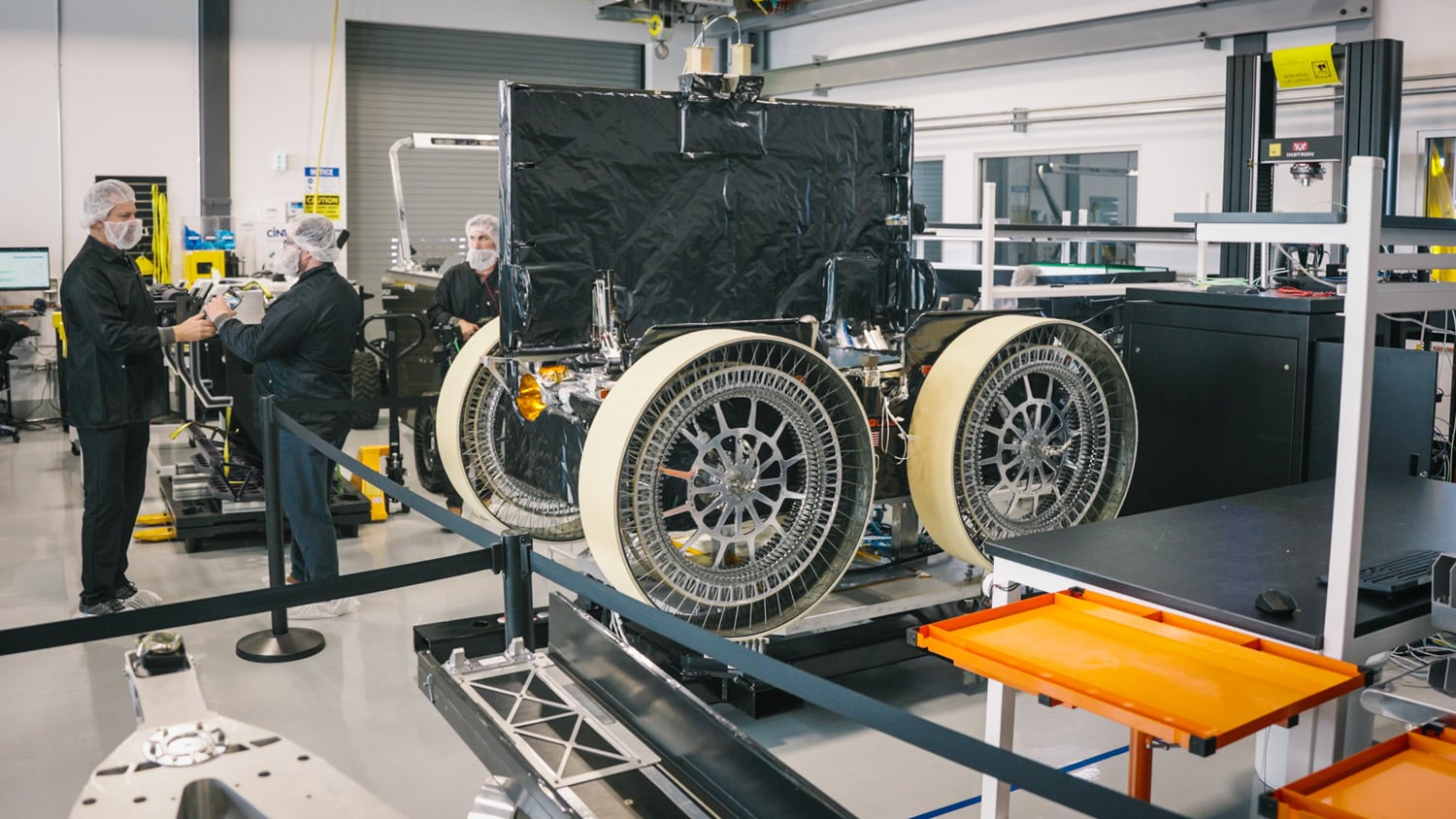
    We were also given a tour of the clean room and an up-close look at the actual Moon-bound FLIP rover. We learned about the rover, its mission, and how HPE’s Spaceborne Computer-4 will help process scientific data from FLIP’s instruments on-prem (which is such a weird way to describe the surface of the Moon).

    Panel at Astrolab with Francisco Cordova of the ISS National Laboratory, Faraz Velani of KIOXIA, Scott Wiest of HPE, and Astrolab CEO Jaret Matthews, moderated by Norm Follett of HPE, beside a mockup of the FLIP rover

    Francisco Cordova, Faraz Velani, Scott Wiest, and Jaret Matthews sit on a panel moderated by HPE’s Norm Follett next to a mockup of FLIP.

    Astrolab’s FLIP Rover

    Astrolab FLIP lunar rover in the clean room with its large Venturi wheels and the back of its vertical solar panel, ahead of its late 2026 launch carrying HPE Spaceborne Computer-4

    Astrolab’s FLIP rover sits in their clean room ready for launch at the end of 2026. The vertical flat piece is the back of the solar panel, which will deploy in this position, since FLIP will work at the lunar south pole where the Sun is always on the horizon during the lunar day.

    Let’s start with FLIP, the Flex Lunar Innovation Platform. It’s a Lunar rover developed by Astrolab. It features several scientific payloads and, of course, HPE Spaceborne Computer-4. The rover will land on the Moon’s south pole to provide research and data for a potential Moon base. The south pole is of particular interest because the craters there are in perpetual darkness and may contain large amounts of water ice, a valuable resource for a future Moon base.

    FLIP’s most obvious feature is its large wheels, designed by Venturi, which will allow it to traverse the difficult Lunar regolith. I couldn’t confirm whether they were inspired by Cadillac’s classic wire wheels, but I have my suspicions. FLIP is intended to evaluate and mature several components and subsystems for FLEX, Astrolab’s future rover, including full-sized batteries, tires, avionics systems, sensors, and software.

    HPE Spaceborne Computer-4: Software and AI Applications

    The software evaluations are where HPE Spaceborne Computer-4 comes in, aiming to do as much AI inference and processing on-prem (the “prem” here is the Moon’s south pole) as possible. The software stack runs in a container on a Linux-based operating system.

    For benchmarking, HPE will run High-Performance LINPACK (HPL) to evaluate the sustained performance Spaceborne Computer-4 can provide in a constrained environment, and High-Performance Conjugate Gradient (HPCG) to evaluate performance characteristics under workloads that stress memory access and communication patterns. These benchmarks will help characterize how the system will run workloads in a lunar environment, providing invaluable technical data for future missions. It’s also just cool to submit a benchmark with the location set to “the Moon.”

    There will also be a few core AI applications, including an LLM RAG (retrieval-augmented generation) to show how an LLM can integrate mission-specific information for more context-aware insights at the lunar edge (The Lunar Edge is a great band name). This can also be used on Earth to search text-dense mission documents more efficiently.

    HPE isn’t the only one with workloads on the module. NASA will run its Federated Learning for Unbounded and Intelligent Decentralization (FLUID) experiment, an AI neural net trained on data from Earth, the Moon, and the International Space Station, to demonstrate coordination of three separate AI models, along with a tuned LLM test for searching and interpreting onboard documents. Deloitte’s Silent Shield, a new intrusion detection system, will provide near real-time predictive cyber-analytics and anomaly detection.

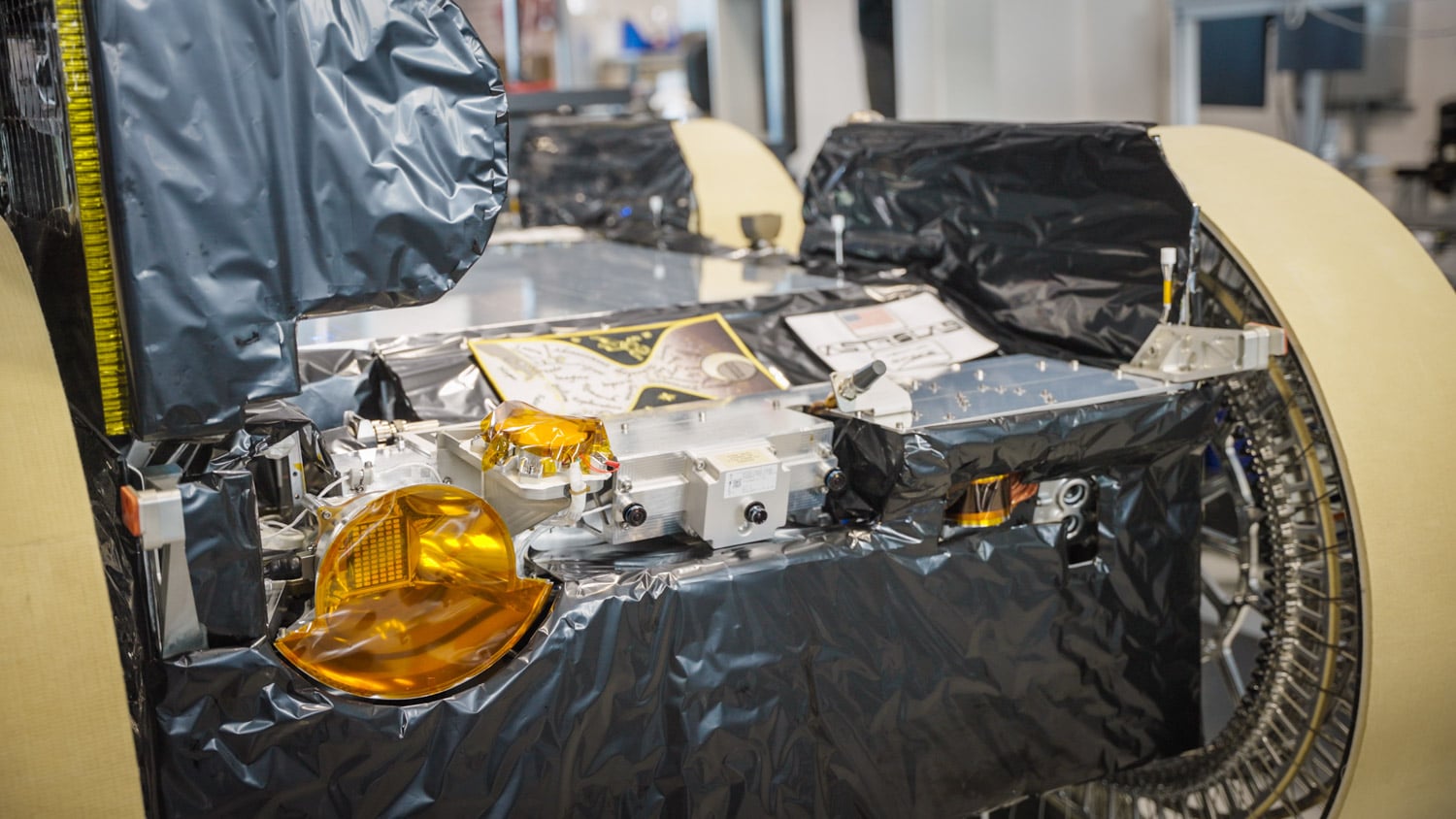
    Instruments on the front of the Astrolab FLIP rover, including a headlight, camera array, LiDAR, and image projector, with an American flag patch that flew to the Moon during Apollo

    Pictured are some of FLIP’s instruments, including a headlight, camera array, LiDAR, and image projector. Also included is an American Flag patch that went to the Moon during the Apollo program.

    HPE Spaceborne Computer-4 will also evaluate LLM vision inference. This workload is intended to analyze and interpret the data from the rover’s many cameras. Performing visual inference locally can enable the system to identify or interpret information without continuously transmitting the underlying visual data to Earth. This is especially useful given FLIP’s location at the Moon’s south pole, where data rates back to Earth are quite slow.

    LiDAR data will also be processed for mapping, navigation, and terrain analysis. Particularly for navigation, LiDAR processing is necessary for the rover to navigate safely on the lunar surface. Because a round trip to the Moon takes at least 2.6 seconds at the speed of light, and longer once ground processing is added, real-time control of FLIP is impossible and, like the Mars rovers, FLIP must navigate on its own.

    HPE Spaceborne Computer-4: Hardware and the Challenges of Space

    Faraz Velani of KIOXIA and Dr. Mark Fernandez of HPE with a mockup of HPE Spaceborne Computer-4, which carries two mirrored 1TB KIOXIA BG6 SSDs

    KIOXIA’s Faraz Velani stands next to HPE’s Dr. Mark Fernandez, who is holding a mockup of Spaceborne Computer-4. There are two 1TB KIOXIA BG6 SSDs in the module. (Photo courtesy of HPE).

    On the hardware side, the Spaceborne Computer-4 is a purpose-built compute module adapted to the unique constraints of a lunar rover, like power, heat, and form factor.

    For power, the rover runs at 28 VDC and has limited wattage to spare. Spaceborne Computer-4 has a low-power CPU and GPU from an undisclosed company, and storage from KIOXIA, a long-time partner for the Spaceborne systems. The storage is an off-the-shelf BG6 from KIOXIA’s client storage line, but it has a power-limiting feature enabled that caps usage at 5W. Apparently, it’s been available on most KIOXIA drives for many years, but no one on Earth (not hyperbole) wants to limit drive performance. It was, however, perfect for this use case.

    For heat management, the Spaceborne Computer-4 is in a bespoke aluminum chassis and is integrated into the rover’s thermal management system. In fact, some of the heat the system produces can be used to help keep the rest of the rover warm, particularly during the lunar night, when surface temperatures fall to around -280 F and lower still in the shadowed polar craters. The system is fanless because there’s no air on the Moon, obviously. The chassis and its components have been optimized for the rover’s form factor and weigh only 2.6 pounds.

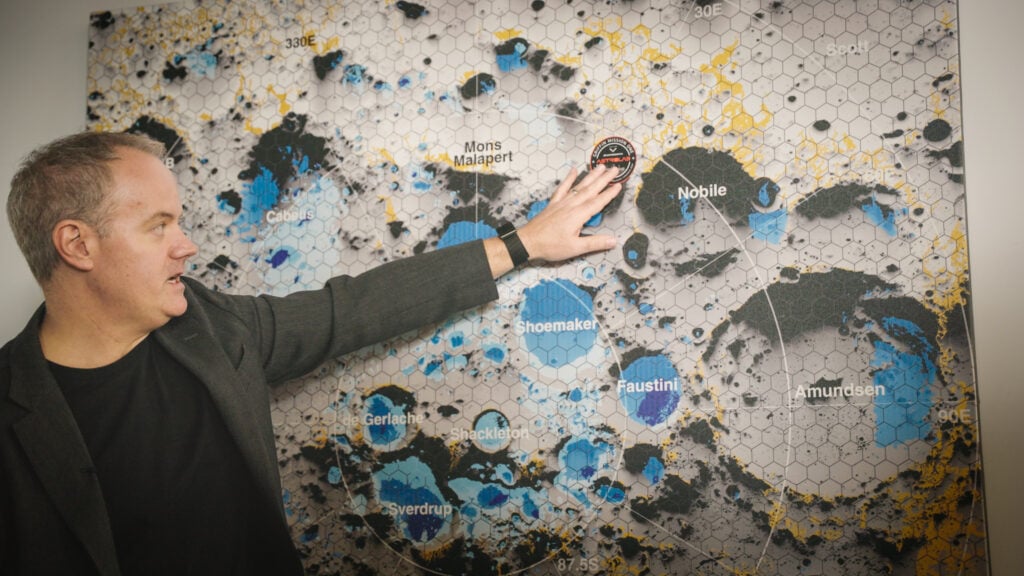
    Astrolab CEO Jaret Matthews pointing to a map of the lunar south pole showing where FLIP will deploy, with permanently shadowed crater basins shaded in blue

    Astrolab CEO Jaret Matthews shows where FLIP will be deployed on the Moon’s south pole. The blue-shaded areas are crater basins that are in perpetual darkness and may contain large amounts of water ice.

    Another major consideration for lunar operations is exposure to cosmic rays. Here on Earth, our atmosphere absorbs most cosmic rays and charged particles from the Sun. Bit-flips, or Single-Event Upsets (SEUs), happen, but are very rare here on Earth. On the Moon, FLIP is pretty much in open space, with no magnetic field or atmosphere to protect the onboard electronics. I asked about hardware shielding and space hardening, and the answer is there’s surprisingly very little on the Spaceborne Computer-4, if any. In discussions with HPE, they told me about space hardening with software. There are two KIOXIA drives that are mirrored, but beyond that, the resiliency comes from the software checking and double-checking itself. You trade some CPU cycles for this, but it is ultimately worth it to ensure reliability.

    Conclusion

    HPE Spaceborne Computer-2 installed aboard the International Space Station, NASA photo

    HPE’s Spaceborne Computer-2 onboard the International Space Station (Photo by NASA).

    HPE Spaceborne Computer-4 is just the latest system HPE has designed specifically for space use; Spaceborne Computer-2 has been doing scientific work aboard the International Space Station for years. Bill Hewlett and David Packard even have a history with the Apollo program, and some of HP’s earliest products and instruments were used on the US’s first satellites in the late 1950s. This deployment will be exciting to watch, and I look forward to all the scientific insights FLIP and Spaceborne Computer-4 will provide. See you in the stars!

    HPE Spaceborne Computer

    The post HPE Spaceborne Computer-4 Will Run AI Inference on the Moon Aboard Astrolab’s FLIP Rover appeared first on StorageReview.com.


    Neo4j Context Engine Gives AI Agents a Shared Knowledge Layer, 6-Layer Business Ontology, and Graph-Native Memory Oct 20, 2026
    Show notes

    Neo4j announced the Neo4j Context Engine today, a product built to give AI agents a shared, reusable knowledge layer for reasoning over enterprise data. The problem it targets is one most agent deployments hit early: an agent does not know what “customer,” “account,” “supplier,” or “risk” means inside a particular company, because that meaning is scattered across databases, applications, documentation, and individual AI implementations. The Context Engine is available to enterprises now, and Neo4j is taking applications for design partners.

    “Modeling relationships, and being able to show exactly why and how those relationships exist, is absolutely essential to solving the problem of context for AI. All the other options are a band-aid on the problem that breaks as AI agents grow in complexity and system access requirements,” said Sudhir Hasbe, president of technology and chief product officer at Neo4j.

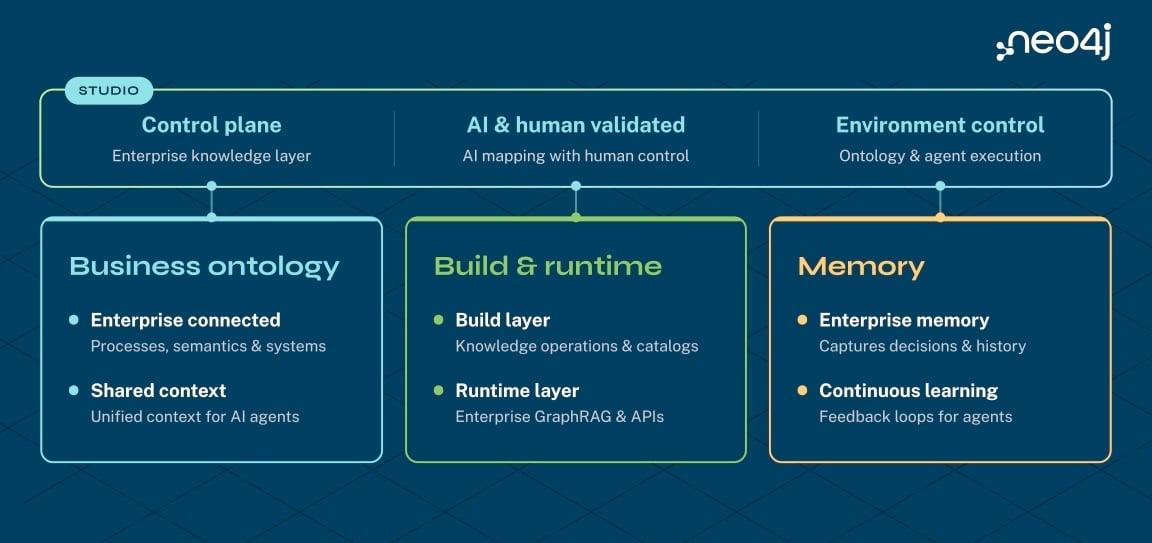
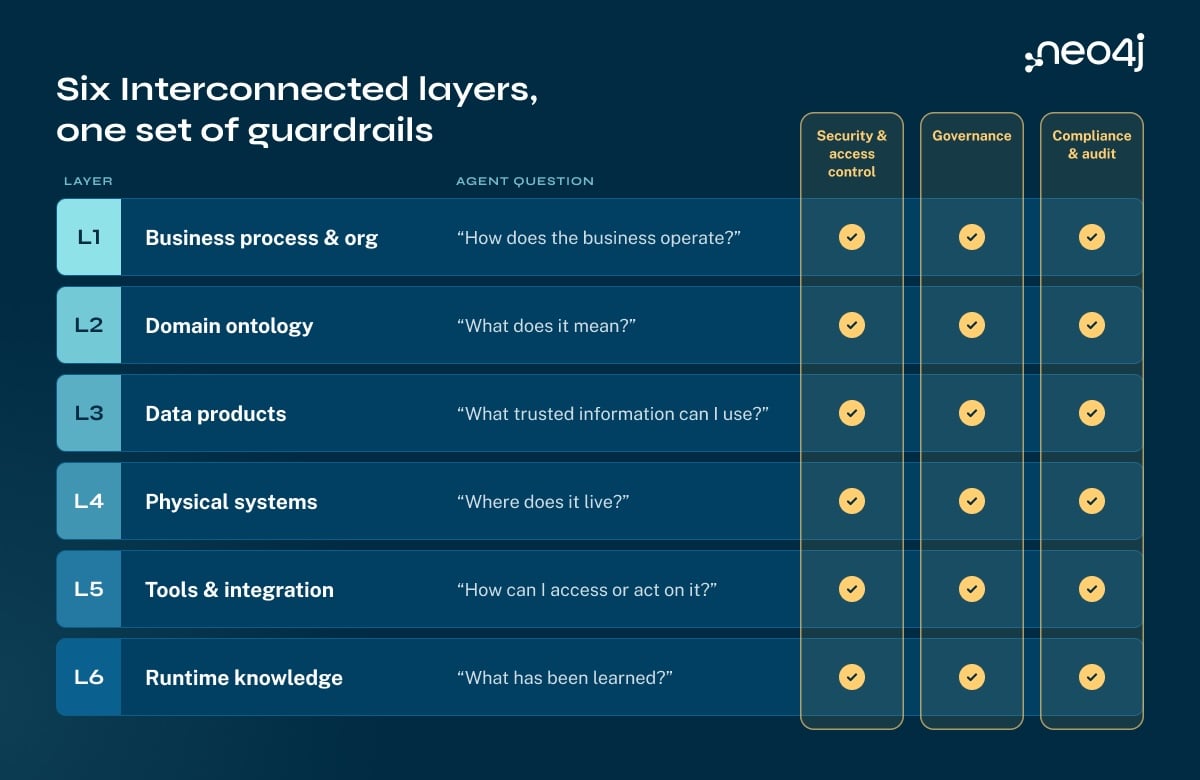
    6-Layer Business Ontology

    The Context Engine centers on a predefined 6-layer graph model that maps an organization, its business processes, its data, and its AI assets into Neo4j. Neo4j built the model from patterns across hundreds of enterprise customer deployments. The ontology connects physical data sources directly to business logic, so AI and other systems can make decisions with the surrounding context attached, and it serves both design-time architecture work and run-time execution.

    The Context Build and Runtime component builds the ontology from existing data sources such as Databricks and Snowflake, and exposes it to AI orchestration layers that drive process-guided agents or conversational analytics agents. Teams create and operate the semantic layer through headless execution, command-line tools, or Python packages. It works across existing data platforms, data catalogs, and enterprise storage systems, carries built-in change management, and uses GraphRAG retrievers to pull context out of the semantic layer.

    Context Studio Governance and Persistent Memory Layer

    Context Studio is the control plane for the ontology. It gives teams one place to manage and monitor the environment, a visual builder for the business ontology and the workflows that run on it, and setup tooling for AI agents, Model Context Protocol (MCP) servers, and developer tools.

    Context Memory is a graph-native memory layer that gives agents persistent, structured memory across short-term, long-term, and reasoning memory, along with skill distillation. It logs agent reasoning and operational paths as a permanent record of enterprise experience, runs graph algorithms over past interactions to condense repeated events into reusable knowledge, and feeds what it learns back into the core system to improve agent reasoning and accuracy over time.

    Neo4j frames the launch around a third consumer of enterprise data. Humans have understood the relationships between data intuitively and institutionally, and applications have done the same through hardcoded logic. AI agents are the third consumer, and the company’s argument is that inferring relationships is no longer enough as agentic use cases grow more complex; the relationships have to be represented explicitly, which is what a graph does natively.

    Neo4j Graph Intelligence Platform

    The post Neo4j Context Engine Gives AI Agents a Shared Knowledge Layer, 6-Layer Business Ontology, and Graph-Native Memory appeared first on StorageReview.com.


    Open WebUI Desktop Hands-On: Running Local LLMs on Windows Oct 19, 2026
    Show notes

    Open WebUI combines chat, model management, files, web search, tool calling, image support, knowledge features, and API access in one local AI interface. For this hands-on review, we focused on the Windows desktop version and used the same hardware and model files from our earlier Jan v0.8.6 testing so we could compare the two applications under similar conditions. This is the second entry in our Best Local LLM Tools leaderboard, where we are adding repeatable performance results from the same test hardware as we work through the platforms on the list. Open WebUI is an open-source, self-hosted AI platform designed to give local and remote AI models a browser-based interface that looks and works much like the commercial AI chat services people are already familiar with. It can connect to different inference backends and OpenAI-compatible services, while the desktop application we tested can run GGUF models locally through its bundled llama.cpp environment. That gives it a much wider scope than a basic local chat application, especially once tools, model presets, web search, files, and API access are enabled. For testing, we went back to the same HP Z4 Rack G5 workstation, NVIDIA RTX 5000 Ada Generation GPU, and two Jan GGUF models used in our Jan v0.8.6 review. We kept the 8,192-token context, 2,048 batch size, 100 GPU layers, and matching sampling values for the measured text runs, while also spending time with Open WebUI’s model presets, multimodal input, DDGS web search, URL fetching, and local API. Getting Open WebUI running properly took considerably longer than we expected, and most of that time went into the local llama.cpp and CUDA setup before we even reached normal model testing. We eventually got everything working, but along the way we ran into a broken default runtime download, missing CUDA files, extremely large context allocations, and a few problems with the built-in tool system. Test System We kept the system configuration unchanged from our Jan testing so the model results would be easier to compare across applications, while also recording the desktop, server, Python, and llama.cpp versions used for this Open WebUI run. Component Configuration Operating System Windows 11 Pro for Workstations CPU Intel Xeon w5-2465X, 16 cores Memory 128GB GPU NVIDIA RTX 5000 Ada Generation VRAM 32,760 MiB (31.99GB) NVIDIA Driver 597.06 CUDA Compatibility 13.2 reported by nvidia-smi Open WebUI Desktop / Server v0.0.20 / v0.12.2 Python / llama.cpp 3.12.13 / b11612, CUDA 12.4 Installing Open WebUI Desktop The Windows desktop installer begins with an environment setup screen where llama.cpp can be installed locally, Open Terminal can be enabled, and the installation location can be changed under Advanced. We left Open Terminal disabled, enabled llama.cpp, kept the default folder under the Windows user profile, and continued with the local setup. Once the packages and bundled Python environment were installed, Open WebUI asked us to select a connection and then opened the local browser-style interface. A fresh install presented Open WebUI as the available connection, followed by the Create Admin Account screen that establishes the first local administrator before the main chat window opens. A fresh local Open WebUI installation asks for the first administrator account before opening the main chat interface. One detail that can be confusing at first is that Open WebUI Desktop and the local Open WebUI server use separate version numbers. Our final setup used Desktop v0.0.20 with Open WebUI server v0.12.2, with the server running from the bundled Python 3.12.13 environment under the Windows user’s roaming profile. Adding Models and Configuring llama.cpp The desktop application separates model files from the inference runtime, so the Models page manages local GGUFs while Inference Runtime controls llama.cpp. We copied in the same Jan V3.5 4B Q4_K_XL and Jan V2 VL High Q4_K_M files used for our earlier testing, along with the V2 multimodal projection file, and both models appeared in the selector after the runtime was active. The first runtime problem appeared as soon as we tried to install llama.cpp. Leaving the Version field at latest with CUDA 12.4 selected caused the installation to fail almost immediately. Looking through the desktop log showed that Open WebUI had resolved latest to llama.cpp v0.6.0 and was trying to download a Windows CUDA archive that was not available under that release, so we pinned build b11612 and tried again. The About page lists the separate Desktop, Open WebUI, Open Terminal, and llama.cpp versions used during testing. That got us past the first problem, but llama.cpp still would not start because the separate CUDA runtime DLL package had not been downloaded with the main archive. We manually added cudart64_12.dll, cublas64_12.dll, and cublasLt64_12.dll from the official CUDA 12.4 package to the b11612 directory, after which llama-server started normally on port 18881 and the models appeared in the chat interface. After pinning build b11612 and adding the required CUDA runtime DLLs, llama.cpp ran locally on port 18881. Model Settings and GPU Use Open WebUI spreads its model settings across both the desktop application and the main web interface, so there is a bit of a learning curve when you first start changing things. The desktop side covers the GGUF files and llama.cpp runtime, while the main interface adds per-chat parameters, Workspace model presets, capabilities, built-in tools, web-search options, and server administration. For our measured text runs, llama.cpp used an 8,192-token context, 2,048 batch size, and 100 GPU layers, with prompt caching disabled through –no-cache-prompt so repeated use of the same benchmark prompt would still produce a real prefill measurement. The runtime log also confirmed that Open WebUI passed the configured GPU value to each model process as –n-gpu-layers 100. Our measured runs used an 8,192-token context, 2,048 batch size, 100 GPU layers, and disabled prompt caching. The Open WebUI chat defaults did not match the Jan values in every field, so we changed the relevant controls before each measured run. Temperature stayed at 0.8 and Top K stayed at 40, while Top P moved from 0.9 to 0.95, Min P moved from 0 to 0.05, frequency penalty moved from 1.1 to 0, presence penalty stayed at 0, repeat last N stayed at 64, and repeat penalty was set to 1.0. We matched the Jan sampling values in Open WebUI before each measured text run. We ended up creating dedicated Workspace presets for both benchmark models and turning off their built-in tools. That became necessary after we discovered that a normal Open WebUI model session could attach a large set of tool instructions before our prompt was even sent, adding enough tool context to push the V2 request past our 8,192-token limit. A dedicated Workspace preset let us disable built-in tools while keeping the underlying GGUF unchanged. Local Generation Performance The benchmark prompt stayed identical to the Jan run: “Explain RAID 5 and RAID 6 to someone building their first NAS. Include the main advantages and disadvantages of each, in about 400 words.” Web Search was disabled, the first response after loading each model was discarded as a warm-up, and we then recorded three fresh-chat runs per model. Model Quantization Median Decode Median Output Median Total Time Jan V3.5 4B Q4_K_XL 115.32 tok/s 520 tokens 4.78 s Jan V2 VL High Q4_K_M 75.06 tok/s 1,612 tokens 21.81 s Jan V3.5 4B finished with a median decode rate of 115.32 tokens/sec, a median output of 520 tokens, and a median total generation time of 4.78 seconds. Jan V2 VL High reached 75.06 tokens/sec, produced a median 1,612 output tokens, and took a median 21.81 seconds, with its much longer reasoning output accounting for much of the time difference. Compared with our Jan v0.8.6 results on the same workstation, Open WebUI was about 6.2% slower with V3.5 4B and about 8.5% slower with V2 VL High. Jan reached 123 and 82 tokens/sec respectively, although the applications were using different llama.cpp builds, so this comparison reflects the complete software setups we tested and not llama.cpp performance by itself. Local Chat and Workspace Presets Once we were through the runtime setup, the actual chat experience was much easier to work with, and Workspace presets quickly became one of the features we used the most. Each preset can point back to the same GGUF while carrying its own capabilities, built-in tools, system prompt, knowledge options, and advanced parameters, so we could keep separate benchmark and web-search configurations without duplicating the model itself. The preset system also helped us figure out one of the stranger failures from the benchmark setup. When we used Jan V2 VL High as a raw model, Open WebUI automatically attempted a query_knowledge_files call during the RAID test and sent the request past our 8,192-token context limit. Creating a benchmark preset with Builtin Tools set to None dropped the actual generation prompt to 41 tokens and stopped the extra tool call from interfering with the test. The raw V2 model exceeded the 8,192-token context after Open WebUI added a built-in knowledge-file tool call. For regular use, the same preset system can be used in the opposite direction by giving one local model web search, file access, or other tools while leaving another preset stripped down for plain chat. That approach worked well during this review because it kept the benchmark model separate from the web-search model without creating another GGUF copy. Multimodal Input Jan V2 VL High detected its multimodal projection file automatically, so we reused the nvidia-smi screenshot from our Jan review and asked for the exact GPU model, driver, total VRAM, current utilization, GPU temperature, and power usage shown in the image. The model returned every requested value correctly. Jan V2 VL High correctly identified the requested GPU, driver, VRAM, utilization, temperature, and power values from the nvidia-smi screenshot. The response identified the NVIDIA RTX 5000 Ada Generation, driver 597.06, 32,760 MiB of total VRAM, 0% utilization, 40 C, and 7 W / 250 W. Those readings matched the screenshot, giving Open WebUI a clean pass for our qualitative multimodal test. Web Search Web Search has its own section in the administrator settings, with controls for the search provider, number of results, URL loading, SSL behavior, and other retrieval options. We selected DDGS because it did not require another API key and created a separate Jan V3.5 4B preset with Web Search and the required built-in tool access enabled. We enabled Web Search and selected DDGS as the provider for the local search test. Our first run showed one of the limitations of pairing a small local model with several tool steps. V3.5 successfully called search_web and found the Open WebUI GitHub releases page, but it stopped there instead of opening the result and fell back to its older internal knowledge. The answer then incorrectly claimed that October 15, 2026 was in the future, even though the search itself had already found the correct page. DDGS returned the Open WebUI GitHub releases page, but the 4B model did not fetch the page before answering. We tried again with a prompt that explicitly told the model to use fetch_url after searching, and this time both tools ran. The fetched GitHub page pushed the request to 17,689 tokens, however, which was well above our 8,192-token context limit. Setting Fetch URL Content Length Limit to 8,000 characters brought the request back under control, and the next run correctly identified Open WebUI v0.12.2 with the GitHub releases page cited as its source. The first fetch_url attempt grew to 17,689 tokens and exceeded our 8,192-token context window. After limiting fetched URL content, the model correctly reported Open WebUI v0.12.2 from the GitHub releases page. Local API The API test was much easier after everything we went through with Web Search. We enabled API keys and queried http://127.0.0.1:8080/api/models from PowerShell, which returned both raw GGUF models and all three Workspace presets we had created. This also confirmed that the presets were available through the local server and were not limited to the chat interface. We followed that with a POST request to /api/chat/completions using the Jan V3.5 4B benchmark preset, and Open WebUI returned a correct RAID 5 versus RAID 6 summary. PowerShell displayed one Unicode dash as a garbled character in the console output, but there was nothing wrong with the generated answer itself. The authenticated local API returned a successful chat completion through the Jan V3.5 4B benchmark preset. What Went Wrong We ran into enough problems during setup that it is worth collecting the biggest ones here, especially for anyone planning to use the Windows desktop build with local CUDA inference. The default latest llama.cpp installation failed, we had to pin build b11612, and the separate CUDA runtime DLLs still had to be copied into the llama.cpp directory before the local server would start. A clean reinstall caused a different problem by removing the runtime arguments we had been using. Without –ctx-size 8192, llama.cpp fell back to the models’ very large native context values across its server slots, with V2 VL High reaching 169,984 tokens per slot and V3.5 reaching 192,000. VRAM use climbed close to the RTX 5000 Ada’s 32GB limit and the remote desktop session became noticeably slower until we restored the 8,192-token context. The other problems came from Open WebUI’s tool system. Built-in tools added enough context to break the raw V2 test, while Web Search needed an explicit fetch step and an 8,000-character URL limit before V3.5 completed the full search-and-fetch request. We eventually worked through each problem using the application’s settings and logs, but getting Open WebUI ready for repeatable testing took considerably longer than our Jan setup on the same workstation. Conclusion By the end of testing, Open WebUI had covered everything we wanted to try in this round, including local text generation, multimodal image reading, DDGS search, URL fetching, custom model presets, and authenticated API access. Text-generation performance came in a little below Jan on the same workstation, with Open WebUI reaching 115.32 tokens/sec on Jan V3.5 4B and 75.06 tokens/sec on Jan V2 VL High, compared with 123 and 82 tokens/sec in Jan v0.8.6. The performance difference was relatively small, while the difference in setup time was much larger because our Open WebUI Windows install needed manual llama.cpp and CUDA work before it was ready for repeatable testing. For someone who wants one local interface for models, tools, search, files, presets, and API workflows, Open WebUI can reuse the same GGUF across stripped-down benchmark profiles, web-enabled presets, and API calls without creating duplicate model files. Our Windows desktop setup required more manual work than Jan, including pinning llama.cpp, adding the missing CUDA DLLs, and restoring runtime arguments after reinstalling, but once configured it supported a much broader range of local model workflows from the same installation. These results join the Jan numbers in our Best Local LLM Tools leaderboard, and we will keep the same workstation, models, and prompt as we work through the rest of the list. Open WebUI Desktop The post Open WebUI Desktop Hands-On: Running Local LLMs on Windows appeared first on StorageReview.com.

    Full show notes at the publisher

    Meta Prometheus: Inside the Gigawatt Supercluster Scaling to 1 Million GPUs on GB200 and GB300 NVL72 Oct 19, 2026
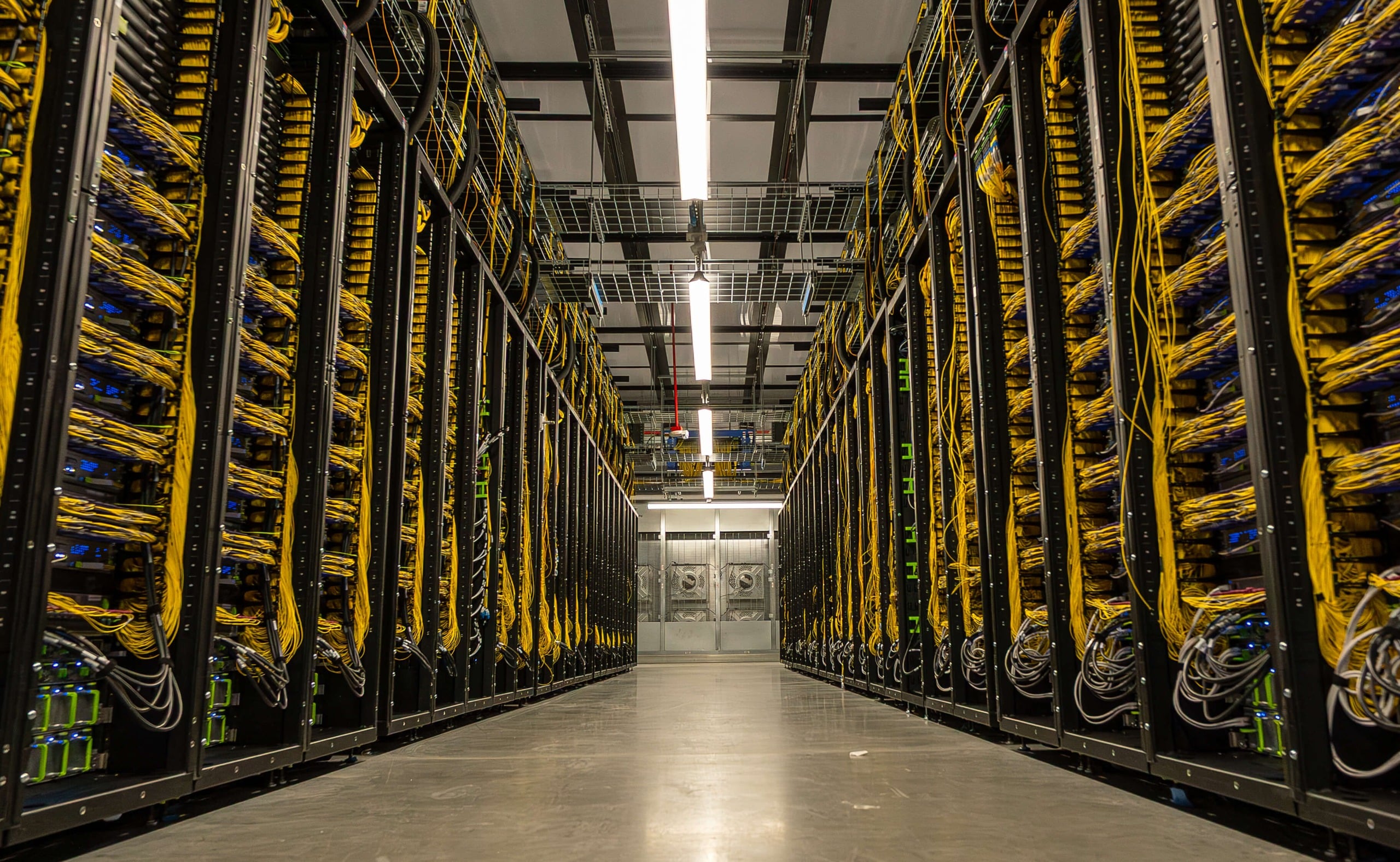
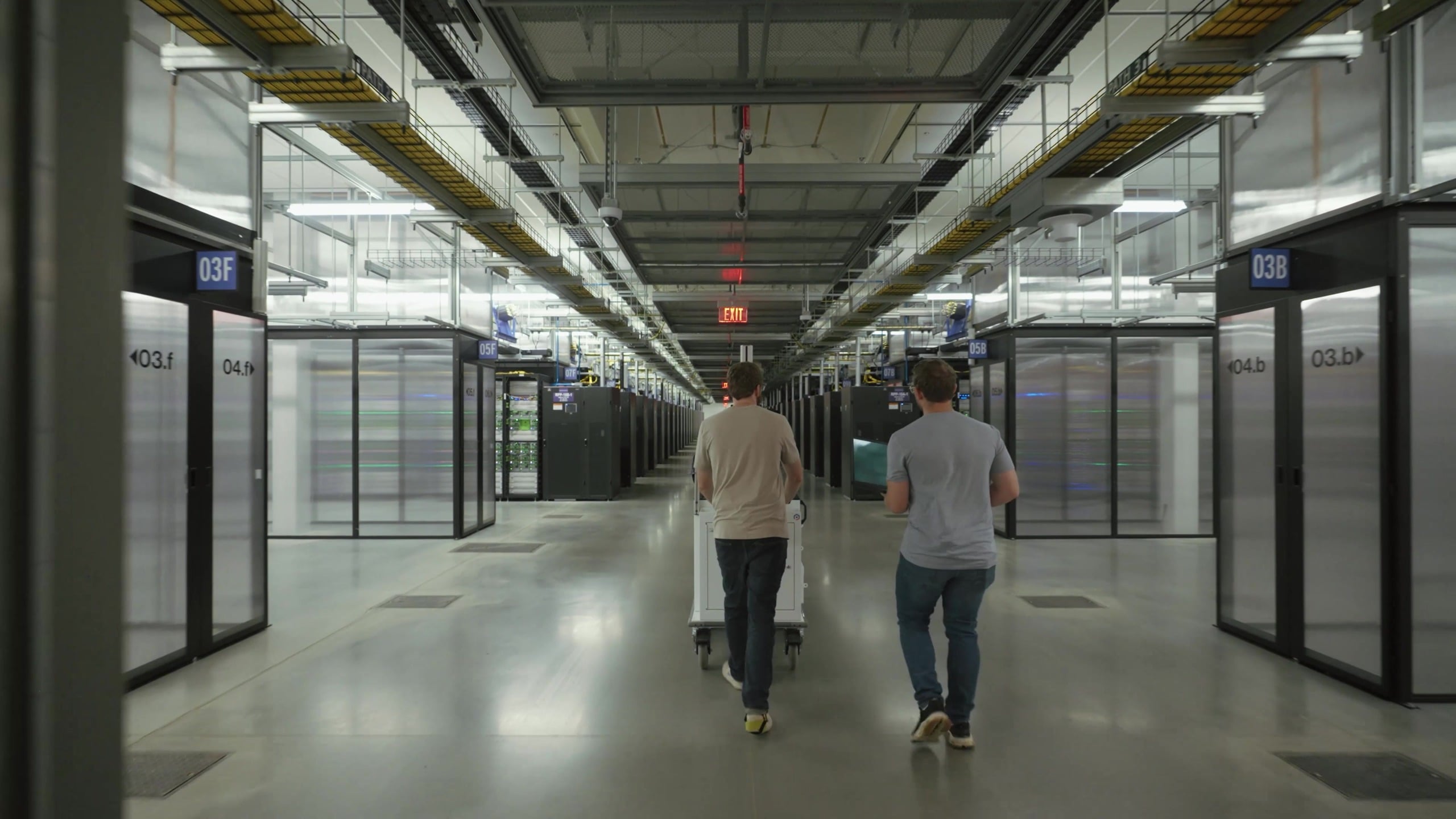
    Show notes Meta Prometheus supercluster cold aisle in New Albany, Ohio, with racks of yellow fiber cabling on both sides Meta Prometheus supercluster cold aisle in New Albany, Ohio, with racks of yellow fiber cabling on both sides

    Meta published a detailed look inside Prometheus today, the gigawatt-scale AI supercluster it is building in New Albany, Ohio. The first phase is complete and has trained the Muse family of foundation models, including the Muse Wonder models, and Meta says the site is being scaled toward roughly 1 million GPUs. Two years ago, the same campus was a conventional data center serving web traffic. The post, from Meta engineers Kevin Lee, Yashar Bayani, Ahmed Sharif and Yee Jiun Song, covers the hardware, the network, and the reliability work that keeps training jobs running.

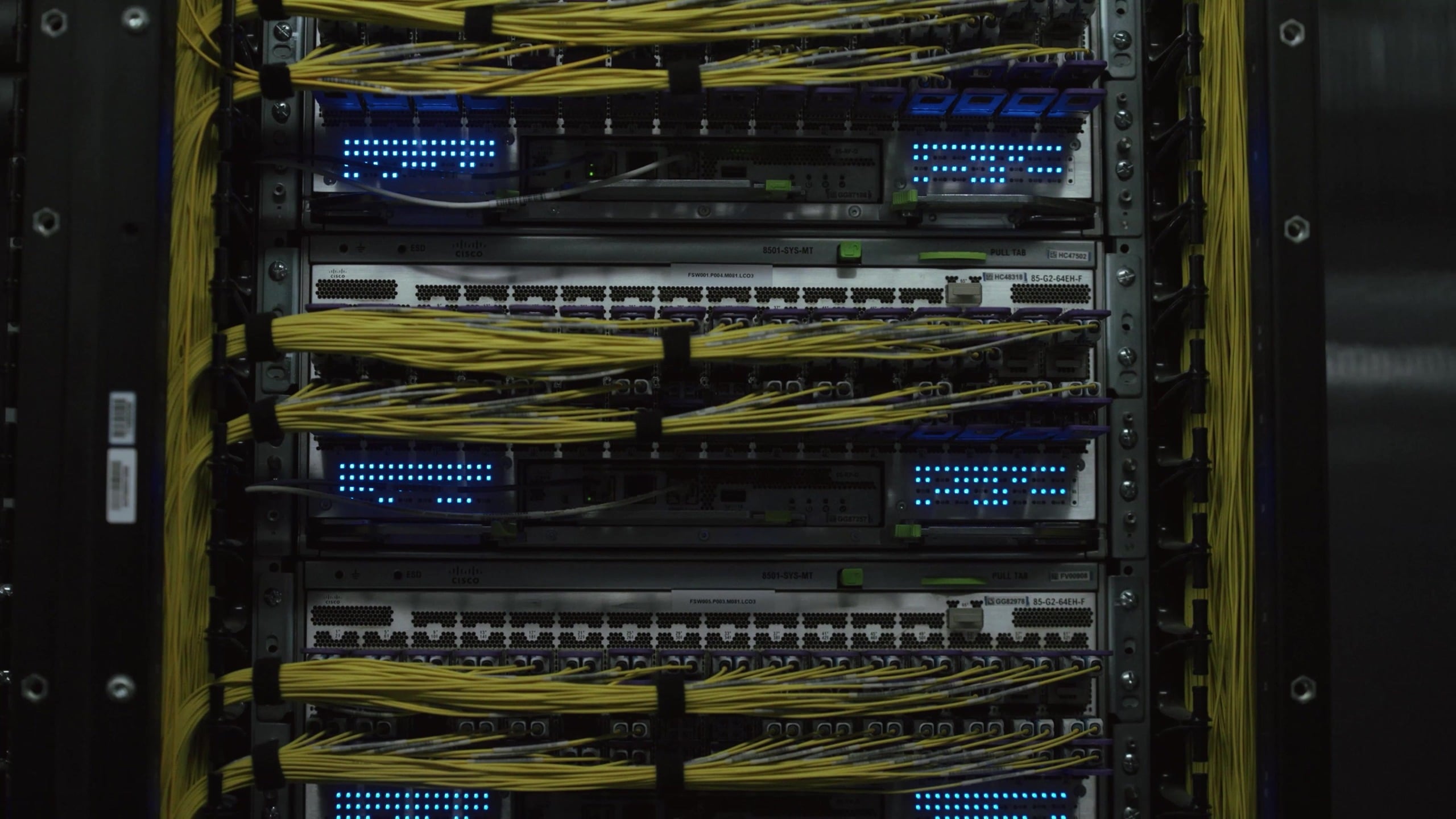
    Meta Prometheus supercluster cold aisle in New Albany, Ohio, with racks of yellow fiber cabling on both sides

    Meta has also disclosed some of the most interesting data around running large training jobs: the reliability figures. Meta reports more than 85 percent goodput on Muse Wonder pre-training runs and more than 90 percent on reinforcement learning runs, with a wall-clock mean time between interruptions of about 47,000 GPU hours during those runs. Firmware fixes rolled out since then have pushed MTBI past 54,000 GPU hours. Meta’s stated target is two interruptions per 8,000 GPUs per day, which works out to roughly 100,000 GPU hours between interruptions.

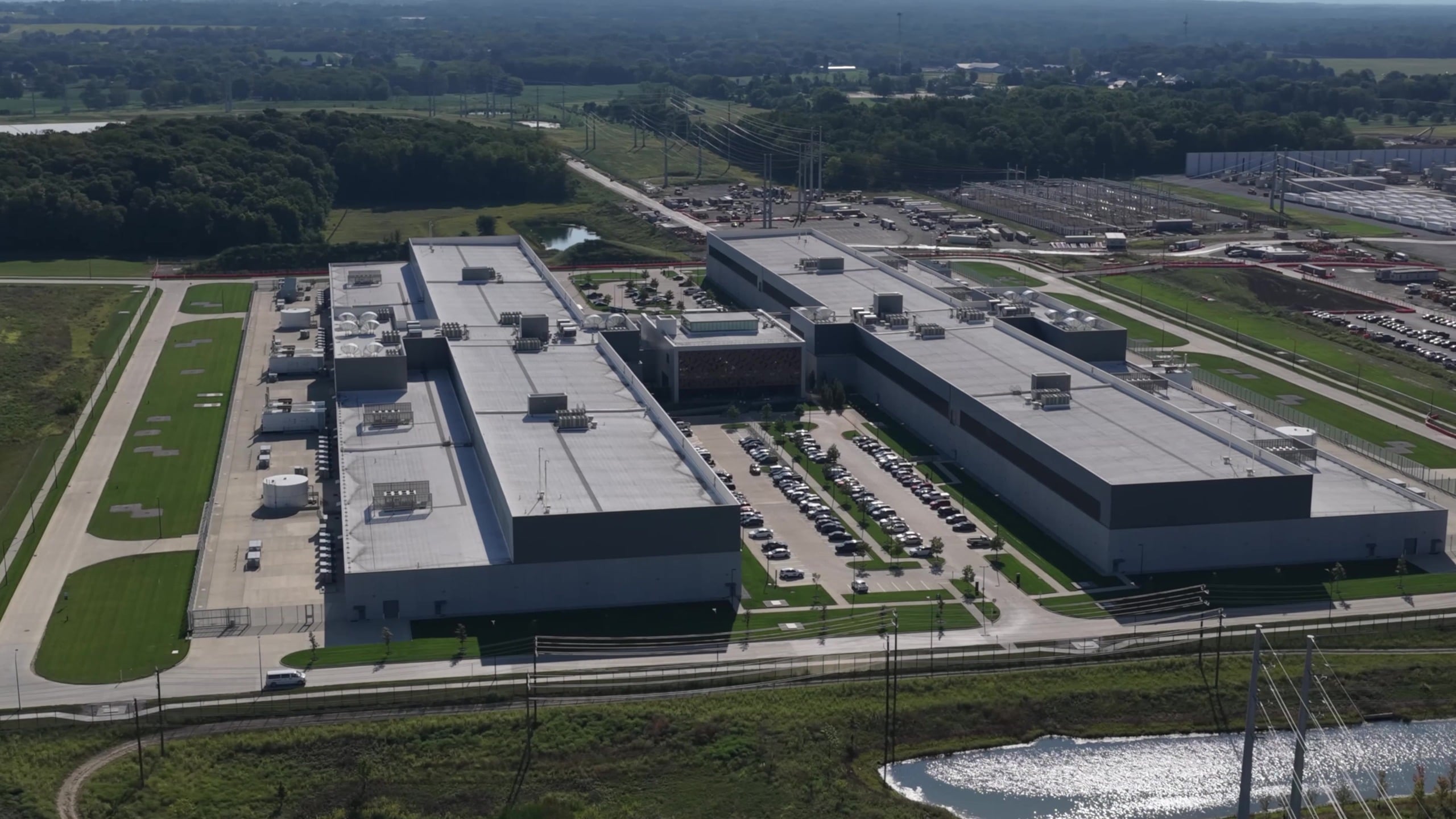
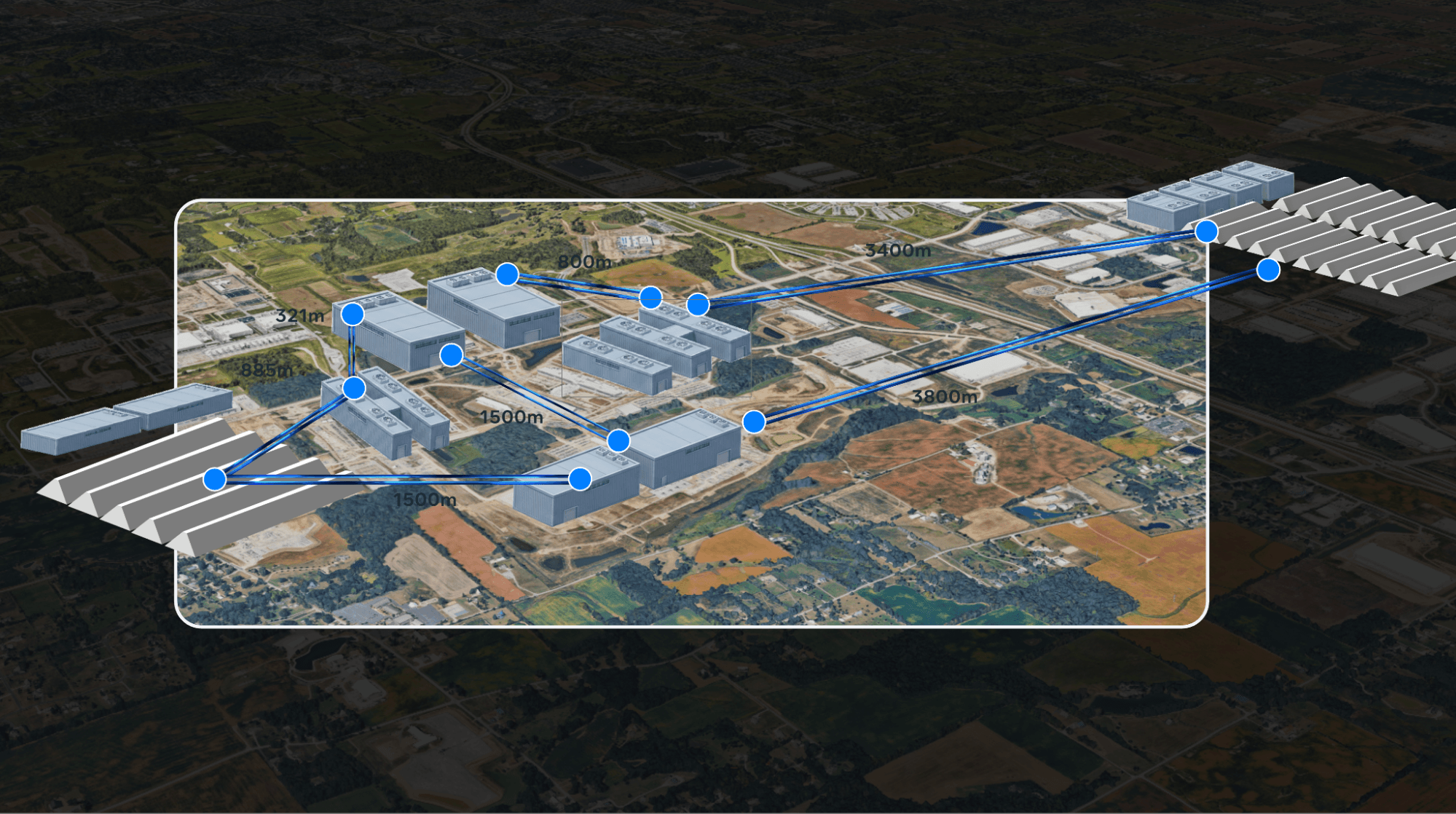
    Aerial view of Meta's New Albany, Ohio data center campus that houses the Prometheus supercluster

    Two NVL72 Generations in Production, Vera Rubin Next

    Prometheus runs two NVIDIA GPU platforms today, both built on the NVL72 rack architecture where 72 GPUs share one NVLink domain, with a third based on Vera Rubin NVL72 arriving soon. The first, which Meta calls Catalina, uses the GB200 NVL72 in the Ariel variant: a two-rack configuration with 36 GPUs per rack, built on Meta’s Open Rack V3 high-power rack design contributed to the Open Compute Project. Each Blackwell GPU pairs with a Grace CPU and two ConnectX-7 400G NICs, a 1:1 CPU-to-GPU ratio that gives every GPU 800G of scale-out bandwidth.

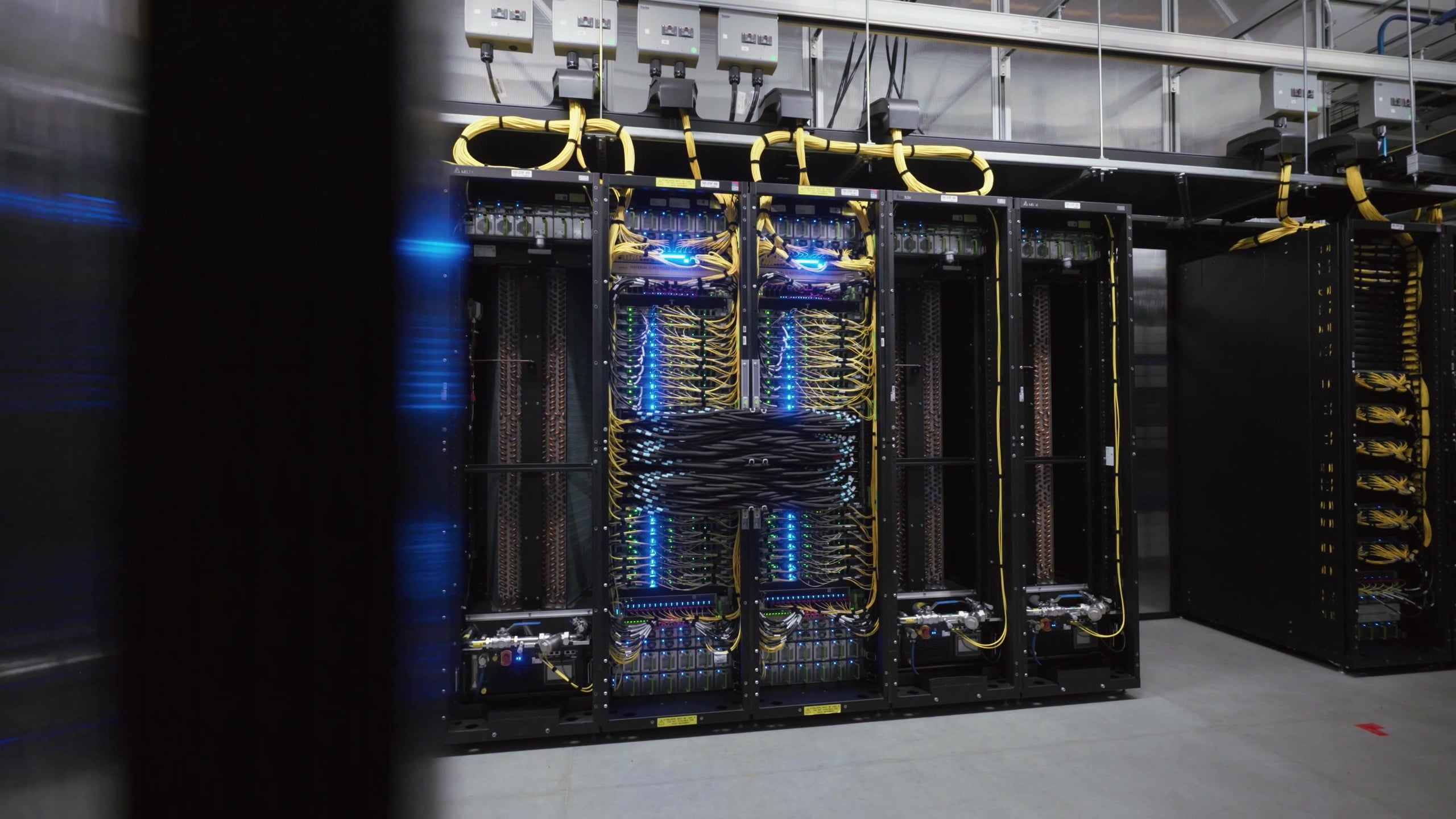
    Meta Prometheus Catalina platform: a two-rack NVIDIA GB200 NVL72 Ariel pair with NVLink cable spine between the racks

    Meta says it picked Ariel because the GB200 NVL72 scaled FLOPS, HBM bandwidth, scale-up bandwidth, and domain size well past the H100, while standard scale-out would have stayed at 400G per GPU, and it expected that imbalance to cost performance. Per Meta, a Catalina pair carries 72 Blackwell GPUs with 13.4TB of HBM3e (192GB per GPU), 720 PFLOPS of peak FP8 training compute (1,440 PFLOPS at FP4), 130TB/s of NVLink bandwidth inside the domain, 576TB/s of aggregate memory bandwidth, and draws about 120kW across the two racks.

    The second platform, Clemente, moves to the GB300 NVL72. HBM per GPU rises 1.5x to 288GB, dense FP4 throughput rises by a similar factor, and attention acceleration roughly doubles. ConnectX-8 SuperNICs deliver 800G per GPU natively, so the scale-out headroom Meta engineered into Ariel becomes the baseline, and a 2:1 GPU-to-CPU ratio lets the full 72-GPU domain fit in a single rack. Meta lists 20.7TB of HBM3e, more than an exaFLOP of peak FP4 compute, 130TB/s of NVLink bandwidth (1.8TB/s bidirectional per GPU), about 135kW per rack, and a 5 to 10 percent performance gain over the GB200 NVL72.

    Meta Prometheus Clemente platform: a single-rack NVIDIA GB300 NVL72 with 72 GPUs in one NVLink domain

    Clemente deploys with either Meta’s modular air-assisted liquid cooling or facility liquid cooling in its newer AI-optimized buildings, and Meta says serviceability improves with less cabling.

    Meta’s next platform, San Miguel, will bring Vera Rubin NVL72 into the same network fabric. Meta’s figures for that rack are 288GB of HBM4 per GPU at 19.2TB/s, 2.52 exaFLOPS of peak FP4 training compute and 1.26 exaFLOPS at FP8, 216TB/s of NVLink bandwidth (3TB/s per GPU), about 1,500TB/s of aggregate memory bandwidth, fully liquid-cooled compute trays at more than 170kW per rack, and a 10 to 20 percent gain in performance per watt over the GB300 NVL72. CoreWeave put Vera Rubin NVL72 into production earlier this month.

    A Dedicated Ethernet Back End Spanning Buildings

    Training traffic runs on a second data center network over Ethernet, separate from the front-end network that carries ordinary service traffic. The design follows the shape of a training job: data-parallel replicas keep their latency-sensitive, bandwidth-heavy collectives inside a building fabric, while the more tolerant traffic between replicas crosses an aggregation layer that links buildings. Meta built the same hierarchy into its earlier 24,000-GPU building-scale clusters and its 100,000-plus GPU regional cluster before stretching it to Prometheus.

    Ethernet fabric switches in a Meta Prometheus network rack with fiber bundles to each port

    Each building fabric connects up to 20,736 GPUs. Meta’s first design was a Disaggregated Scheduled Fabric that used sub-packet multipath routing, in-fabric reordering, virtual output queues, and credit-based flow control to keep the few large, long-lived flows of a training collective from colliding. As NICs gained the ability to reorder packets at the endpoint, Meta moved to a Non-Scheduled Fabric built on shallow-buffer 51.2T switches: Minipack3 with dynamic load balancing, and Minipack3N, which uses the NVIDIA Spectrum-4 ASIC with Adaptive Routing on ConnectX NICs, with both running Meta’s FBOSS network stack.

    Meta diagram of the Prometheus Backend Aggregation (BAG) network linking 20K-GPU regions across 5km and 10km spans

    Above the buildings sits the Backend Aggregation network, a multi-layer hub-and-spoke design built on Arista 7800-series chassis with deep-buffered Broadcom Jericho3 silicon. It spans 2km to more than 100km and delivers multiple petabits per second between region pairs. Meta says running pre-training across those distances took a dedicated optimization effort with Meta Superintelligence Labs because of speed-of-light latency. The plant behind it includes millions of miles of fiber strand, tens of thousands of switches, and millions of optics, from 2x400G FR4 LITE pluggables inside buildings to 800G-ZR coherent optics for links beyond about 10km.

    Meta map of the New Albany campus showing fiber runs between Prometheus buildings from 321m to 3,800m

    64 of Every 72 GPUs Do the Work

    Moving from the H100 generation’s eight-GPU NVLink domain to NVL72 multiplied the failure blast radius by nine, and Meta now plans capacity around the 72-GPU rack. Because training parallelism maps best onto power-of-two group sizes, each NVL72 domain runs a 64-GPU slice and holds the other eight GPUs as in-rack spares. If a GPU fails, a spare takes over, and the job restarts from its last checkpoint without waiting on a repair. For whole-rack faults, Meta keeps about 2 percent additional racks in reserve.

    For a 32,768-GPU training run: 523 NVL72 racks, or 37,656 GPUs, about 13 percent above the active footprint, with 11 points of that coming from the 64-of-72 slice geometry. The signal integrity burden behind that reliability is considerable; a single NVL72 domain carries 5,184 tuned differential-pair links at 200Gbps, each crossing GPU SerDes, compute tray PCBs, cable cartridges, and switch tray interfaces.

    Two recovery paths handle the faults that do occur. When a failure can be isolated to one data-parallel replica, Meta’s parallelism-aware fault tolerance takes that replica offline while the rest of the cluster repeats the step and keeps training, and the slice restarts on spare hosts and resynchronizes. Larger faults send the whole job back to its last checkpoint, so Meta checkpoints often, saving model state including gradients and optimizer data asynchronously to multi-tier storage with delta checkpointing and in-memory staging to limit the hit on throughput.

    A 99 Percent Drop in Interruptions

    For all the progress those numbers show, Prometheus did not start out stable. In mid-2025, during the initial phase, interruption rates peaked at nearly 1,000 events per 8,000 GPUs per day. A year of cross-functional work has cut that by 99 percent, and the cluster now sustains multiple training jobs of tens of thousands of GPUs each in parallel. Meta credits a co-engineering model with NVIDIA in which NVIDIA teams sit at the New Albany site, share telemetry, and work joint triage sessions that decompose every halt by root cause, with Meta owning scheduling and infrastructure fixes and NVIDIA covering firmware, signal diagnostics, and memory handling.

    NVLink signal integrity was the first bottleneck on GB200. With more than 600,000 NVLink connections in the cluster, marginal links triggered frequent recovery cycles, so Meta added continuous telemetry, automated flagging, and L11 diagnostic burns to find weak links before production. Memory faults in HBM and LPDDR took over as the leading cause as GB300 arrived with larger memory, and the response there is refined HBM firmware settings, memory scrubbing, an improved LPDDR error correction algorithm, and predictive retirement of degrading devices. Switch health is monitored at millisecond resolution, and link events in the aggregation layer are rerouted in hardware without interrupting GPU traffic.

    Close-up of a Meta Prometheus switch with yellow fiber and purple cable bundles

    Operating hundreds of thousands of first-generation accelerators turned hardware maturation into its own discipline. Meta’s firmware automation can push driver and firmware fixes to more than 100,000 GPUs in a few hours, and the P90 time to upgrade a single pod has dropped from more than seven hours early in the GB200 introduction to two hours. Power delivery stress testing looks at how PSU modules and voltage regulators behave under the 1,400W load of a single GPU, and every repaired system sits in quarantine until it passes validation. Meta’s stability sprint in March synchronized fixes across the stack.

    Power Transients and a Mixed Cooling Fleet

    Synchronous training moves power in lockstep, and tens of thousands of GPUs entering a compute phase or a communication phase together swing cluster load by 30 to 40 percent, and starting or pausing a large job can shift tens of megawatts in seconds. Dynamo Dimmer, Meta’s cluster-wide power management framework, caps GPU power gradually as the cluster approaches its electrical ceiling so jobs keep running. Rack-level battery backup modules absorb spikes, capacitor trays smooth peaks, facility-scale battery energy storage sits behind them, and Meta coordinates with utilities on the load profile.

    Cooling varies by building because Prometheus was assembled quickly across free-air data centers, rapid-deployment structures, leased capacity, and a purpose-built AI building. The older spaces use modular air-assisted liquid cooling; the AI-optimized building uses facility liquid cooling in a closed loop, which Meta describes as the most efficient way to cool GPU servers and the most water-efficient. Meta has shared designs such as IcePack, its liquid-cooled network rack, through OCP. For a look at what a far smaller GB300 NVL72 liquid-cooled deployment involves, see Giga Computing’s GAIFA test bed.

    Hyperion Comes Next

    Meta will keep expanding Prometheus with a mix of GB300 NVL72 and Vera Rubin NVL72 racks, with Vera Rubin arriving through the San Miguel platform on the existing network fabric. The lessons from New Albany are feeding Hyperion, the supercluster Meta is designing from scratch in Richland Parish, Louisiana, with closed-loop liquid cooling, full grid connectivity through Entergy, and next-generation network designs. Meta says it pays the full cost of energy at both sites and matches its use with new clean and renewable generation.

    Technicians walking a corridor between data halls at Meta's Prometheus site in New Albany

    Most of what Meta published is operational detail that hyperscalers usually keep to themselves: the spare-GPU configuration, the interruption rates, the firmware rollout times, and the reasons behind the Ariel configuration choice. The through-line is that at this scale the hardware is only the starting point, and the work that turns hundreds of thousands of GPUs into usable training capacity is in the network, the fault tolerance, and the telemetry. For enterprises looking to deploy AI at scale, this Meta deep dive is a good starting point to at least understand where issues may arise, so organizations can plan ahead across their entire data center estate.

    Meta Engineering: Inside Prometheus

    The post Meta Prometheus: Inside the Gigawatt Supercluster Scaling to 1 Million GPUs on GB200 and GB300 NVL72 appeared first on StorageReview.com.


    Previous 1 6 7 8 9 10 15 Next

    Related Podcasts

    Reply All

    1

    Reply All Games & Hobbies
    Inside VR & AR

    2

    Inside VR & AR Gadgets
    Note to Self

    3

    Note to Self News
    BrainStuff

    4

    BrainStuff Natural Sciences
    This Week in Tech (Audio)

    5

    This Week in Tech (Audio) News
    Hands-On Tech (Audio)

    6

    Hands-On Tech (Audio) Technology
    footer-logo

    Contact Us

    Toll Free: 844-670-7747

    Links

    • Home
    • Top Charts
    • Networks
    • Apps
    • Independents Podcasts
    • Podcast Advertising
    • Podcast News
    • Contact Us
    • About Us
    • Analytics & Insights

    Stay Connected

      Privacy, Terms of Use & Our Code of Ethics Protecting Content Creators Copyrights