Show notes
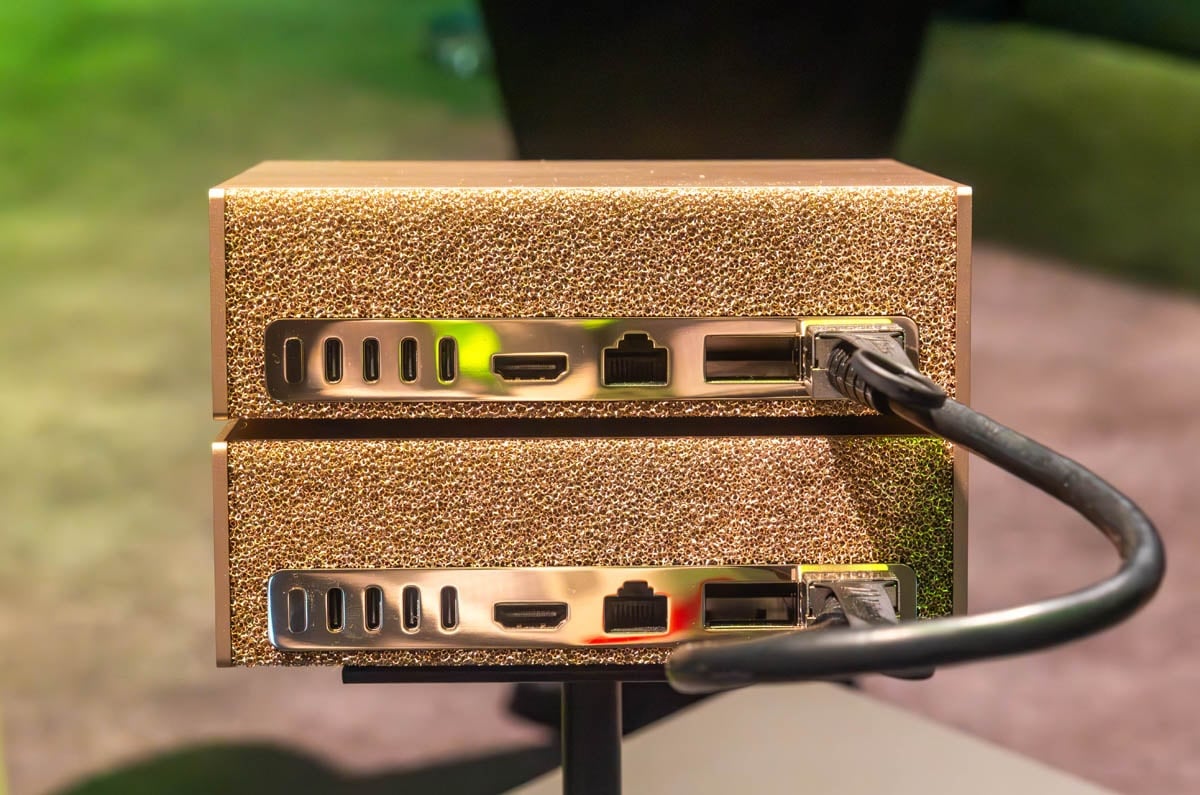
The Lenovo Yoga Mini is a 130mm aluminum puck, 48.6mm tall and about 600 grams, that fits Intel’s 16-core Core Ultra X7 358H, 32GB of LPDDR5X-8533, and Arc B390 graphics into 0.65 liters. That is the same Panther Lake silicon Intel has been shipping in this year’s thin-and-light notebooks, moved to a desk with two Thunderbolt 4 ports, 2.5GbE, and a mini-desktop cooling config. Our 91E60002UT review unit lists at $1,869.99 at Best Buy, while Lenovo’s US store sells the equivalent 91E60000US configuration, which adds Lenovo’s 800 wireless keyboard and mouse, at $1,711.99 on sale from $2,150.99. Lenovo sells the Yoga Mini as a Copilot+ PC first, with a 50 TOPS NPU, a fingerprint reader on the power button, Wi-Fi Sensing presence detection, and an Adaptive Lighting ring on the underside that reacts to touch and notifications. The hardware underneath is what’s interesting: a laptop-class SoC in a chassis with potentially more thermal headroom than a notebook, which raises the question of whether the Yoga Mini can sustain clocks a laptop with the same chip cannot. For this review, we ran it through the client suite we use for compact systems to find out. Lenovo Yoga Mini Specifications Specification Lenovo Yoga Mini (91E60002UT, as tested) Platform Overview Processor Intel Core Ultra X7 358H (Series 3)16 cores (4 P-cores, 8 E-cores, 4 LPE-cores), 16 threadsP-core 1.9GHz base, up to 4.8GHz18MB Intel Smart Cache Graphics Intel Arc B390 GPU (integrated, shared memory)Up to 122 TOPS, DirectX 12 Ultimate NPU Up to 50 TOPSCopilot+ PC Memory 32GB LPDDR5X-8533, dual-channelSoldered, no slots, not upgradable Storage 1TB M.2 PCIe Gen4 NVMe SSD (KIOXIA KBG7BZNV1T02 as tested)One drive, up to 2TB Operating System Windows 11 Home Connectivity Rear Ports 1x Thunderbolt 41x USB-C (USB 10Gbps) with USB PD-in1x USB-C (USB 10Gbps)1x USB-A (USB 10Gbps)1x HDMI 2.1 TMDS1x 2.5GbE Ethernet (RJ-45) Left Ports 1x Thunderbolt 41x 3.5mm headphone / microphone combo jack Right Side Power button with fingerprint reader Display Support Up to 4 independent displays3840×2160 at 60Hz via HDMI, Thunderbolt 4, and USB-C with DP Wireless Wi-Fi 7 (802.11be, 2×2)Bluetooth 5.4 (Bluetooth 6.0 hardware ready) Design and Power Dimensions (W x D x H) 130 x 130 x 48.6mm (5.12 x 5.12 x 1.91 inches) Volume 0.65 liters Weight Around 0.6kg (1.3 lb) Chassis Aluminum, Seashell Audio Realtek ALC3341S codecSingle 2W speakerDual microphones Power Supply 100W USB-C adapter (90% efficiency) Security Firmware TPM 2.0Fingerprint readerWi-Fi sensing human presence detection Warranty 1-year base, extensions to 3 years Price (as tested) $1,869.99 (Best Buy, 91E60002UT)$1,711.99 (Lenovo.com, 91E60000US with keyboard and mouse) Build and Design The Yoga Mini is round, which is unusual in a mini PC category dominated by cubes and rectangles. The aluminum shell is finished in what Lenovo calls Seashell, and at 0.65 liters, it’s slightly smaller than the 0.7-liter ASUS Ascent QN10. The right side carries the power button, which doubles as the fingerprint reader for Windows Hello. Lenovo puts a single 2W speaker inside the chassis, enough for system sounds and video calls, with dual microphones flanking the Yoga logo on the front. However, anyone doing real audio work will reach for the 3.5mm jack or a Thunderbolt dock. Power comes in over USB-C from a 100W adapter. Across the back, from left to right: 2.5GbE Ethernet, HDMI 2.1 TMDS, two USB-C 10Gbps ports (one accepts the 100W adapter over power delivery, and both carry DisplayPort), a USB-A 10Gbps port, and the first of two Thunderbolt 4 ports. The HDMI port, both USB-C ports, and both Thunderbolt 4 ports all drive displays, and Lenovo rates the system for four independent monitors at 3840×2160 at 60Hz. The left side adds the second Thunderbolt 4 port and the 3.5mm combo jack. Thunderbolt 4 on both sides means you can plug in a dock or a fast external NVMe drive without reaching around the back. Wireless is Wi-Fi 7 at 2×2 with Bluetooth 5.4 on the M.2 2230 card inside, with Bluetooth 6.0 support in the hardware pending a firmware update. The underside is where the Yoga Mini gets interesting. A ring of radial vents surrounds the intake, and inside that ring sits a translucent LED strip for Lenovo’s Adaptive Lighting, which glows when the system wakes, pulses with media, and blinks for notifications. A tap on the chassis toggles the lighting, and a second tap triggers Lenovo Smart Connect for cross-device sharing once an over-the-air update enables it. The fan exhausts through the same ring, so the unit needs clearance on all sides to regulate thermals. Serviceability and Upgradability Lenovo documents top and base cover removal in its service manual, and we had the Yoga Mini open in a few minutes. With the center foot and base cover off, the motherboard sits exposed with the SSD facing up, and that is the only serviceable part of the system. The 32GB of LPDDR5X is soldered to the board, so the memory configuration chosen at purchase is permanent. The M.2 2280 SSD sits under a finned aluminum heatsink, with the M.2 2230 Wi-Fi card beside it; each is held by a single Phillips screw once the cover is off. The slot is PCIe Gen4; ours shipped with the 1TB KIOXIA KBG7BZNV1T02, and Lenovo lists support for drives up to 2TB, though we see no reason a larger 2280 drive would not work. Pulling the board assembly the rest of the way out shows how Lenovo packed the system. The rear I/O lives on its own daughterboard, whereas most mini PCs solder the ports directly to the motherboard, and both boards ride on the system board bracket, which also carries the heatsink and fan. There is little reason to disassemble at this depth, but the layout is tidy for a compact 0.65-liter system. Lenovo documents the full teardown and replacement of every component on its support site. One detail we found curious: the official procedure for removing the top and bottom covers calls for a suction cup, since neither is screwed down. Lenovo Yoga Mini Performance Our Lenovo Yoga Mini review unit is the 91E60002UT configuration with an Intel Core Ultra X7 358H, 32GB of LPDDR5x-8533 memory, Intel Arc B390 integrated graphics, a 1TB KIOXIA KBG7BZNV1T02 NVMe SSD, and Windows 11 Home. All benchmarks were run on the Lenovo Default power plan. Comparables for a compact desktop built on a laptop platform come from both categories. The ASUS Ascent QN10 is the most direct rival: a mini PC of similar size and price built on the Snapdragon X2 Elite, which makes it a good way to see how Intel and Qualcomm compare in this form factor. The ASUS NUC 14 Pro is two generations back, a Core Ultra Series 1 system from the Meteor Lake era that ASUS has since followed with the Arrow Lake NUC 15 Pro, and it shows how far the x86 mini PC has moved in two years. The Dell Pro 5 14 Intel is a laptop, but it carries the Core Ultra X7 368H and the same Arc B390 graphics, so it shows what the same silicon family delivers in a notebook chassis and whether the Yoga Mini gains anything from its cooling layout. Not every test in our suite was available on every comparison system. If we didn’t run a system on a given benchmark, we leave it out of that table because older results wouldn’t be comparable; if we ran it on only part of a test, we mark the gap as N/A. PCMark 10 PCMark 10 is UL Solutions’ general-purpose productivity benchmark. It measures the kind of work most people do all day: app start times, web browsing, and video conferencing in the Essentials group; spreadsheets and document editing in the Productivity group; and photo editing, rendering and visualization, and video editing in the Digital Content Creation group. The three group scores roll up into an overall score. Only the Dell Pro 5 14 Intel had PCMark results in our records among the comparables. PCMark 10 (higher is better) Lenovo Yoga Mini Dell Pro 5 14 Intel Overall Score 10,369 7,945 Essentials 11,965 10,751 Productivity 20,073 13,821 Digital Content Creation 12,597 9,158 The Yoga Mini posts 10,369 overall against 7,945 for the Dell Pro 5 14, a 31% lead, and it leads every group: Essentials at 11,965 against 10,751, Productivity at 20,073 against 13,821, and Digital Content Creation at 12,597 against 9,158. The widest margin is Productivity at 45%, where the spreadsheet and writing workloads reward the 358H’s sustained clocks over a laptop part; the narrowest is Essentials at 11%, where app launches and web browsing are closer to a wash. Geekbench 7 Geekbench 7 is a cross-platform benchmark that runs a series of short workloads modeled on real applications, including file compression, HTML5 rendering, PDF rendering, photo filtering, ray tracing, and machine learning inference, and produces single-core and multi-core CPU scores. The GPU compute tests run the same kinds of image processing, particle physics, and machine learning kernels through the OpenCL and Vulkan APIs, making them a useful look at how much general-purpose compute an integrated GPU can provide outside of gaming. Because Geekbench runs natively on both Arm and x86, it is one of the few tests where the Snapdragon-based Ascent QN10 and the Intel systems can be compared directly. Geekbench 7 (higher is better) Lenovo Yoga Mini (Arc B390) ASUS Ascent QN10 (Adreno) ASUS NUC 14 Pro (Arc) Dell Pro 5 14 Intel (Arc B390) CPU Single-Core 2,583 3,272 2,291 2,701 CPU Multi-Core 16,811 24,049 13,911 18,737 GPU OpenCL 51,571 30,982 27,790 54,664 GPU Vulkan 44,450 40,042 25,088 47,233 The CPU results put the Yoga Mini in the middle of the field. Its single-core score of 2,583 trails the Ascent QN10 at 3,272 and the Dell Pro 5 14 at 2,701, while its multi-core score of 16,811 lands well ahead of the NUC 14 Pro at 13,911 but behind the Dell at 18,737 and far behind the QN10 at 24,049. The Dell carries the higher-clocked X7 368H, so its single-core lead is expected, but the multi-core gap suggests Lenovo tuned the Yoga Mini for quiet operation over maximum sustained clocks. The GPU result is what sets the Yoga Mini apart. An OpenCL score of 51,571 is 66% higher than the QN10 and 86% higher than the NUC 14 Pro, and only a few points behind the Dell at 54,664, while the Vulkan score of 44,450 clears the QN10 by 11%. For anyone who cares about GPU compute in a tiny box, the Arc B390 gives this system an advantage over the Snapdragon alternative. Cinebench 2026 Cinebench 2026 is based on Maxon’s Redshift render engine and measures how quickly a system can render a complex scene using the CPU. The single-thread test isolates per-core performance and is a good proxy for how responsive a system feels in lightly threaded applications, while the multi-thread test loads every core and thread and rewards systems that can sustain high clocks across the whole package for the duration of the run. The MP ratio is the multi-thread score divided by the single-thread score, which shows how effectively a system scales across its cores. Cinebench 2026 (higher is better) Lenovo Yoga Mini ASUS Ascent QN10 ASUS NUC 14 Pro Dell Pro 5 14 Intel CPU Single Thread 509 639 444 530 CPU Multiple Threads 4,473 6,476 3,684 3,656 MP Ratio 8.79x 10.13x 8.30x 6.90x The single-thread result of 509 is within 4% of the Dell Pro 5 14 and comfortably ahead of the NUC 14 Pro, though the QN10 at 639 is the clear leader in per-core throughput. The multi-thread result says more about the chassis than the chip. At 4,473, the Yoga Mini is 22% ahead of the Dell Pro 5 14 despite the Dell carrying the higher-binned processor, and its 8.79x scaling ratio is much healthier than the 6.90x the Dell managed. The QN10 remains well ahead at 6,476, consistent with the Snapdragon X2 Elite’s extra performance cores, while the NUC 14 Pro trails the field at 3,684. 3DMark CPU Profile The 3DMark CPU Profile benchmark runs the same physics and simulation workload at six different thread counts, from a single thread up to the maximum the processor supports. Reading across the results shows how a processor scales as more cores are engaged and where a system stops gaining from additional threads, which helps explain how it will behave in applications that fall somewhere between purely single-threaded and fully parallel. 3DMark CPU Profile (higher is better) Lenovo Yoga Mini ASUS Ascent QN10 ASUS NUC 14 Pro Dell Pro 5 14 Intel Max Threads 9,004 9,544 7,680 10,370 16 Threads 8,929 9,118 6,899 10,355 8 Threads 6,185 5,327 5,617 6,669 4 Threads 4,184 3,209 3,582 4,256 2 Threads 2,244 1,702 1,914 2,269 1 Thread 1,159 857 1,002 1,181 The Yoga Mini scales cleanly from 1,159 at a single thread to 9,004 at max threads. Its single-thread and two-thread results are the second-best in the group and well ahead of the QN10, which manages only 857 and 1,702 in this test, and the NUC 14 Pro at 1,002 and 1,914. The Dell Pro 5 14 leads at every thread count, finishing at 10,370, showing the X7 368H has more short-burst headroom than the 358H in this configuration. The QN10 overtakes the Yoga Mini once 16 or more threads are engaged, but the gap at the top is only 6%, and the Yoga Mini is 17% ahead of the NUC 14 Pro at max threads. 7-Zip Compression The 7-Zip benchmark uses the built-in test in the popular open-source archiving utility to measure compression and decompression throughput, reported in GIPS (giga instructions per second). Compression is sensitive to memory latency and cache behavior, while decompression scales more directly with core count and clock speed. It is a practical benchmark because file archiving is a common real-world task that loads the cores, cache, and memory together. 7-Zip 24.09 (GIPS, higher is better) Lenovo Yoga Mini ASUS Ascent QN10 Dell Pro 5 14 Intel Compressing 93.603 96.729 93.417 Decompressing 81.927 120.205 89.181 Total Rating 87.765 108.467 91.299 Compression throughput is essentially a three-way tie, with the Yoga Mini at 93.603 GIPS, the Dell at 93.417, and the QN10 slightly ahead at 96.729. Decompression is where the systems separate: the Yoga Mini posted 81.927 GIPS against 89.181 for the Dell and 120.205 for the QN10, pulling its total rating down to 87.765, about 4% behind the Dell and 19% behind the QN10. The NUC 14 Pro was not run in this test. y-cruncher y-cruncher is a multithreaded program that computes the digits of Pi and other mathematical constants. It is a demanding test of both CPU throughput and memory bandwidth, since the larger digit counts stream enormous working sets through the memory subsystem. We run the standard Pi computation at 1 billion, 2.5 billion, and 5 billion digits, along with the BBP digit-extraction formula at 1, 10, and 100 billion, and report the elapsed time in seconds, so lower numbers are better. The 5 billion digit run was not completed on the Yoga Mini or the mini PC comparables, and we include it only for the Dell. y-cruncher (seconds, lower is better) Lenovo Yoga Mini ASUS Ascent QN10 ASUS NUC 14 Pro Dell Pro 5 14 Intel Pi 1B 28.755 71.531 36.561 29.405 Pi 2.5B 80.831 218.332 N/A 90.719 Pi 5B N/A N/A N/A 204.685 Pi BBP 1B 1.799 5.844 2.306 1.718 Pi BBP 10B 19.580 67.701 25.144 20.212 Pi BBP 100B 223.731 778.722 296.970 256.416 This is the Yoga Mini’s best showing of the CPU suite. At 28.755 seconds for 1 billion digits, it’s the fastest in the group, edging the Dell Pro 5 14 at 29.405 and leaving the NUC 14 Pro at 36.561 and the QN10 at 71.531 far behind. At 2.5 billion digits, the lead over the Dell grows to 11%, with the Dell at 80.831 seconds and the QN10 at 90.719, while the Yoga Mini needed 218.332 seconds, nearly three times as long. The BBP results follow the same pattern, with the Dell taking the 1 billion and 10 billion runs by a fraction of a second and the Yoga Mini pulling ahead on the 100 billion run by 13%. The LPDDR5x-8533 memory and the desktop thermal envelope are both helping here, since y-cruncher punishes any system that has to throttle midway through a long run. Blender 5.2 Blender is the open-source 3D creation suite, and its benchma…
Full show notes at the publisher 
 Our TOPPODCAST Picks
 Stay Connected