Show notes
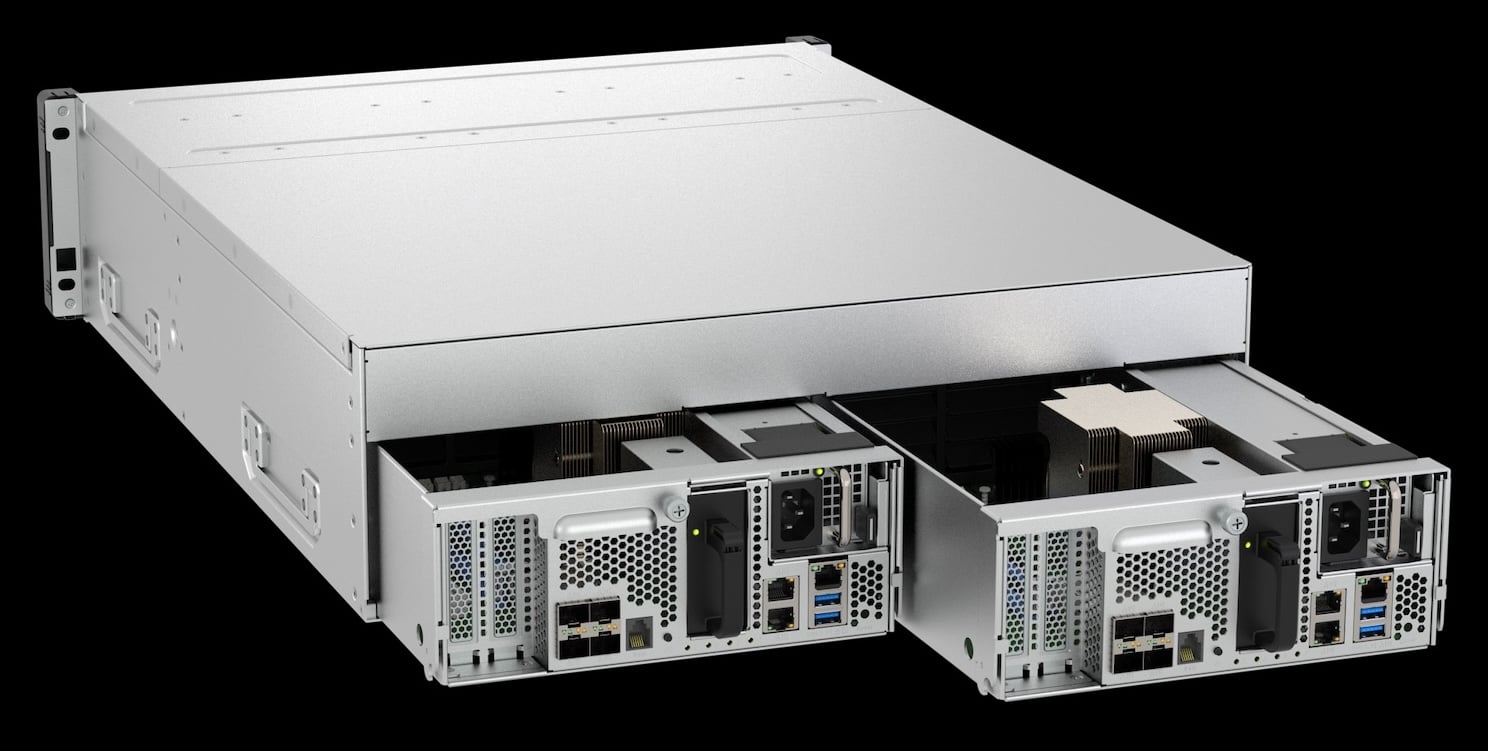
The MSI EdgeMesa N AI+ is a 1.18-liter aluminum mini PC built on NVIDIA’s RTX Spark N1X, the 20-core Arm processor with a 6,144-core Blackwell RTX GPU that we had previously tested only in laptops. Our review unit carries 128GB of unified memory, a 4TB PCIe Gen5 SSD, 10GbE, and Windows 11 Pro. We ran it against ASUS’s 64GB ProArt GR1X, the other RTX Spark mini PC in our lab, and the fastest 128GB and 64GB RTX Spark laptops we have tested, to measure what a desktop chassis and a 240W power adapter add to the same silicon. Key Takeaways The desktop chassis is worth 4 to 11 percent in sustained CPU work. The EdgeMesa held 7,276 points in the steady state of our 30-minute Cinebench 2026 loop, against 6,970 for the 128GB HP OmniBook Ultra 16 and 6,550 for the 64GB Dell XPS 16 Creator Edition. The ASUS ProArt GR1X mini PC held 7,306. The desktop chassis also ran cooler than the laptops on average. The CPU averaged 88.4C across the loop while both laptops sat at 97C, and in Blender it averaged 76.0C against 96.7C and 94.2C. Peak readings were higher on the MSI, reaching 107.3C in the loop, and the GR1X ran the same loop at an 83.3C average with an 88.7C peak. Concurrent LLM serving showed the widest gap over the laptops. With eight requests on Qwen3.8 27B, the EdgeMesa generated 39.8 tokens per second and the GR1X 40.0, against 33.8 and 31.9 on the laptops, while single-request results landed within 6 percent on every model. 128GB ran a larger model tier than the 64GB systems. Qwen-Image 20B at Q8 and a 35B coding-agent model both ran here at the default memory allocation, and the EdgeMesa completed the agent task on all three attempts in 145 seconds. Our suite ran neither on the 64GB GR1X and XPS 16. The 4TB Gen5 SSD keeps pace with the platform. It read at 13,315MB/s and wrote at 12,910MB/s on a 25GiB footprint, at least twice the rate of the 1TB Gen4 drive in the GR1X, and peaked at 62C. MSI’s Edge AI PC Line Gets a Windows System MSI sells the EdgeMesa N AI+ in its Edge AI PC category beside the EdgeXpert, a 1.2-liter desktop built on NVIDIA’s DGX Spark platform that ships with DGX OS, a 200GbE ConnectX-7 port for clustering, and 64GB or 128GB of memory. The EdgeMesa takes the Windows side of that line, with the RTX Spark N1X, Windows 11, and a port set built around a desk with up to four displays. MSI first showed it at Computex in June 2026 and describes it as a compact desktop for AI developers, software engineers, system integrators, and creators who want agents, RAG, and coding assistants running locally. MSI’s product page credits the system with up to 1 petaFLOP of FP4 AI performance, support for 120B-parameter LLMs with up to 1M tokens of context, and 1440p gaming above 100 fps. The page does not list the models, quantization, or settings behind those figures. Our testing below measures token rates on models from 3B to 27B parameters and runs a 35B coding-agent model. Our Windows client suite tops out at that 35B agent model, and 120B-class models run only in our Linux suite, so the model-size claim went untested on this system. The EdgeMesa N AI+ is bought as a fixed configuration, because its LPDDR5X is unified memory shared by the CPU and GPU and cannot be upgraded later. MSI lists up to 128GB of memory and a single NVMe SSD of up to 4TB, which is the configuration we tested, and its US store carries two versions under the X-005US and X-006US part numbers. NVIDIA told us the 128GB unit we tested carries a $7,499 MSRP and that RTX Spark desktops start at $4,399, with pricing that varies by region, manufacturer, and configuration. Build and Design The EdgeMesa N AI+ uses an aluminum chassis with an anti-fingerprint finish. It measures 152 x 147 x 53mm and weighs 1.32kg, which works out to 1.18 liters, a little under the 1.3 liters MSI advertises and close to the company’s 1.2-liter EdgeXpert. The ASUS ProArt GR1X comes to 1.15 liters at 150 x 150 x 51mm, so the two RTX Spark mini PCs take up about the same space on a desk. The front is a perforated grille under an MSI badge with no ports or controls, the base is perforated across most of its area, and power comes from a 240W adapter. Everything connects at the rear, where our unit has the power button, four USB Type-C ports at 20Gbps, one HDMI 2.1b output, one 10GbE RJ45 port, and a Kensington lock slot below a full-width vent. Three of the Type-C ports support DisplayPort 1.4 Alt Mode, and the fourth is the power input, so the system can drive up to four displays with HDMI in use. MSI lists wireless connectivity as Wi-Fi 7 and Bluetooth 5.4. There is no USB Type-A port and no audio jack, so a hub or dock is needed for most desks. MSI calls the thermal design the AI Pulse Cooling System, a vapor chamber with two fans that the company rates to sustain 140W. With the outer shell removed, a fin stack runs the full width of the chassis behind the rear vent, above the port row. The XPS 16 Creator Edition fits the same chip into a 17.8mm chassis, so the cooler is where a mini PC should separate itself, and the sustained-load and thermal results later in this review test that. Storage sits on a single M.2 NVMe slot inside the chassis. Reaching the SSD and other internals takes some effort, since the inner sled slides out of the outer case. From there, the drive sits under a thermal pad in a cutout of the inner frame, and the 4TB Samsung module in our unit is the short M.2 2242 format. That limits replacement options to 2242 drives, a smaller retail selection than the common 2280 length, and it makes the factory capacity choice more important. The ProArt GR1X takes the other approach, with two M.2 2280 slots in a 1.15-liter chassis. MSI EdgeMesa N AI+ Specifications Specification MSI EdgeMesa N AI+ Platform Model EdgeMesa N1x N AI+ (MS-B215) as tested Processor NVIDIA RTX Spark N1X20-core Arm CPU (two classes of 10 cores) Graphics 6,144-core NVIDIA Blackwell RTX GPU, integratedUp to 1 petaFLOP FP4 (MSI) Memory Up to 128GB LPDDR5X unified memory128GB LPDDR5X-9400 as tested GPU Memory as Tested 62.5GB dedicated, 47.9GB shared (default allocation) Storage 1x M.2 NVMe slot, up to 4TB4TB Samsung MZALC4T0HBL1 (M.2 2242) on a PCIe Gen5 x4 link as tested Operating System Windows 11Windows 11 Pro 26H1 as tested Connectivity Rear Ports 4x USB Type-C 20Gbps (3x with DisplayPort 1.4 alt mode, 1x power input)1x HDMI 2.1b1x 10GbE RJ45Power button Display Outputs Up to four displays over HDMI and 3x USB Type-C Networking 10GbEWi-Fi 7, Bluetooth 5.4 Security Kensington lock slot Cooling, Power, and Chassis Cooling AI Pulse Cooling System: vapor chamber, dual fansRated to sustain 140W (MSI) Power 240W adapter Dimensions 152 x 147 x 53mm (5.98 x 5.79 x 2.09 in), 1.18L Weight 1.32kg (2.91 lb) Chassis Aluminum with anti-fingerprint finish Price $7,499 MSRP (128GB, 4TB, as tested, per NVIDIA) Test Setup and Methodology Our review unit is the MS-B215 with the RTX Spark N1X, 128GB of LPDDR5X-9400, and a 4TB Samsung SSD, running Windows 11 Pro 26H1 on Arm with the Best performance power mode. It was connected to a 4K external display for the run. As shipped, Windows presented 62.5GB of the unified memory to the GPU as dedicated memory, with another 47.9GB shared. That memory is one physical pool, and Windows treats the GPU allocation as dedicated GPU memory and the remainder as system memory, which the GPU can spill into when it needs more. A slider in the NVIDIA app sets the allocation, the default sits close to an even split on the 64GB and 128GB systems here, and the app warns that minimum and maximum settings may cause issues. NVIDIA advises keeping the default unless a workload needs more, because a larger GPU share leaves less memory for Windows and other applications, and it recommends leaving at least 16GB for the CPU. NVIDIA says agents and LLMs see little performance loss when they spill into system memory, and it suggests raising the allocation for image and video generation models that need more than the default provides. We test every system at its default, and our suite sizes its model tiers to the dedicated amount, so a model it skips on the 64GB systems may still run there with spillover or a larger allocation. Results come from sr-client 1.13, our Windows client suite, which covers local AI, content creation, CPU, graphics, and storage. The AI tests use llama.cpp on CUDA for LLM serving and MLPerf Client, Ollama on CUDA for model loading, the coding agent, and RAG, and stable-diffusion.cpp on Vulkan for image generation. Each figure is the median of repeated passes, and where a test ran more than once, we report the newest valid result. Results the suite flagged for run-to-run variance or a failed pass carry an asterisk. We tested the two laptops earlier on sr-client 1.11. The comparison set starts with the other RTX Spark mini PC in our lab, the ASUS ProArt GR1X, a 1.15-liter desktop with 64GB of memory and a 1TB Micron Gen4 SSD that ran the same sr-client 1.13 release. Beside it are the two fastest RTX Spark laptops we have tested at each memory size. The HP OmniBook Ultra 16 is the 128GB system and carries a 2TB Sandisk Gen5 SSD, and the Dell XPS 16 Creator Edition is the 64GB system with a 1TB SK hynix drive. All four machines run the same 20-core N1X, and the two desktops run it at a higher power limit with larger coolers, so differences come down to power, cooling, memory capacity, and storage. The GR1X shows what a second desktop design does with the same chip, and the laptops show what the chassis is worth. An x64 build of Cinebench run under emulation crashed on all four, so we have no emulation results to report. Configuration CPU Memory GPU Memory Boot Drive Operating System MSI EdgeMesa N AI+ NVIDIA RTX Spark N1X, 20 cores 128GB LPDDR5X-9400 62.5GB dedicated 4TB Samsung MZALC4T0HBL1, PCIe Gen5 Windows 11 Pro 26H1 ASUS ProArt GR1X NVIDIA RTX Spark N1X, 20 cores 64GB LPDDR5X-9400 30.5GB dedicated 1TB Micron MTFDKBA1T0QGN, PCIe Gen4 Windows 11 Pro 26H1 HP OmniBook Ultra 16 NVIDIA RTX Spark N1X, 20 cores 128GB LPDDR5X-9400 62.5GB dedicated 2TB Sandisk SN8050S, PCIe Gen5 Windows 11 Pro 26H1 Dell XPS 16 Creator Edition NVIDIA RTX Spark N1X, 20 cores 64GB LPDDR5X-9400 30.5GB dedicated 1TB SK hynix PVC10 Windows 11 Pro 26H1 Local AI Performance LLM Serving LLM serving, llama.cpp CUDA, Q4_K_M (higher is better unless noted) MSI EdgeMesa N AI+ (N1X, 128GB) ASUS ProArt GR1X (N1X, 64GB) HP OmniBook Ultra 16 (N1X, 128GB) Dell XPS 16 Creator Edition (N1X, 64GB) Ministral 3 3B, 1 request, output (tokens/s) 58.1 58.4 57.5 57.8 Ministral 3 3B, 4 requests, output (tokens/s) 152.0 154.9 148.8 146.4 Ministral 3 3B, 1 request, time to first token (ms, lower is better) 566 557 607 669 Ministral 3 8B, 1 request, output (tokens/s) 42.5 42.7 41.5 40.6 Ministral 3 8B, 4 requests, output (tokens/s) 107.5 109.3 104.1 96.3 Ministral 3 8B, 1 request, time to first token (ms, lower is better) 1,343 1,331 1,554 1,794 Qwen3.8 27B, 1 request, output (tokens/s) 13.0 13.1 12.6 12.4 Qwen3.8 27B, 4 requests, output (tokens/s) 31.1 31.4 28.1 27.5 Qwen3.8 27B, 8 requests, output (tokens/s) 39.8 40.0 33.8 31.9 Qwen3.8 27B, 1 request, time to first token (ms, lower is better) 8,721 8,604 10,818 10,935 LLM serving runs each model through llama.cpp with one, four, and eight simultaneous requests, which is how a small team sharing one box would load it. With a single request, the four systems are within 6 percent of each other on every model, at 58.1 tokens per second for Ministral 3 3B, 42.5 for the 8B model, and 13.0 for Qwen3.8 27B on the EdgeMesa. One request leaves most of the chip idle, so cooling’s role is minimized. The gap opens as requests stack up: at four requests on Qwen3.8 27B the EdgeMesa generated 31.1 tokens per second against 28.1 for the HP and 27.5 for the XPS 16, and at eight requests it reached 39.8 against 33.8 and 31.9, leads of 18 and 25 percent. Time to first token on that model was 8.7 seconds on the MSI and 10.8 to 10.9 seconds on the laptops. Ministral 3 8B at four requests showed a smaller version of the same pattern, at 107.5 tokens per second against 104.1 and 96.3. The ProArt GR1X tracked the EdgeMesa at every step, with 31.4 tokens per second at four requests and 40.0 at eight on Qwen3.8 27B, 109.3 on Ministral 3 8B at four requests, and an 8.6-second first token on the 27B model. The two desktops finished within 2 percent of each other across the serving table, even though the GR1X has half the memory, because every model in that table fits on the 64GB system. The serving table stops at the 27B class by design. Our Windows client suite, which every RTX Spark system here ran, does not include gpt-oss 120B or other models of that size. We test those in our Linux suite on larger unified-memory desktops and GPU workstations. MSI advertises support for 120B-parameter LLMs on this system, and that is a claim we did not test. MLPerf Client v2.0 MLPerf Client v2.0, llama.cpp CUDA (higher is better unless noted) MSI EdgeMesa N AI+ (N1X, 128GB) ASUS ProArt GR1X (N1X, 64GB) HP OmniBook Ultra 16 (N1X, 128GB) Dell XPS 16 Creator Edition (N1X, 64GB) Llama 3.1 8B, time to first token (s, lower is better) 0.25 0.24 0.28 0.31 Llama 3.1 8B, token rate (tokens/s) 56.3 56.8 56.5 55.7 Phi-4-mini, time to first token (s, lower is better) 0.11 0.11 0.13 0.14 Phi-4-mini, token rate (tokens/s) 96.8 96.3 97.0 96.2 MLPerf Client sends one prompt at a time, and the four systems tie on it. The EdgeMesa generated 56.3 tokens per second on Llama 3.1 8B and 96.8 on Phi-4-mini, compared with 56.8 and 96.3 for the GR1X, 56.5 and 97.0 for the HP, and 55.7 and 96.2 for the XPS 16. Time to first token was slightly shorter on the desktops (0.25 and 0.24 seconds for Llama 3.1 8B) than on the laptops (0.28 and 0.31 seconds). For a single user chatting with a small model, the mini PCs and the laptops deliver the same experience. Model Loading and the Coding Agent Model loading and coding agent, Ollama CUDA MSI EdgeMesa N AI+ (N1X, 128GB) ASUS ProArt GR1X (N1X, 64GB) HP OmniBook Ultra 16 (N1X, 128GB) Dell XPS 16 Creator Edition (N1X, 64GB) gpt-oss:20b cold load to first token (s, lower is better) 7.00 10.94 6.70 7.73 gpt-oss:20b warm load to first token (s, lower is better) 3.96 3.68 3.68 3.69 qwen3.6:35b cold load to first token (s, lower is better) 8.32 Not run 9.33 Not run Agent, gpt-oss:20b 64K context, successful runs (of 3) 2* 1* 2* 3 Agent, gpt-oss:20b 64K context, wall time (s, lower is better) 294* 154* 216* 360 Agent, qwen3.6:35b 64K context, successful runs (of 3) 3 Not run 1* Not run Agent, qwen3.6:35b 64K context, wall time (s, lower is better) 145 Not run 1783* Not run Agent, qwen3.6:35b 64K context, generation rate (tokens/s) 86.8 Not run 72.7 Not run Speedometer slowdown beside the agent (x, lower is better) 1.78 1.79 2.35 2.79 *Flagged by the suite: at least one of the three agent runs did not pass all tests. Cold loads track the SSD and the memory path more than the chassis. The EdgeMesa brought gpt-oss:20b from a cold start to its first token in 7.00 seconds, between the HP at 6.70 and the XPS 16 at 7.73, and loaded the 21GB qwen3.6:35b model in 8.32 seconds, compared with 9.33 for the HP. The GR1X took 10.94 seconds to load the gpt-oss:20b model from its Gen4 drive. The suite does not run the 35B model on the 64GB GR1X and XPS 16. The coding agent instructs a model to write and test code over several rounds, three times per configuration. With qwen3.6:35b the EdgeMesa passed all three attempts in 145 seconds at 86.8 tokens per second, where the 128GB HP passed one of three and took 1,783 seconds. With gpt-oss:20b, the MSI passed two of three attempts, the GR1X one, and the XPS 16 all three, so pass counts on that model vary by run. Running Speedometer beside the agent slowed the browser by 1.78x on the MSI and 1.79x on the GR1X, against 2.35x and 2.79x on the laptops. RAG RAG pipeline (higher is better unless noted) MSI EdgeMesa N AI+ (N1X, 128GB) ASUS ProArt GR1X (N1X,…
Full show notes at the publisher 
 Our TOPPODCAST Picks
 Stay Connected