TopPodcast.com
Menu
  • Home
  • Top Charts
  • Top Networks
  • Top Apps
  • Top Independents
  • Top Podfluencers
  • Top Picks
    • Top Business Podcasts
    • Top True Crime Podcasts
    • Top Finance Podcasts
    • Top Comedy Podcasts
    • Top Music Podcasts
    • Top Womens Podcasts
    • Top Kids Podcasts
    • Top Sports Podcasts
    • Top News Podcasts
    • Top Tech Podcasts
    • Top Crypto Podcasts
    • Top Entrepreneurial Podcasts
    • Top Fantasy Sports Podcasts
    • Top Political Podcasts
    • Top Science Podcasts
    • Top Self Help Podcasts
    • Top Sports Betting Podcasts
    • Top Stocks Podcasts
  • Podcast News
  • About Us
  • Podcast Advertising
  • Contact

Not in our directory?
Add Show Here
Podcast Equipment
Center

toppodcastlogoOur TOPPODCAST Picks

  • Comedy
  • Crypto
  • Sports
  • News
  • Politics
  • True Crime
  • Business
  • Finance

Follow Us

toppodcastlogoStay Connected

    View Top 200 Chart
    Back to Rankings Page
    Arts

    PhotoActive

    Jeff Carlson and Kirk McElhearn discuss photography and the Apple ecosystem. We cover using an iPhone or any other camera with Apple hardware and software, and we welcome photographers to discuss their work.

    Advertise
    • Apple Podcasts
    • Google Play
    • Spotify

    Latest Episodes:
    Episode 38: Levels and Curves with Nik Bhatt Mar 15, 2019
    Show notes

    We welcome back Nik Bhatt, of Gentlemen Coders and RAW Power fame, to pick his brain on editing photos using levels and curves: what the differences are between the two tonal adjustment tools, and how to use them. We also talk about understanding the histogram, and touch on editing white balance and why we may be using the eyedropper tool wrong.

    Sponsor

    Masters of Photography, online masterclasses with the greatest photographers in the world. Get 5% off any course with the code PHOTOACTIVE. https://mastersof.photography

    Hosts:

    • Jeff's website, Jeff's photos, Jeff on Instagram
    • Kirk's website, Kirk's photos, Kirk on Instagram

    Show Notes:

    (View show notes with images at PhotoActive.co)

    Production Note: We’ve decided to change the frequency of episode releases to fortnightly (every two weeks) due to current commitments we both have.

    • Rate and Review the PhotoActive Podcast!

    • RAW Power

    • PhotoActive Episode #26 - RAW Power 2.0

    • Download the RAW file we used as an example in this episode (21 MB)

    • Batch Processing in Apple Photos, by Kirk

    Our Snapshots:

    • Jeff: White Wall AR, iOS app

    • Kirk: White Balance Gray Cards

    Subscribe to the PhotoActive podcast mailing list at the bottom of any page at the PhotoActive web site to be notified of new episodes and be eligible for occasional giveaways. If you’ve already subscribed to the mailing list, you’re automatically entered.

    If you like the show, please subscribe in iTunes or your favorite podcast app, and please rate the podcast. And don't forget to join the PhotoActive Facebook group to discuss the podcast, share your photos, and more.

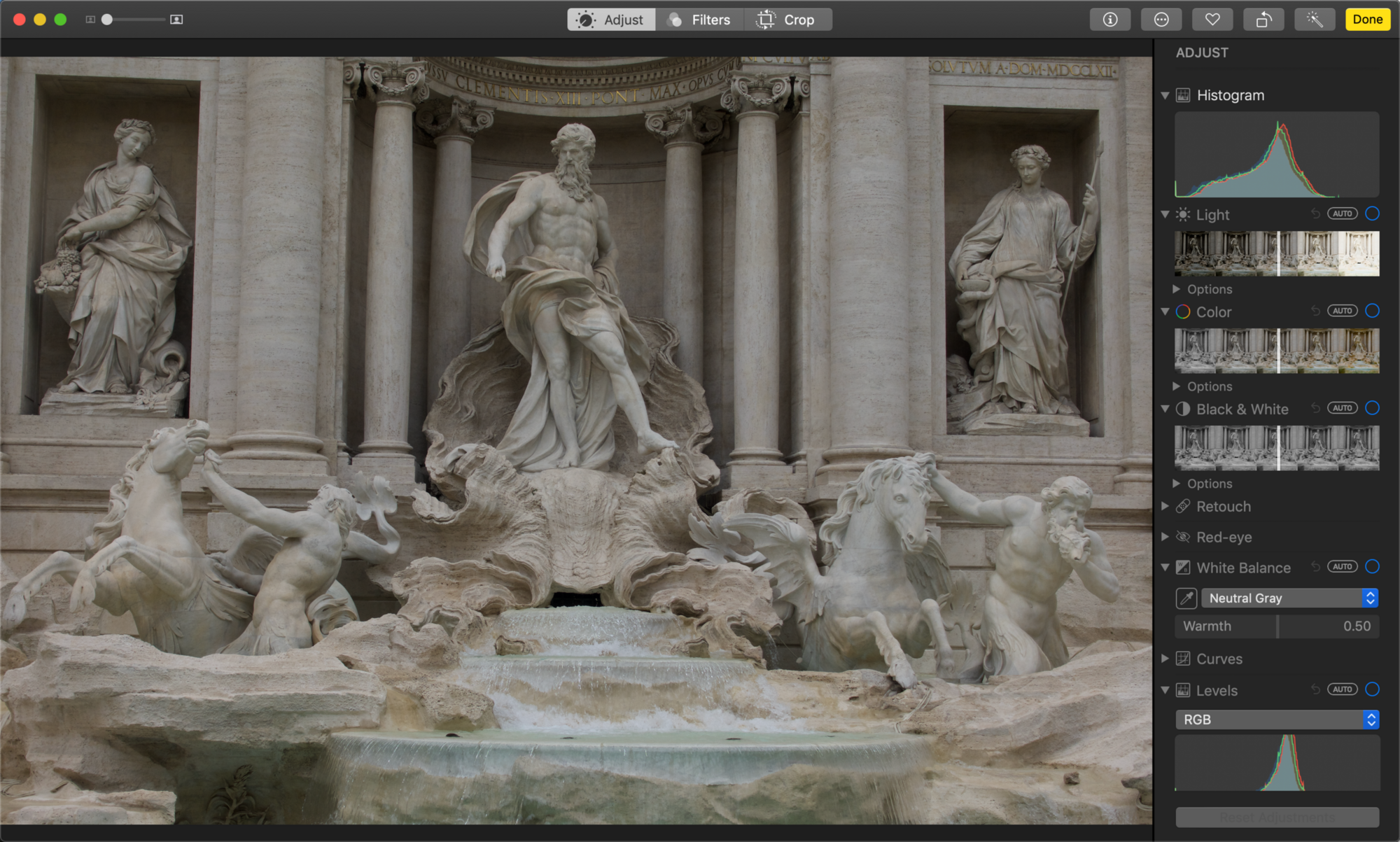
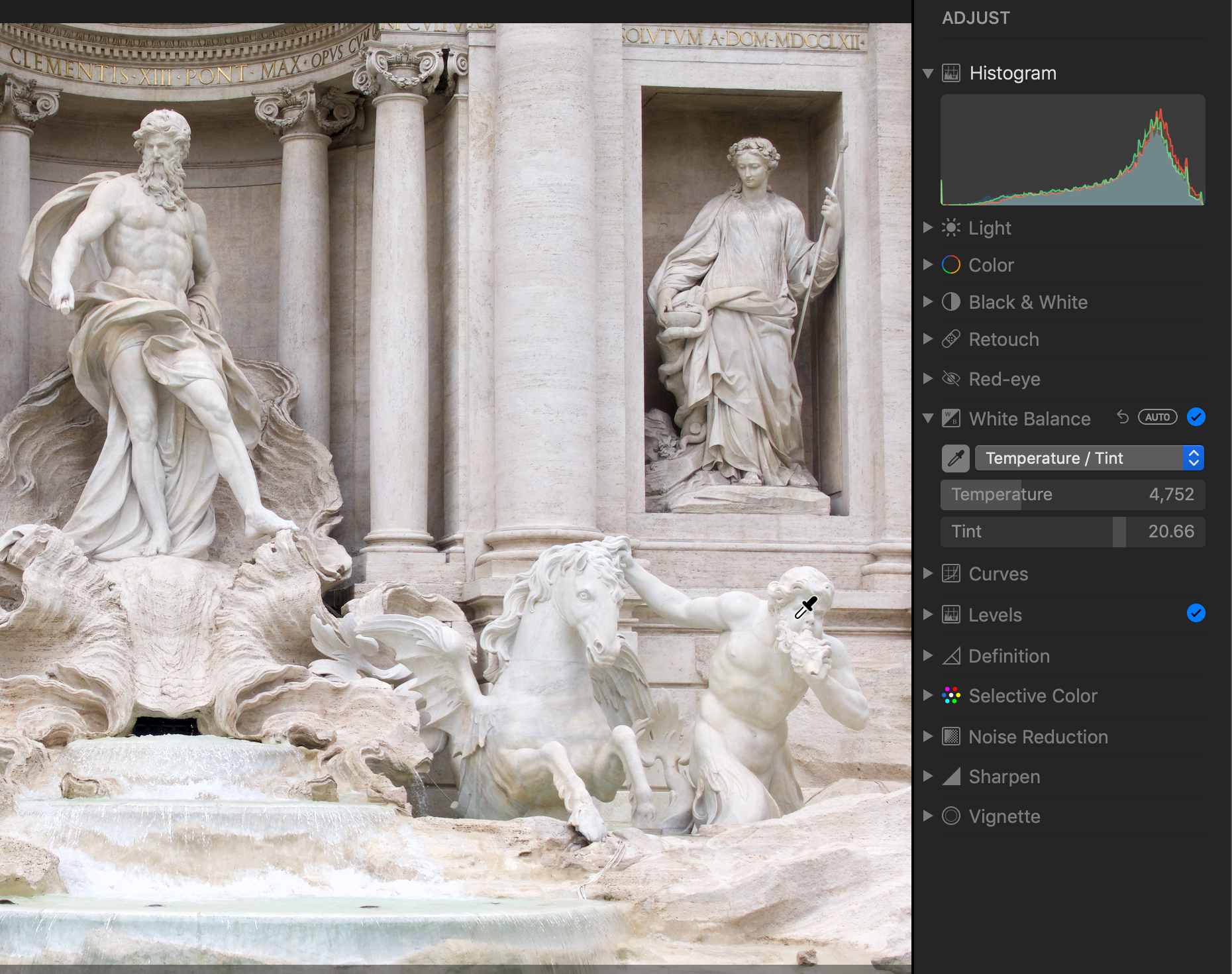
    03:30 The sample image with the Histogram visible
    03:30 The sample image with the Histogram visible
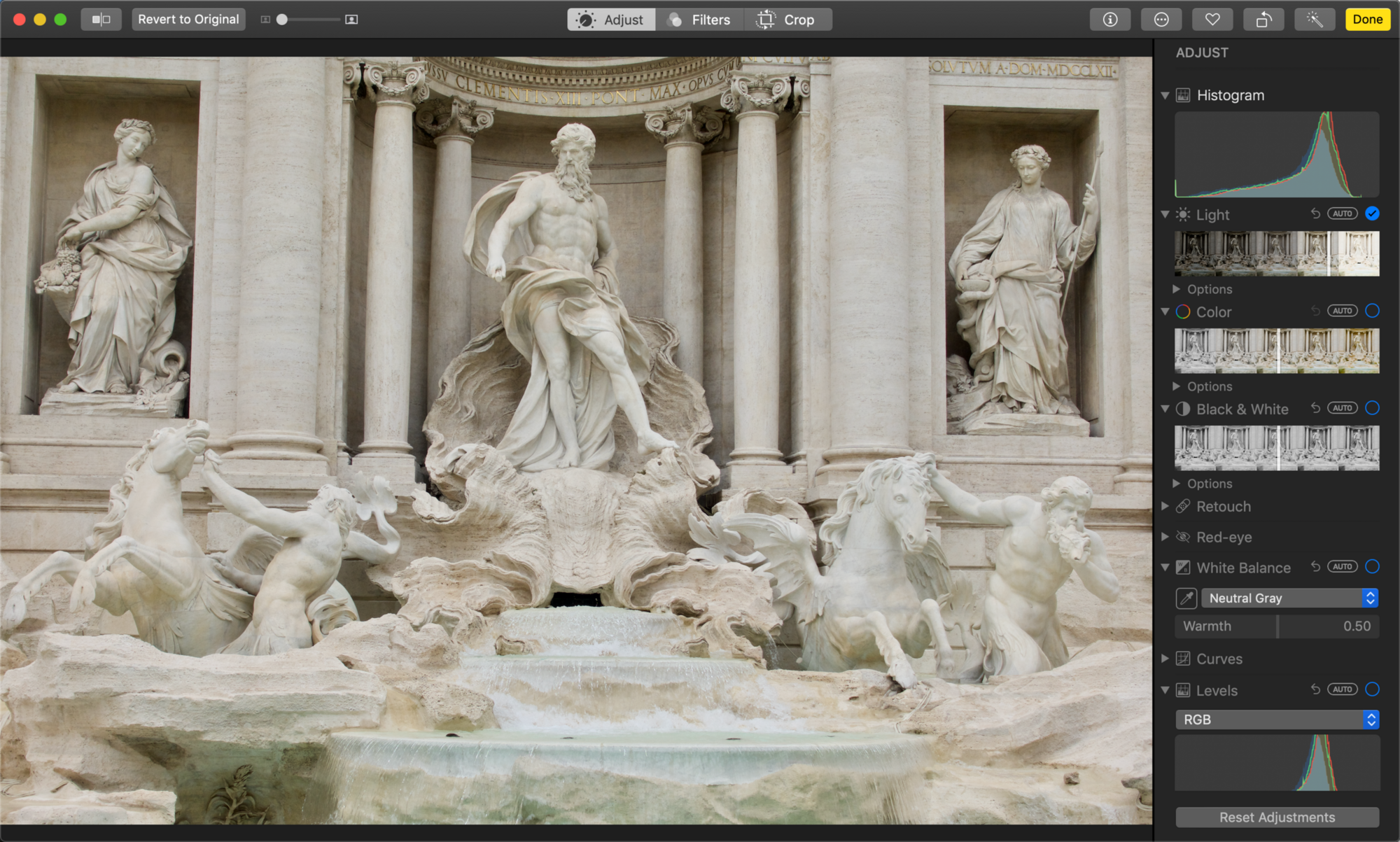
    06:45 Using the Light slider in Photos.
    06:45 Using the Light slider in Photos.
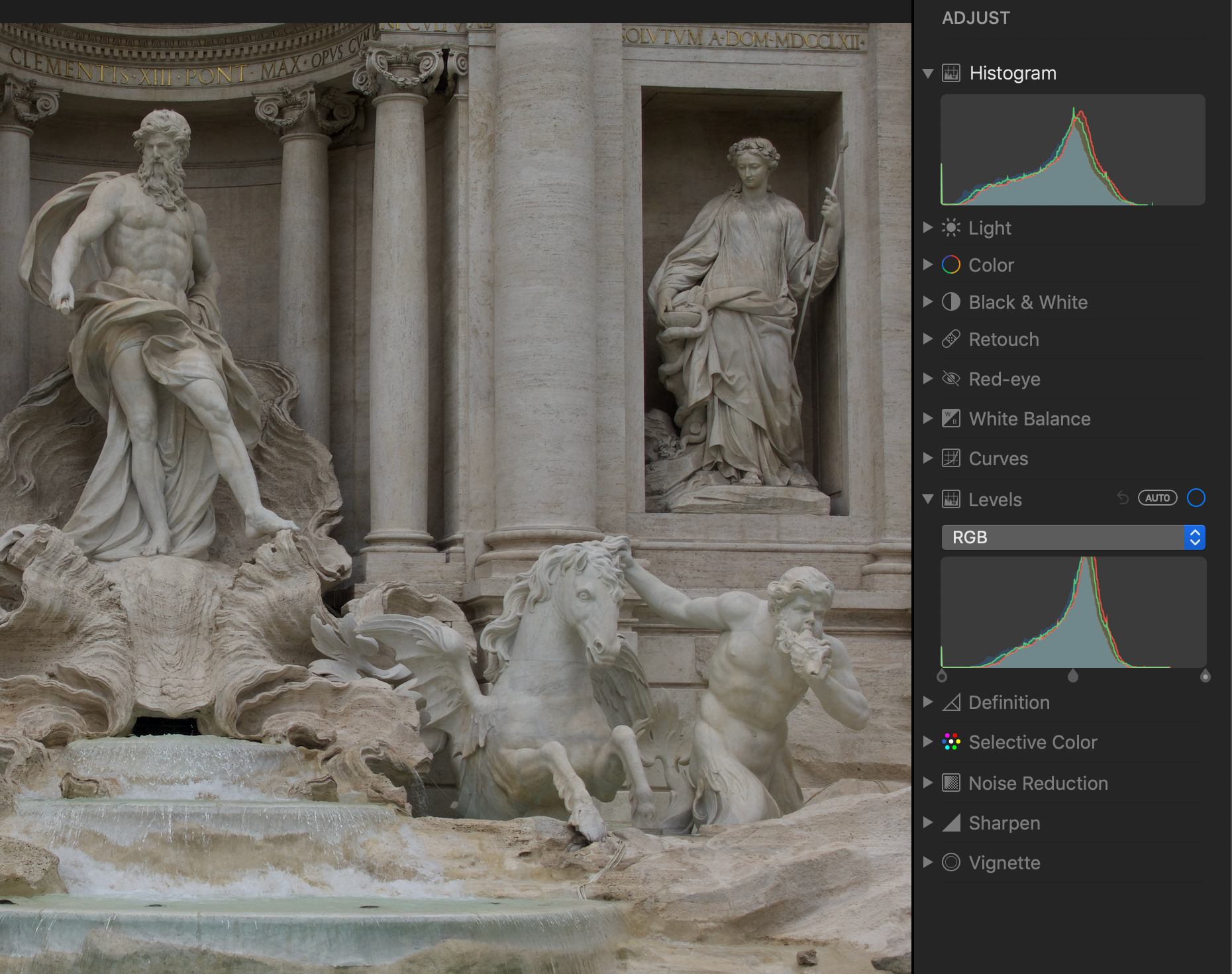
    07:45 The different histograms in the Histogram and the Levels control
    07:45 The different histograms in the Histogram and the Levels control
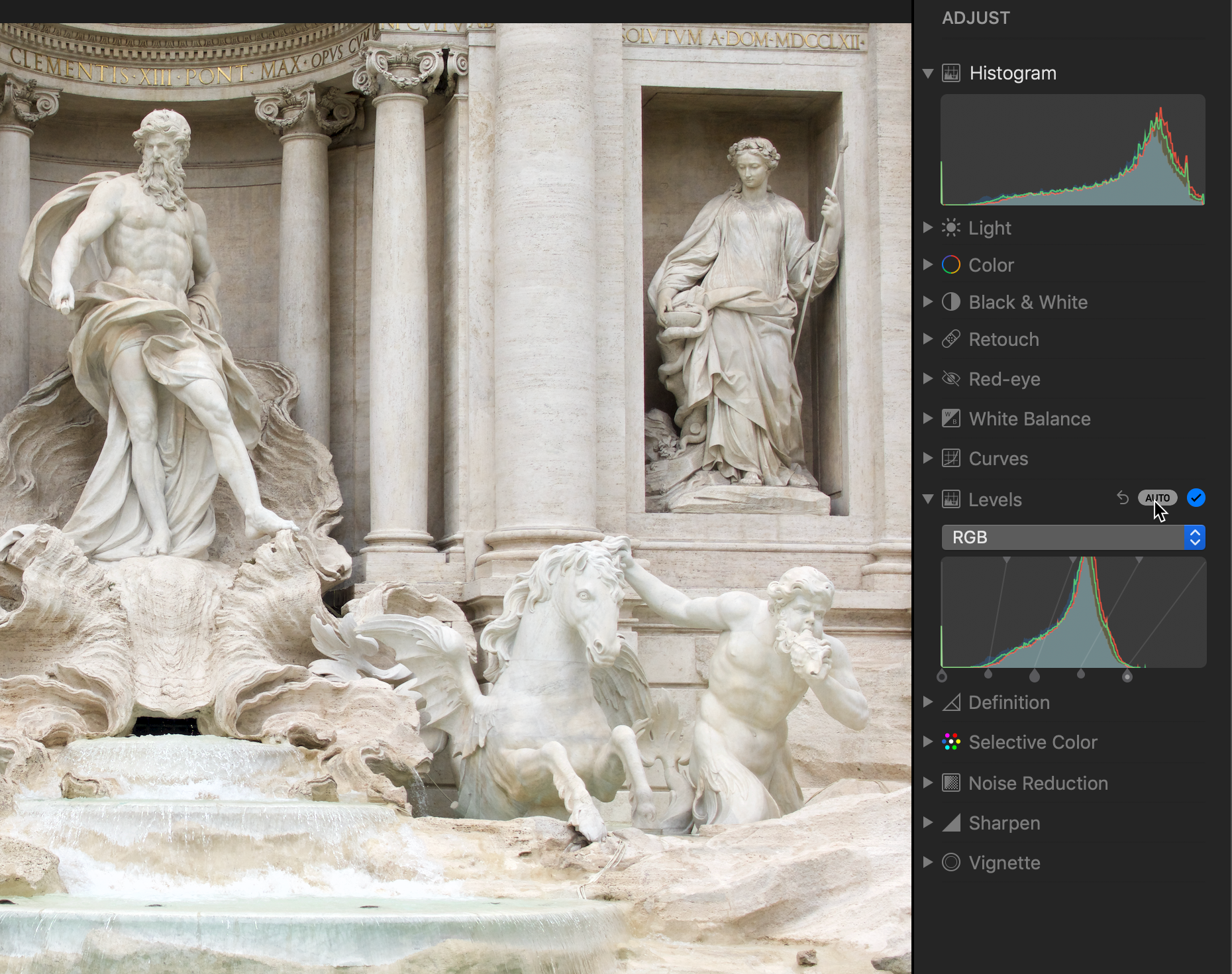
    11:15 Clicking Auto in the Levels control
    11:15 Clicking Auto in the Levels control
    14:28 Setting White Balance using the eyedropper
    14:28 Setting White Balance using the eyedropper
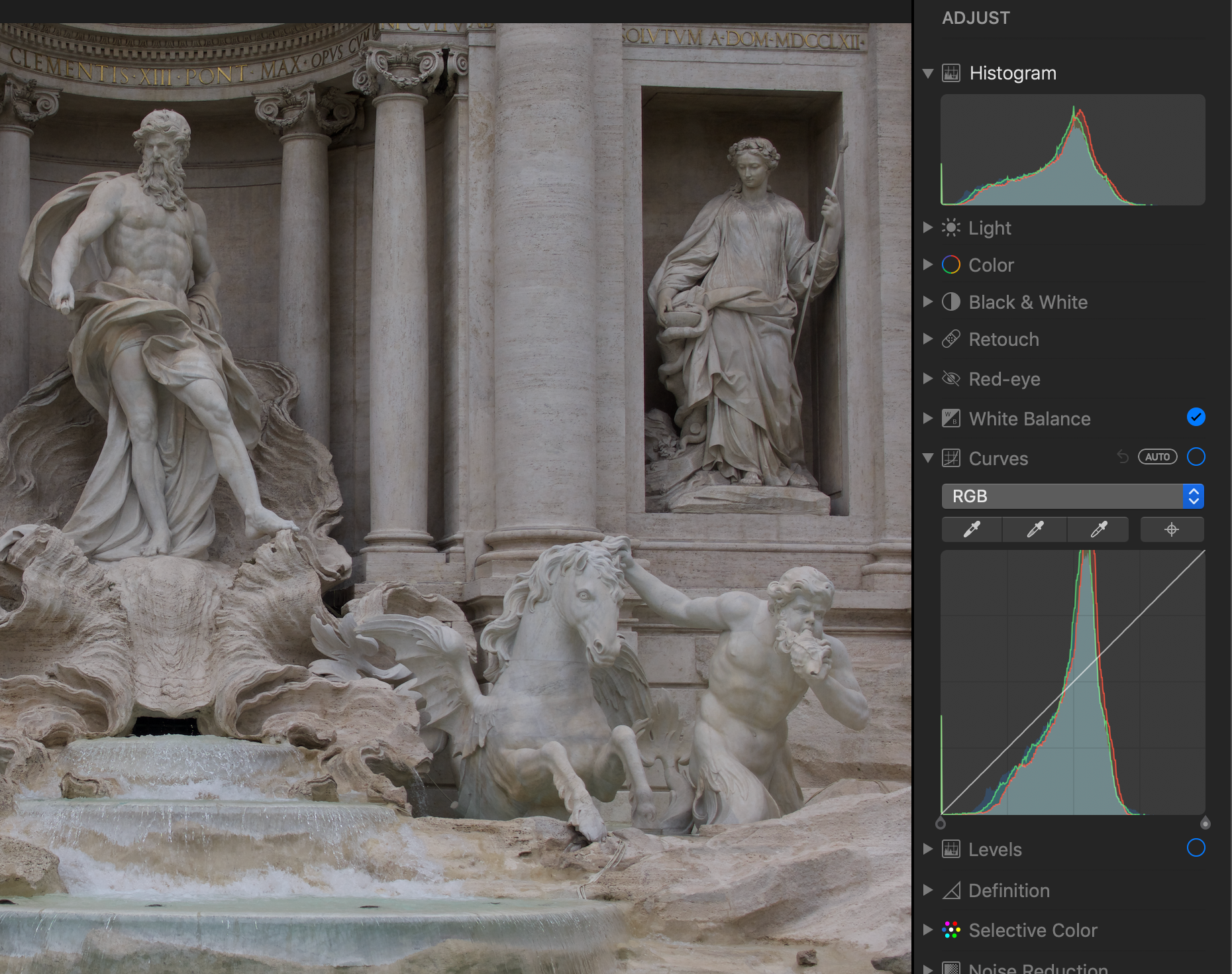
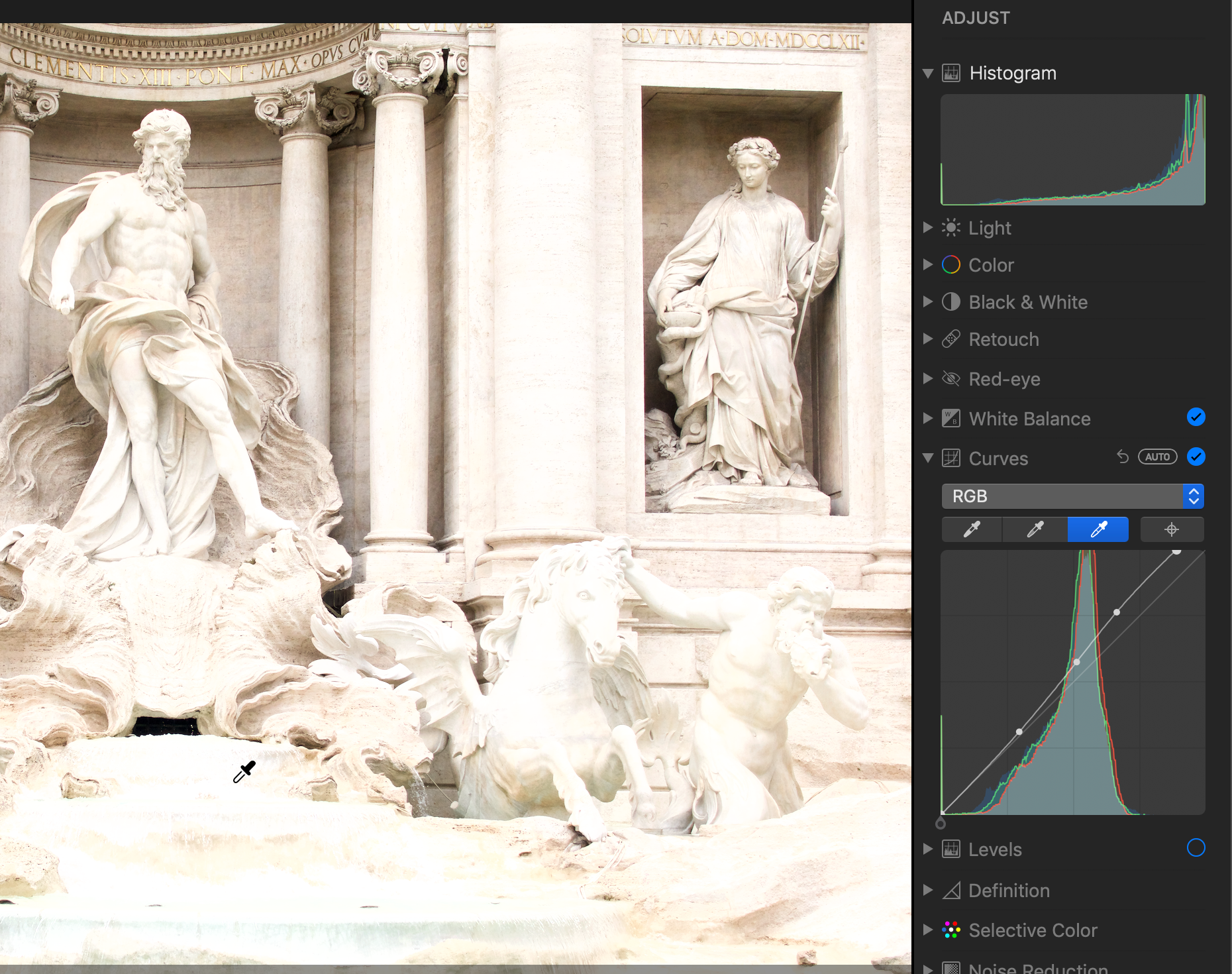
    23:00 The Histogram and the Curves control; the straight diagonal line in Curves means no edit has been applied.
    23:00 The Histogram and the Curves control; the straight diagonal line in Curves means no edit has been applied.
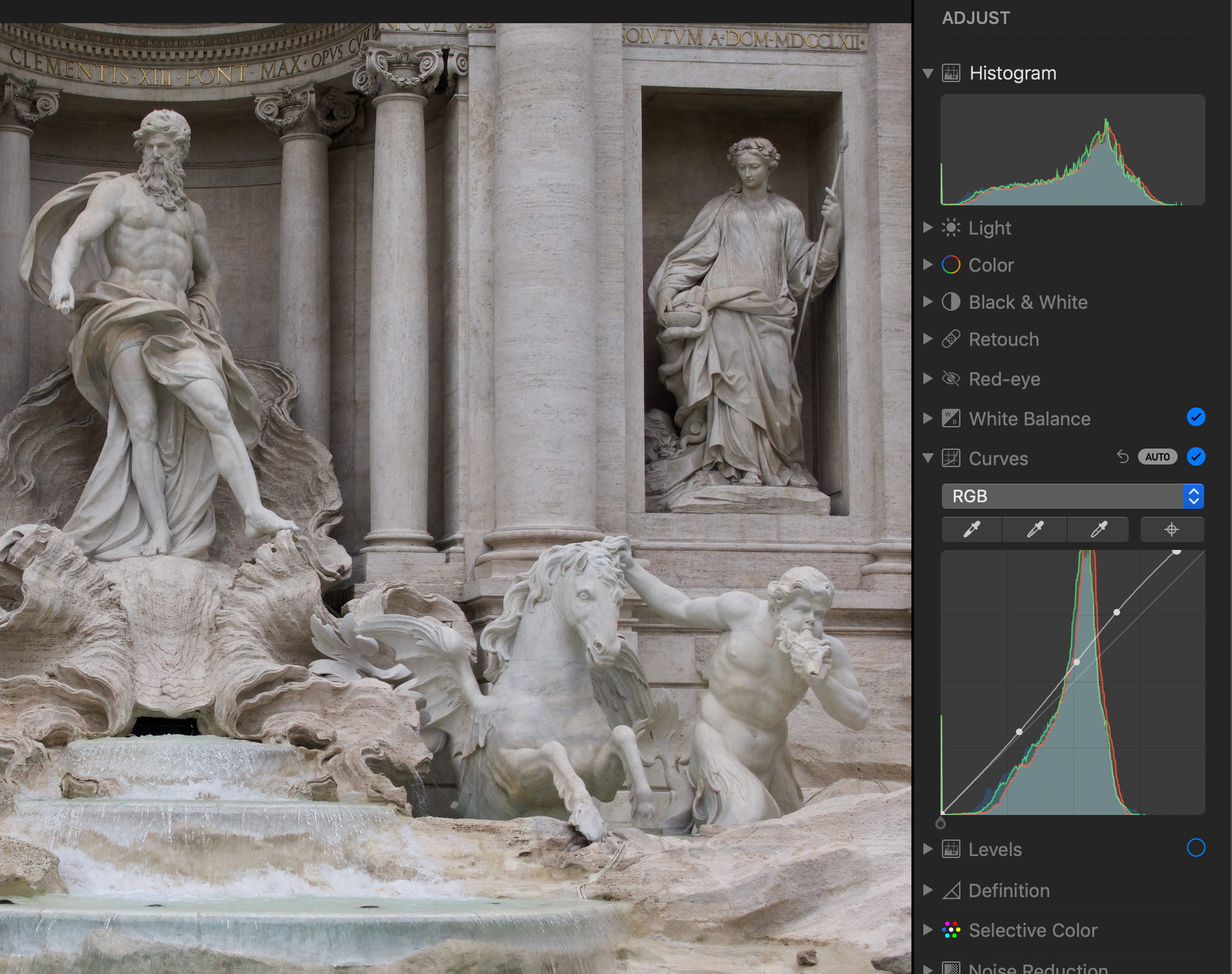
    25:45 Applying the Auto setting for Curves
    25:45 Applying the Auto setting for Curves
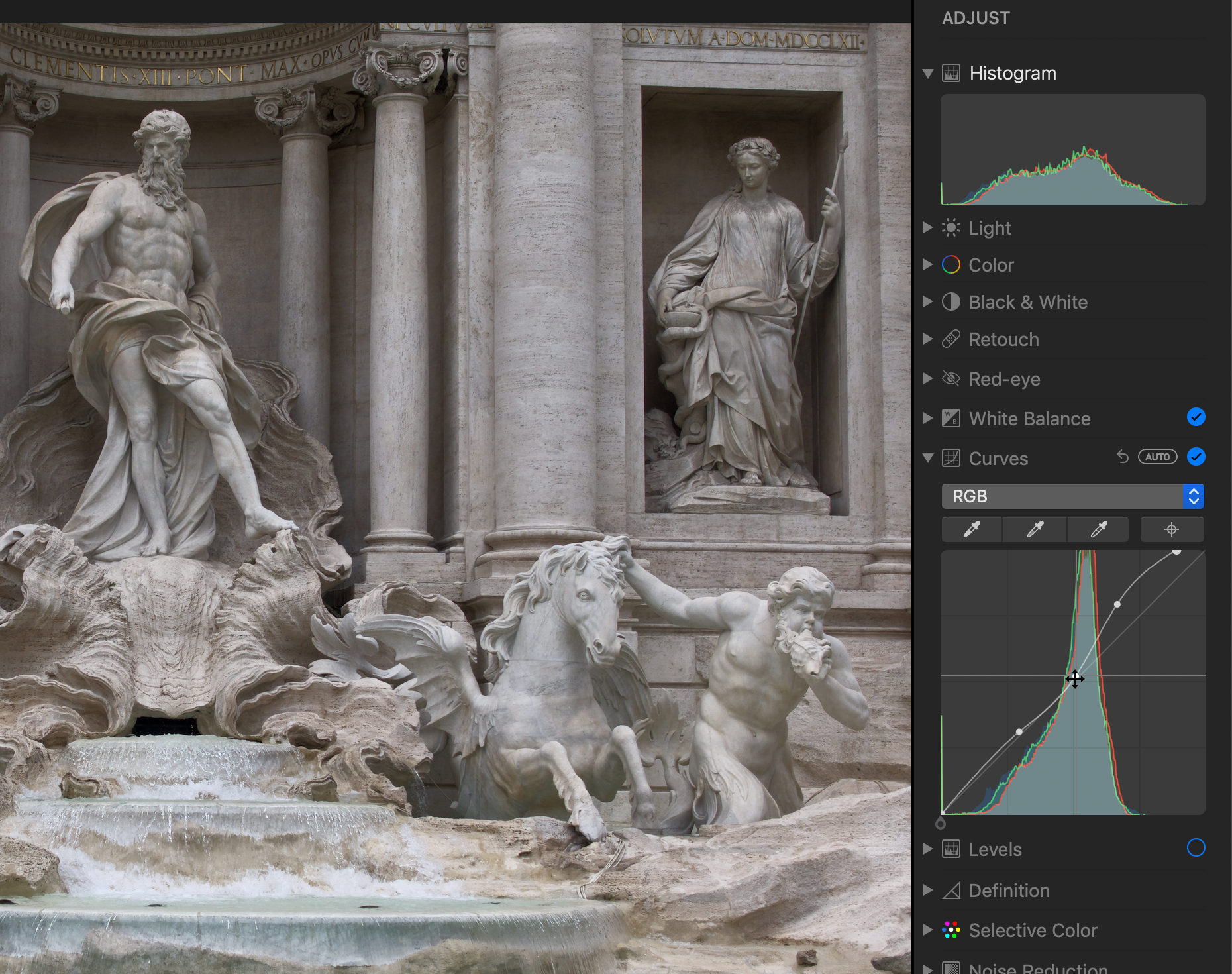
    27:00 Adjusting the midtones in the Curves control
    27:00 Adjusting the midtones in the Curves control
    29:05 Using the White Point eyedropper in the Curves control
    29:05 Using the White Point eyedropper in the Curves control
    Titus  Camera: iPhone XS Max Shutter speed: 1/48 sec Aperture: f/1.8 ISO: 400 Photo: Kirk McElhearn
    Titus Camera: iPhone XS Max Shutter speed: 1/48 sec Aperture: f/1.8 ISO: 400 Photo: Kirk McElhearn

    Backups and 360-degree Photography Mar 01, 2019
    Show notes

    We're tackling two topics in this episode of PhotoActive. First up, all-important backups! We emphasize backups all the time, but what does a good backup system look like? Then, after the break, we turn a never-ending corner and look at 360-degree photography, an interesting and creative niche.

    Sponsor

    Masters of Photography, online masterclasses with the greatest photographers in the world. Get 5% off any course with the code PHOTOACTIVE. https://mastersof.photography

    Hosts:

    • Jeff's website, Jeff's photos, Jeff on Instagram
    • Kirk's website, Kirk's photos, Kirk on Instagram

    Show Notes:

    (View show notes with images at PhotoActive.co)

    Production Note: We’ve decided to change the frequency of episode releases to fortnightly (every two weeks) due to current commitments we both have.

    • Rate and Review the PhotoActive Podcast!

    • PhotoActive Episode #27 - Flying High with Ian Schray and Drones

    • Backblaze Hard Drive Stats for 2018

    • Backups for Busy Creatives, Jeff’s article at CreativePro.com

    • How to Back Up Your Mac to Multiple Time Machine Disks, Kirk’s article at his website

    • Take Control of Backing Up Your Mac

    • Samsung T5 Portable SSD - 500 GB - USB 3.1 External SSD

    • A 360-degree photo shot by Jeff, at Facebook

    • Samsung Gear 360 at Museum of Flight, video at YouTube

    • The Best 360-Degree Camera, The Wirecutter

    • Ricoh Theta V 360 Spherical Camera

    Our Snapshots:

    • Jeff: Peak Design Shell

    • Kirk: Drive Docks

    Subscribe to the PhotoActive podcast mailing list at the bottom of any page at the PhotoActive web site to be notified of new episodes and be eligible for occasional giveaways. If you’ve already subscribed to the mailing list, you’re automatically entered.

    If you like the show, please subscribe in iTunes or your favorite podcast app, and please rate the podcast. And don't forget to join the PhotoActive Facebook group to discuss the podcast, share your photos, and more.

    Watch this video on YouTube
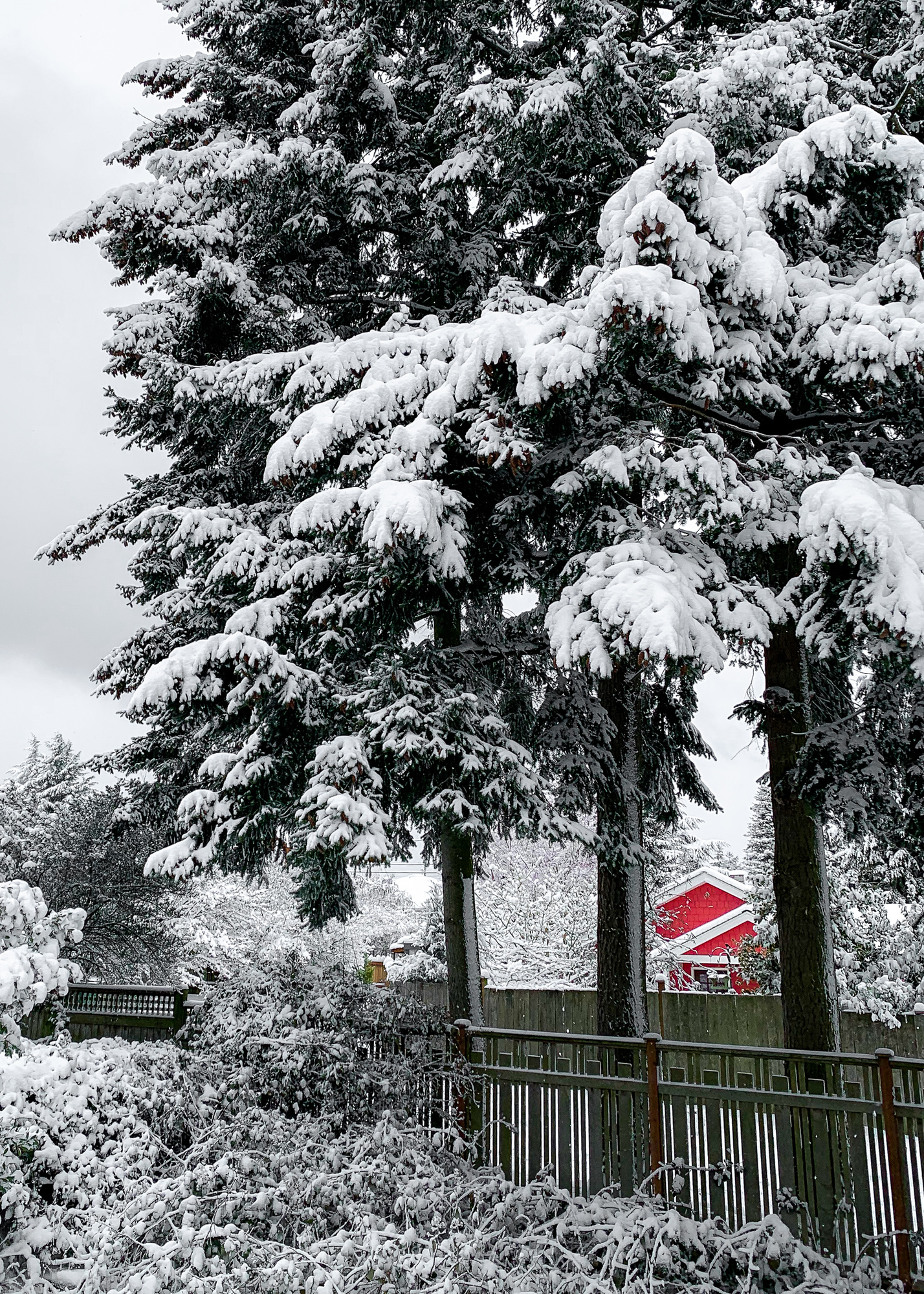
    Red house in the snow  Camera: iPhone XS Shutter speed: 1/750 sec Aperture: f/1.8 ISO: 25 Photo: Jeff Carlson
    Red house in the snow Camera: iPhone XS Shutter speed: 1/750 sec Aperture: f/1.8 ISO: 25 Photo: Jeff Carlson
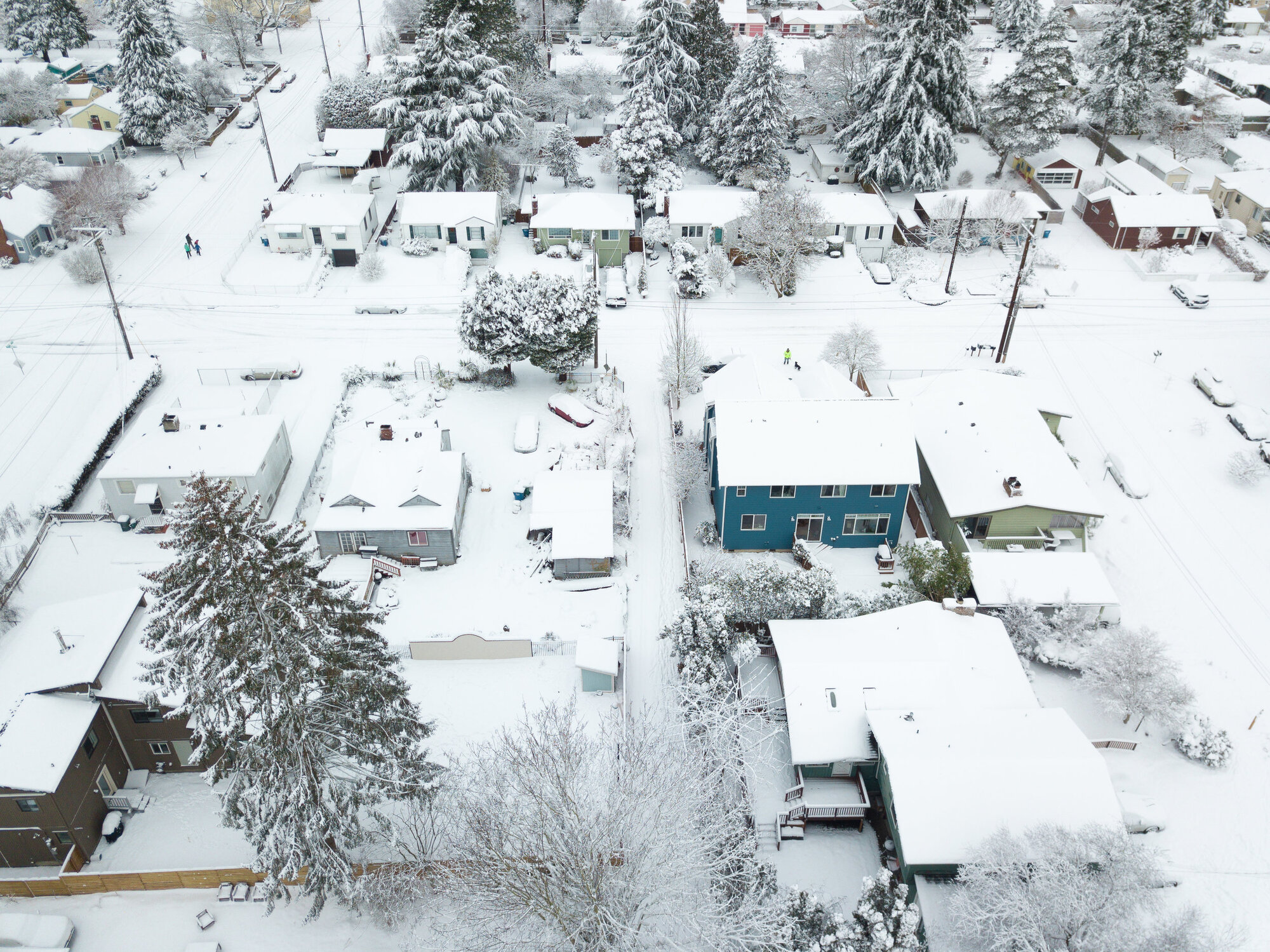
    Looking over the snowy neighborhood  Camera: DJI Mavic Pro Shutter speed: 1/320 sec Aperture: f/2.2 ISO: 100 Photo: Jeff Carlson
    Looking over the snowy neighborhood Camera: DJI Mavic Pro Shutter speed: 1/320 sec Aperture: f/2.2 ISO: 100 Photo: Jeff Carlson
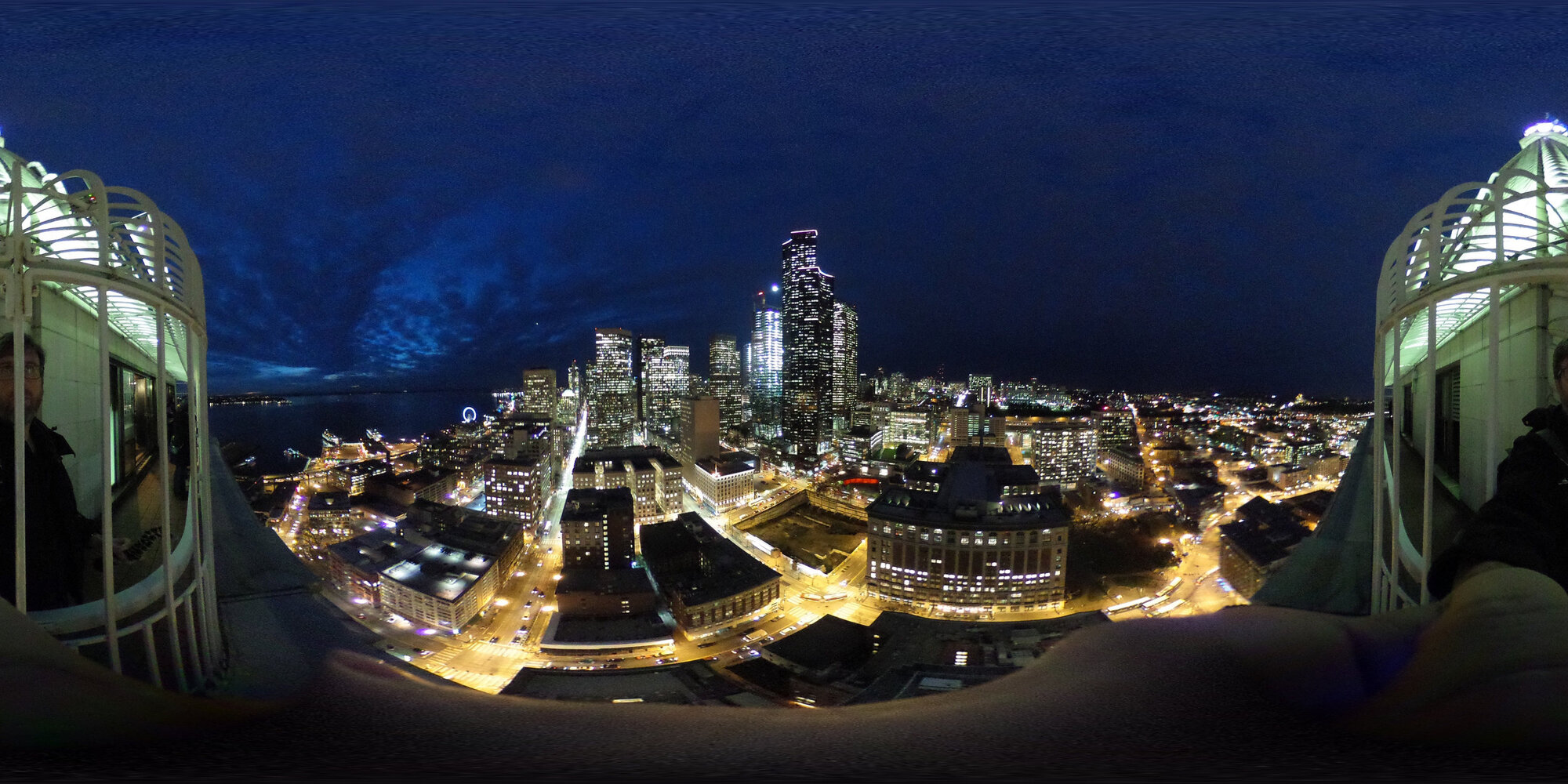
    A flat 360-degree image, without the software that wraps it into a sphere.  Camera: Ricoh Theta S Shutter speed: 1/15 sec Aperture: f/2.0 ISO: 800 Photo: Jeff Carlson
    A flat 360-degree image, without the software that wraps it into a sphere. Camera: Ricoh Theta S Shutter speed: 1/15 sec Aperture: f/2.0 ISO: 800 Photo: Jeff Carlson
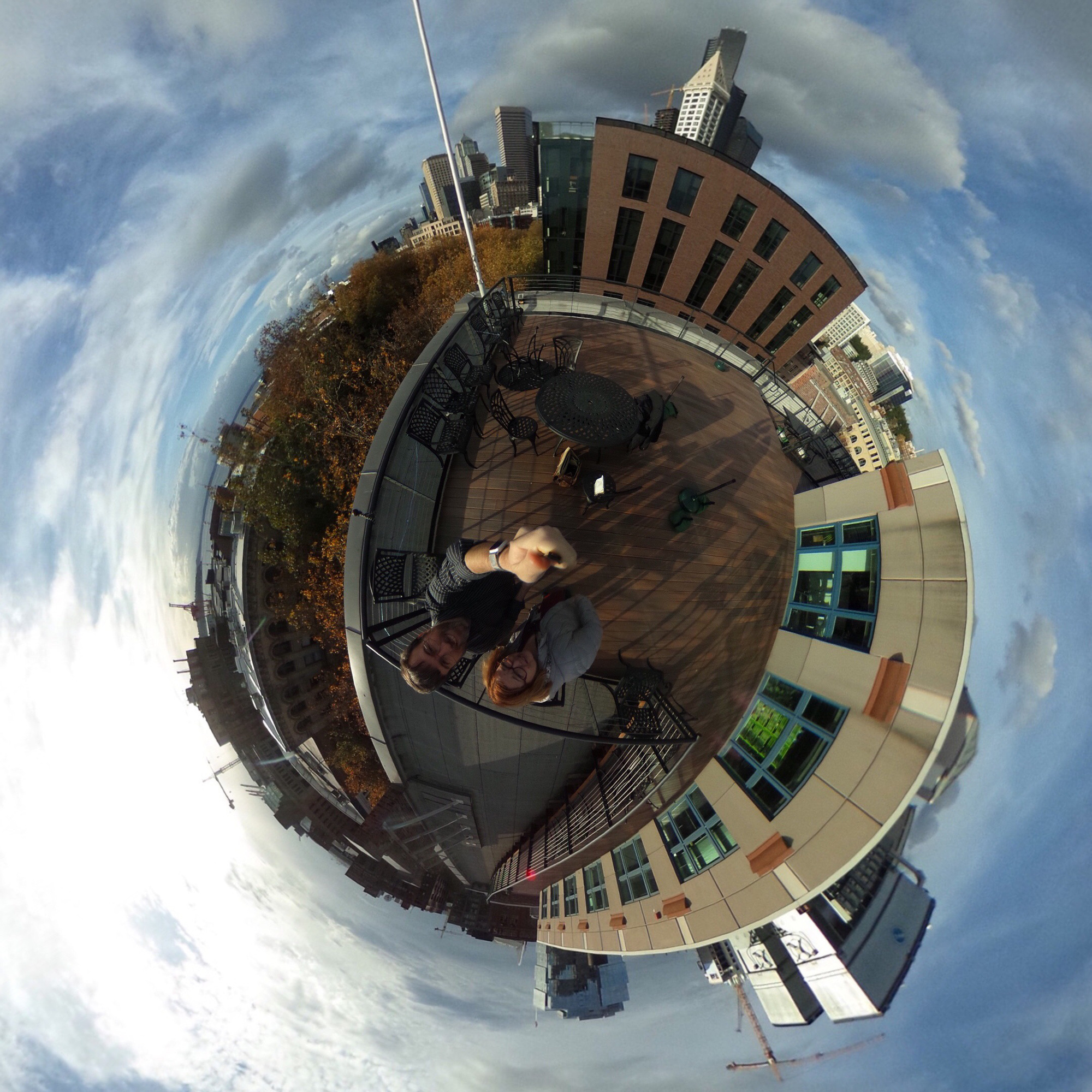
    “Tiny Planet” effect of a 360-degree photo  Camera: Ricoh Theta S Shutter speed: 1/5000 sec Aperture: f/2.0 ISO: 100 Photo: Jeff Carlson
    “Tiny Planet” effect of a 360-degree photo Camera: Ricoh Theta S Shutter speed: 1/5000 sec Aperture: f/2.0 ISO: 100 Photo: Jeff Carlson

    Episode 36: Photographing with Constraints Feb 15, 2019
    Show notes

    In this episode of PhotoActive, we have some specific ideas about photographing with constraints. Whether you’re looking to expand your knowledge of individual shooting features (such as aperture or shutter speed) or get out of a creative rut, imposing constraints on yourself can actually turn out to be a freeing exercise.

    Sponsor

    Gentlemen Coders RAW Power 2 lets you process raw files on your Mac with full control over Apple’s raw engine, offering features previously available only in Aperture. It has exceptional highlight recovery, as well as noise reduction, capture sharpening, gamut mapping, and more. RAW Power also works with JPEGs, TIFFs, and other standard image formats. RAW Power 2 runs as an extension in Apple Photos or as a standalone app. RAW Power 2 for iOS is a full photo library app that offers the same features, and works with your existing Photos library. Learn more at rawpower.app.

    Hosts:

    • Jeff's website, Jeff's photos, Jeff on Instagram
    • Kirk's website, Kirk's photos, Kirk on Instagram

    Show Notes:

    (View show notes with images at PhotoActive.co)

    Production Note: We’ve decided to change the frequency of episode releases to fortnightly (every two weeks) due to current commitments we both have.

    • Rate and Review the PhotoActive Podcast!

    • PhotoActive #10 - Quintin Lake’s Long Photo Walk

    • Photo: Ripening

    • PhotoActive #3 - Black and White

    • In the Real World, the William Eggleston documentary

    • PhotoActive #8 - Gordon Laing on Taking Great Photos In Camera

    • Three Notable New Photobooks: Don McCullin, Michael Kenna, and Todd Hido

    Our Snapshots:

    • Jeff: Using iOS Shortcuts to Import Photos into Lightroom CC Mobile
    • Kirk: Bright Black World, by Todd Hido

    Subscribe to the PhotoActive podcast mailing list at the bottom of any page at the PhotoActive web site to be notified of new episodes and be eligible for occasional giveaways. If you’ve already subscribed to the mailing list, you’re automatically entered.

    If you like the show, please subscribe in iTunes or your favorite podcast app, and please rate the podcast. And don't forget to join the PhotoActive Facebook group to discuss the podcast, share your photos, and more.

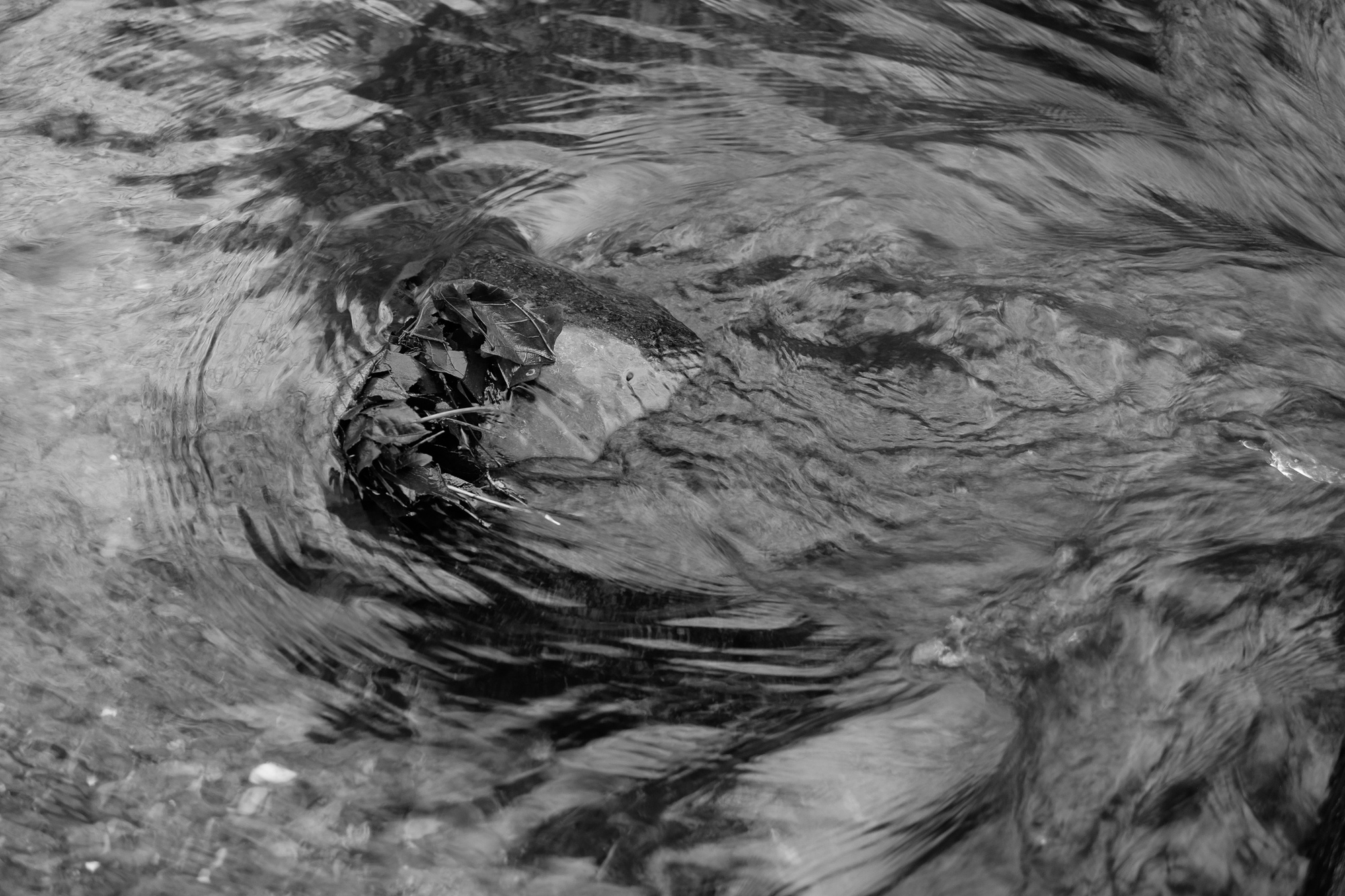
    Leaf Dam  Camera: Fujifilm X-T1 Shutter speed: 1/30 sec Aperture: f/2.8 ISO: 200 Photo: Jeff Carlson
    Leaf Dam Camera: Fujifilm X-T1 Shutter speed: 1/30 sec Aperture: f/2.8 ISO: 200 Photo: Jeff Carlson

    Episode 35: Martin Parr Shot My Portrait Feb 01, 2019
    Show notes

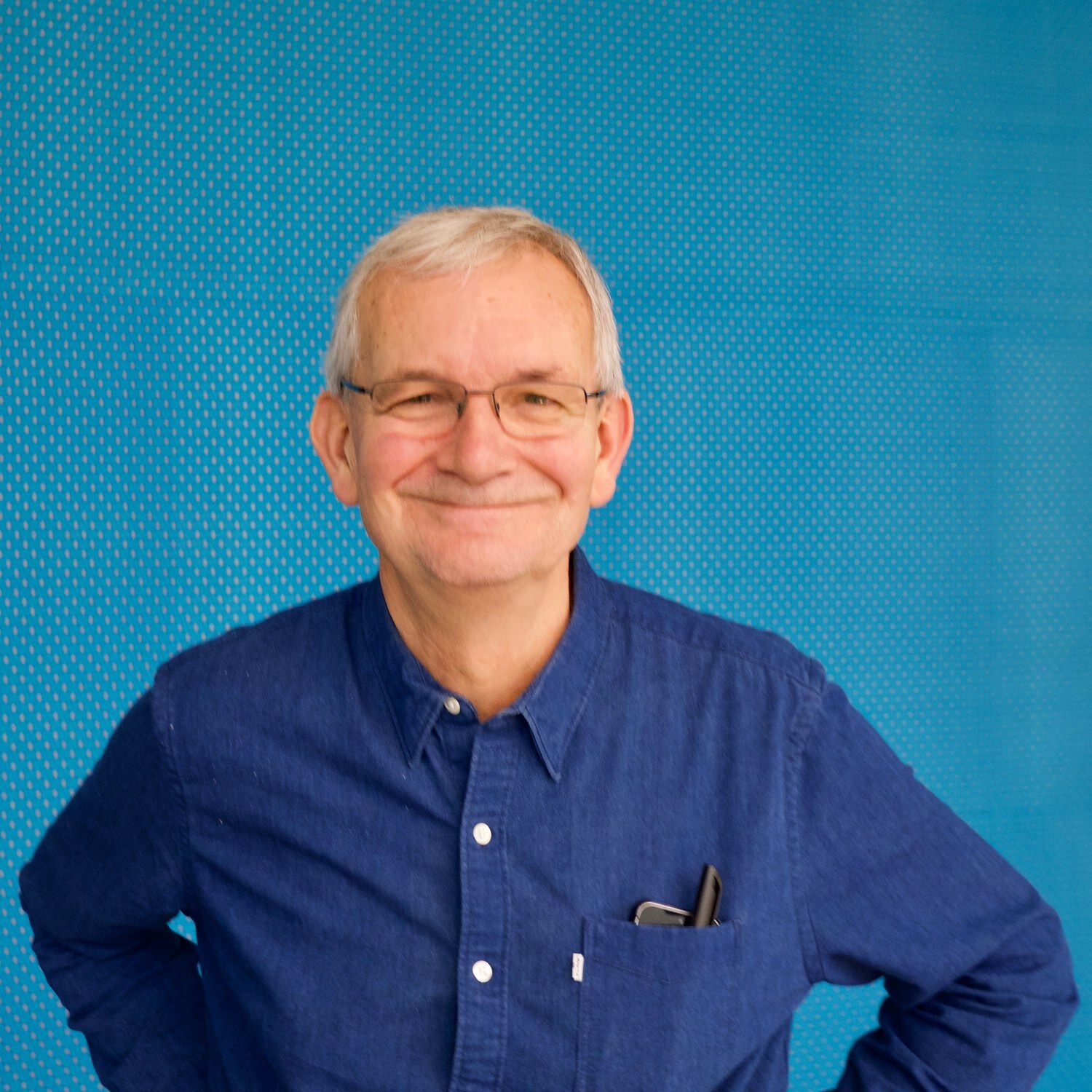
    For this week’s episode, we’re moving to the other side of the camera. Kirk had the opportunity to get his portrait done by world-renowned Magnum photographer Martin Parr. He shares what it was like to be the subject, not the photographer.

    Sponsor

    Gentlemen Coders RAW Power 2 lets you process raw files on your Mac with full control over Apple’s raw engine, offering features previously available only in Aperture. It has exceptional highlight recovery, as well as noise reduction, capture sharpening, gamut mapping, and more. RAW Power also works with JPEGs, TIFFs, and other standard image formats. RAW Power 2 runs as an extension in Apple Photos or as a standalone app. RAW Power 2 for iOS is a full photo library app that offers the same features, and works with your existing Photos library. Learn more at rawpower.app.

    Hosts:

    • Jeff's website, Jeff's photos, Jeff on Instagram
    • Kirk's website, Kirk's photos, Kirk on Instagram

    Show Notes:

    (View show notes with images at PhotoActive.co)

    Production Note: We’ve decided to change the frequency of episode releases to fortnightly (every two weeks) due to current commitments we both have.

    • Rate and Review the PhotoActive Podcast!

    • I Had My Portrait Shot by Martin Parr

    • Martin Parr's photos

    • Martin Parr Foundation

    • Remote Scottish Postboxes, by Martin Parr

    • Britain Through the Eyes of the Photographer Who Knows It Best

    • The Gucci Timepieces that Appear in Martin Parr’s Photographs Shot Around the World for #timetoparr

    • Gucci Is Dropping a Super-Limited Book Inspired by Legendary Post-Punk Band New Order

    • Vogue Brazil Cover

    • The Last Resort: See photo #21 for the photo of a woman lying on a towel next to heavy machinery.

    • Yousuf Karsh’s photos of Winston Churchill

    • Martin Parr Portrait Studio 2019

    • #Martinparr on Instagram

    Our Snapshots:

    • Jeff: The Photographer’s Guide to Posing, by Lindsay Adler
    • Kirk: ExifTool

    Subscribe to the PhotoActive podcast mailing list at the bottom of any page at the PhotoActive web site to be notified of new episodes and be eligible for occasional giveaways. If you’ve already subscribed to the mailing list, you’re automatically entered.

    If you like the show, please subscribe in iTunes or your favorite podcast app, and please rate the podcast. And don't forget to join the PhotoActive Facebook group to discuss the podcast, share your photos, and more.

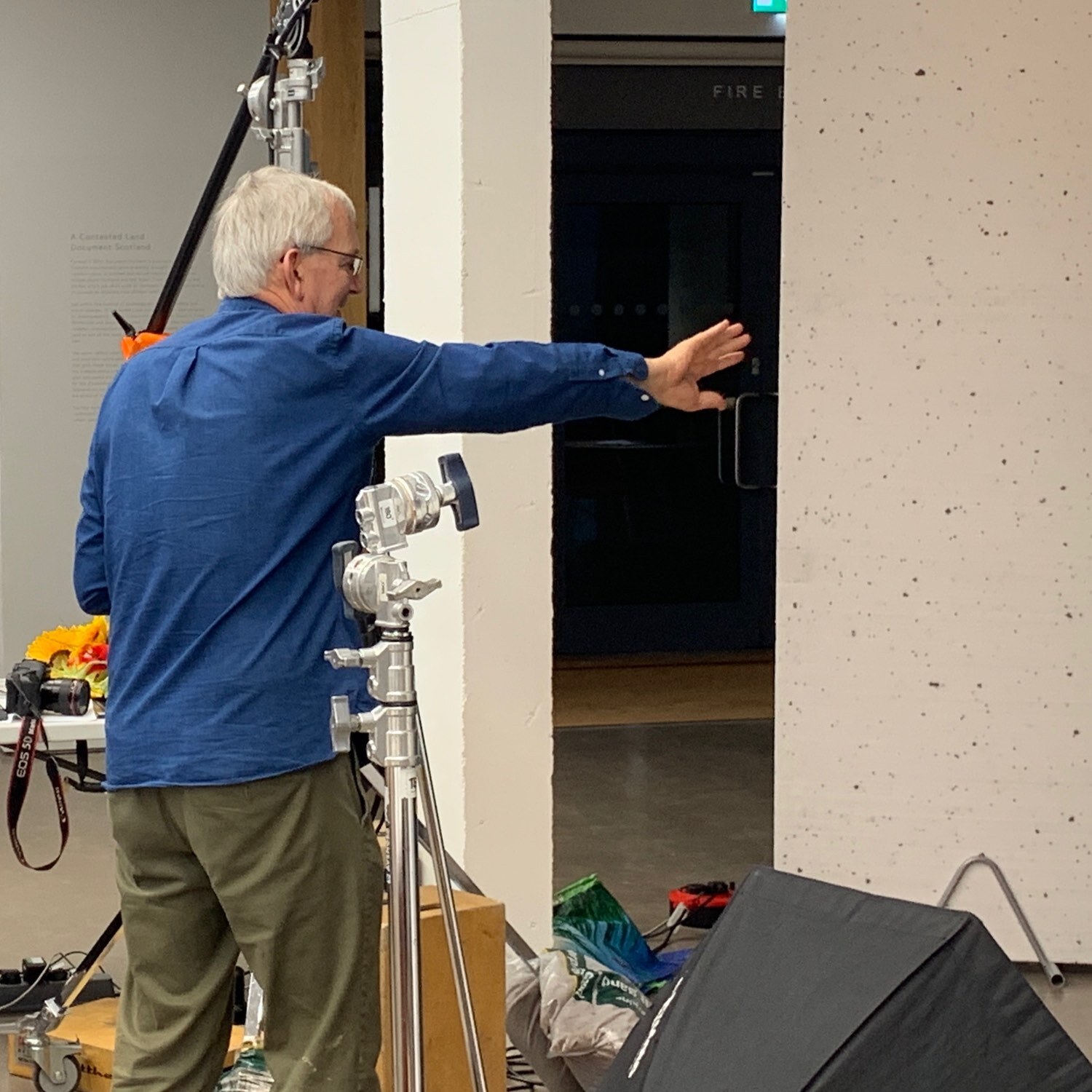
    Martin Parr directs a portrait session  Camera: iPhone XS Max Shutter speed: 1/50 sec Aperture: f/1.8 ISO: 64 Photo: Kirk McElhearn
    Martin Parr directs a portrait session Camera: iPhone XS Max Shutter speed: 1/50 sec Aperture: f/1.8 ISO: 64 Photo: Kirk McElhearn
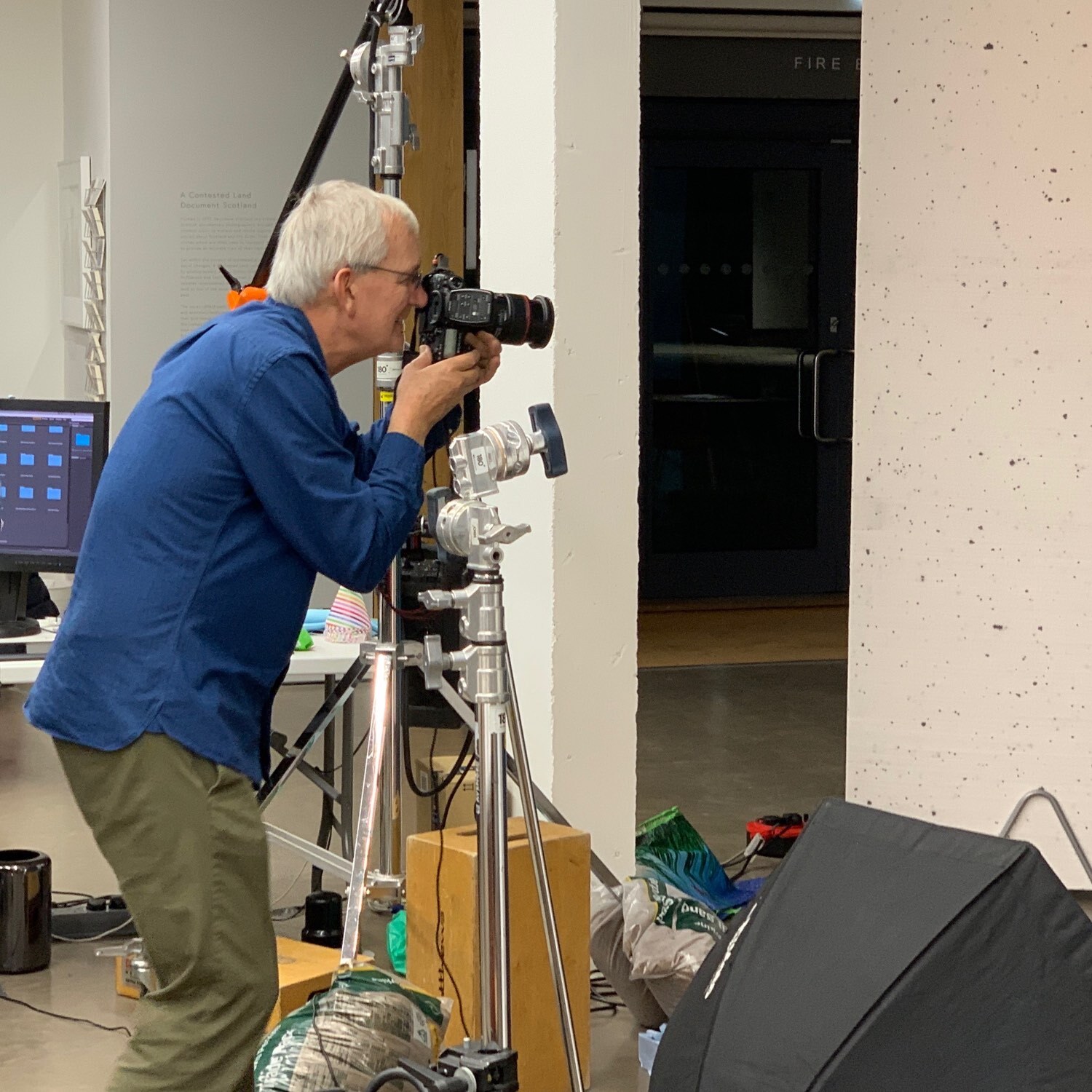
    Martin Parr directs a portrait session  Camera: iPhone XS Max Shutter speed: 1/50 sec Aperture: f/2.4 ISO: 80 Photo: Kirk McElhearn
    Martin Parr directs a portrait session Camera: iPhone XS Max Shutter speed: 1/50 sec Aperture: f/2.4 ISO: 80 Photo: Kirk McElhearn
    Martin Parr  Camera: Fujifilm X-Pro2 Shutter speed: 1/45 sec Aperture: f/5 ISO: 2000 Photo: Kirk McElhearn
    Martin Parr Camera: Fujifilm X-Pro2 Shutter speed: 1/45 sec Aperture: f/5 ISO: 2000 Photo: Kirk McElhearn

    Episode 34: Ben Long's Complete Digital Photography Jan 18, 2019
    Show notes

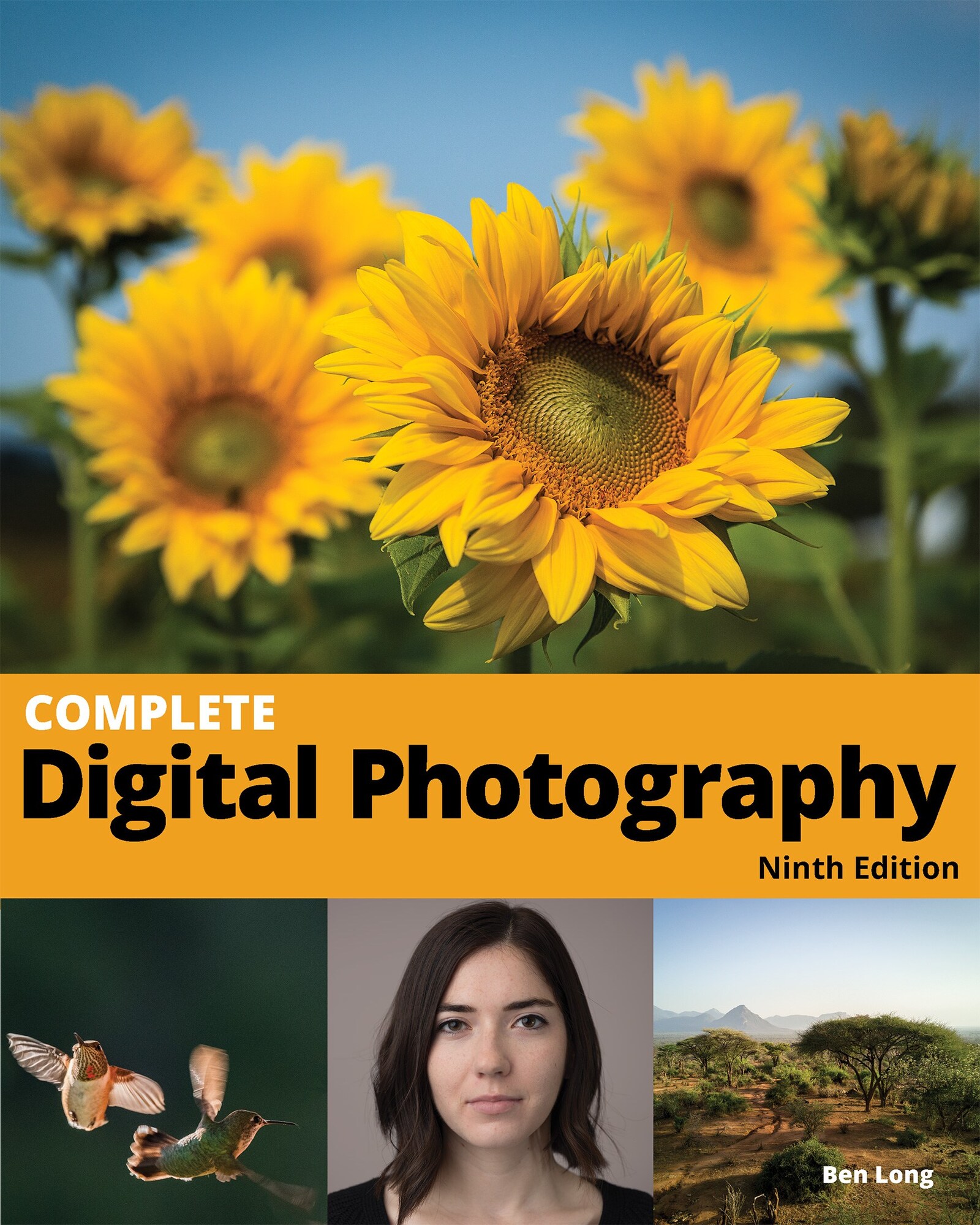
    Author, educator, photographer, and all-around knowledgeable guy Ben Long joins us this week to talk about the 9th — yes, ninth — edition of his comprehensive book “Complete Digital Photography.” We cover how photography and people’s expectations about photography have changed since the early versions of the book.

    Sponsor

    Masters of Photography, online masterclasses with the greatest photographers in the world. Get 5% off any course with the code PHOTOACTIVE. https://mastersof.photography

    Guest:

    • Ben Long (Complete Digital Photography, Instagram)

    Hosts:

    • Jeff's website, Jeff's photos, Jeff on Instagram
    • Kirk's website, Kirk's photos, Kirk on Instagram

    Show Notes:

    (View show notes with images at PhotoActive.co)

    Production Note: We’ve decided to change the frequency of episode releases to fortnightly (every two weeks) due to current commitments we both have.

    • Rate and Review the PhotoActive Podcast!

    • Complete Digital Photography, Ninth Edition, by Ben Long

    • Pentti Sammallahti

    • Richard Misrach

    • Desert Cantos, by Richard Misrach

    • Jerry Uellsman

    Our Snapshots:

    • Jeff: 3 Legged Thing Punks Corey Aluminum Tripod Kit w/ AirHed Neo
    • Kirk: Vanguard Alta Pro 263AB 100 Aluminum Tripod with SBH-100 Ball Head

    Subscribe to the PhotoActive podcast mailing list at the bottom of any page at the PhotoActive web site to be notified of new episodes and be eligible for occasional giveaways. If you’ve already subscribed to the mailing list, you’re automatically entered.

    If you like the show, please subscribe in iTunes or your favorite podcast app, and please rate the podcast. And don't forget to join the PhotoActive Facebook group to discuss the podcast, share your photos, and more.


    Episode 33: The Language of Photo Editing Jan 14, 2019
    Show notes

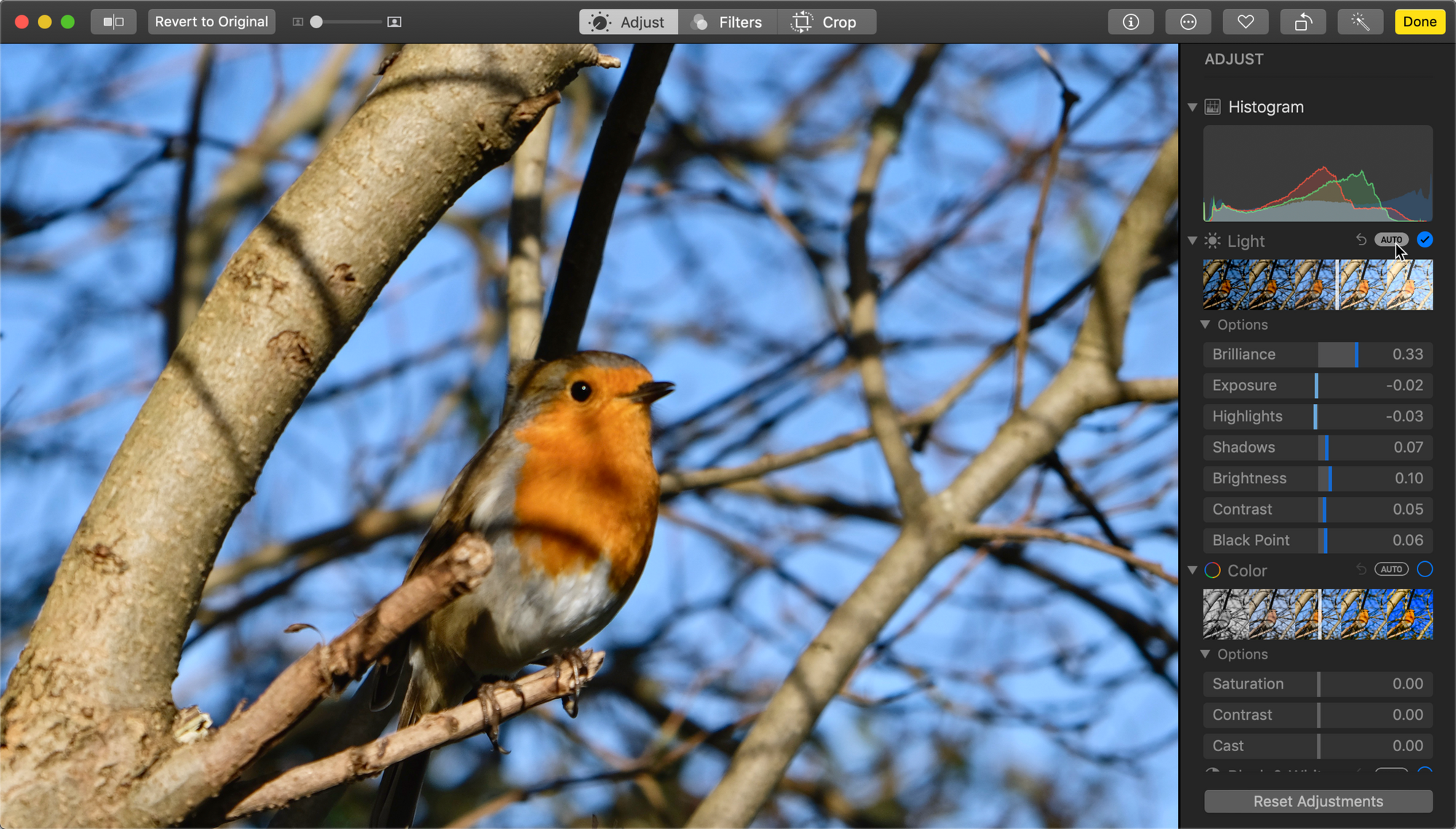
    When we edit photos, we have a good idea of what the Exposure slider does—it makes everything brighter or darker throughout the image. But you’ll also find controls for Whites, Brightness, Brilliance, and others, depending on the software. What’s the difference? In this episode, Kirk and Jeff look at just what various editing controls do, so you have a better idea of which ones to use and how they affect your images.

    Sponsor

    Masters of Photography, online masterclasses with the greatest photographers in the world. Get 5% off any course with the code PHOTOACTIVE. https://mastersof.photography

    Hosts:

    • Jeff's website, Jeff's photos, Jeff on Instagram
    • Kirk's website, Kirk's photos, Kirk on Instagram

    Show Notes:

    (View show notes with images at PhotoActive.co)

    • Rate and Review the PhotoActive Podcast!

    Our Snapshots:

    • Jeff: OWC USB-C Travel Dock

    • Kirk: Use your iPhone light as a flashlight

    Subscribe to the PhotoActive podcast mailing list at the bottom of any page at the PhotoActive web site to be notified of new episodes and be eligible for occasional giveaways. If you’ve already subscribed to the mailing list, you’re automatically entered.

    If you like the show, please subscribe in iTunes or your favorite podcast app, and please rate the podcast. And don't forget to join the PhotoActive Facebook group to discuss the podcast, share your photos, and more.

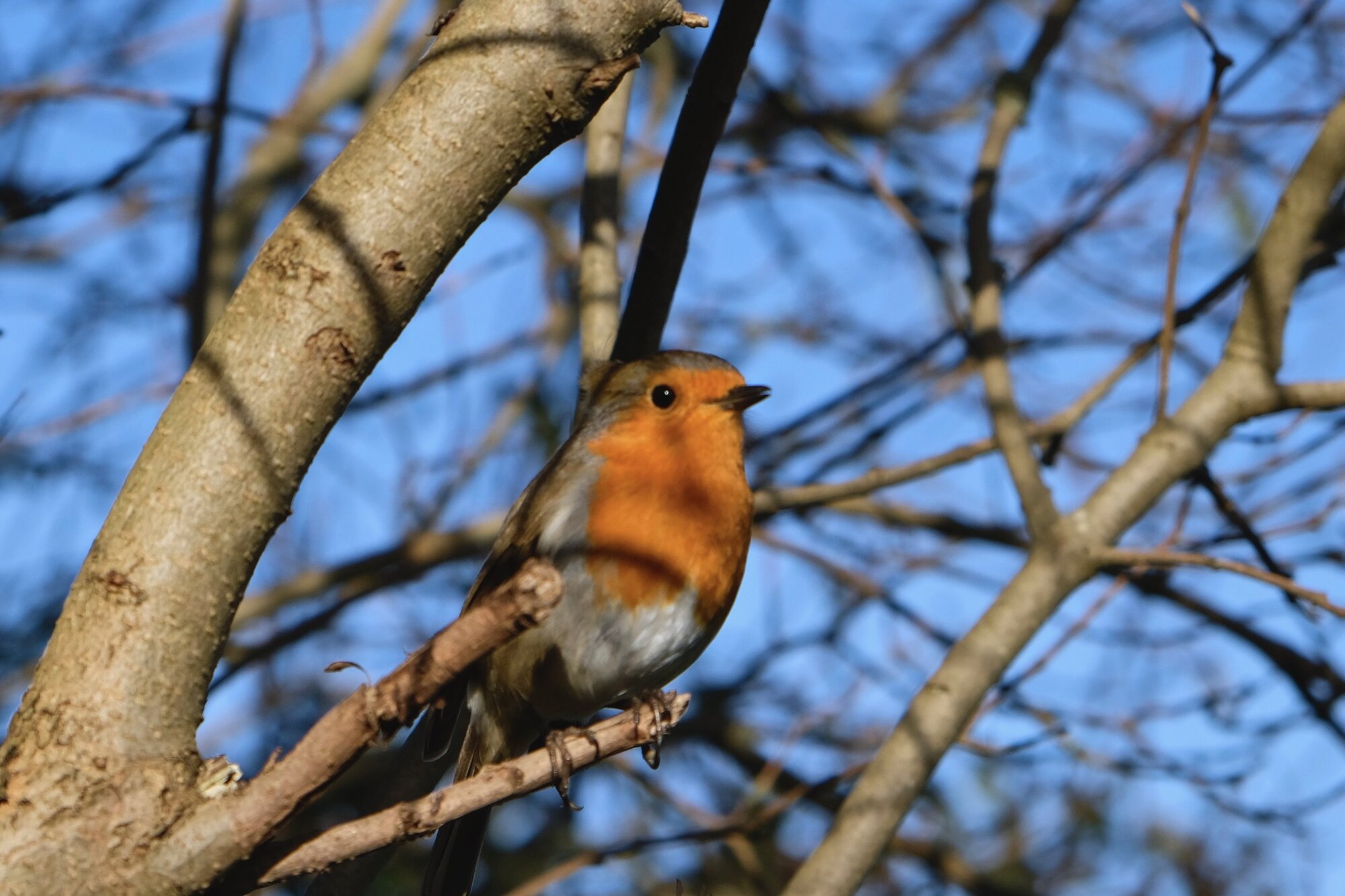
    Robin (original)  Camera: Fujifilm X-Pro2 Shutter speed: 1/1600 sec Aperture: f/5 ISO: 500 Photo: Kirk McElhearn
    Robin (original) Camera: Fujifilm X-Pro2 Shutter speed: 1/1600 sec Aperture: f/5 ISO: 500 Photo: Kirk McElhearn
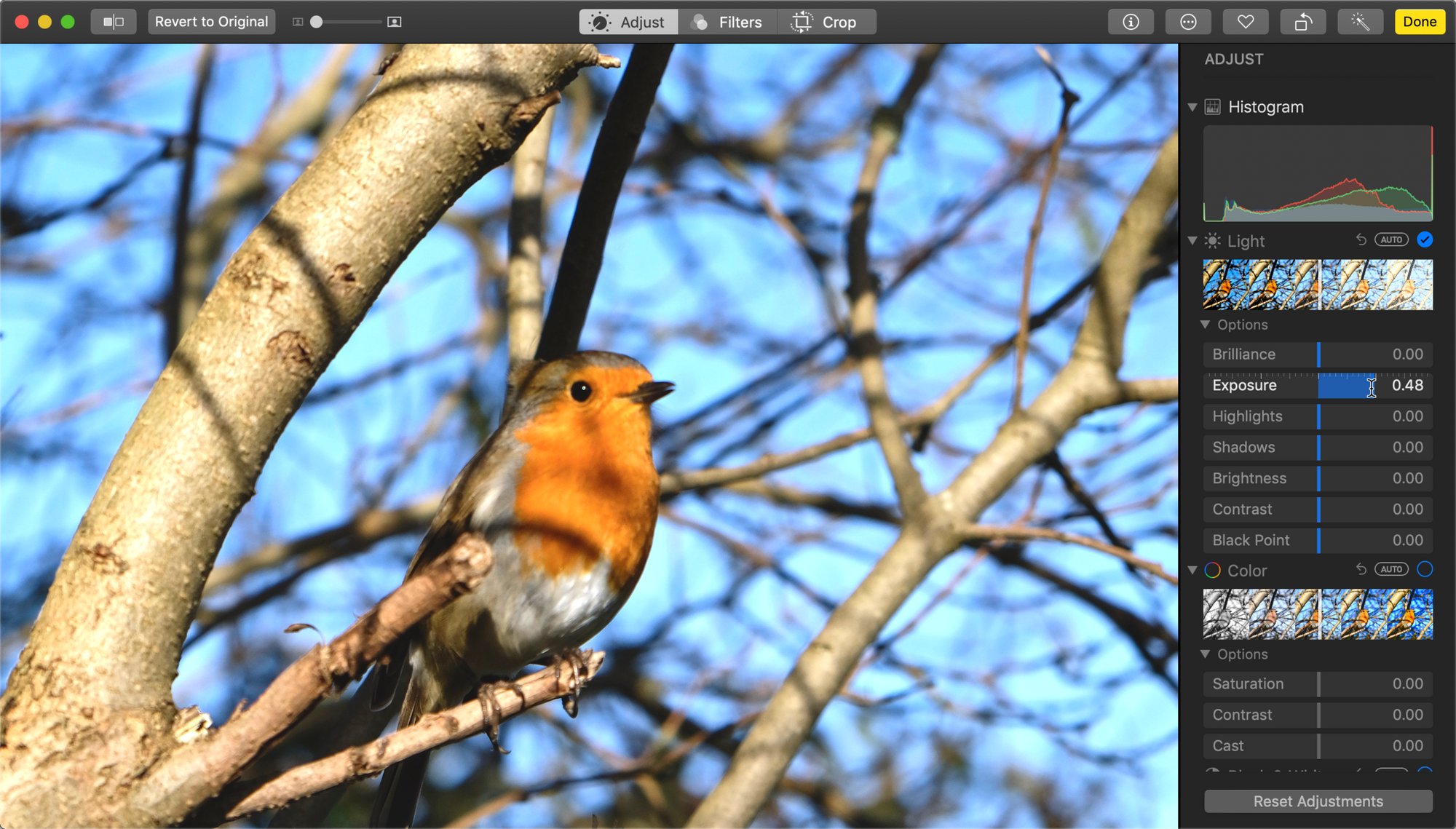
    Auto edit (note Brilliance vs Exposure)
    Auto edit (note Brilliance vs Exposure)
    Exposure increase only
    Exposure increase only
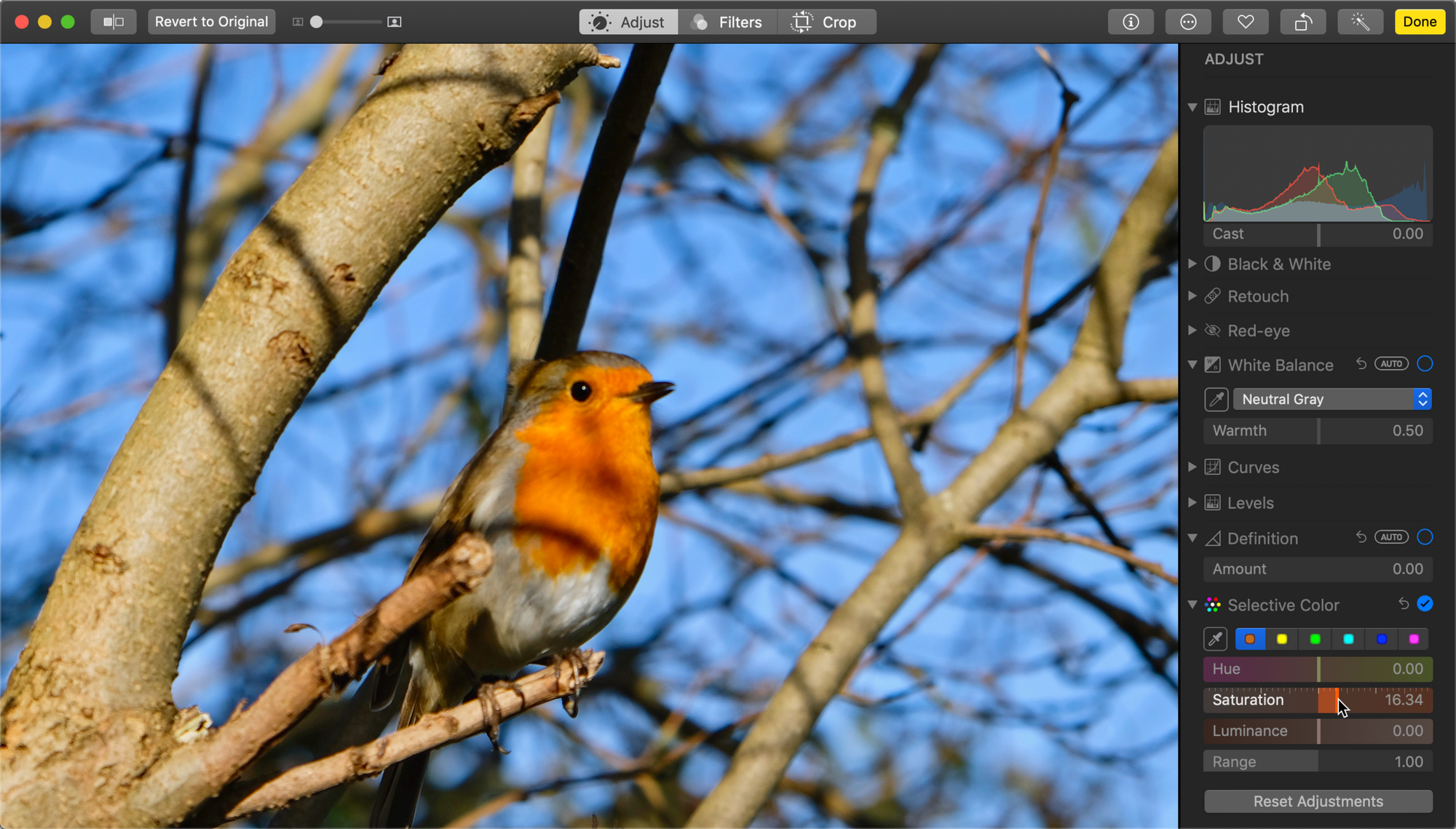
    Selective Color adjustment
    Selective Color adjustment
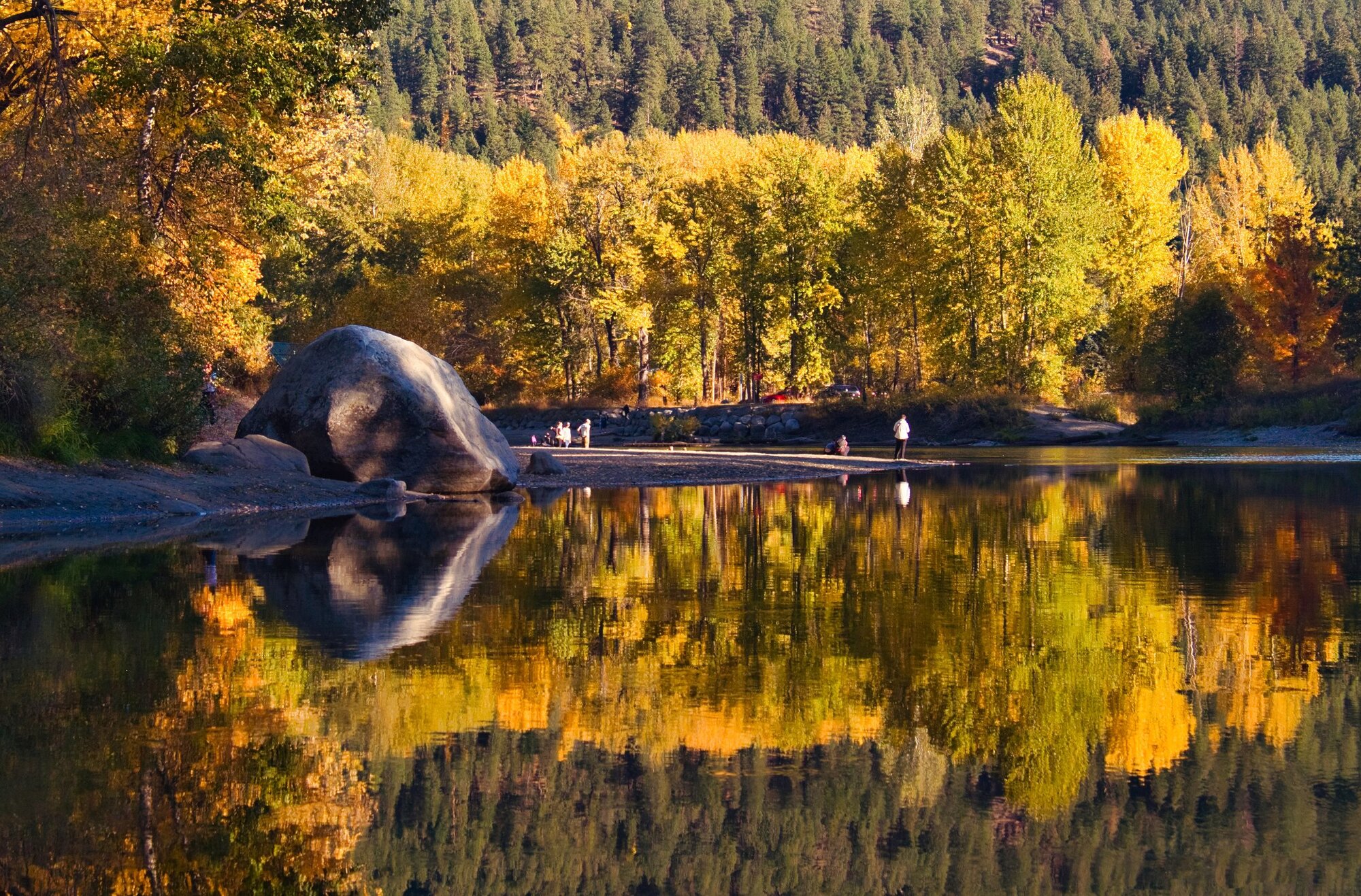
    Selective Color to enhance fall color (edited)
    Selective Color to enhance fall color (edited)
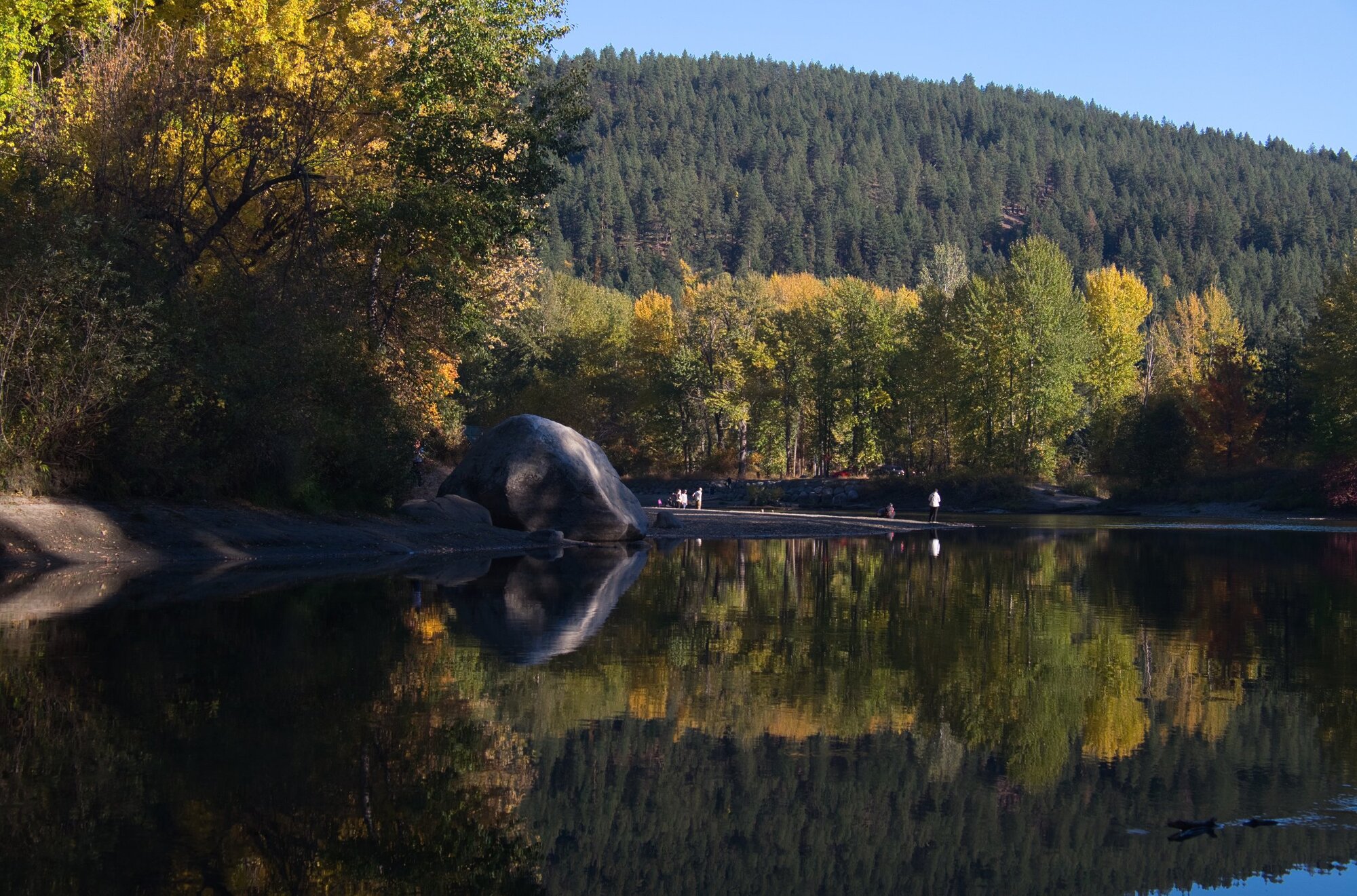
    Selective Color to enhance fall color (original)
    Selective Color to enhance fall color (original)

    Episode 32: New Year's Photo Ideas Jan 04, 2019
    Show notes

    What is 2019 going to look like? While we aren’t interested in making resolutions that are easily forgotten or ignored, we do have lots of ideas to spark your photographic creativity. Chief among those: Be less critical more often.

    Sponsor

    Masters of Photography, online masterclasses with the greatest photographers in the world. Get 5% off any course with the code PHOTOACTIVE. https://mastersof.photography

    Hosts:

    • Jeff's website, Jeff's photos, Jeff on Instagram
    • Kirk's website, Kirk's photos, Kirk on Instagram

    Show Notes:

    (View show notes with images at PhotoActive.co)

    • Rate and Review the PhotoActive Podcast!

    • Episode #14 - Chris Marquardt Goes Wide-Angle

    • Leica M Monochrom

    • #chimping at Instagram

    • #shakespearehouse at Instagram

    • #kerryparkseattle at Instagram

    • Oblique Strategies cards

    • Obliques app (iOS)

    Our Snapshots:

    • Jeff: The Photo Ark: One Man’s Quest to Document the World’s Animals, by Joel Sartore and Douglas H. Chadwick
    • Kirk: Apple Pencil 2

    Subscribe to the PhotoActive podcast mailing list at the bottom of any page at the PhotoActive web site to be notified of new episodes and be eligible for occasional giveaways. If you’ve already subscribed to the mailing list, you’re automatically entered.

    If you like the show, please subscribe in iTunes or your favorite podcast app, and please rate the podcast. And don't forget to join the PhotoActive Facebook group to discuss the podcast, share your photos, and more.

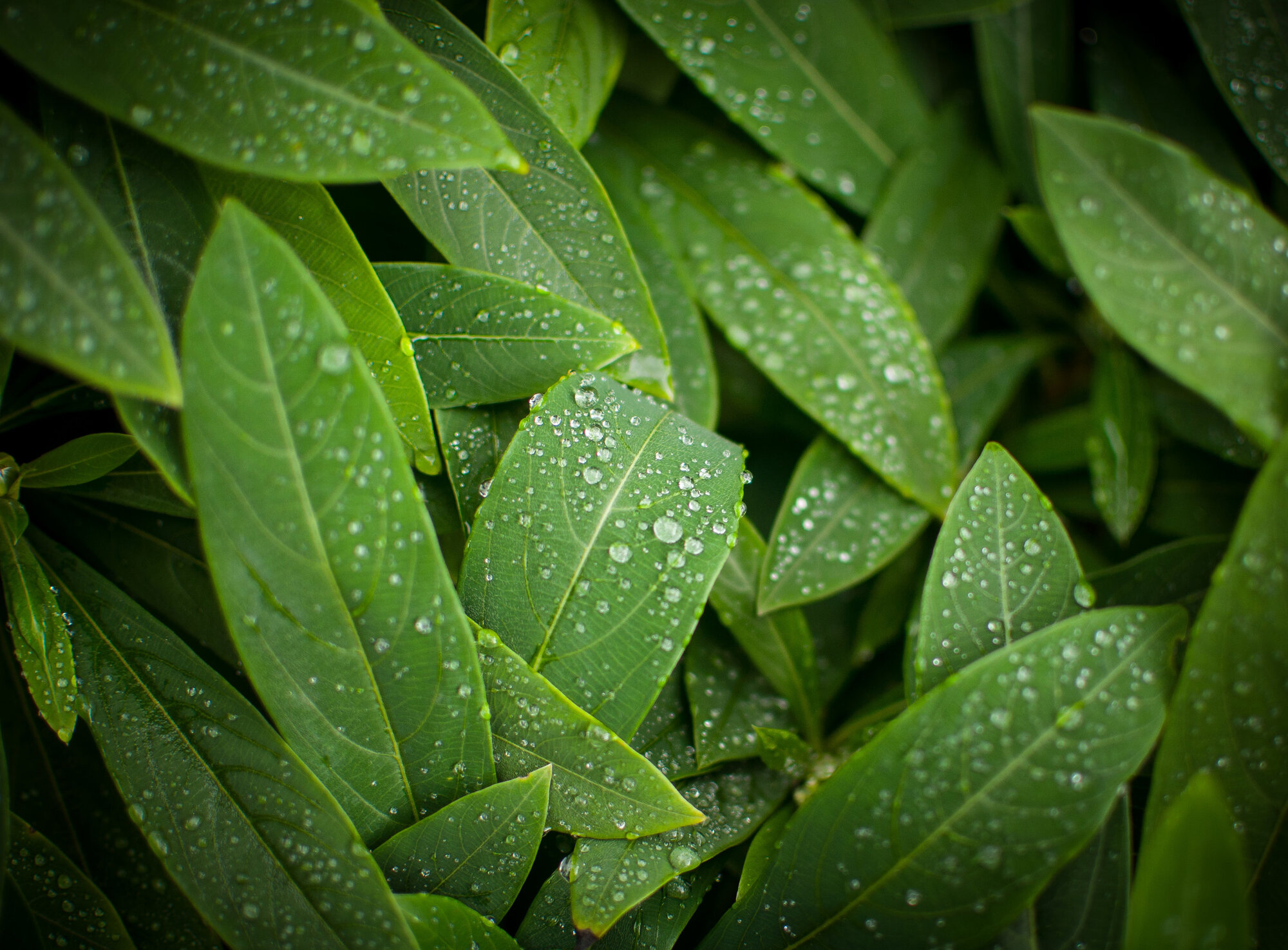
    Water Droplets  Camera: Nikon D90 Shutter speed: 1/160 sec Aperture: f/1.8 ISO: 200 Photo: Jeff Carlson
    Water Droplets Camera: Nikon D90 Shutter speed: 1/160 sec Aperture: f/1.8 ISO: 200 Photo: Jeff Carlson
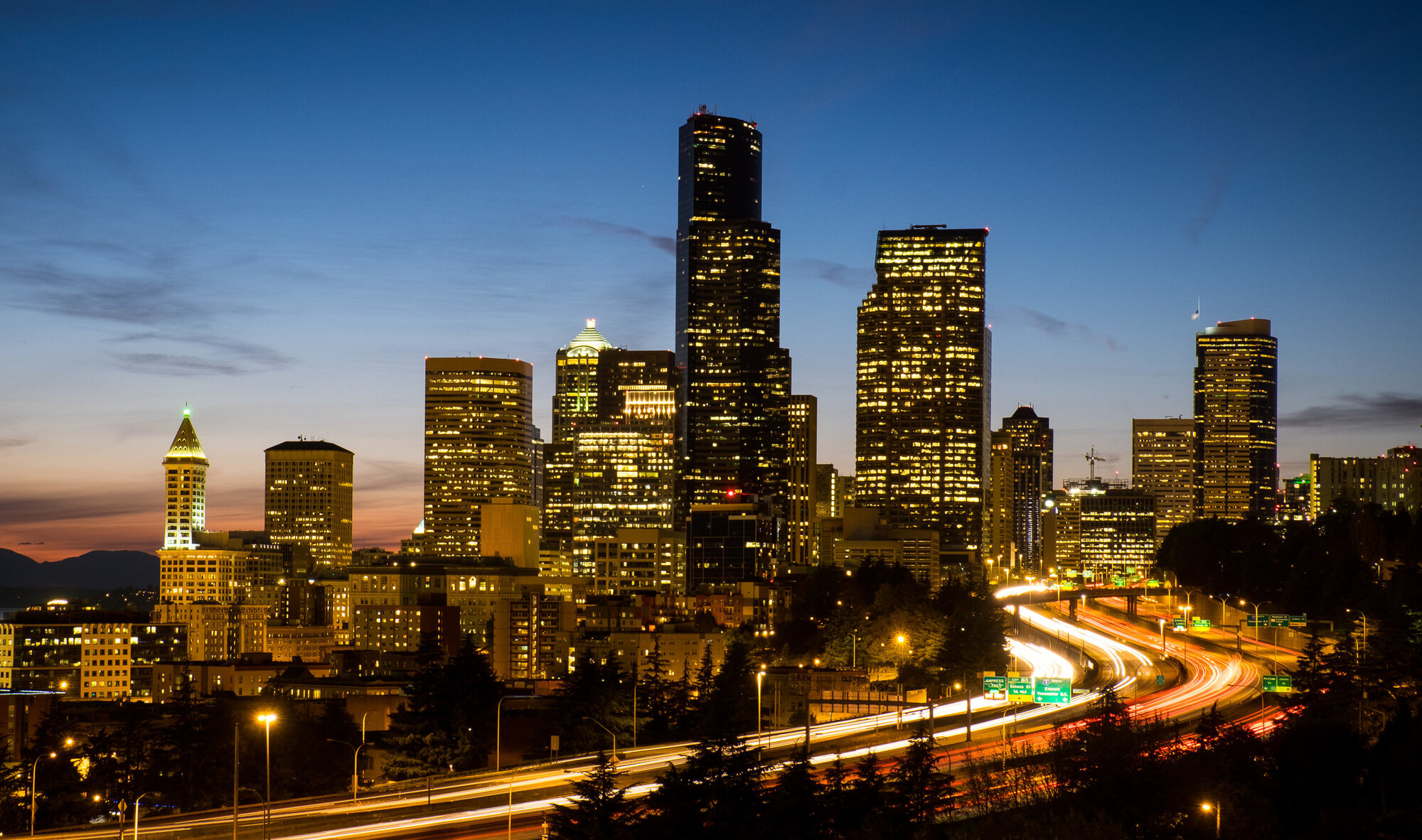
    Seattle Skyline, Dr. Jose Rizal Bridge  Camera: Fujifilm X-T1 Shutter speed: 8 seconds Aperture: f/10 ISO: 200 Photo: Jeff Carlson
    Seattle Skyline, Dr. Jose Rizal Bridge Camera: Fujifilm X-T1 Shutter speed: 8 seconds Aperture: f/10 ISO: 200 Photo: Jeff Carlson
    Jeff’s iPhone home screen
    Jeff’s iPhone home screen
    Kirk’s iPhone home screen.
    Kirk’s iPhone home screen.

    Episode 31: The Benefits of Digital Asset Managers Dec 28, 2018
    Show notes

    Do you store your photos in an application or in specific locations on your hard disk? In this episode, Jeff and Kirk talk about the advantages of using a Digital Asset Manager (DAM) such as Apple Photos, Lightroom, or Luminar.

    Sponsor

    Masters of Photography, online masterclasses with the greatest photographers in the world. Get 5% off any course with the code PHOTOACTIVE. https://mastersof.photography

    Hosts:

    • Jeff's website, Jeff's photos, Jeff on Instagram
    • Kirk's website, Kirk's photos, Kirk on Instagram

    Show Notes:

    (View show notes with images at PhotoActive.co)

    • Rate and Review the PhotoActive Podcast!

    • Affinity Photo

    • Luminar

    • Adobe Lightroom CC

    • Adobe Lightroom Classic CC

    • Adobe Creative Cloud Photography Plan

    • Take Control of Lightroom CC

    • Alien Skin Exposure X4

    • Dropbox

    • First look: Skylum Luminar 3 adds support for photo libraries, Digital Asset Manager to follow, by Jeff Carlson, at DPReview

    • Luminar Roadmap, Skylum.com

    • The Photographer’s Guide to Luminar, by Jeff Carlson (forthcoming)

    • Buy Luminar using this link and help support PhotoActive (Affiliate link)

    Our Snapshots:

    • Jeff: Lumy app
    • Kirk: American Winter, by Gerry Johansson

    Subscribe to the PhotoActive podcast mailing list at the bottom of any page at the PhotoActive web site to be notified of new episodes and be eligible for occasional giveaways. If you’ve already subscribed to the mailing list, you’re automatically entered.

    If you like the show, please subscribe in iTunes or your favorite podcast app, and please rate the podcast. And don't forget to join the PhotoActive Facebook group to discuss the podcast, share your photos, and more.

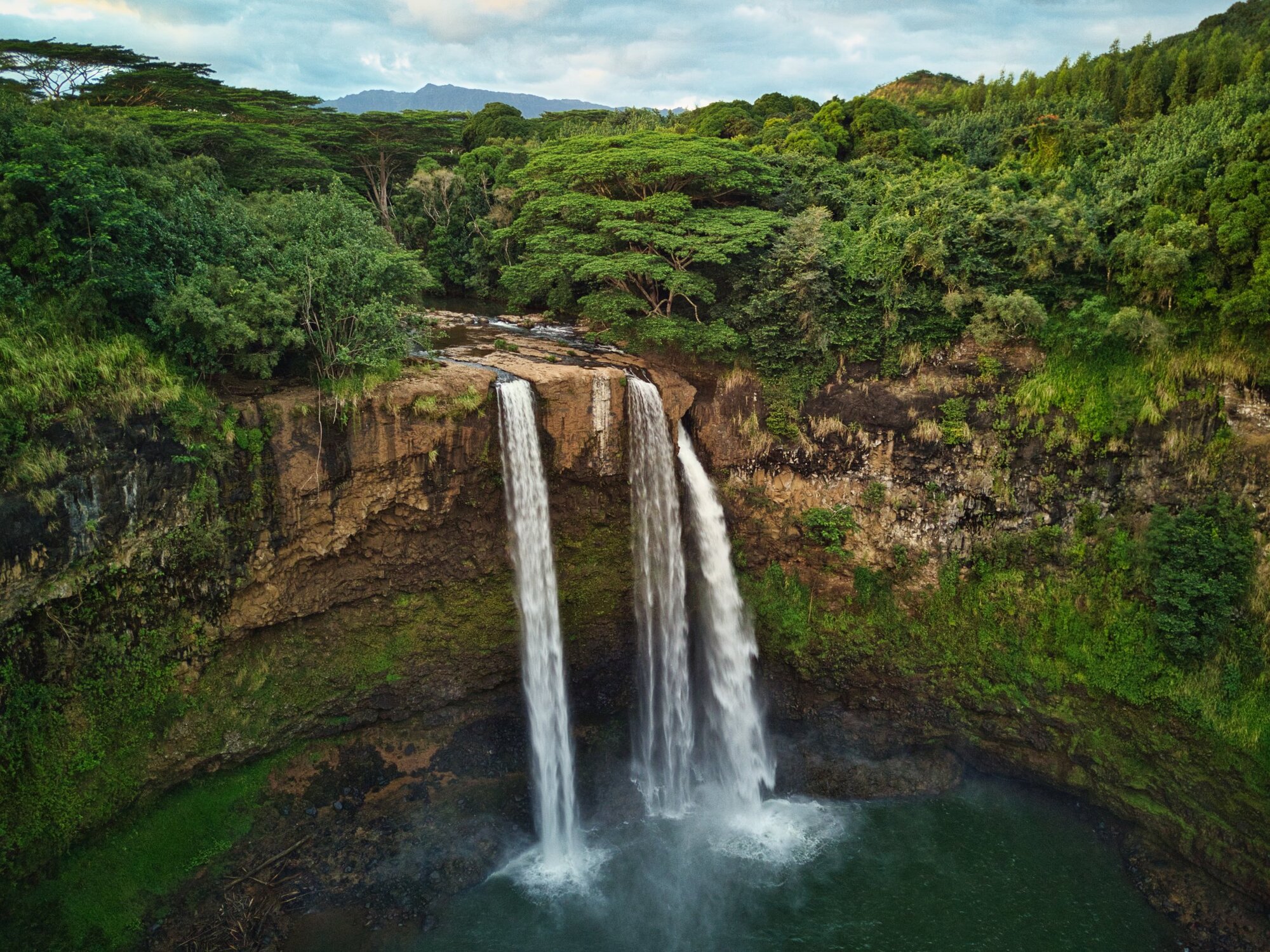
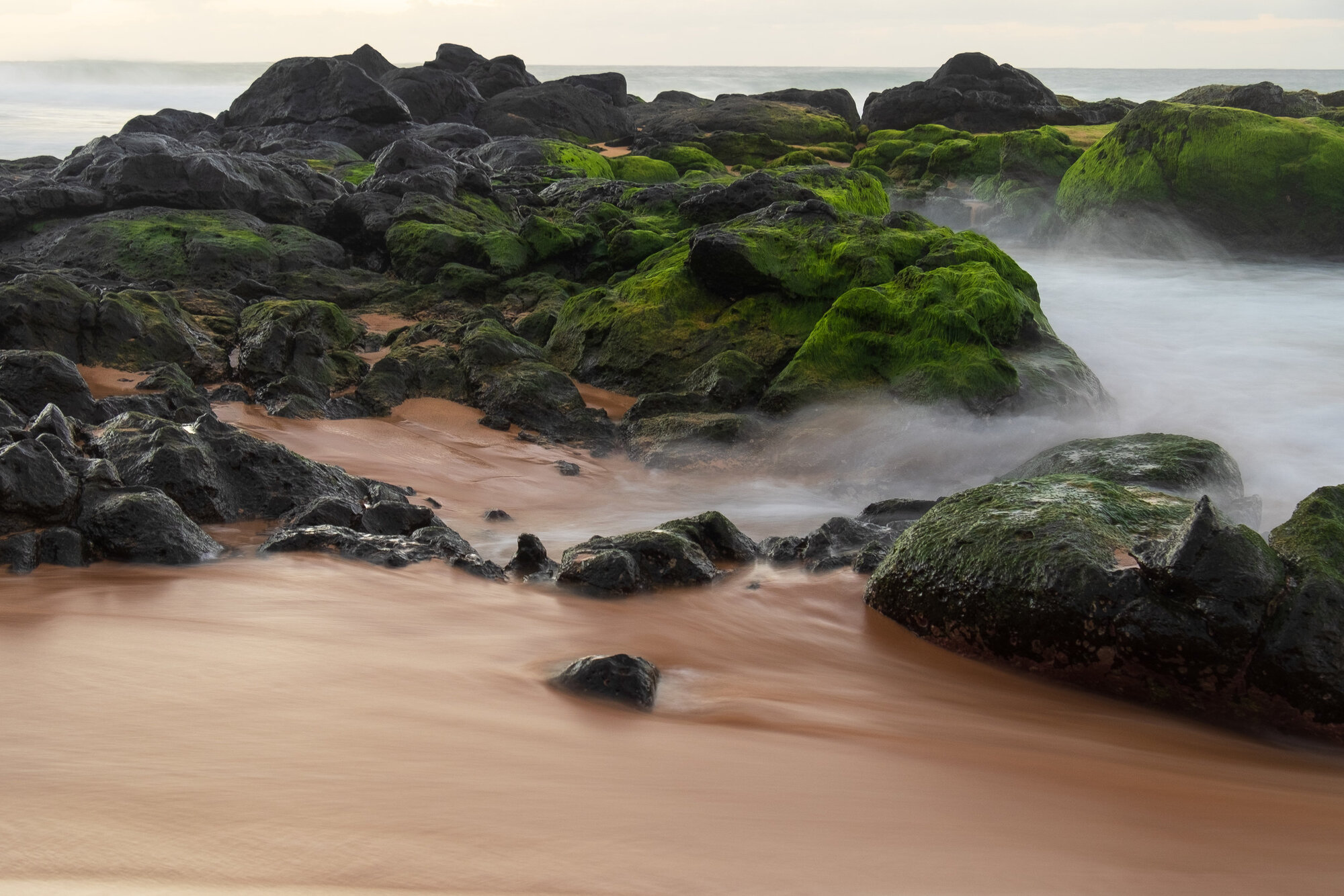
    As promised, some photos from Jeff’s vacation to Kaua’i:

    Wailua Falls  Camera: DJI Mavic Pro Shutter speed: 1/25 sec Aperture: f/2.2 ISO: 177 Photo: Jeff Carlson
    Wailua Falls Camera: DJI Mavic Pro Shutter speed: 1/25 sec Aperture: f/2.2 ISO: 177 Photo: Jeff Carlson
    Rocks and Surf at Secret Beach  Camera: Fujifilm X-T1 Shutter speed: 2 seconds Aperture: f/9 ISO: 200 Photo: Jeff Carlson
    Rocks and Surf at Secret Beach Camera: Fujifilm X-T1 Shutter speed: 2 seconds Aperture: f/9 ISO: 200 Photo: Jeff Carlson
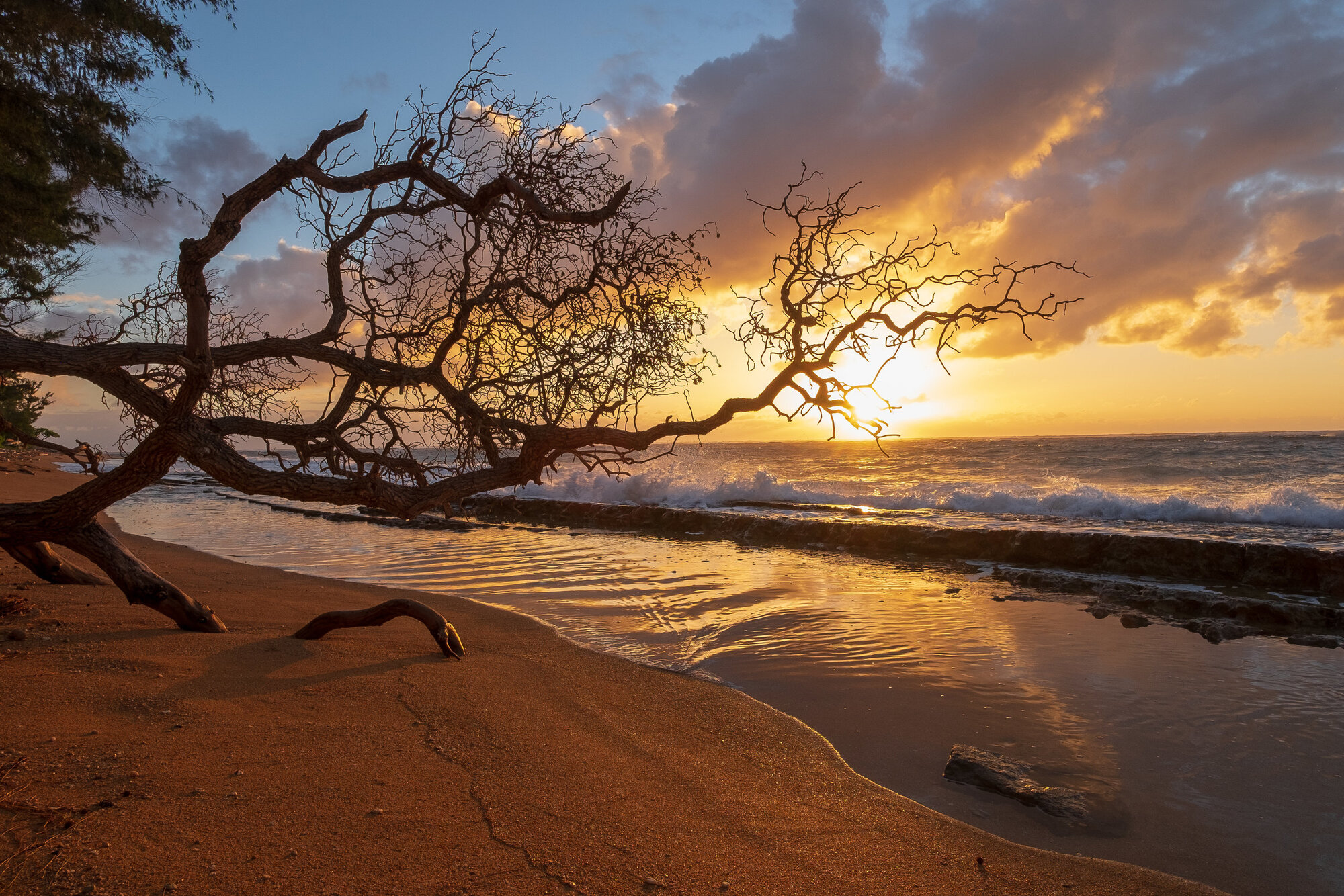
    Scraggly Sunrise, Kapa’a  Camera: Fujifilm X-T1 Shutter speed: 1/100 sec Aperture: f/8 ISO: 200 Photo: Jeff Carlson
    Scraggly Sunrise, Kapa’a Camera: Fujifilm X-T1 Shutter speed: 1/100 sec Aperture: f/8 ISO: 200 Photo: Jeff Carlson
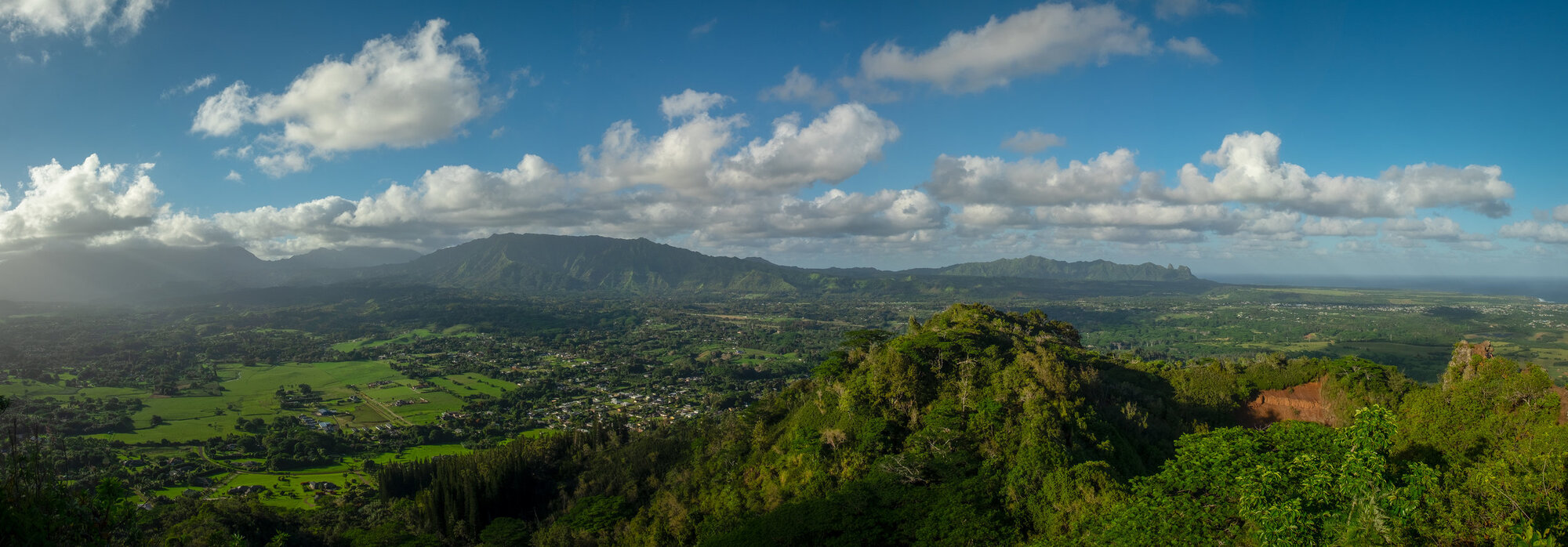
    On Top of Sleeping Giant  Camera: Fujifilm X-T1 Shutter speed: 1/80 sec Aperture: f/8 ISO: 200 Panorama made from 13 exposures Photo: Jeff Carlson
    On Top of Sleeping Giant Camera: Fujifilm X-T1 Shutter speed: 1/80 sec Aperture: f/8 ISO: 200 Panorama made from 13 exposures Photo: Jeff Carlson
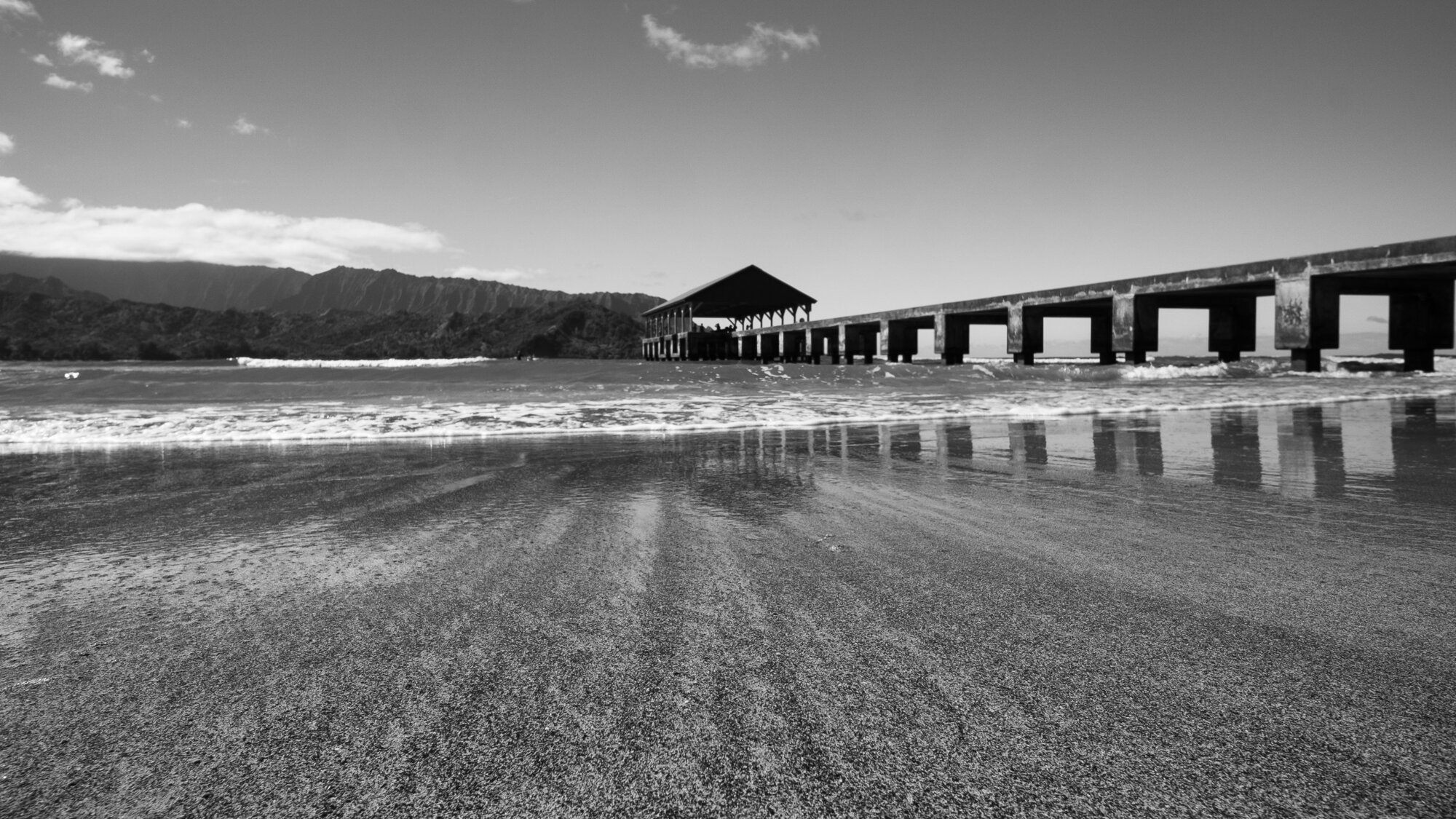
    Hannalei Pier  Camera: Fujifilm X-T1 Shutter speed: 1/160 sec Aperture: f/9 ISO: 200 Photo: Jeff Carlson
    Hannalei Pier Camera: Fujifilm X-T1 Shutter speed: 1/160 sec Aperture: f/9 ISO: 200 Photo: Jeff Carlson
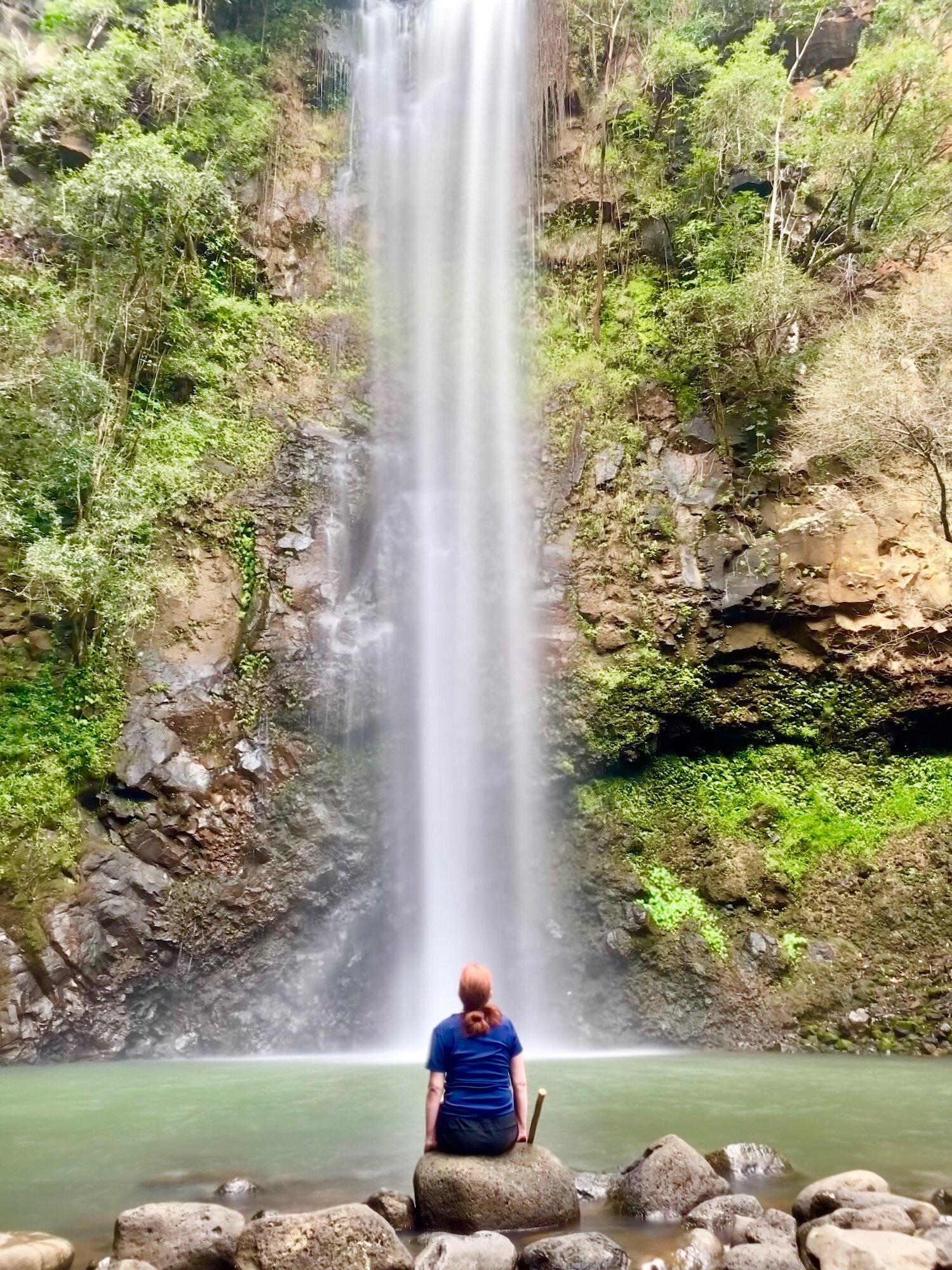
    Kim in her happy place  Camera: iPhone XS Shutter speed: 1/40 sec Aperture: f/2.4 ISO: 640 Long Exposure effect applied to a Live Photo Photo: Jeff Carlson
    Kim in her happy place Camera: iPhone XS Shutter speed: 1/40 sec Aperture: f/2.4 ISO: 640 Long Exposure effect applied to a Live Photo Photo: Jeff Carlson

    Episode 30: Jason Snell Takes Control of Apple Photos Dec 21, 2018
    Show notes

    If you want to learn all about something, write a book about it. Or, to avoid yourself a lot of work, read someone else’s book about it! Jason Snell has written several versions of his book Take Control of Photos, and he joins us to talk about what’s new in Apple’s photo software and ecosystem for the Mac and iOS devices. We also talk about making print books and calendars, features that were removed from Photos earlier this year, and how machine learning is going to play a more important role in photo software.

    Sponsor

    Luma Labs - Everyone needs a camera strap that is both comfortable and practical. The Luma Loop lets you carry your camera as a sling or snug to your body when you’re not using it. The Luma Loop’s mounting hardware is custom designed so you don’t have to choose between a strap or a tripod mount. Get 10% off any purchase with the code PHOTOACTIVE. https://luma-labs.com

    Guest:

    • Jason Snell (SixColors.com, Twitter, Instagram)

    Hosts:

    • Jeff's website, Jeff's photos, Jeff on Instagram
    • Kirk's website, Kirk's photos, Kirk on Instagram

    Show Notes:

    (View show notes with images at PhotoActive.co)

    • Rate and Review the PhotoActive Podcast!

    • Take Control of Photos

    • iCloud Storage Plans and Prices

    • Samsung T5 Portable SSD - 2TB - USB 3.1 External SSD

    • Books and calendars in Photos for Mac: What are the best options?, SixColors.com

    • Motif

    • Mimeo Photos

    • Shutterfly

    • Luma Labs from the factory floor Instagram account

    Our Snapshots:

    • Jeff: Whoosh! Screen Shine ($13)
    • Kirk: SD Card Reader

    Subscribe to the PhotoActive podcast mailing list at the bottom of any page at the PhotoActive web site to be notified of new episodes and be eligible for occasional giveaways. If you’ve already subscribed to the mailing list, you’re automatically entered.

    If you like the show, please subscribe in iTunes or your favorite podcast app, and please rate the podcast. And don't forget to join the PhotoActive Facebook group to discuss the podcast, share your photos, and more.


    Episode 29: Christmas Gift Guide Dec 14, 2018
    Show notes

    Jeff and Kirk do their first Christmas gift guide. But they don't choose (much) gear.

    Hosts:

    • Jeff's website, Jeff's photos, Jeff on Instagram
    • Kirk's website, Kirk's photos, Kirk on Instagram

    Show Notes:

    (View show notes with images at PhotoActive.co)

    • Zeiss Pre-Moistened Lens Cleaning Wipes
    • Henri Cartier-Bresson: The Decisive Moment
    • Pete Souza: Obama: An Intimate Portrait
    • Georgia O'Keeffe: One Hundred Flowers
    • Seagate Expansion 2TB Portable External Hard Drive
    • Michael Kenna: Huangshan: The Yellow Mountain
    • Michael Kenna's gallery of his Huangshan photos
    • Peak Design Everyday Backpack or Everyday Messenger Bag
    • Planet Earth II / Blue Planet II
    • Peter Lik
    • Amazon (or other) gift cards

    Subscribe to the PhotoActive podcast mailing list at the bottom of any page at the PhotoActive web site to be notified of new episodes and be eligible for occasional giveaways. If you’ve already subscribed to the mailing list, you’re automatically entered.

    If you like the show, please subscribe in iTunes or your favorite podcast app, and please rate the podcast. And don't forget to join the PhotoActive Facebook group to discuss the podcast, share your photos, and more.


    Previous 1 17 18 19 20 21 22 Next

    Related Podcasts

    Fresh Air

    1

    Fresh Air Arts
    Twenty Thousand Hertz

    2

    Twenty Thousand Hertz Arts
    The Black Tapes

    3

    The Black Tapes Arts
    Snap Judgment

    4

    Snap Judgment Arts
    Here’s The Thing with Alec Baldwin

    5

    Here’s The Thing with Alec Baldwin Arts
    The NoSleep Podcast – Creative Reason Media Inc.

    6

    The NoSleep Podcast – Creative Reason Media Inc. Arts
    footer-logo

    Contact Us
    Toll Free: 844-670-7747

    Links

    • Home
    • Top Charts
    • Networks
    • Apps
    • Independents Podcasts
    • Podcast Advertising
    • Podcast News
    • Contact Us
    • About Us
    • Analytics & Insights

    Stay Connected

      Privacy, Terms of Use & Our Code of Ethics Protecting Content Creators Copyrights