TopPodcast.com
Menu
  • Home
  • Top Charts
  • Top Networks
  • Top Apps
  • Top Independents
  • Top Podfluencers
  • Top Picks
    • Top Business Podcasts
    • Top True Crime Podcasts
    • Top Finance Podcasts
    • Top Comedy Podcasts
    • Top Music Podcasts
    • Top Womens Podcasts
    • Top Kids Podcasts
    • Top Sports Podcasts
    • Top News Podcasts
    • Top Tech Podcasts
    • Top Crypto Podcasts
    • Top Entrepreneurial Podcasts
    • Top Fantasy Sports Podcasts
    • Top Political Podcasts
    • Top Science Podcasts
    • Top Self Help Podcasts
    • Top Sports Betting Podcasts
    • Top Stocks Podcasts
  • Podcast News
  • About Us
  • Podcast Advertising
  • Contact

Not in our directory?
Add Show Here
Podcast Equipment
Center

toppodcastlogoOur TOPPODCAST Picks

  • Comedy
  • Crypto
  • Sports
  • News
  • Politics
  • True Crime
  • Business
  • Finance

Follow Us

toppodcastlogoStay Connected

    View Top 200 Chart
    Back to Rankings Page
    Arts

    PhotoActive

    Jeff Carlson and Kirk McElhearn discuss photography and the Apple ecosystem. We cover using an iPhone or any other camera with Apple hardware and software, and we welcome photographers to discuss their work.

    Advertise
    • Apple Podcasts
    • Google Play
    • Spotify

    Latest Episodes:
    Episode 58: Rule of Turds Dec 20, 2019
    Show notes

    At several points when recording the PhotoActive podcast, Kirk has said that the “Rule of Thirds” does not exist. Most books and articles about photography insist it does, that positioning objects at approximately one third distance from the edge of the frame leads to better composition. So in this episode, we get into it: Does the Rule of Thirds exist, and why?

    Hosts:

    • Jeff's website, Jeff's photos, Jeff on Instagram
    • Kirk's website, Kirk's photos, Kirk on Instagram
    • Subscribe to the PhotoActive Instagram account

    Show Notes:

    (View show notes with images at PhotoActive.co)

    • Rate and Review the PhotoActive Podcast!

    • Episode 50: Harold Davis Creative Black & White

    • Episode 53: Focus Stacking

    • Rule of Thirds, Wikipedia

    • Guardian UK Photos of the Day Dec 10, 2019

    • Episode 8: Gordon Laing on Taking Great Photos In Camera

    Our Snapshots:

    • Jeff: MacBookPro 16-inch, Affiliate link | Apple.com

    • Kirk: Electronic Level feature in cameras

    Subscribe to the PhotoActive podcast newsletter at the bottom of any page at the PhotoActive web site to be notified of new episodes and be eligible for occasional giveaways. If you’ve already subscribed, you’re automatically entered.

    If you like the show, please subscribe in iTunes/Apple Podcasts or your favorite podcast app, and please rate the podcast. And don't forget to join the PhotoActive Facebook group to discuss the podcast, share your photos, and more.

    Disclosure: Sometimes we use affiliate links for products, in which we receive small commissions to help support PhotoActive.

    Ikebana  Camera: Fujifilm X-T3 Shutter speed: 1/3 sec Aperture: f/8 ISO: 160 Photo: Kirk McElhearn
    Ikebana Camera: Fujifilm X-T3 Shutter speed: 1/3 sec Aperture: f/8 ISO: 160 Photo: Kirk McElhearn
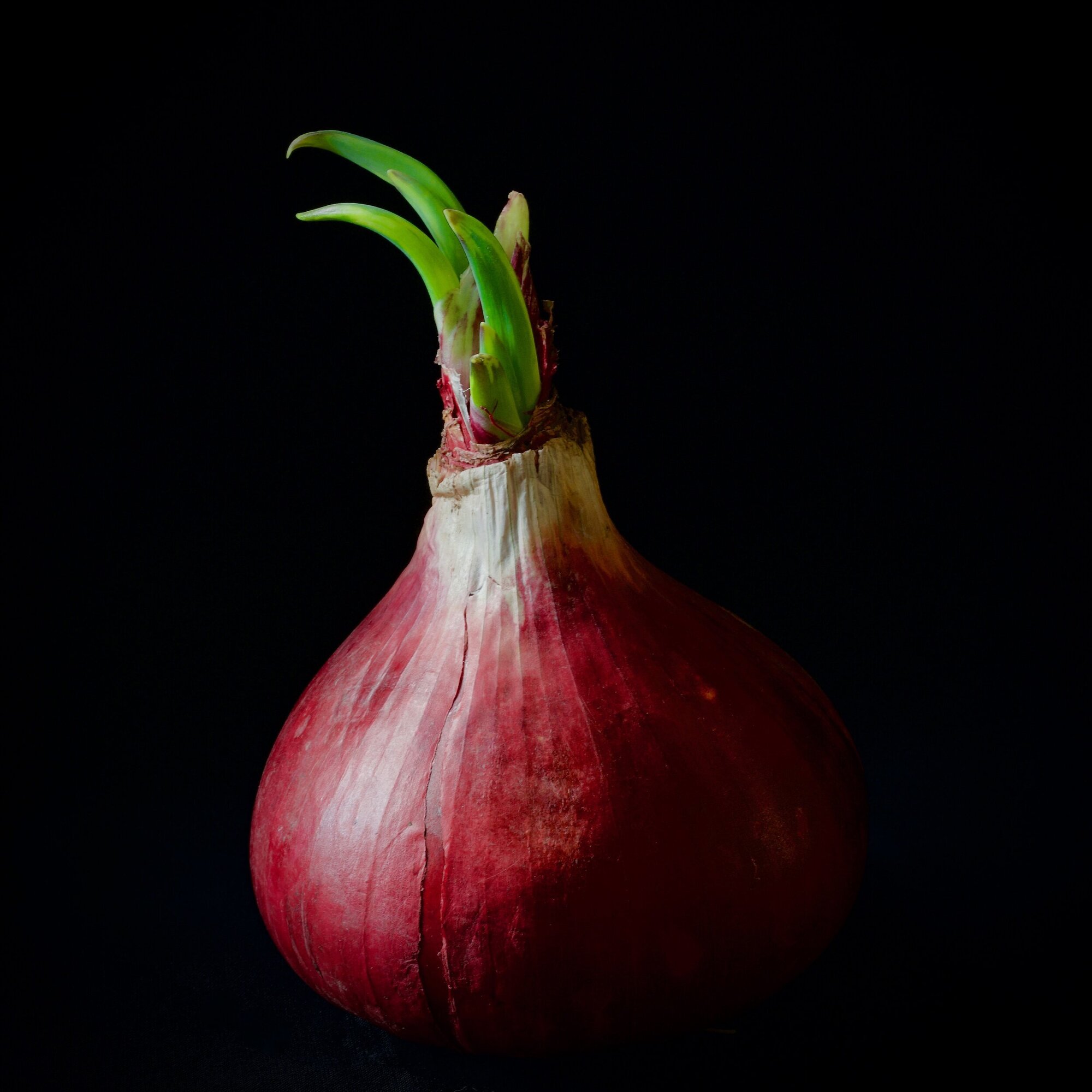
    Red Onion  Camera: Fujifilm X-T3 Shutter speed: 1.6 sec Aperture: f/11 ISO: 160 Photo: Kirk McElhearn
    Red Onion Camera: Fujifilm X-T3 Shutter speed: 1.6 sec Aperture: f/11 ISO: 160 Photo: Kirk McElhearn
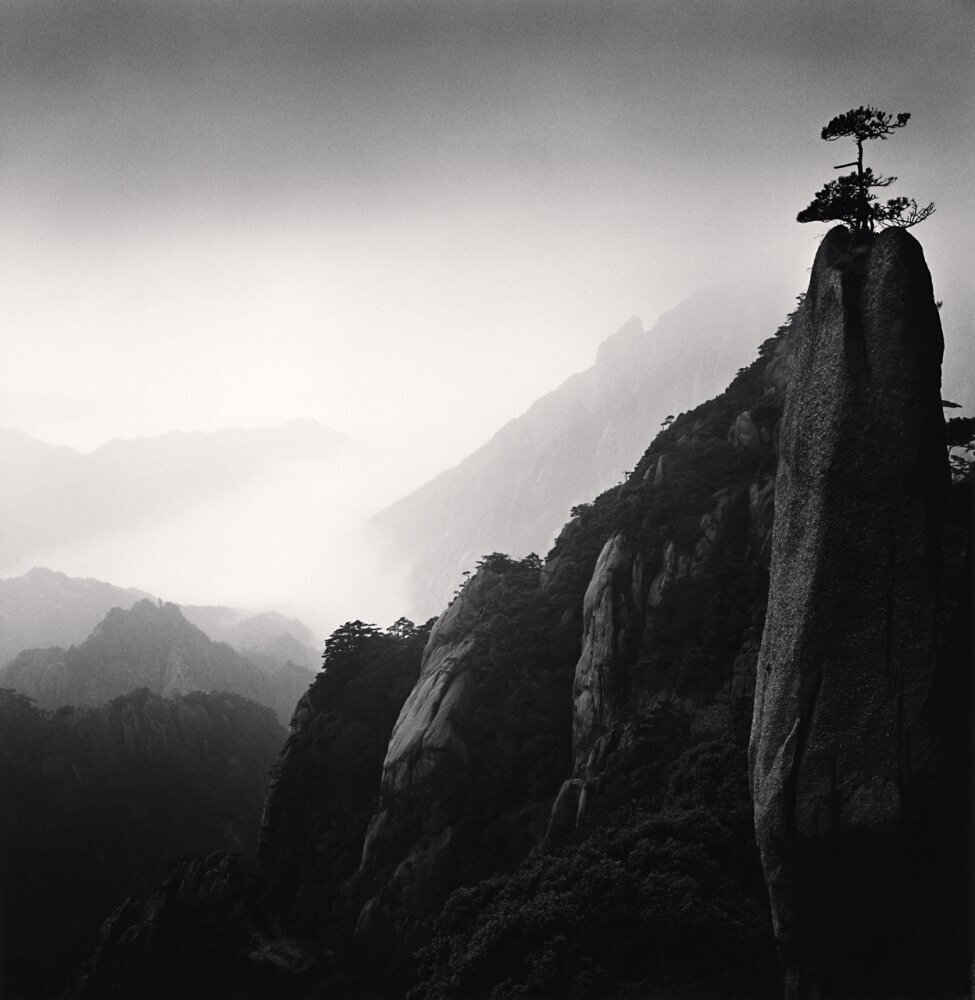
    Huangshan Mountains, Study 25, Anhui, China. 2009, Michael Kenna
    Huangshan Mountains, Study 25, Anhui, China. 2009, Michael Kenna
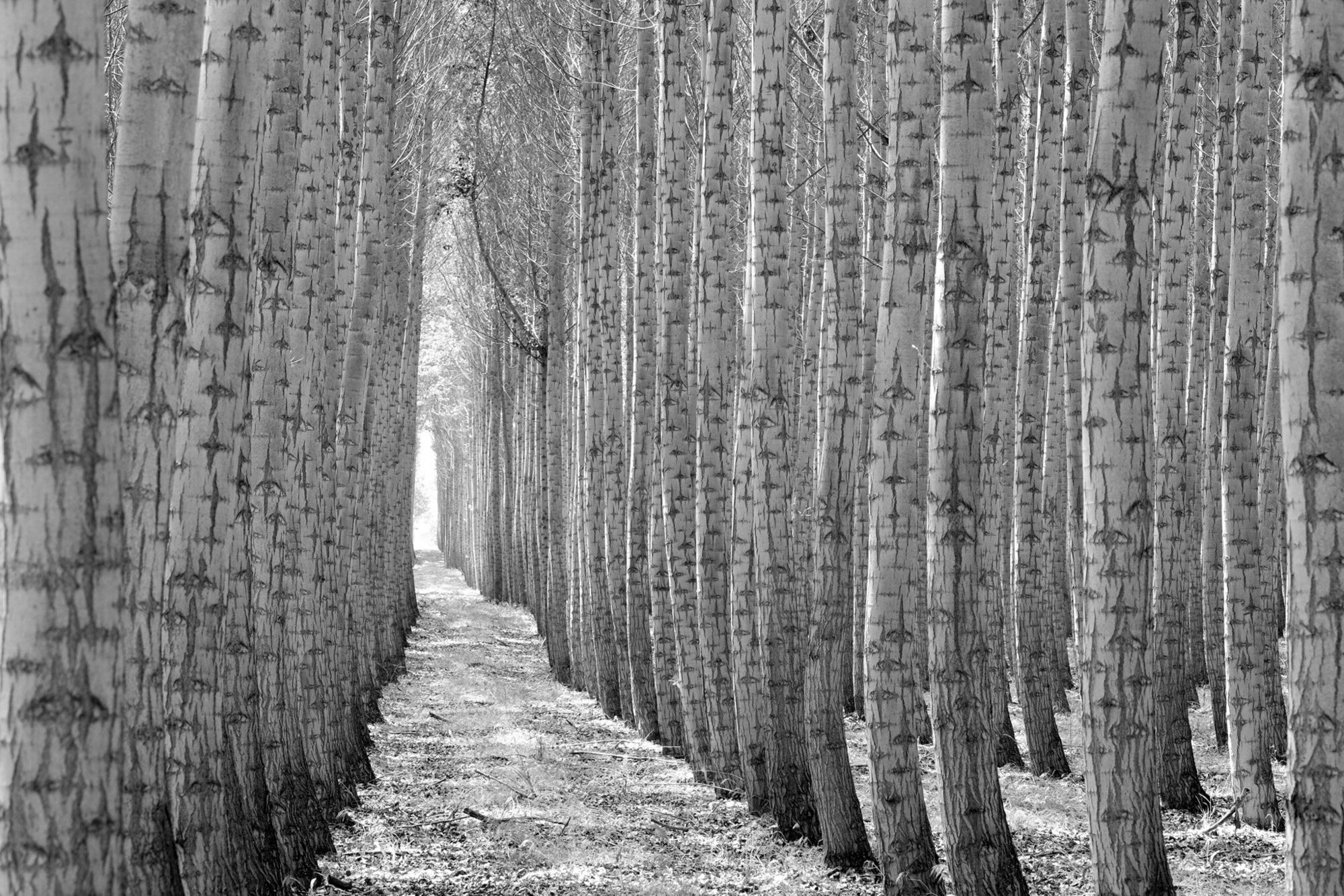
    Boardman Tree Farm  Camera: Fujifilm X-T1 Shutter speed: 1/15 sec Aperture: f/10 ISO: 200 Photo: Jeff Carlson
    Boardman Tree Farm Camera: Fujifilm X-T1 Shutter speed: 1/15 sec Aperture: f/10 ISO: 200 Photo: Jeff Carlson
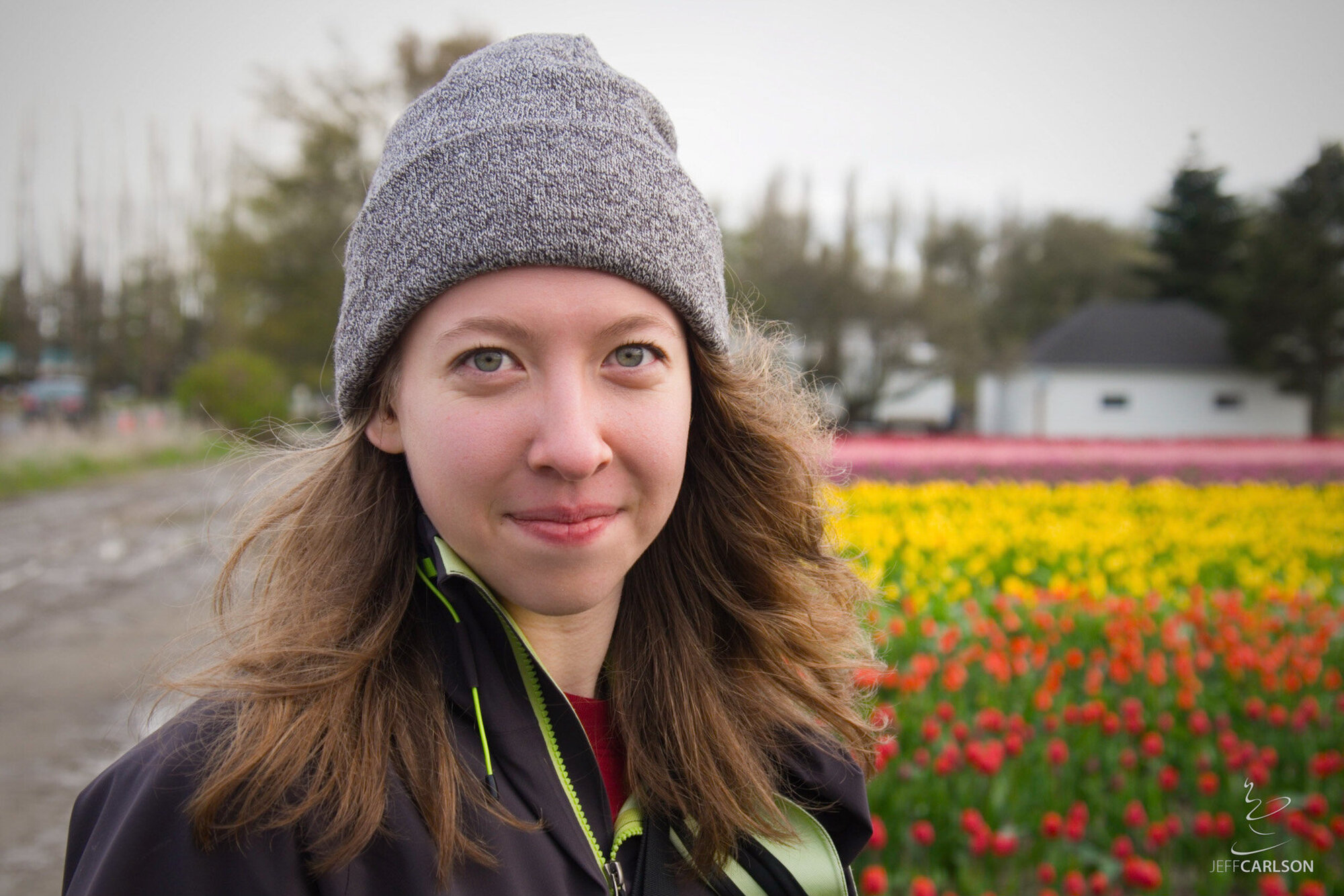
    Harper  Camera: Fujifilm X-T1 Shutter speed: 1/125 sec Aperture: f/5 ISO: 200 Photo: Jeff Carlson
    Harper Camera: Fujifilm X-T1 Shutter speed: 1/125 sec Aperture: f/5 ISO: 200 Photo: Jeff Carlson
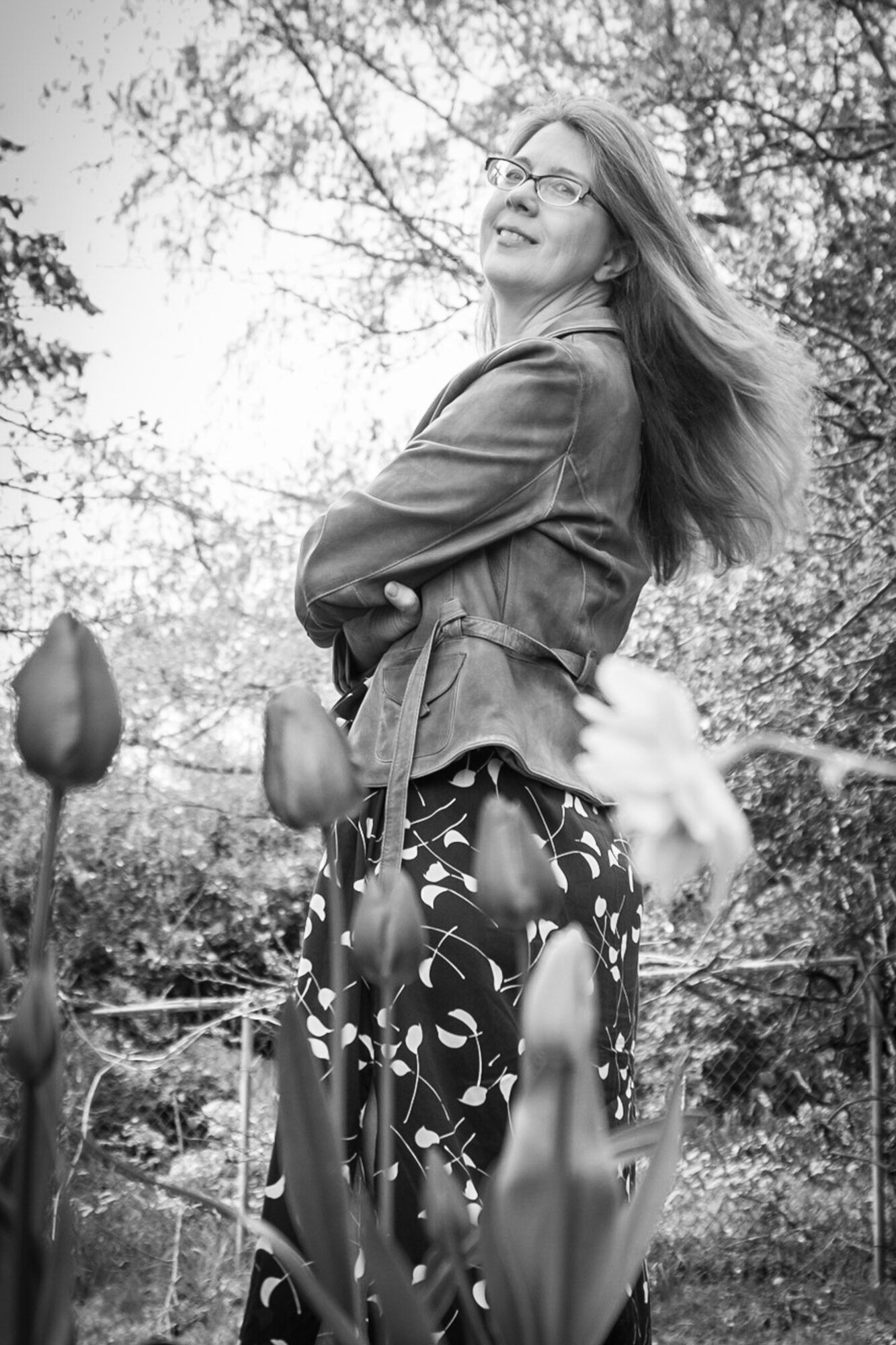
    Kim  Camera: Fujifilm X-T1 Shutter speed: 1/125 sec Aperture: f/5 ISO: 200 Photo: Jeff Carlson
    Kim Camera: Fujifilm X-T1 Shutter speed: 1/125 sec Aperture: f/5 ISO: 200 Photo: Jeff Carlson
    Emma  Camera: Fujifilm X-T1 Shutter speed: 1/500 sec Aperture: f/5.3 ISO: 200 Photo: Jeff Carlson
    Emma Camera: Fujifilm X-T1 Shutter speed: 1/500 sec Aperture: f/5.3 ISO: 200 Photo: Jeff Carlson
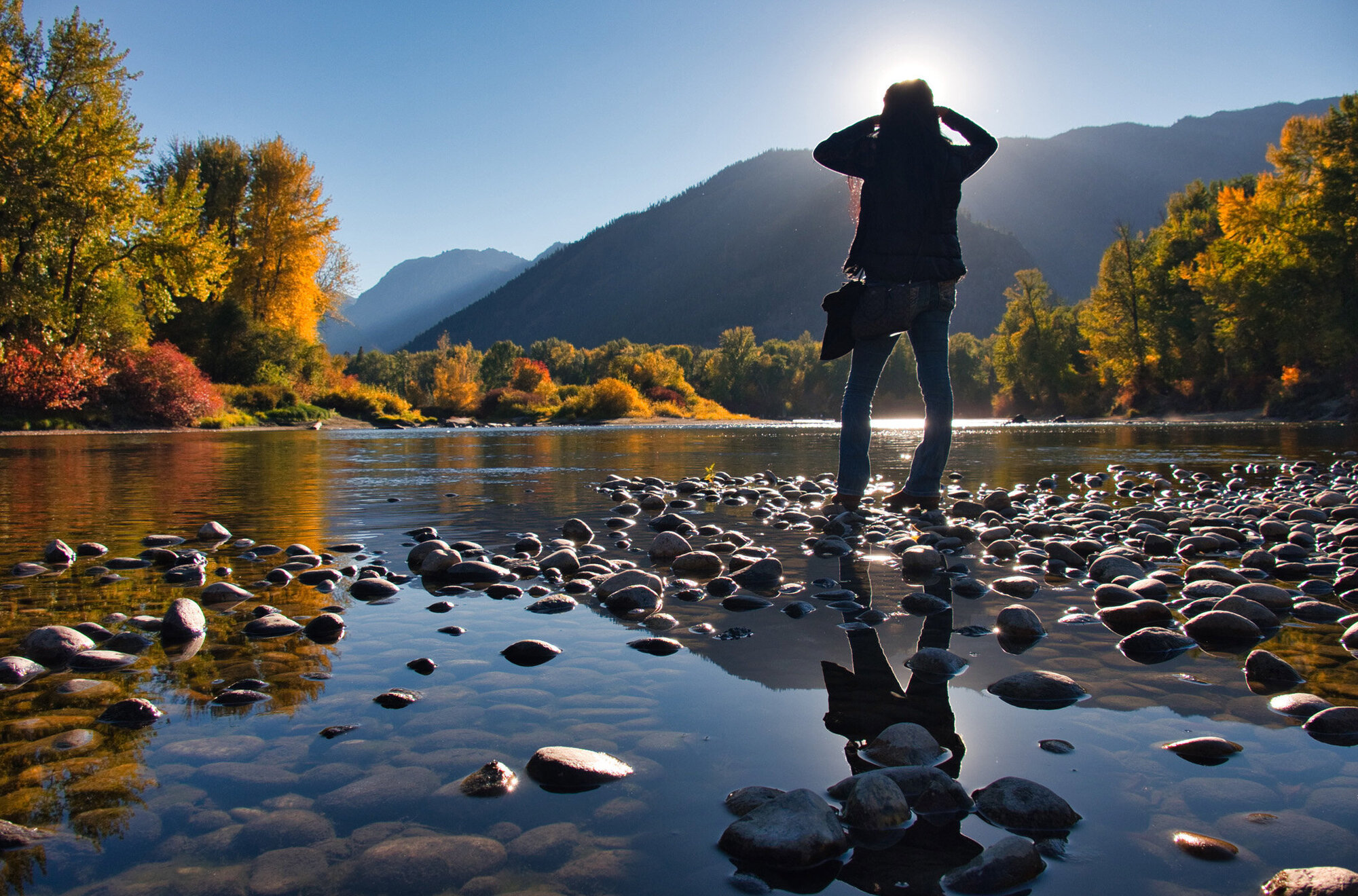
    Leavenworth River  Camera: Fujifilm X-T1 Shutter speed: 1/250 sec Aperture: f/8 ISO: 400 Photo: Jeff Carlson
    Leavenworth River Camera: Fujifilm X-T1 Shutter speed: 1/250 sec Aperture: f/8 ISO: 400 Photo: Jeff Carlson
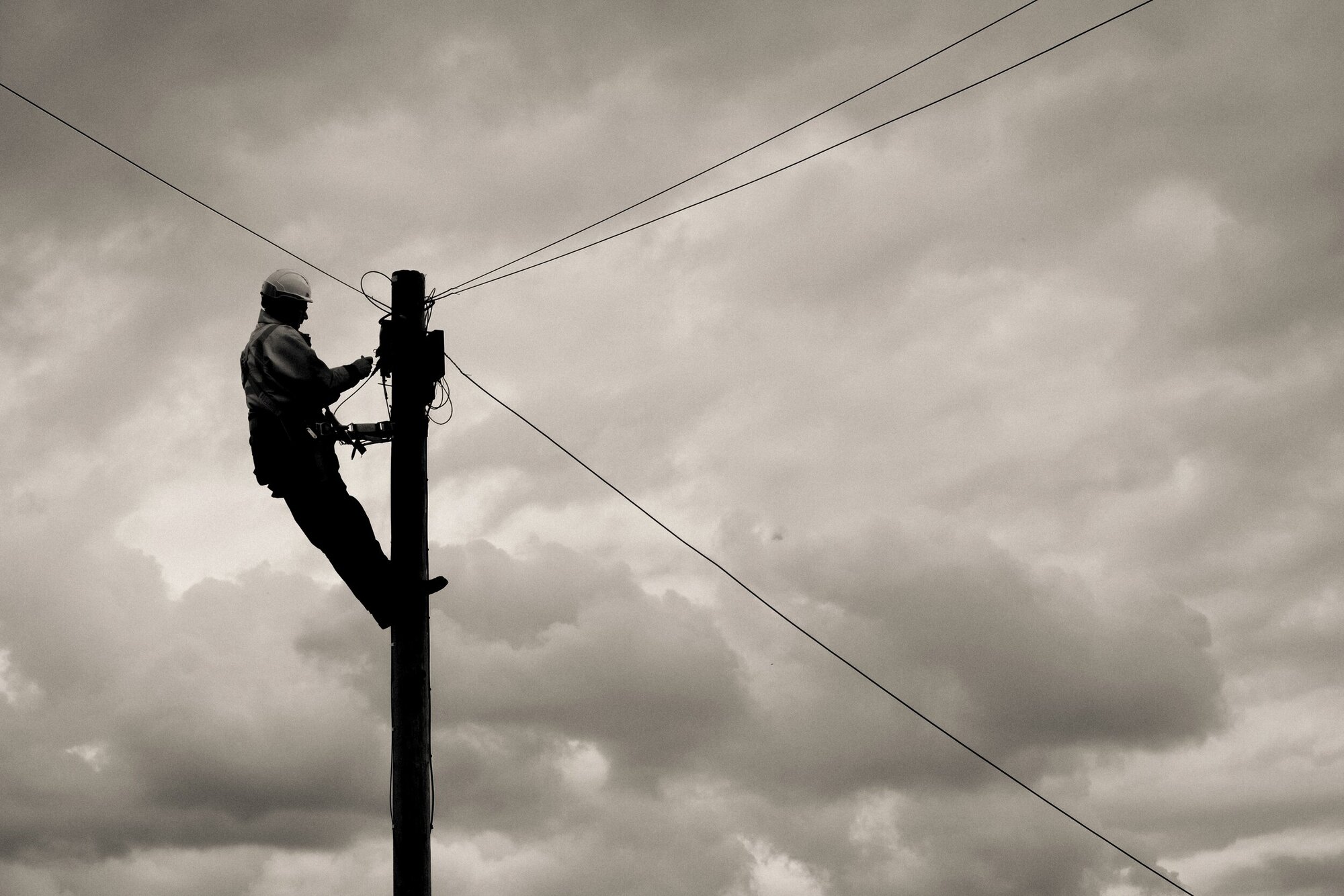
    LIneman  Camera: Fujifilm X-T3 Shutter speed: 1/650 sec Aperture: f/7.1 ISO: 160 Photo: Kirk McElhearn
    LIneman Camera: Fujifilm X-T3 Shutter speed: 1/650 sec Aperture: f/7.1 ISO: 160 Photo: Kirk McElhearn
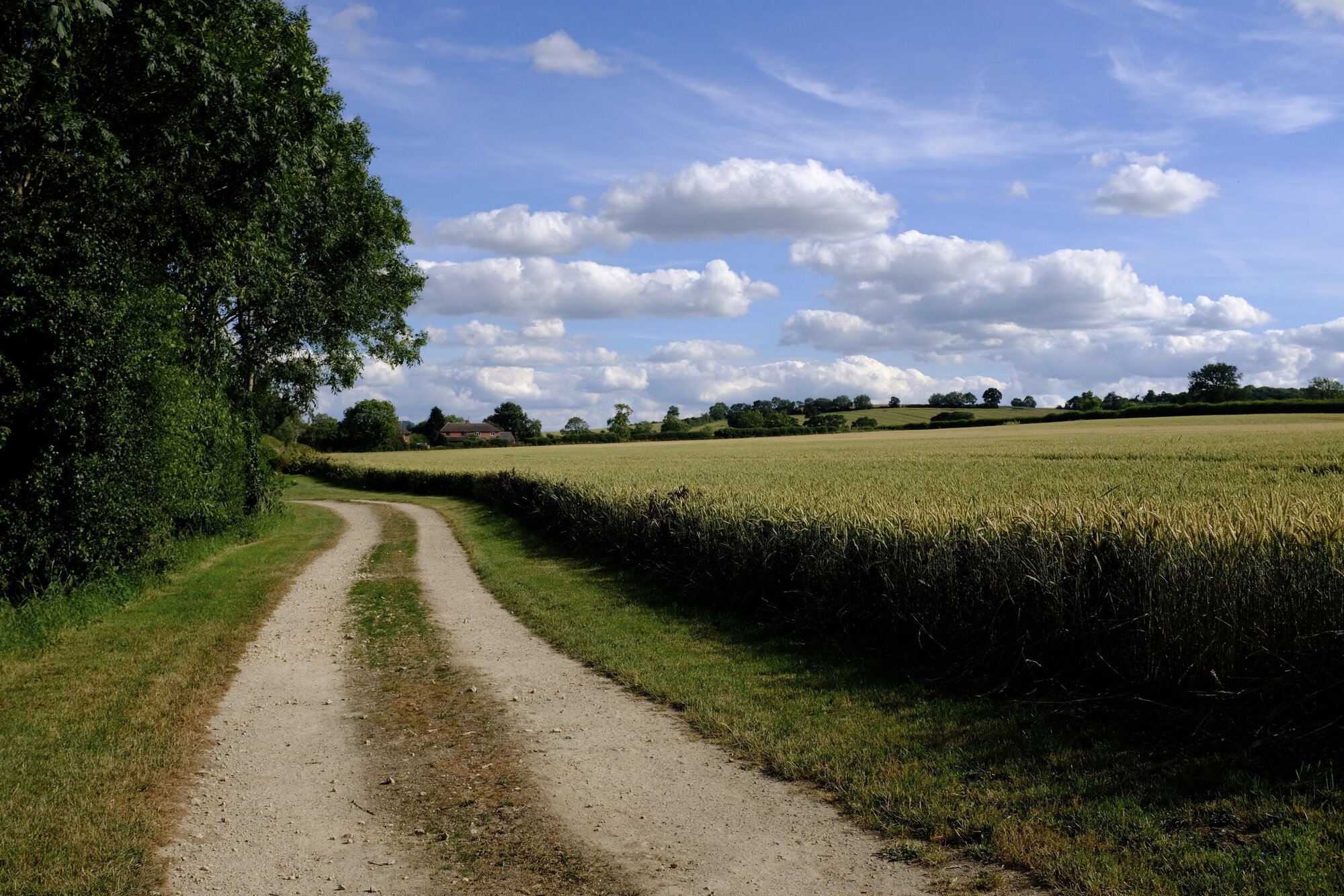
    Path  Camera: Fujifilm X100F Shutter speed: 1/1900 sec Aperture: f/5.6 ISO: 400 Photo: Kirk McElhearn
    Path Camera: Fujifilm X100F Shutter speed: 1/1900 sec Aperture: f/5.6 ISO: 400 Photo: Kirk McElhearn

    Episode 57: Remote Triggered Dec 06, 2019
    Show notes

    It’s time to step away from your camera. No, not put it away for the holidays—we’re talking about triggering the camera remotely! In this episode, Jeff and Kirk talk about various ways to trip the shutter from afar, such as using an Apple Watch to control the Camera app on an iPhone, remote cable releases, and products that control a mirrorless or DSLR via apps.

    Hosts:

    • Jeff's website, Jeff's photos, Jeff on Instagram
    • Kirk's website, Kirk's photos, Kirk on Instagram
    • Subscribe to the PhotoActive Instagram account

    Show Notes:

    (View show notes with images at PhotoActive.co)

    • Rate and Review the PhotoActive Podcast!

    • Episode 39: Tripods with Mason Marsh

    • Fuji X Secrets Book, by Rico Pfirstinger

    • Fujifilm RR-100 Remote Shutter Release Controller

    • Canon RS60-E3 remote cable release replacement by Fotodiox

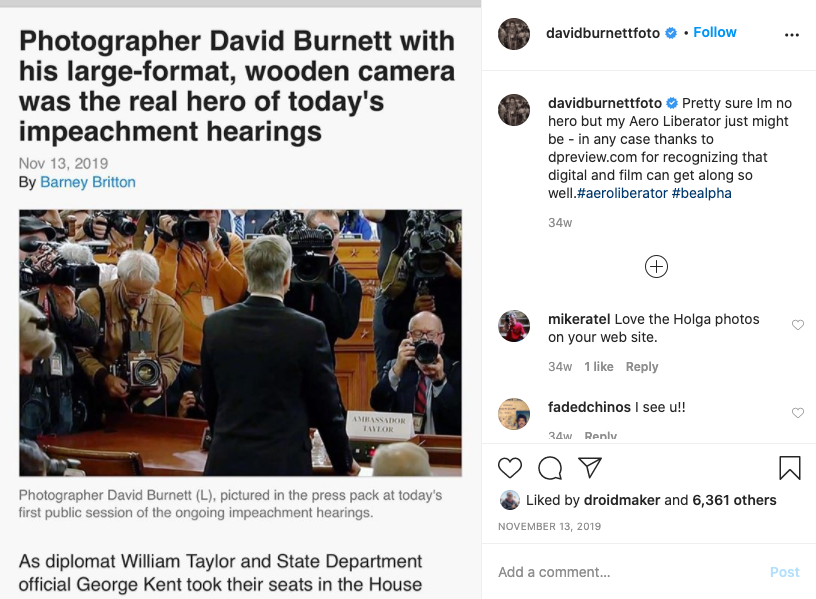
    • David Burnett's camera at House Impeachment hearings

    • Photographer David Burnett on shooting his third impeachment: 'I felt that historic pang', DPReview

    • MIOPS Mobile Dongle

    • Fotyrig 1/4" Mini Ball Head Ring Light Adapter Hot Shoe Mount Adapter

    • TriggerTrap Mobile review: control your camera’ shutter with your iOS device, Macworld (Note: In the episode, Jeff misremembered the brand of trigger this article was about.)

    • App-based camera triggers: Alpine Labs Spark vs Miops Mobile Dongle, DPReview

    Our Snapshots:

    • Jeff: FOTOMIX LB-XT3 for Fujifilm X-T3 Camera Quick Release L-Bracket & Camera Mount Vertical Grip
    • Kirk: Zona, A Book about a Film about a Journey to a Room, by Geoff Dyer

    Subscribe to the PhotoActive podcast newsletter at the bottom of any page at the PhotoActive web site to be notified of new episodes and be eligible for occasional giveaways. If you’ve already subscribed, you’re automatically entered.

    If you like the show, please subscribe in iTunes/Apple Podcasts or your favorite podcast app, and please rate the podcast. And don't forget to join the PhotoActive Facebook group to discuss the podcast, share your photos, and more.

    Disclosure: Sometimes we use affiliate links for products, such as at Amazon.com, in which we receive small commissions to help support PhotoActive.

    Burnett at impeachment hearings (from his  Instagram feed )
    Burnett at impeachment hearings (from his Instagram feed )
    Action shot of Jeff triggering the iPhone 11 Pro camera using his watch. (Don’t worry, he was standing on a sidewalk, not cluelessly in the middle of the road.)
    Action shot of Jeff triggering the iPhone 11 Pro camera using his watch. (Don’t worry, he was standing on a sidewalk, not cluelessly in the middle of the road.)
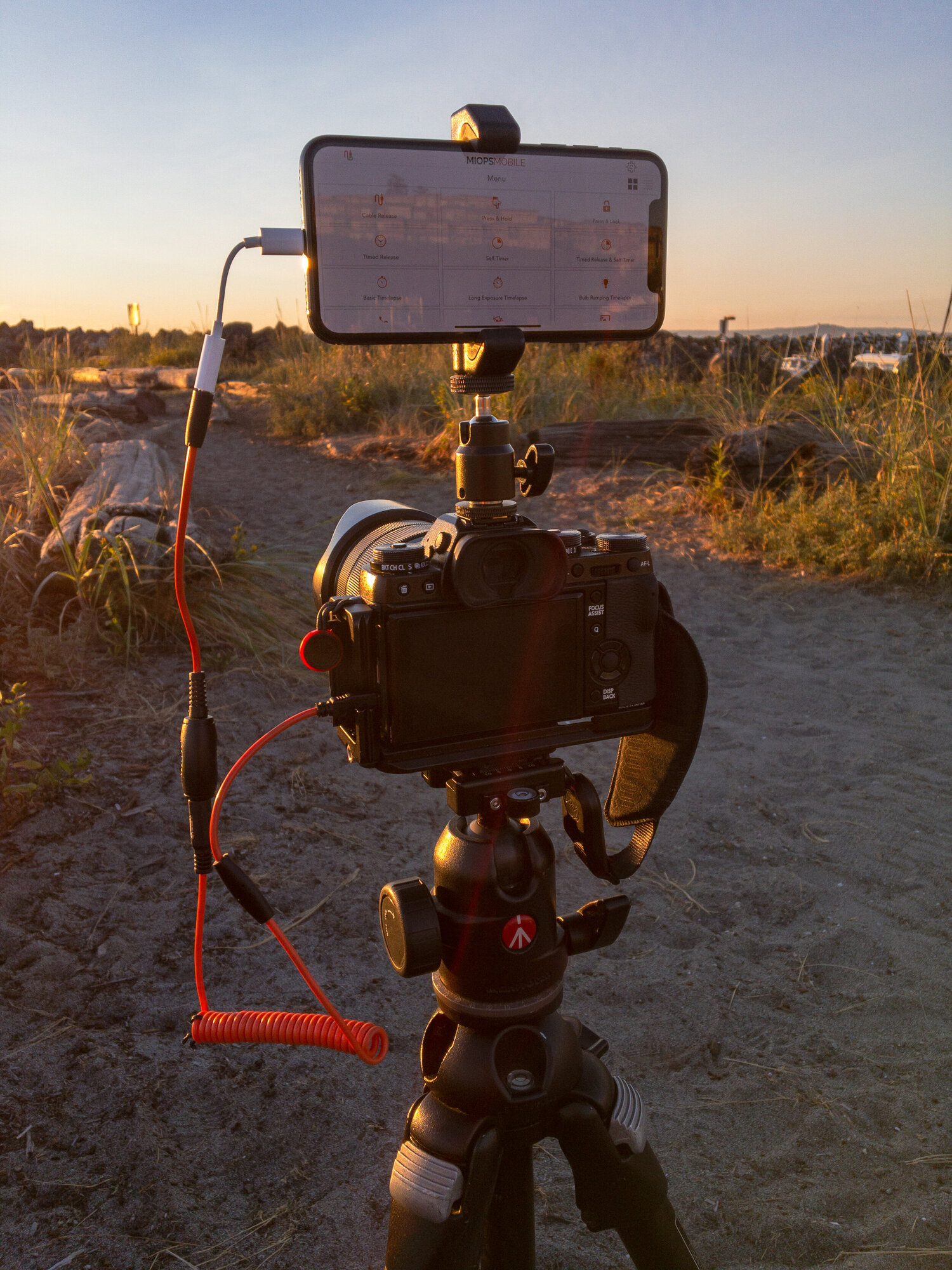
    iPhone mounted on a hot-shoe ballhead, with the MIOPS Mobile Dongle connected to the camera.
    iPhone mounted on a hot-shoe ballhead, with the MIOPS Mobile Dongle connected to the camera.
    Jumping Coffee Beans  Camera: Fujifilm X-T1 Shutter speed: 1/500 sec Aperture: f/6.4 ISO: 1600 Photo: Jeff Carlson
    Jumping Coffee Beans Camera: Fujifilm X-T1 Shutter speed: 1/500 sec Aperture: f/6.4 ISO: 1600 Photo: Jeff Carlson
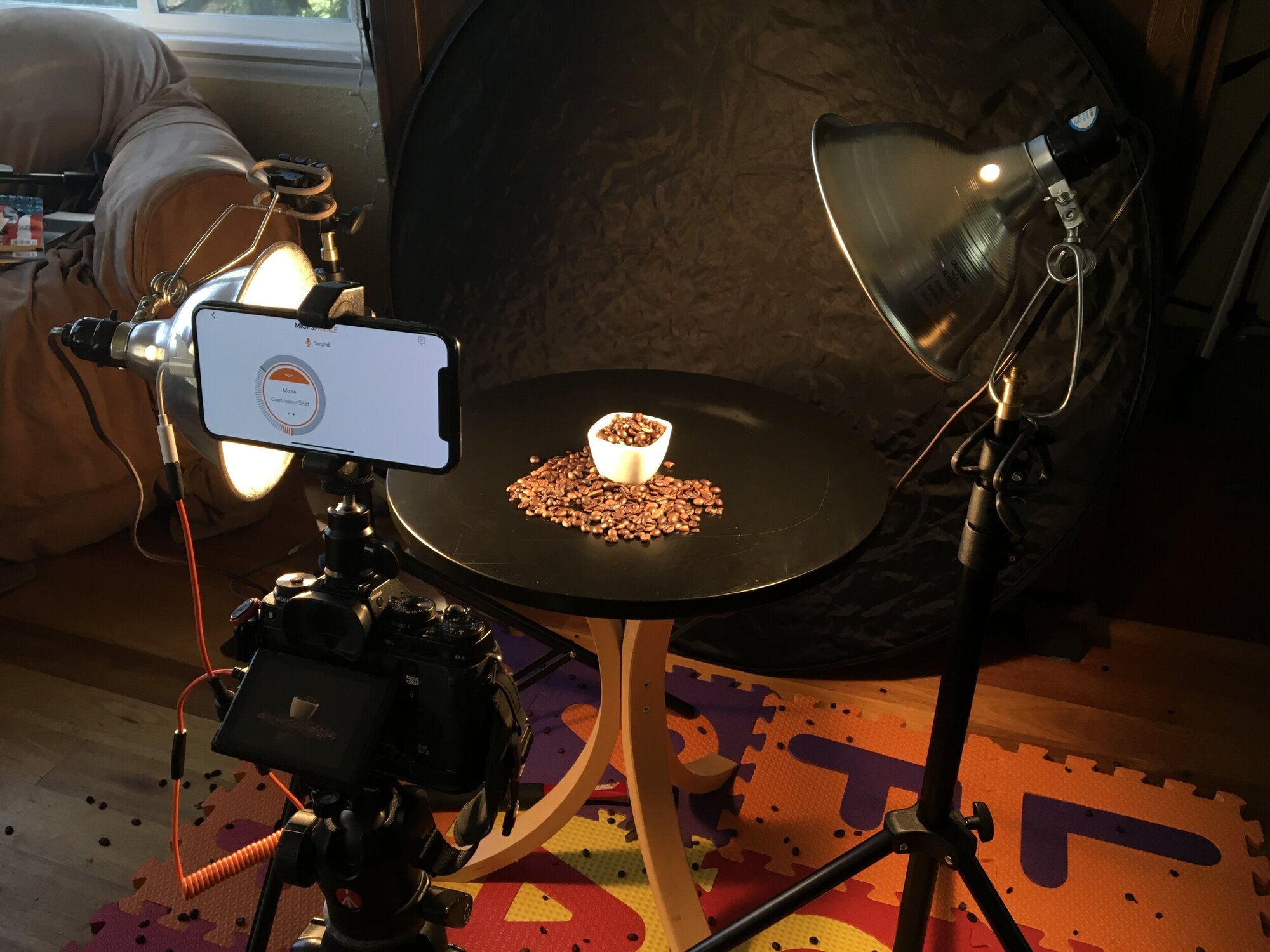
    The setup for the jumping coffee beans photo. The MIOPS app was set to trigger the camera’s shutter when the phone’s microphone picked up a loud noise above a specified threshold. That noise came from whacking the underside of the table with a hammer (hence the mat underneath and the smattering of beans all over the floor).
    The setup for the jumping coffee beans photo. The MIOPS app was set to trigger the camera’s shutter when the phone’s microphone picked up a loud noise above a specified threshold. That noise came from whacking the underside of the table with a hammer (hence the mat underneath and the smattering of beans all over the floor).

    Episode 56: Considering a Second Camera? Nov 22, 2019
    Show notes

    With the holidays and Black Friday sales upon us, this is the time that photographers can often get good deals on equipment. In this episode, Kirk and Jeff ponder the reasons you might consider buying a second camera. Perhaps you want a backup for your regular camera, or maybe you want a smaller go-anywhere camera that might encourage you to take photos more often.

    Hosts:

    • Jeff's website, Jeff's photos, Jeff on Instagram
    • Kirk's website, Kirk's photos, Kirk on Instagram
    • Subscribe to the PhotoActive Instagram account

    Show Notes:

    (View show notes with images at PhotoActive.co)

    • Rate and Review the PhotoActive Podcast!

    • Canon’s Q2 2019 Financial Report Shows Steep Decline in Camera Sales, PetaPixel

    • New Fujifilm Financial Results: Instax Declines, Mirrorless Suffers, Revenue Down 12.4% but Fujifilm GFX100 Sells Strong!, Fuji Rumors

    • Leica M Monochrom

    • Episode 44: Minimalist Photographer Michael Kenna

    • DPReview TV: Leica SL2 first impressions Review, DPReview

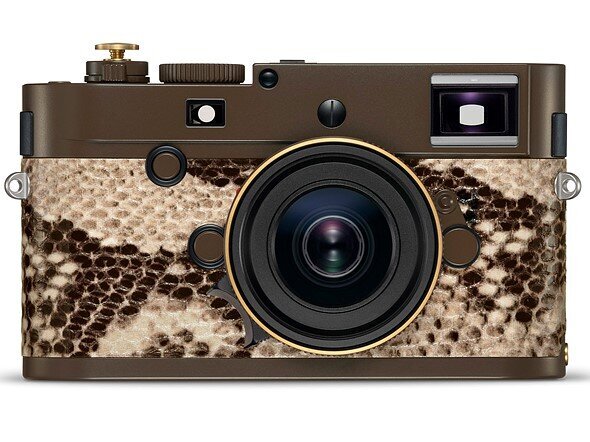
    • Leica, Lenny Kravitz produce limited edition ‘Drifter’ M Monochrom with snakeskin finish, DPReview

    • Episode #12: David duChemin on the Long-Building Vision

    • First Look: Canon’s EOS Ra Mirrorless Camera, Sky & Telescope

    • Fujifilm X100F

    • Episode 39: Tripods with Mason Marsh

    • Panasonic Lumix ZS200

    • Episode 46: Pet Photography with Norah Levine

    Our Snapshots:

    • Jeff: An Art Show, by Veterans Armed with Cameras
    • Kirk: Get a cat

    Subscribe to the PhotoActive podcast newsletter at the bottom of any page at the PhotoActive web site to be notified of new episodes and be eligible for occasional giveaways. If you’ve already subscribed, you’re automatically entered.

    If you like the show, please subscribe in iTunes/Apple Podcasts or your favorite podcast app, and please rate the podcast. And don't forget to join the PhotoActive Facebook group to discuss the podcast, share your photos, and more.

    Disclosure: Sometimes we use affiliate links for products, in which we receive small commissions to help support PhotoActive.

    The Lenny Kravitz “Drifter” special edition Leica
    The Lenny Kravitz “Drifter” special edition Leica

    Episode 55: Photos App in iOS 13 and macOS Catalina Nov 08, 2019
    Show notes

    Photos App in iOS 13 and macOS Catalina

    Now that iOS 13, iPadOS 13, and macOS Catalina are out, Jeff and Kirk have some strong opinions on the changes made to the Photos app for each platform. It's time to rant a little.

    Sponsor

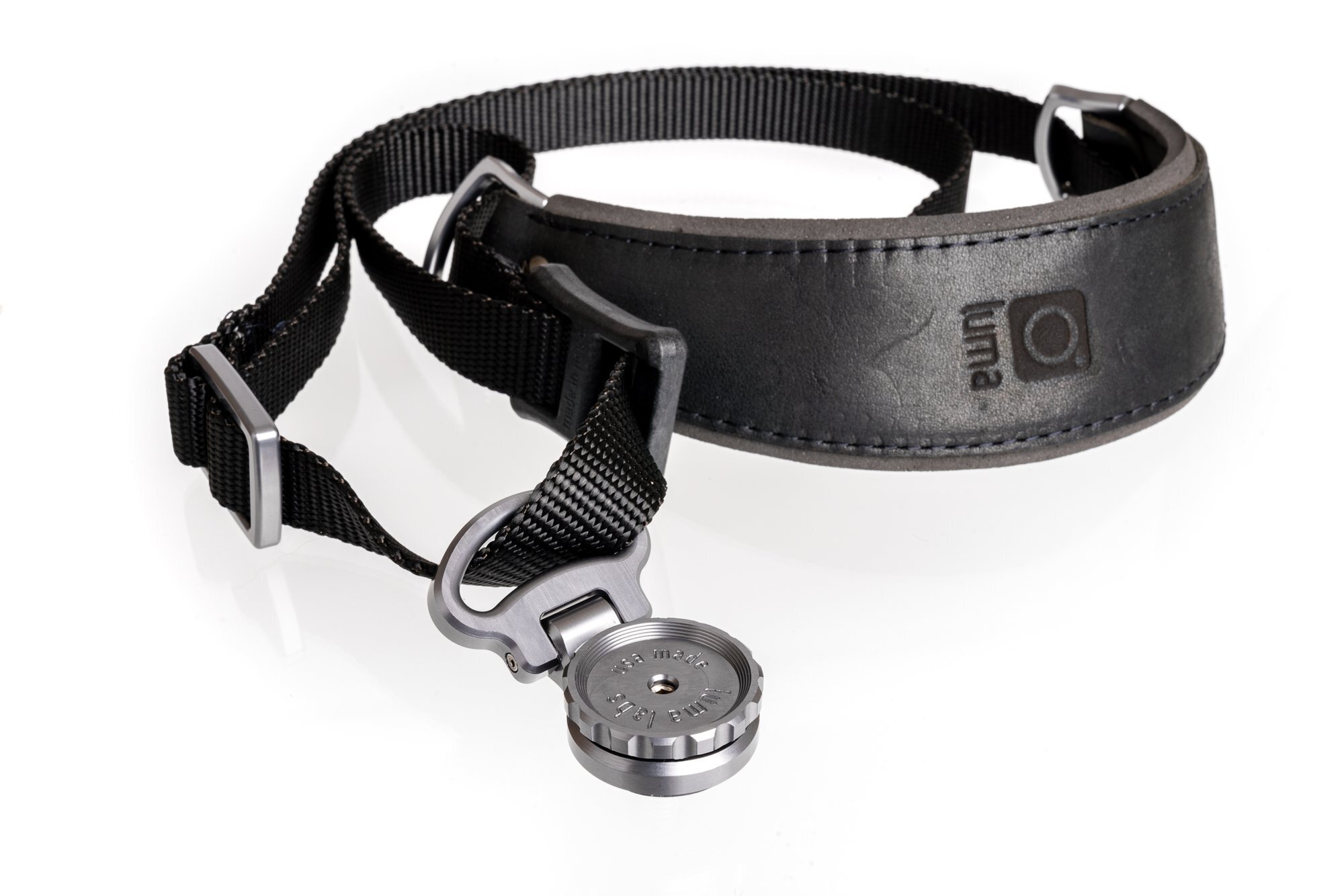
    Luma Labs - Everyone needs a camera strap that is both comfortable and practical. The Luma Loop lets you carry your camera as a sling or snug to your body when you’re not using it. The new Luma Loop 3.5 features custom designed mounting hardware so you don’t have to choose between a strap or a tripod mount. Get 10% off any purchase with the code PHOTOACTIVE. https://luma-labs.com

    Hosts:

    • Jeff's website, Jeff's photos, Jeff on Instagram
    • Kirk's website, Kirk's photos, Kirk on Instagram

    Show Notes:

    (View show notes with images at PhotoActive.co)

    • Rate and Review the PhotoActive Podcast!

    • Take Control of macOS Media Apps, by Kirk McElhearn

    • Take Control of Your Digital Photos, Second Edition, by Jeff Carlson

    • Take Control of Photos, by Jason Snell

    • Episode 52: iPhones 11 and Semantic Rendering

    • Inside iOS 12: Photos Encourages More Engagement, TidBITS

    • Episode #12: David duChemin on the Long-Building Vision

    Our Snapshots:

    • Jeff: Lightning to USB 3 Camera Adapter
    • Kirk: A Beautiful Anarchy podcast

    Subscribe to the PhotoActive podcast newsletter at the bottom of any page at the PhotoActive web site to be notified of new episodes and be eligible for occasional giveaways. If you’ve already subscribed, you’re automatically entered.

    If you like the show, please subscribe in iTunes or your favorite podcast app, and please rate the podcast. And don't forget to join the PhotoActive Facebook group to discuss the podcast, share your photos, and more.

    This episode is sponsored by Luma Labs, maker of the new  Luma Loop 3.5 .
    This episode is sponsored by Luma Labs, maker of the new Luma Loop 3.5 .
    The cover of Kirk’s surprise Photos-generated slideshow.
    The cover of Kirk’s surprise Photos-generated slideshow.
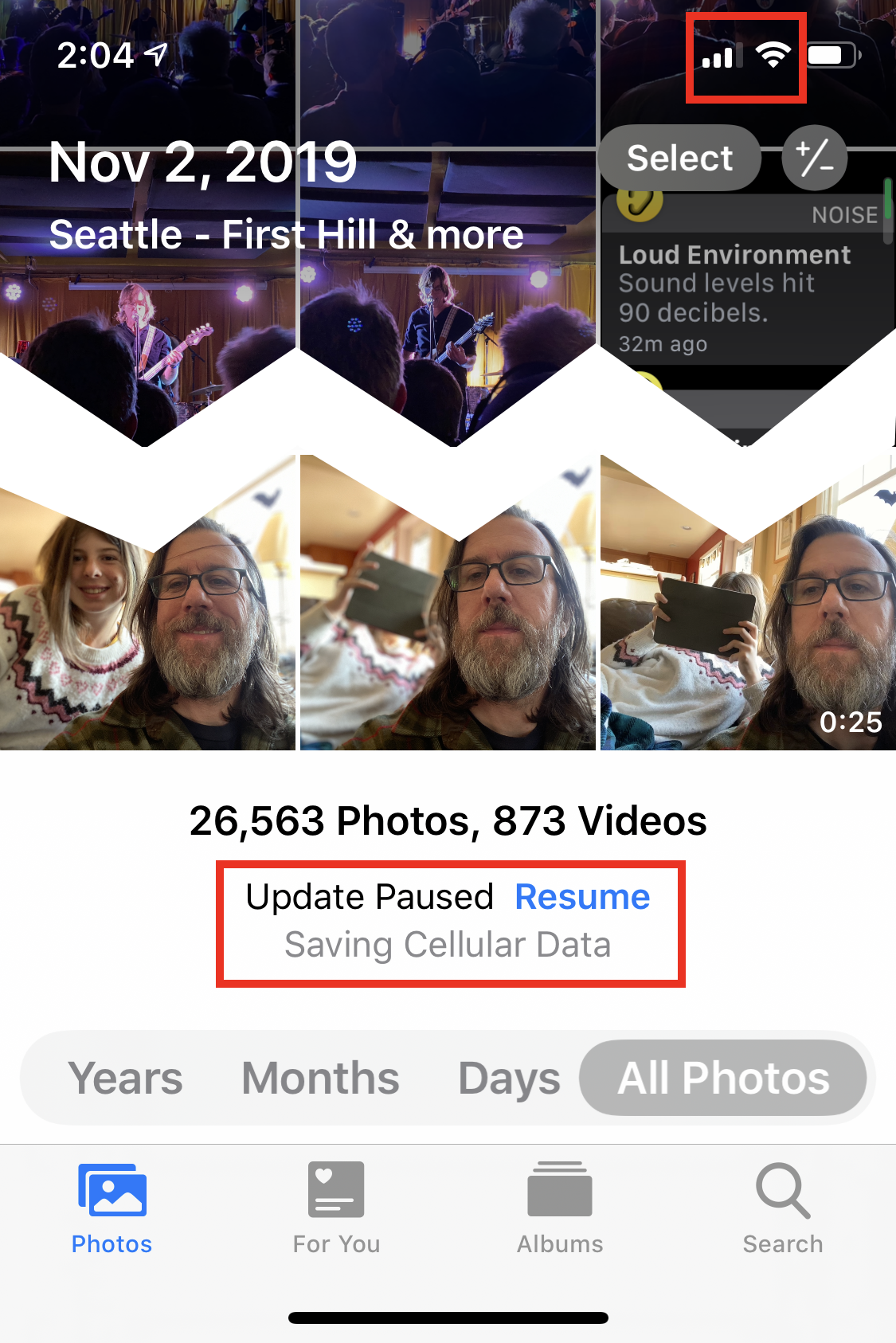
    An example of the Photos app needing a manual sync control. The iPhone is connected to Wi-Fi, but Photos doesn’t seem to realize it.
    An example of the Photos app needing a manual sync control. The iPhone is connected to Wi-Fi, but Photos doesn’t seem to realize it.
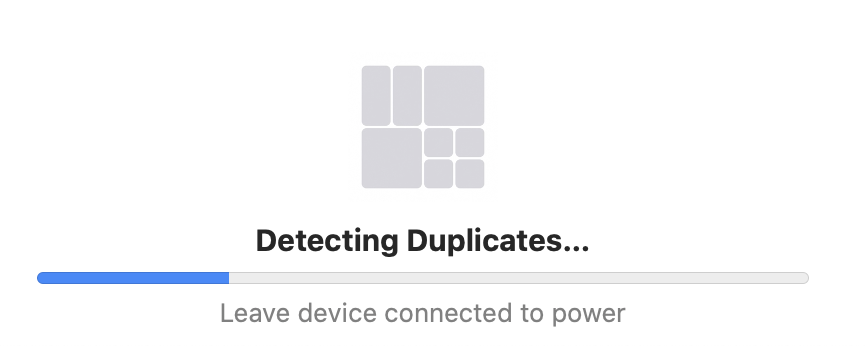
    The mysterious “Detecting Duplicates” message at the bottom of Photos as it’s scanning the photo library following the upgrade to macOS Catalina. Is this a new feature to come?
    The mysterious “Detecting Duplicates” message at the bottom of Photos as it’s scanning the photo library following the upgrade to macOS Catalina. Is this a new feature to come?

    Episode 54: Product Photography with Dan Bracaglia Oct 25, 2019
    Show notes

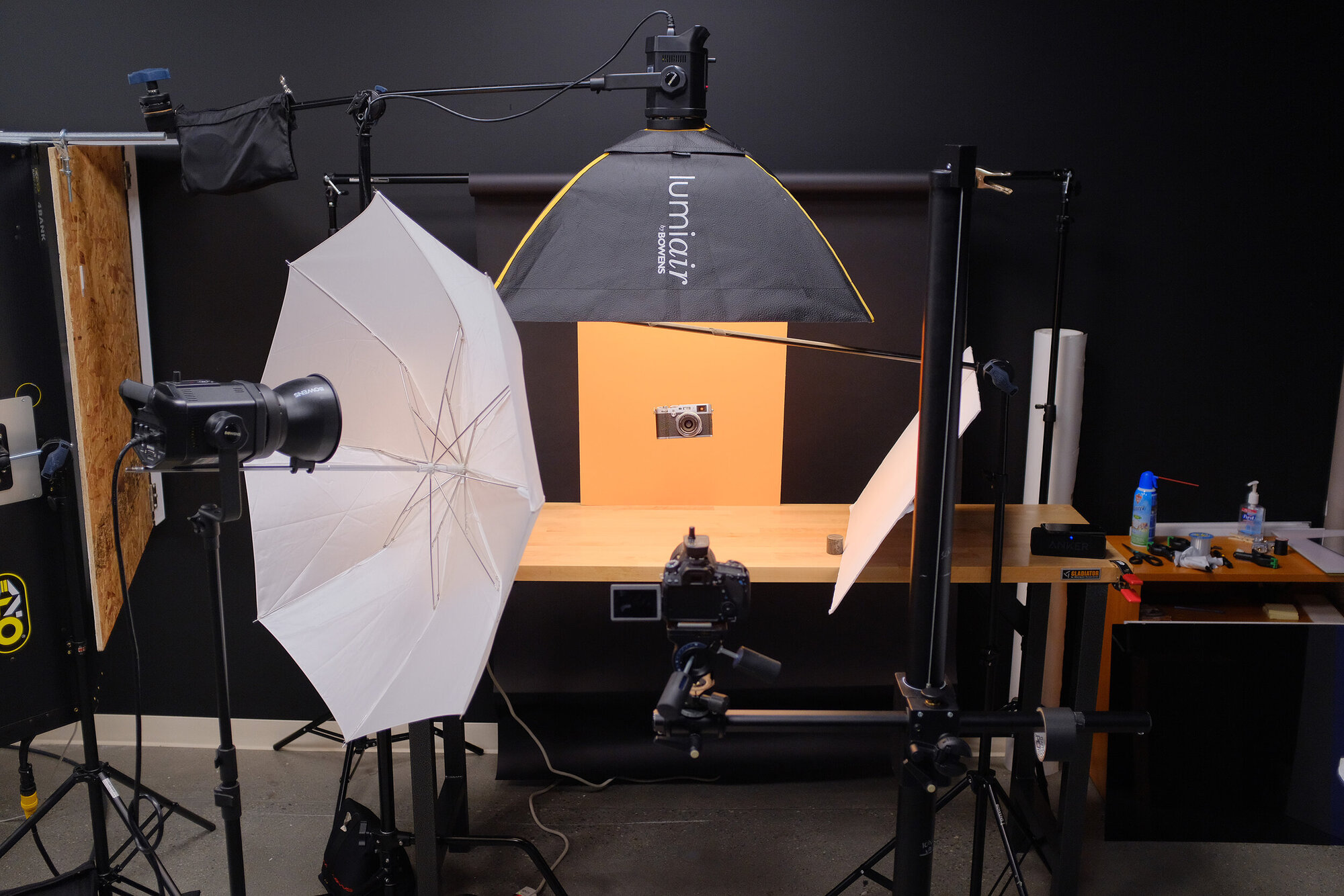
    How do you make product photos look fresh and interesting? Do you need a well-equipped studio? Dan Bracaglia shoots thousands of images of cameras and other accessories in his job as photo editor at DPReview. Dan joins Kirk and Jeff to answer those questions and more.

    Sponsor

    Luma Labs - Everyone needs a camera strap that is both comfortable and practical. The Luma Loop lets you carry your camera as a sling or snug to your body when you’re not using it. The new Luma Loop 3.5 features custom designed mounting hardware so you don’t have to choose between a strap or a tripod mount. Get 10% off any purchase with the code PHOTOACTIVE. https://luma-labs.com

    Guest:

    • Dan Bracaglia: Instagram, website
    • DPReview Page

    Hosts:

    • Jeff's website, Jeff's photos, Jeff on Instagram
    • Kirk's website, Kirk's photos, Kirk on Instagram

    Show Notes:

    (View show notes with images at PhotoActive.co)

    • DPReview

    • Westcott Ice Light 2

    • Canon 80D, the camera DPReview uses for product photography

    • Canon 90D Review by Dan Bracaglia and Jeff Keller

    • 2019 Guide: Apple iPad Pro for Photographers

    • Making of Domino’s Commercials: Pulling the Cheese, YouTube video

    • Fuji X-T3 Review, DPRreview TV episode

    • Fujifilm X-T3 vs Panasonic GH5 for Video: Quick Look, DPReview TV episode

    Our Snapshots:

    • Jeff: SanDisk Extreme Portable SSD
    • Kirk: Michael Kenna, Beyond Architecture

    Subscribe to the PhotoActive podcast newsletter at the bottom of any page at the PhotoActive web site to be notified of new episodes and be eligible for occasional giveaways. If you’ve already subscribed, you’re automatically entered.

    If you like the show, please subscribe in iTunes or your favorite podcast app, and please rate the podcast. And don't forget to join the PhotoActive Facebook group to discuss the podcast, share your photos, and more.

    This episode is sponsored by Luma Labs, maker of the new  Luma Loop 3.5 .
    This episode is sponsored by Luma Labs, maker of the new Luma Loop 3.5 .
    The product photography setup at DPReview’s studio
    The product photography setup at DPReview’s studio
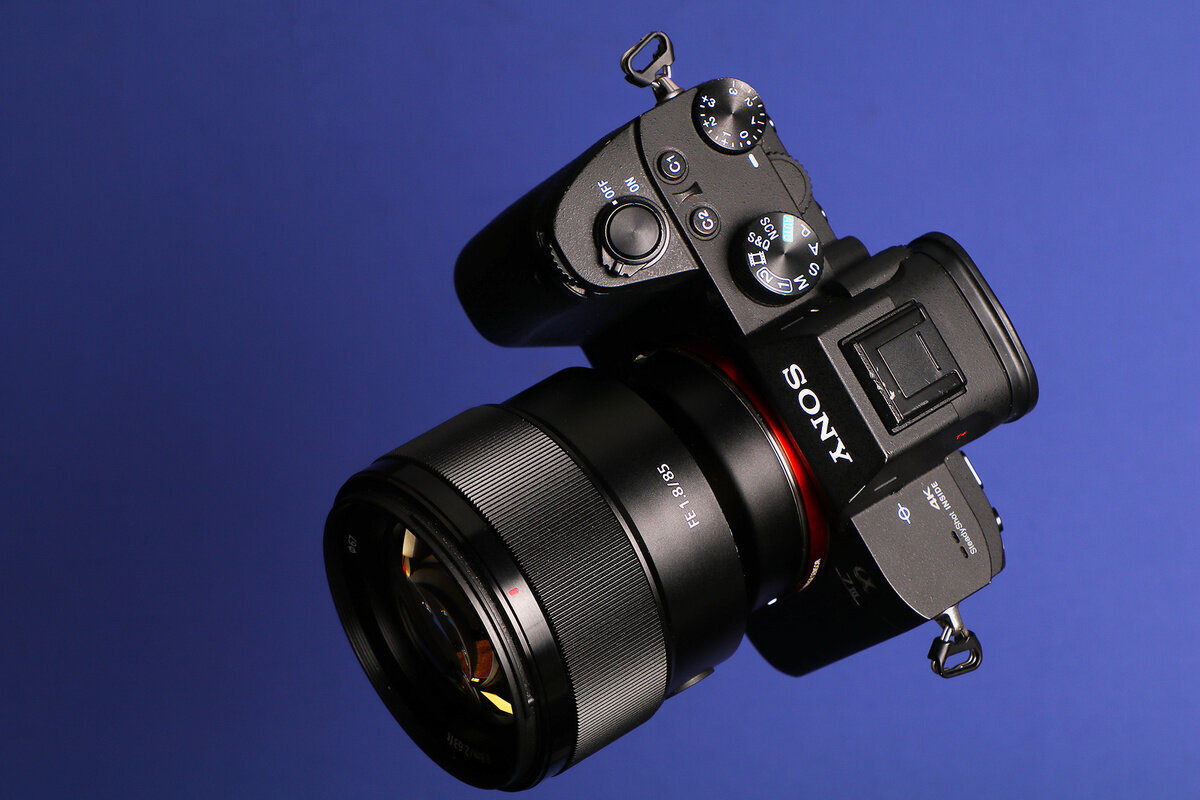
    Sony product photo  Photo: Dan Bracaglia
    Sony product photo Photo: Dan Bracaglia
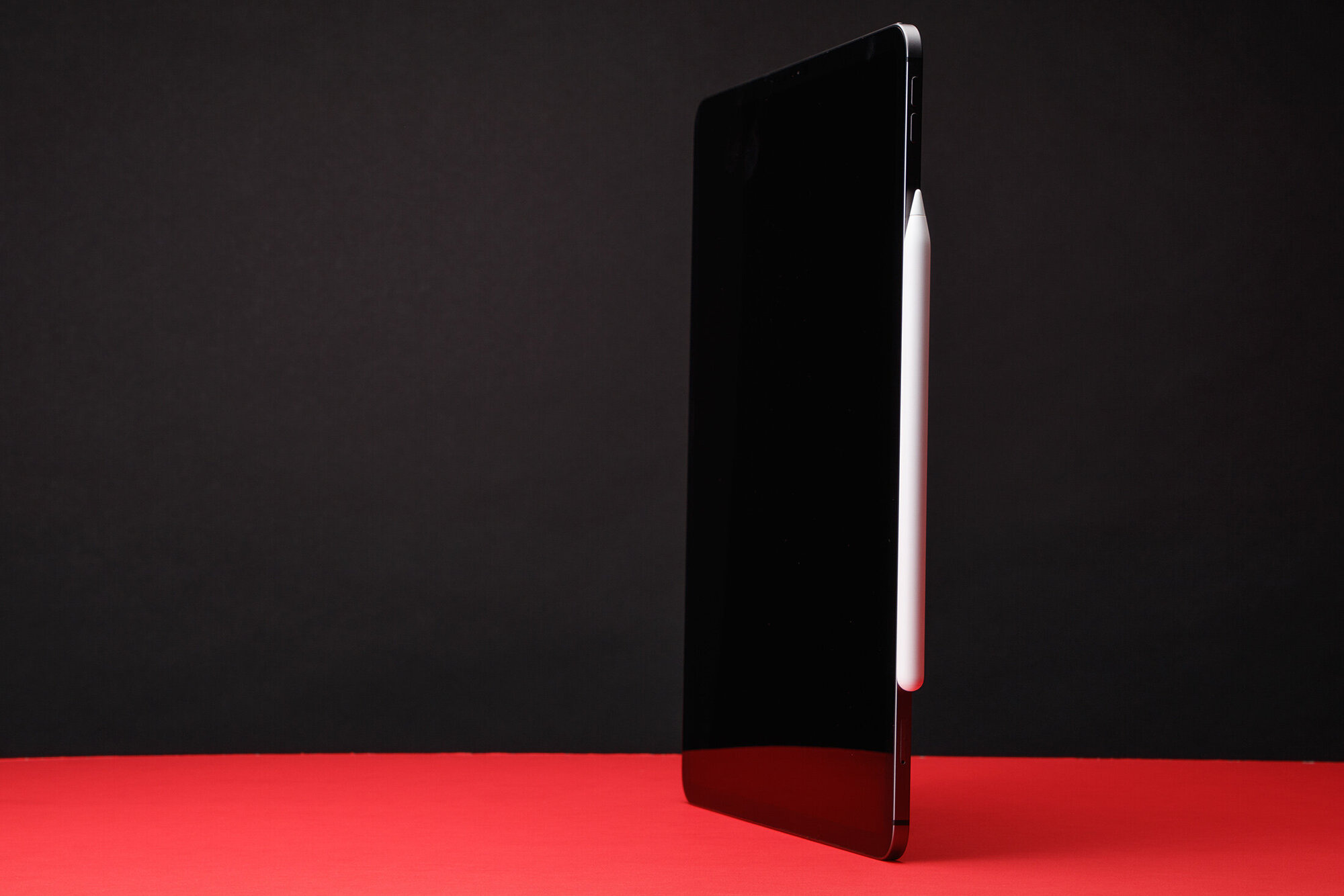
    iPad Pro  Photo: Dan Bracaglia
    iPad Pro Photo: Dan Bracaglia

    Episode 53: Focus Stacking Oct 11, 2019
    Show notes

    You can control depth of field in a photo using narrow apertures, but what do you do when that’s not enough to get everything in focus? For macro and some landscape photography, the answer is focus stacking, a technique that blends several images shot at different focal lengths. Kirk and Jeff talk about how it works and when you’d want to use it.

    Hosts:

    • Jeff's website, Jeff's photos, Jeff on Instagram
    • Kirk's website, Kirk's photos, Kirk on Instagram

    Show Notes:

    (View show notes with images at PhotoActive.co)

    • Rate and Review the PhotoActive Podcast!

    • How-To: Focus Stacking in Photoshop, Adobe Create

    • Episode #20 - The Blur-That-Shall-Not-Be-Named

    • Photographing the Canadian Rockies, Part 1, Nick Page’s video about when he shot the ice image that appears in the Adobe Create article.

    • Affinity Photo

    • Pixelmator Pro

    • Helicon Focus

    • Zerene Stacker

    • Fuji X Secrets, by Rico Rico Pfirstinger

    • Bob Sober

    • Episode 47: Jeff Becomes an Event Photographer

    Our Snapshots:

    • Jeff: Fujifilm X-T3 Vertical Battery Booster Grip
    • Kirk: Peak Design Standard Plate

    Subscribe to the PhotoActive podcast newsletter at the bottom of any page at the PhotoActive web site to be notified of new episodes and be eligible for occasional giveaways. If you’ve already subscribed, you’re automatically entered.

    If you like the show, please subscribe in iTunes or your favorite podcast app, and please rate the podcast. And don't forget to join the PhotoActive Facebook group to discuss the podcast, share your photos, and more.

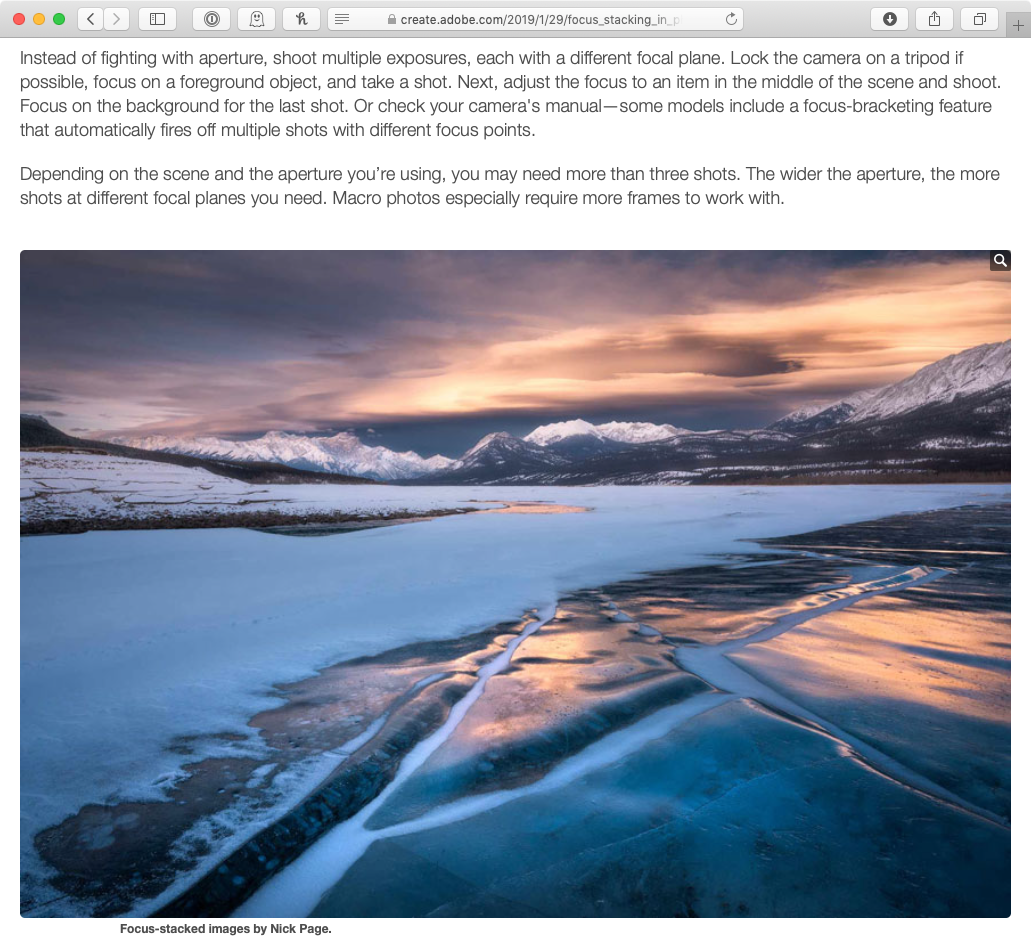
    Nick Page’s photo from Jeff’s article in Adobe Create Magazine.
    Nick Page’s photo from Jeff’s article in Adobe Create Magazine.
    Red Onion  Camera: Fujifilm X-T3 Shutter speed: 1.6 sec Aperture: f/11 ISO: 160 Photo: Kirk McElhearn
    Red Onion Camera: Fujifilm X-T3 Shutter speed: 1.6 sec Aperture: f/11 ISO: 160 Photo: Kirk McElhearn
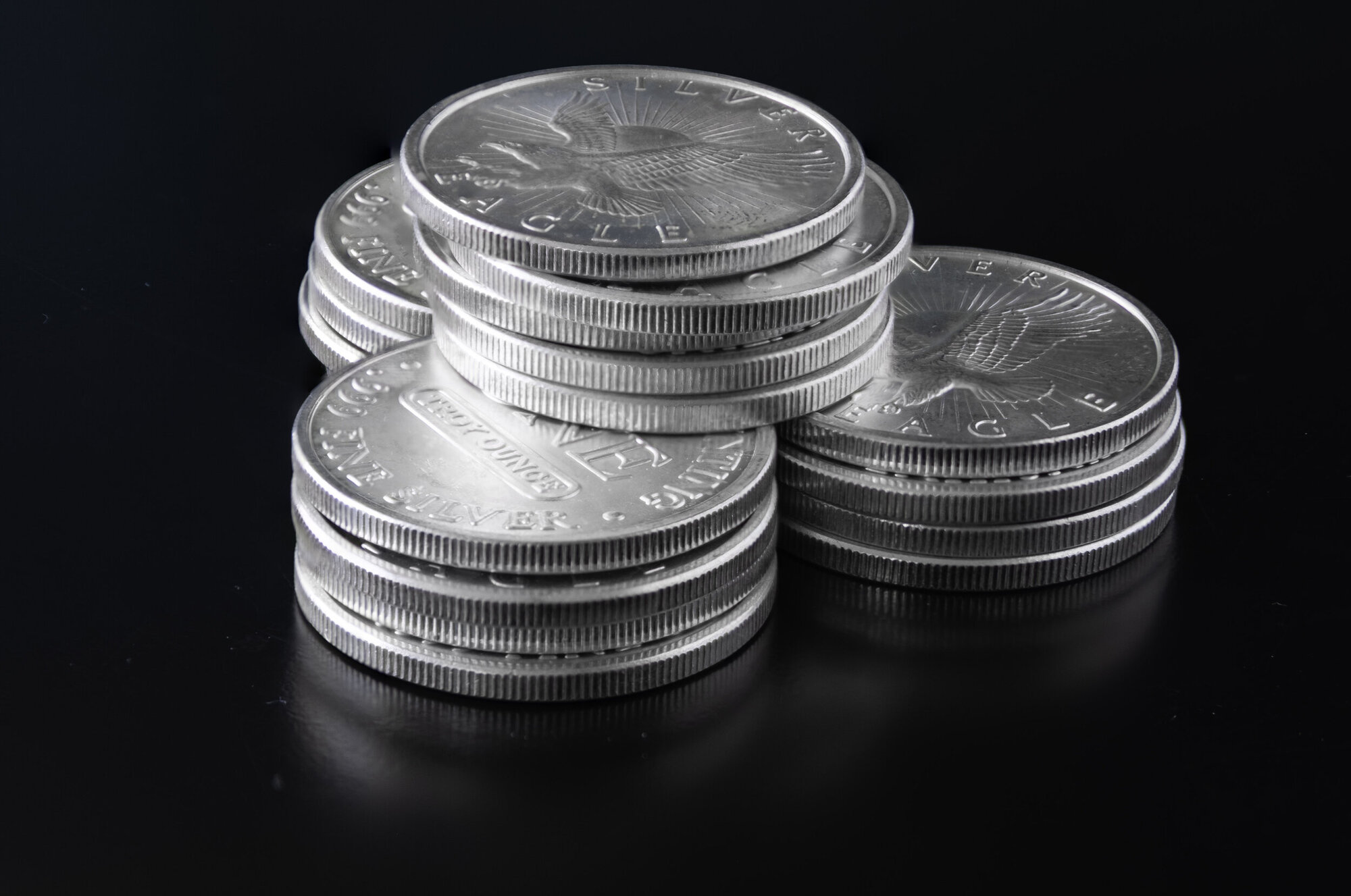
    Focus-stacked coins  Camera: Fujifilm X-T1 Composited in Adobe Photoshop Photo: Jeff Carlson
    Focus-stacked coins Camera: Fujifilm X-T1 Composited in Adobe Photoshop Photo: Jeff Carlson
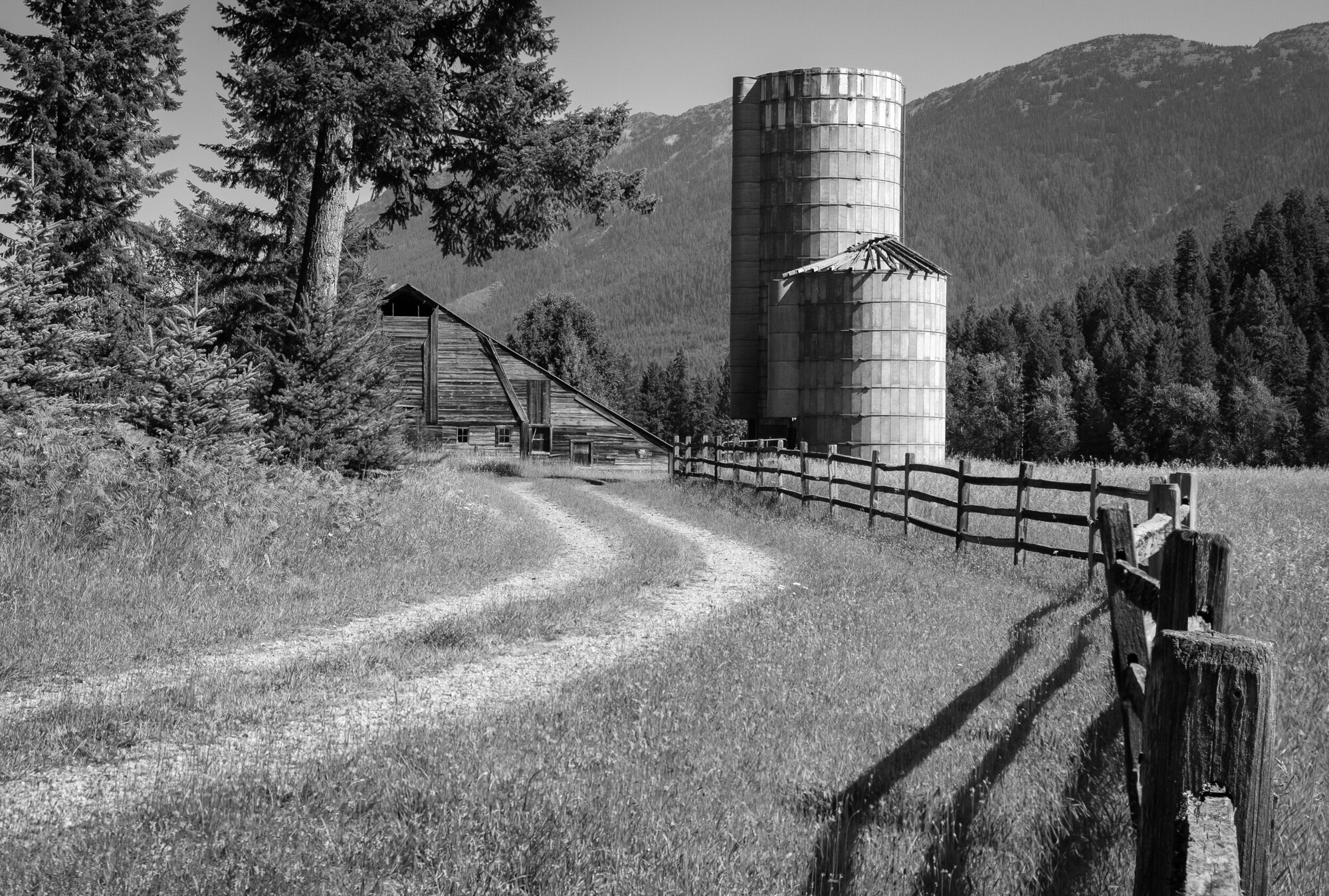
    Barn and Fence Focus-stacked from the next two images.  Camera: Fujifilm X-T3 Shutter speed: 1/250 sec Aperture: f/8 ISO: 160 Photo: Jeff Carlson
    Barn and Fence Focus-stacked from the next two images. Camera: Fujifilm X-T3 Shutter speed: 1/250 sec Aperture: f/8 ISO: 160 Photo: Jeff Carlson
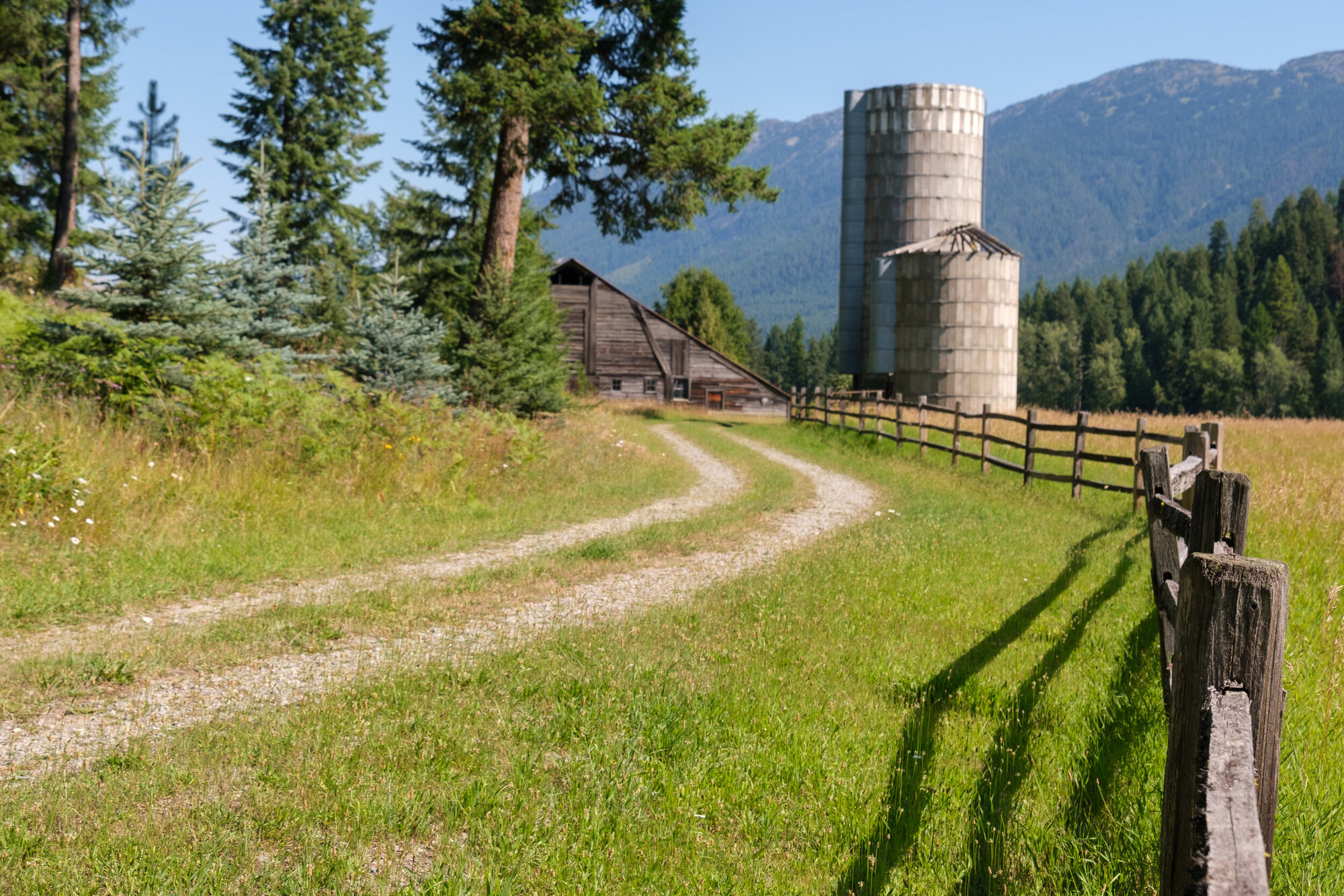
    Barn and Fence Image #1 with the foreground fence in focus and the barn out of focus  Camera: Fujifilm X-T3 Shutter speed: 1/250 sec Aperture: f/8 ISO: 160 Photo: Jeff Carlson
    Barn and Fence Image #1 with the foreground fence in focus and the barn out of focus Camera: Fujifilm X-T3 Shutter speed: 1/250 sec Aperture: f/8 ISO: 160 Photo: Jeff Carlson
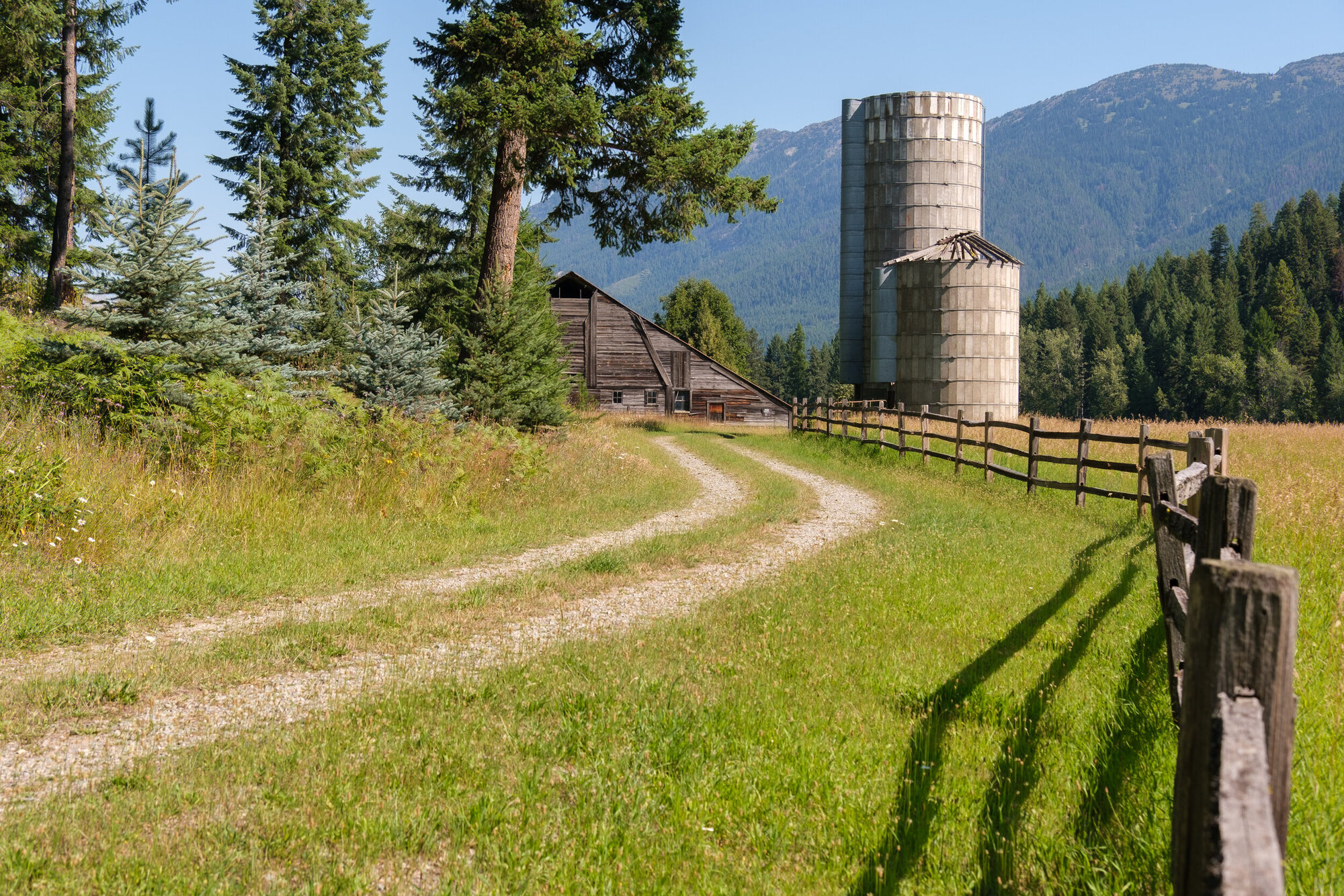
    Barn and Fence Image #2 with the barn in the background in focus, but the fence in the foreground blurry.  Camera: Fujifilm X-T3 Shutter speed: 1/250 sec Aperture: f/8 ISO: 160 Photo: Jeff Carlson
    Barn and Fence Image #2 with the barn in the background in focus, but the fence in the foreground blurry. Camera: Fujifilm X-T3 Shutter speed: 1/250 sec Aperture: f/8 ISO: 160 Photo: Jeff Carlson

    Episode 52: iPhones 11 and Semantic Rendering Sep 27, 2019
    Show notes

    Kirk and Jeff both bought the latest models of Apple’s digital camera - sorry, we mean the iPhone 11 and iPhone 11 Pro. Does adding a third camera make a difference? Is the ultra-wide camera just a gimmick? And what is “semantic rendering” anyway? We explain why nothing is really real, and yet these might be the best-looking photos people create.

    Hosts:

    • Jeff's website, Jeff's photos, Jeff on Instagram
    • Kirk's website, Kirk's photos, Kirk on Instagram

    Show Notes:

    (View show notes with images at PhotoActive.co)

    • Rate and Review the PhotoActive Podcast!

    • Nilay Patel’s iPhone 11 review in The Verge

    • iPhone 11 Pro Preview: The Camera Hardware Changes, Halide

    • Episode #21 - HDR (High Dynamic Range) Photography

    • Episode #28 - Low-Light Photography

    • The ultra-wide camera in the iPhone 11 models is fixed-focus, doesn't support Raw capture, DPReview

    • Todd Hido: Homes at Night

    • Todd Hido: House Hunting, Nazraeli site

    Our Snapshots:

    • Jeff: Anker Wireless Charger, PowerPort Wireless 5 Stand
    • Kirk: Todd Hido: House Hunting

    Subscribe to the PhotoActive podcast newsletter at the bottom of any page at the PhotoActive web site to be notified of new episodes and be eligible for occasional giveaways. If you’ve already subscribed, you’re automatically entered.

    If you like the show, please subscribe in iTunes or your favorite podcast app, and please rate the podcast. And don't forget to join the PhotoActive Facebook group to discuss the podcast, share your photos, and more.

    Rosalyn  Camera: iPhone 11 Shutter speed: 1/60 sec Aperture: f/1.8 ISO: 400 Photo: Kirk McElhearn
    Rosalyn Camera: iPhone 11 Shutter speed: 1/60 sec Aperture: f/1.8 ISO: 400 Photo: Kirk McElhearn
    iPhone 11 Wide camera  Camera: iPhone 11 Shutter speed: 1/2695 sec Aperture: f/1.8 ISO: 32 Photo: Kirk McElhearn
    iPhone 11 Wide camera Camera: iPhone 11 Shutter speed: 1/2695 sec Aperture: f/1.8 ISO: 32 Photo: Kirk McElhearn
    iPhone 11 Ultra-Wide camera  Camera: iPhone 11 Shutter speed: 1/2695 sec Aperture: f/1.8 ISO: 32 Photo: Kirk McElhearn
    iPhone 11 Ultra-Wide camera Camera: iPhone 11 Shutter speed: 1/2695 sec Aperture: f/1.8 ISO: 32 Photo: Kirk McElhearn
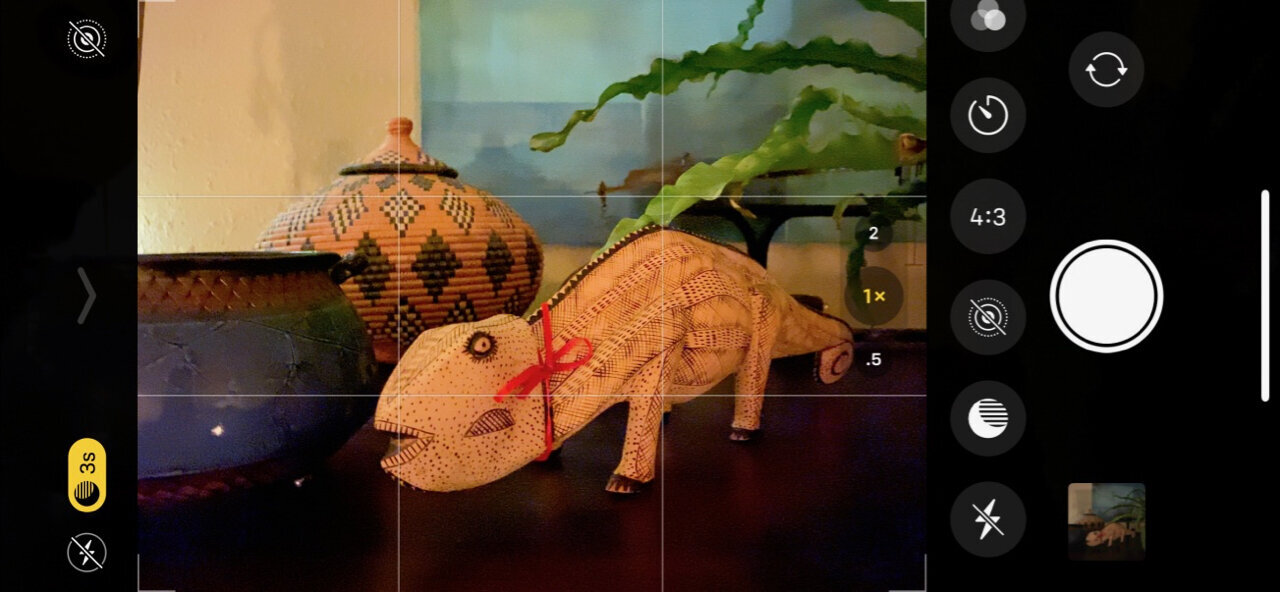
    Night mode. The yellow badge at left indicates that Night mode is active and it will take a 3-second exposure. Note that the following photos were shot handheld.
    Night mode. The yellow badge at left indicates that Night mode is active and it will take a 3-second exposure. Note that the following photos were shot handheld.
    Night mode turned off  Camera: iPhone 11 Pro Shutter speed: 1/4 sec Aperture: f/1.8 ISO: 800 Photo: Jeff Carlson
    Night mode turned off Camera: iPhone 11 Pro Shutter speed: 1/4 sec Aperture: f/1.8 ISO: 800 Photo: Jeff Carlson
    Night mode turned off, flash turned on.  Camera: iPhone 11 Pro Shutter speed: 1/32 sec Aperture: f/1.8 ISO: 40 Photo: Jeff Carlson
    Night mode turned off, flash turned on. Camera: iPhone 11 Pro Shutter speed: 1/32 sec Aperture: f/1.8 ISO: 40 Photo: Jeff Carlson
    Night mode on.  (Notice that the shutter speed is recorded as 1/4, the same as the shot with Night mode off.)  Camera: iPhone 11 Pro Shutter speed: 1/4 sec Aperture: f/1.8 ISO: 640 Photo: Jeff Carlson
    Night mode on. (Notice that the shutter speed is recorded as 1/4, the same as the shot with Night mode off.) Camera: iPhone 11 Pro Shutter speed: 1/4 sec Aperture: f/1.8 ISO: 640 Photo: Jeff Carlson
    Detail of the Night mode photo above
    Detail of the Night mode photo above

    Episode 51: Questions, Answers, and Geotagged Flowers Sep 13, 2019
    Show notes

    We solicited photography questions from the great folks in the PhotoActive Facebook group, and now we have answers! All the answers. Or maybe just the most interesting ones. But definitely some answers. Panoramas, shooting photos in public places, revealing edits, and more.

    Hosts:

    • Jeff's website, Jeff's photos, Jeff on Instagram
    • Kirk's website, Kirk's photos, Kirk on Instagram

    Show Notes:

    (View show notes with images at PhotoActive.co)

    • Rate and Review the PhotoActive Podcast!

    • Episode 23: Printing Photos with Rick LePage

    • Hudson Henry Photography

    • Panoramas Made Simple, by Hudson Henry (PDF). Exclusive free offer to listeners of the PhotoActive podcast, courtesy of Complete Digital Photography Press.

    • Peter Lik Called Out by Photographers Over ‘Faked’ Moon Photo, PetaPixel

    • Instacrammed: the big fib at the heart of New Zealand picture-perfect peaks

    • Episode 40: Location Exploration with HoudahGeo

    • Street Photography - Know Your Rights, Expert Photography

    • Photography and the Law, Wikipedia

    • Droit à l’image (en français)

    • Episode 9: Instagram for Photographers

    Our Snapshots:

    • Jeff: Gemini Photos
    • Kirk: Flower frog

    Subscribe to the PhotoActive podcast newsletter at the bottom of any page at the PhotoActive web site to be notified of new episodes and be eligible for occasional giveaways. If you’ve already subscribed, you’re automatically entered.

    If you like the show, please subscribe in iTunes or your favorite podcast app, and please rate the podcast. And don't forget to join the PhotoActive Facebook group to discuss the podcast, share your photos, and more.


    Episode 50: Creative Black and White Photography with Harold Davis Aug 30, 2019
    Show notes

    Artist, photographer, and writer Harold Davis joins us to discuss his new book Creative Black & White, 2nd Edition, and we talk about the photographer as artist, and how to see the world in monochrome.

    Guest:

    • Harold Davis: Instagram, website
    • Creative Black & White - save 40% with the code HDAVIS40.

    Giveaway:

    We’re giving away a copy of Harold’s book, Creative Black & White, to two PhotoActive listeners! To be eligible, simply subscribe to our newsletter that we use to announce new episodes: the form is at the bottom of every PhotoActive page. If you’ve already subscribed, you’re automatically entered.

    Hosts:

    • Jeff's website, Jeff's photos, Jeff on Instagram
    • Kirk's website, Kirk's photos, Kirk on Instagram

    Show Notes:

    (View show notes with images at PhotoActive.co)

    • Episode 44: Minimalist Photographer Michael Kenna
    • Moonrise, Hernandez, New Mexico by Ansel Adams (Wikipedia)
    • Ansel Adams on capturing Moonrise over Hernandez, interview that includes the original image.
    • Silver Efex Pro
    • Skylum Tonality filters for Luminar
    • Episode 42: Memory Cards (Kirk's snapshot pick, the Tonality filters)

    Our Snapshots:

    • Jeff: Zeiss 200 Lens Wipes
    • Kirk: A piece of black cloth

    Subscribe to the PhotoActive podcast newsletter at the bottom of any page at the PhotoActive web site to be notified of new episodes and be eligible for occasional giveaways. If you’ve already subscribed, you’re automatically entered.

    If you like the show, please subscribe in iTunes or your favorite podcast app, and please rate the podcast. And don't forget to join the PhotoActive Facebook group to discuss the podcast, share your photos, and more.

    Ikebana  Camera: Fujifilm X-T3 Shutter speed: 1/3 sec Aperture: f/8 ISO: 160 Photo: Kirk McElhearn
    Ikebana Camera: Fujifilm X-T3 Shutter speed: 1/3 sec Aperture: f/8 ISO: 160 Photo: Kirk McElhearn
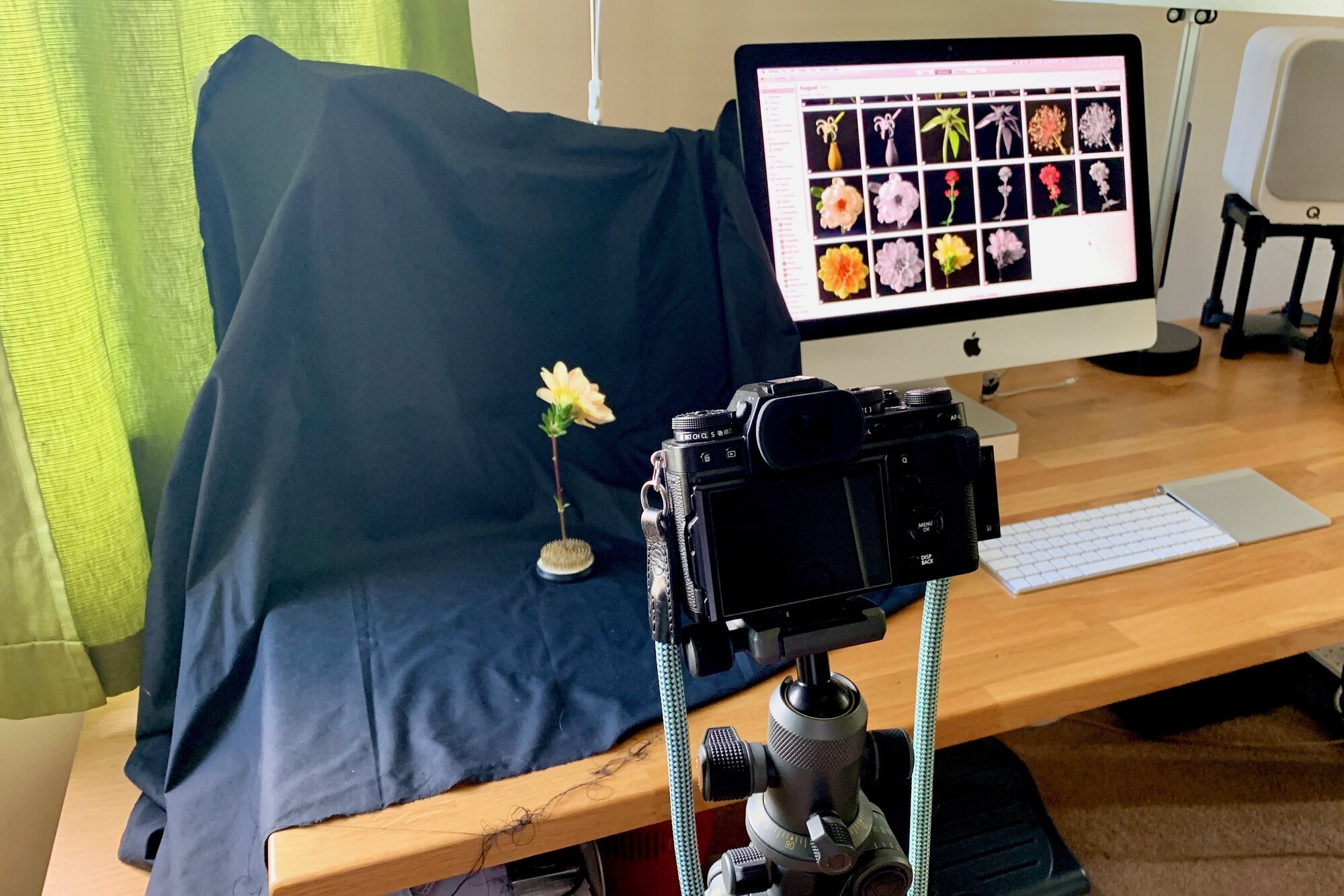
    Kirk’s fancy photo studio  Camera: iPhone XS Max Shutter speed: 1/60 sec Aperture: f/1.8 ISO: 320 Photo: Kirk McElhearn
    Kirk’s fancy photo studio Camera: iPhone XS Max Shutter speed: 1/60 sec Aperture: f/1.8 ISO: 320 Photo: Kirk McElhearn

    Episode 49: Creating Panoramas Aug 16, 2019
    Show notes

    You want to capture a wide-angle shot, but what if your widest lens isn’t wide enough? In this episode, Jeff and Kirk talk about creating panoramas, from the ingenious Pano mode in the iPhone’s Camera app to stitching many images from traditional cameras or drones.

    Hosts:

    • Jeff's website, Jeff's photos, Jeff on Instagram
    • Kirk's website, Kirk's photos, Kirk on Instagram

    Show Notes:

    (View show notes with images at PhotoActive.co)

    • Rate and Review the PhotoActive Podcast!

    • Google Street View view of the inside of the Royal Shakespeare Theater

    • Navigable panorama in Facebook

    • Gigapixel panorama example by Will Pearson

    Our Snapshots:

    • Jeff: Understanding Photography, by Sean T. McHugh
    • Kirk: Pixelmator Pro

    Subscribe to the PhotoActive podcast newsletter at the bottom of any page at the PhotoActive web site to be notified of new episodes and be eligible for occasional giveaways. If you’ve already subscribed, you’re automatically entered.

    If you like the show, please subscribe in iTunes or your favorite podcast app, and please rate the podcast. And don't forget to join the PhotoActive Facebook group to discuss the podcast, share your photos, and more.

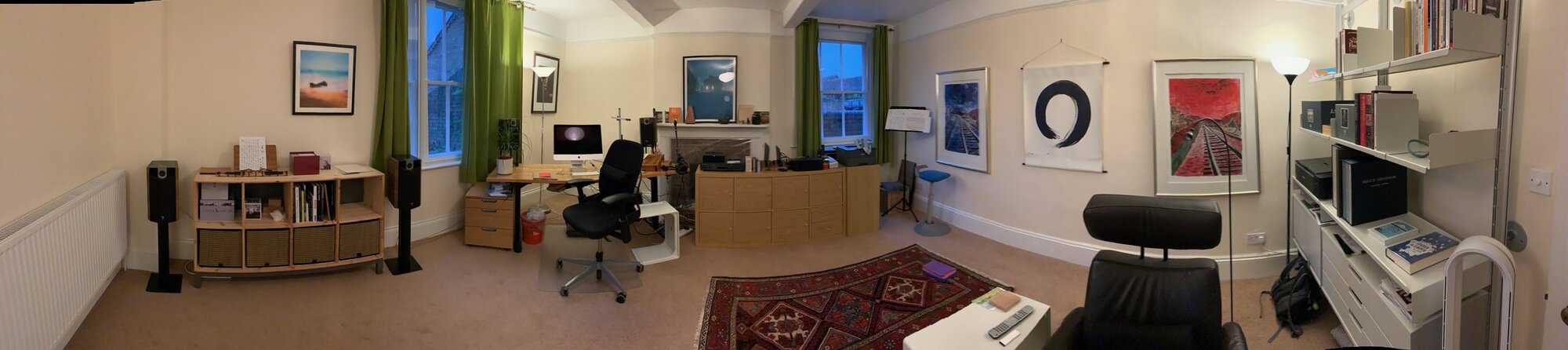
    Kirk’s office panorama  Camera: iPhone XS Max Shutter speed: 1/100 sec Aperture: f/1.8 ISO: 1250 Photo: Kirk McElhearn
    Kirk’s office panorama Camera: iPhone XS Max Shutter speed: 1/100 sec Aperture: f/1.8 ISO: 1250 Photo: Kirk McElhearn
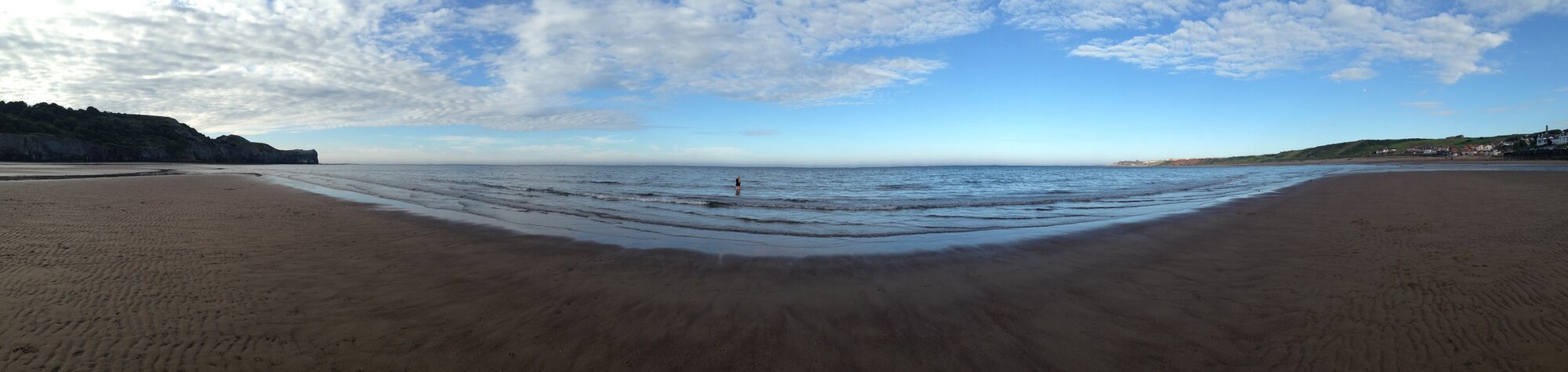
    Kirk’s first panorama  Camera: iPhone XS Max Shutter speed: 1/100 sec Aperture: f/1.8 ISO: 1250 Photo: Kirk McElhearn
    Kirk’s first panorama Camera: iPhone XS Max Shutter speed: 1/100 sec Aperture: f/1.8 ISO: 1250 Photo: Kirk McElhearn
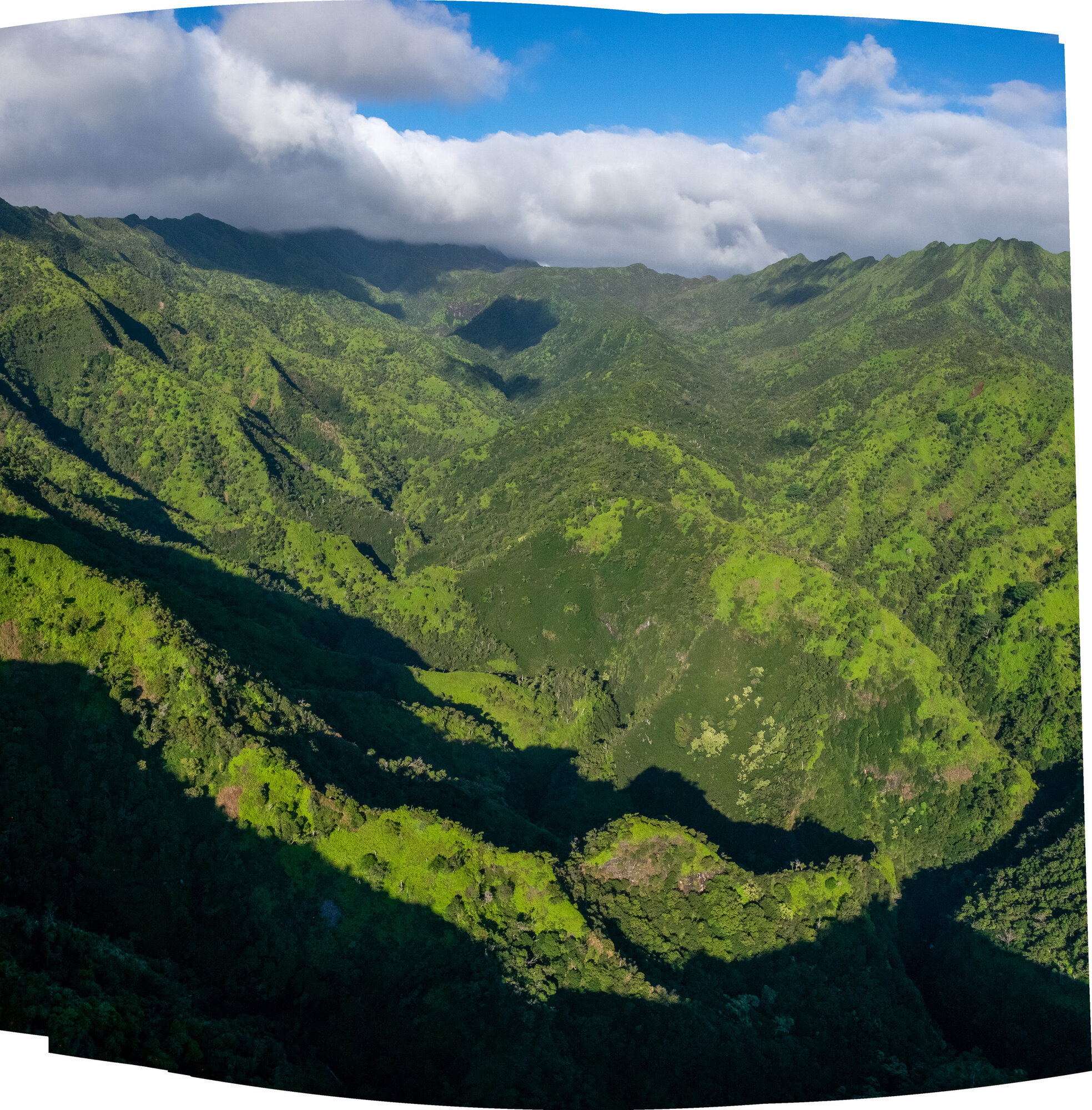
    Jeff’s panorama attempt in a moving helicopter above Kauai. Lightroom did a pretty good job stitching 14 burst images, but the scope of the panorama ended up being limited.  Camera: Fujifilm X-T1 Shutter speed: 1/1000 sec Aperture: f/13 ISO: 800 Photo: Jeff Carlson
    Jeff’s panorama attempt in a moving helicopter above Kauai. Lightroom did a pretty good job stitching 14 burst images, but the scope of the panorama ended up being limited. Camera: Fujifilm X-T1 Shutter speed: 1/1000 sec Aperture: f/13 ISO: 800 Photo: Jeff Carlson
    Here’s an example of an extremely wide panorama. It was assembled from 24 portrait-oriented images, and measures 31282 x 4073 pixels. This copy is saved at 50% size to fit within Squarespace’s file upload limits. See below for a detail.  Camera: Fujifilm X-T1 Shutter speed: 1/640 sec Aperture: f/8 ISO: 200 Photo: Jeff Carlson
    Here’s an example of an extremely wide panorama. It was assembled from 24 portrait-oriented images, and measures 31282 x 4073 pixels. This copy is saved at 50% size to fit within Squarespace’s file upload limits. See below for a detail. Camera: Fujifilm X-T1 Shutter speed: 1/640 sec Aperture: f/8 ISO: 200 Photo: Jeff Carlson
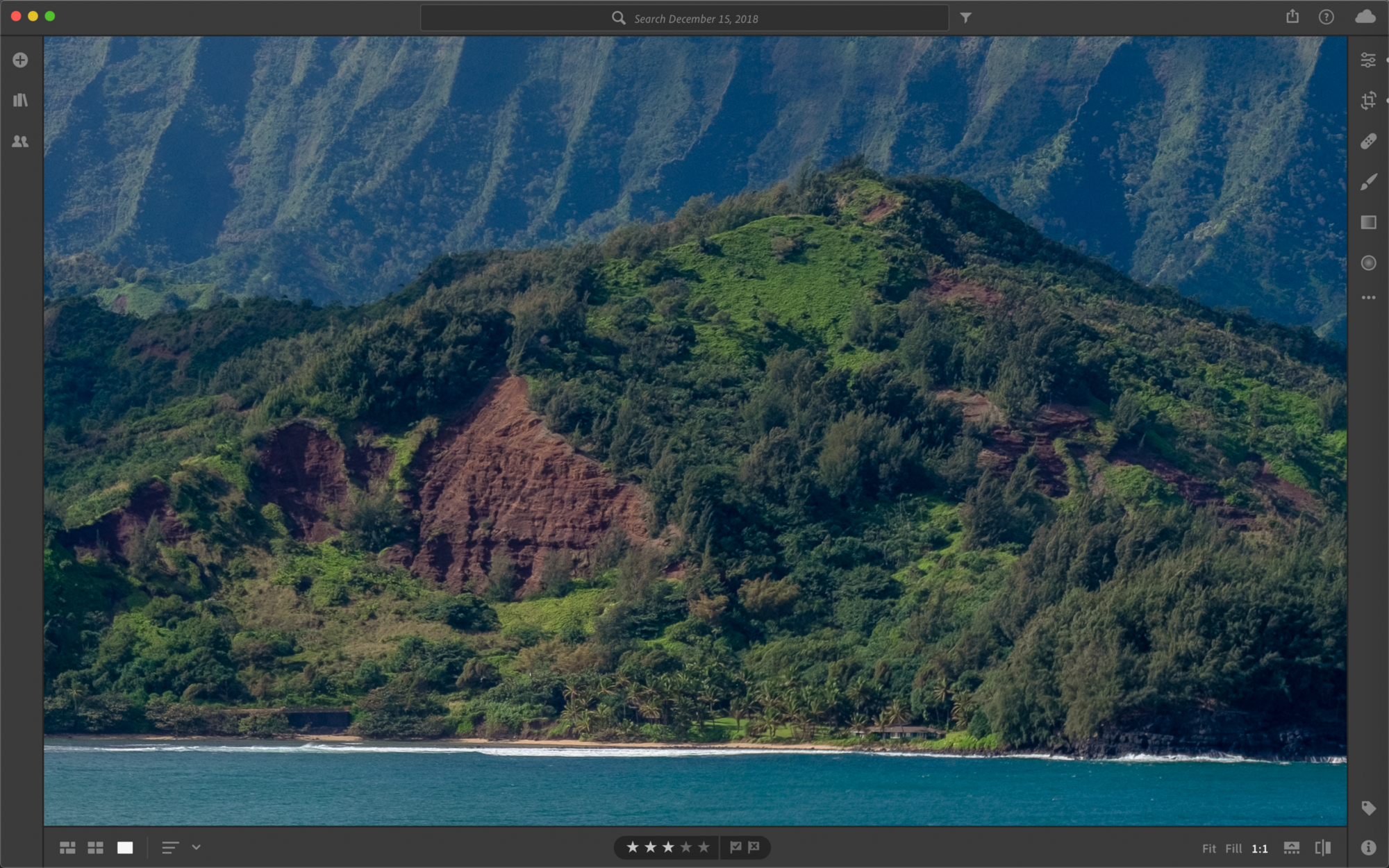
    Detail from the extreme panorama above, viewed at 100% in Lightroom.  Camera: Fujifilm X-T1 Shutter speed: 1/640 sec Aperture: f/8 ISO: 200 Photo: Jeff Carlson
    Detail from the extreme panorama above, viewed at 100% in Lightroom. Camera: Fujifilm X-T1 Shutter speed: 1/640 sec Aperture: f/8 ISO: 200 Photo: Jeff Carlson

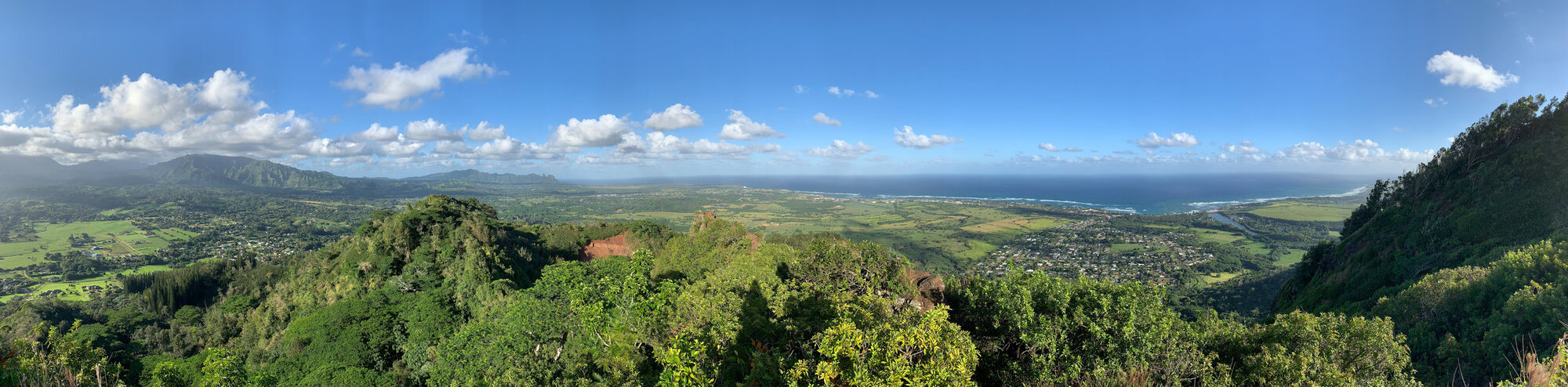
    Here are two examples of panoramas shot at the same location using different cameras: a mirrorless Fujifilm X-T1 and an iPhone XS. The first one looks better to my eye, but also required that I haul my camera, lens, and a portable tripod on the hike. -Jeff

    On Top of Sleeping Giant, Kauai  Camera: Fujifilm X-T1 Shutter speed: 1/80 sec Aperture: f/8 ISO: 200 Photo: Jeff Carlson
    On Top of Sleeping Giant, Kauai Camera: Fujifilm X-T1 Shutter speed: 1/80 sec Aperture: f/8 ISO: 200 Photo: Jeff Carlson
    iPhone XS Panorama from the top of Sleeping Giant, Kauai  Camera: iPhone XS Shutter speed: 1/1800 sec Aperture: f/1.8 ISO: 25 Photo: Jeff Carlson
    iPhone XS Panorama from the top of Sleeping Giant, Kauai Camera: iPhone XS Shutter speed: 1/1800 sec Aperture: f/1.8 ISO: 25 Photo: Jeff Carlson

    Previous 1 15 16 17 18 19 22 Next

    Related Podcasts

    Fresh Air

    1

    Fresh Air Arts
    Twenty Thousand Hertz

    2

    Twenty Thousand Hertz Arts
    The Black Tapes

    3

    The Black Tapes Arts
    Snap Judgment

    4

    Snap Judgment Arts
    Here’s The Thing with Alec Baldwin

    5

    Here’s The Thing with Alec Baldwin Arts
    The NoSleep Podcast – Creative Reason Media Inc.

    6

    The NoSleep Podcast – Creative Reason Media Inc. Arts
    footer-logo

    Contact Us
    Toll Free: 844-670-7747

    Links

    • Home
    • Top Charts
    • Networks
    • Apps
    • Independents Podcasts
    • Podcast Advertising
    • Podcast News
    • Contact Us
    • About Us
    • Analytics & Insights

    Stay Connected

      Privacy, Terms of Use & Our Code of Ethics Protecting Content Creators Copyrights