This podcast is sponsored by Sprout Studio, the first all-in-one business software made by photographers for photographers. Sprout Studio combines studio management software with online galleries, wall portrait sales tools, design proofing, bookkeeping and more!
Join the Business of Photography community on Facebook to continue the discussions between episodes. Also, be sure to join Seeds to Success, our free weekly email where you’ll discover one thing (a tip, an idea or a resource) to focus on for the week to move your business in the right direction.
This podcast is sponsored by Sprout Studio, the first all-in-one business software made by photographers for photographers. Sprout Studio combines studio management software with online galleries, wall portrait sales tools, design proofing, bookkeeping and more!
Join the Business of Photography community on Facebook to continue the discussions between episodes. Also, be sure to join Seeds to Success, our free weekly email where you’ll discover one thing (a tip, an idea or a resource) to focus on for the week to move your business in the right direction.
This podcast is sponsored by Sprout Studio, the first all-in-one business software made by photographers for photographers. Sprout Studio combines studio management software with online galleries, wall portrait sales tools, design proofing, bookkeeping and more!
Join the Business of Photography community on Facebook to continue the discussions between episodes. Also, be sure to join Seeds to Success, our free weekly email where you’ll discover one thing (a tip, an idea or a resource) to focus on for the week to move your business in the right direction.
This podcast is sponsored by Sprout Studio, the first all-in-one business software made by photographers for photographers. Sprout Studio combines studio management software with online galleries, wall portrait sales tools, design proofing, bookkeeping and more!
Join the Business of Photography community on Facebook to continue the discussions between episodes. Also, be sure to join Seeds to Success, our free weekly email where you’ll discover one thing (a tip, an idea or a resource) to focus on for the week to move your business in the right direction.
A photographer’s guide to Clubhouse – the audio-only social media app
Jan 09, 2021
Show notes
Clubhouse = a buzzword that’s likely caught your attention this week.
So, what exactly is Clubhouse?
You might be asking: Why should I join? What is the etiquette? How can my photography business benefit?How do I get invited?
Clubhouse – the audio social-media platform; an intro for professional photographers.
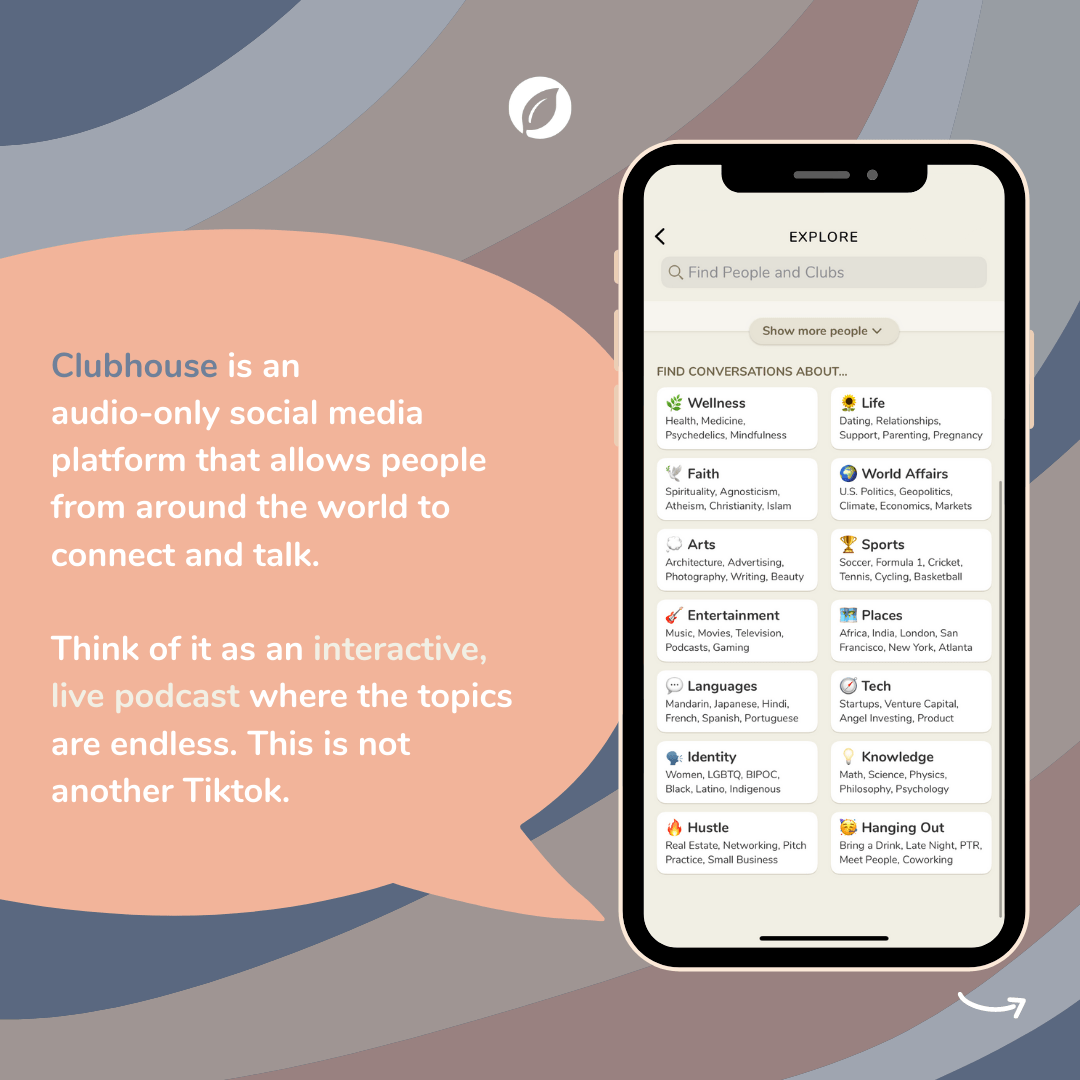
Clubhouse is an audio-only social media platform that allows people from around the world to connect and talk. And before you say, “ugh not another social media app”, we promise you – this is not TikTok.
Think of it as an interactive, live podcast where the topics are endless.
Seriously! Topics or interests range from photography, business, advertising – all the way to – dating, crypto, AI, and even Burning Man.
We wouldn’t typically hop on a digital space like this so eagerly, but the value is so inherently obvious – we are certain, Clubhouse will be a gamechanger.
Clubhouse is an audio-only social media platform that allows people from around the world to connect and talk.
(Thanks to Ellie McKinney for showing us the hype behind the app; it is real!)
The one thing that makes Clubhouse different
Simple – it’s all about the audio!
There’s no need for a lot of equipment (or advanced equipment),
It removes the pressure of video (allowing “speakers” and “listeners” to be flexible in location, appearance, etc.) and,
Allows users the choice to consume passively or actively.
Think of it as listening to your favorite podcast or watching a TedTalk with a highly reputable speaker. Now imagine being able to interact with these speakers – to ask questions, share your expertise, and of course, network – all from the convenience of your own home…
These are just some of the elements of what makes Clubhouse so compelling.
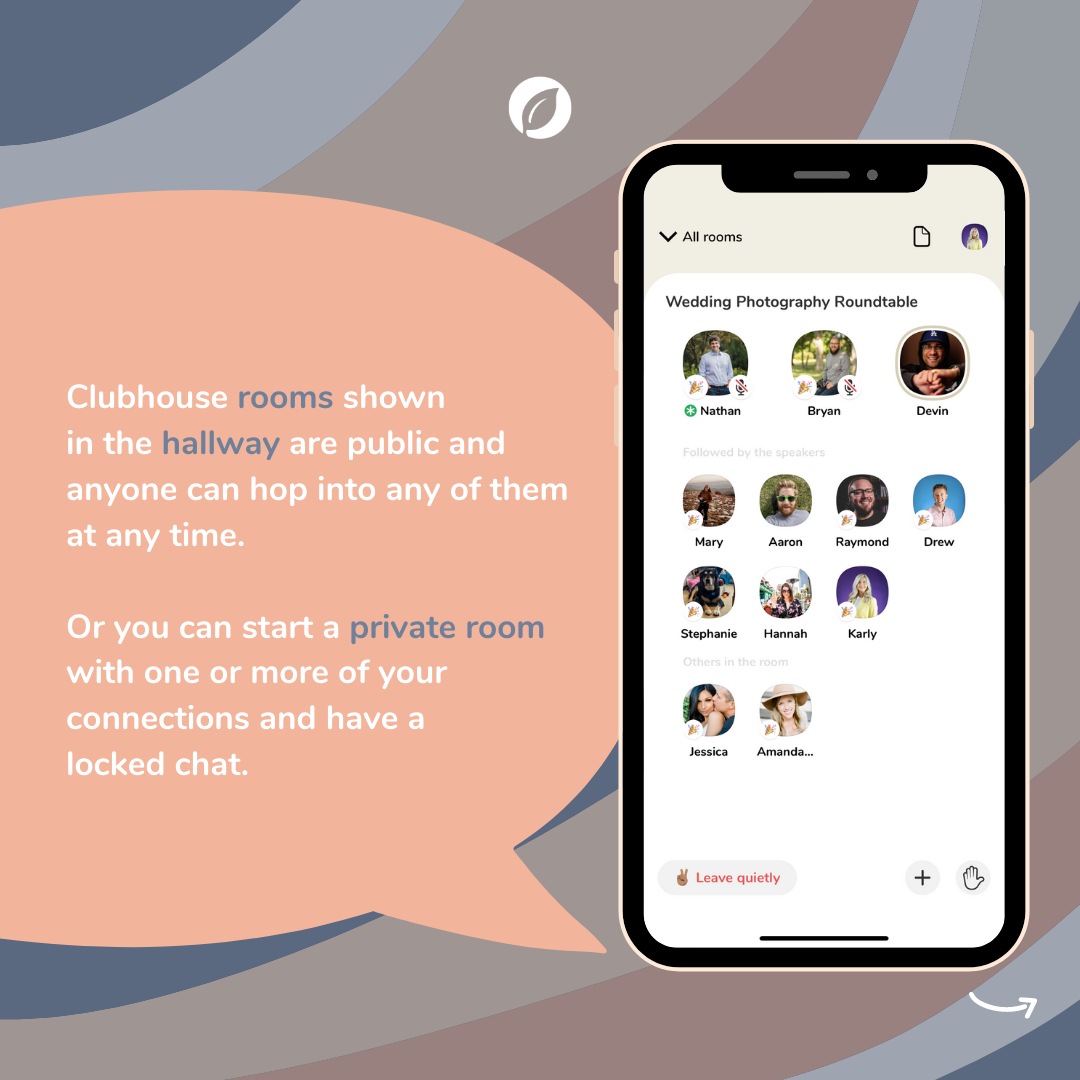
It can range from an entire panel of educators, creators, celebrities in a “public room” bouncing off ideas, sharing their stories, exchanging experiences – to – individuals, teams, collaborators meeting in a “private room” for 1-on-1 ‘s, workshops, and coaching.
This is Clubhouse. High-value conversations, in real-time.
Clubhouse FAQ for Photographers
Why should you join Clubhouse?
As a business owner, entrepreneur, and creator – there is simply no second-guessing, you need to be here.
A foundational principle that Sprout Studio has always emphasized in all of its educational resources is building relationships. This is by far the most important aspect of your photography business (or any business for that matter). Real growth is found when you nurture connections with clients, colleagues, industry leaders, and even yourself. This is the essence of Clubhouse.
How do you get invited?
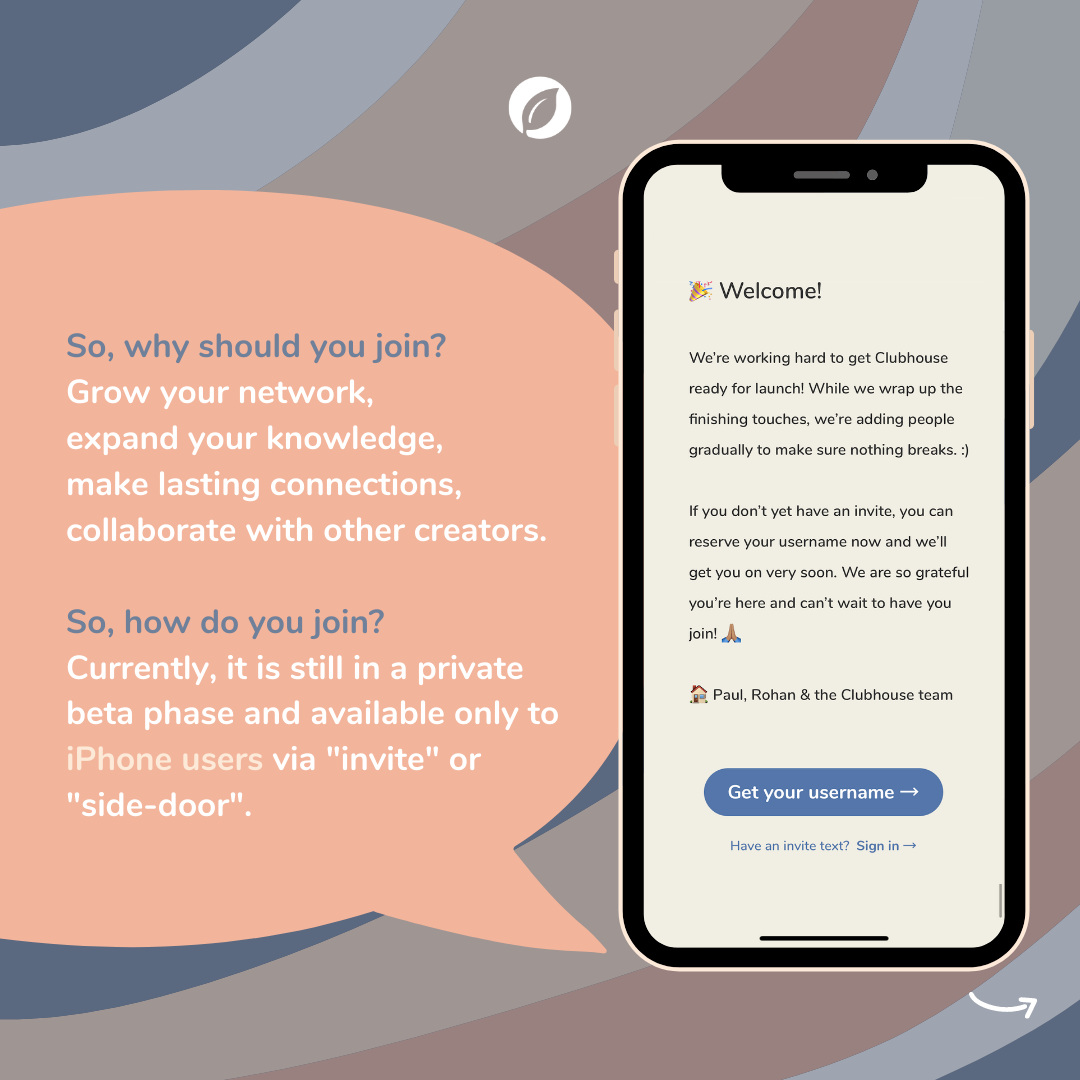
Firstly, it’s only available as an app for iPhone users.
Secondly, you can only join via an “invite“. Once you receive an invite, you get to give one invite to whomever you chose – thus continuing the cycle.
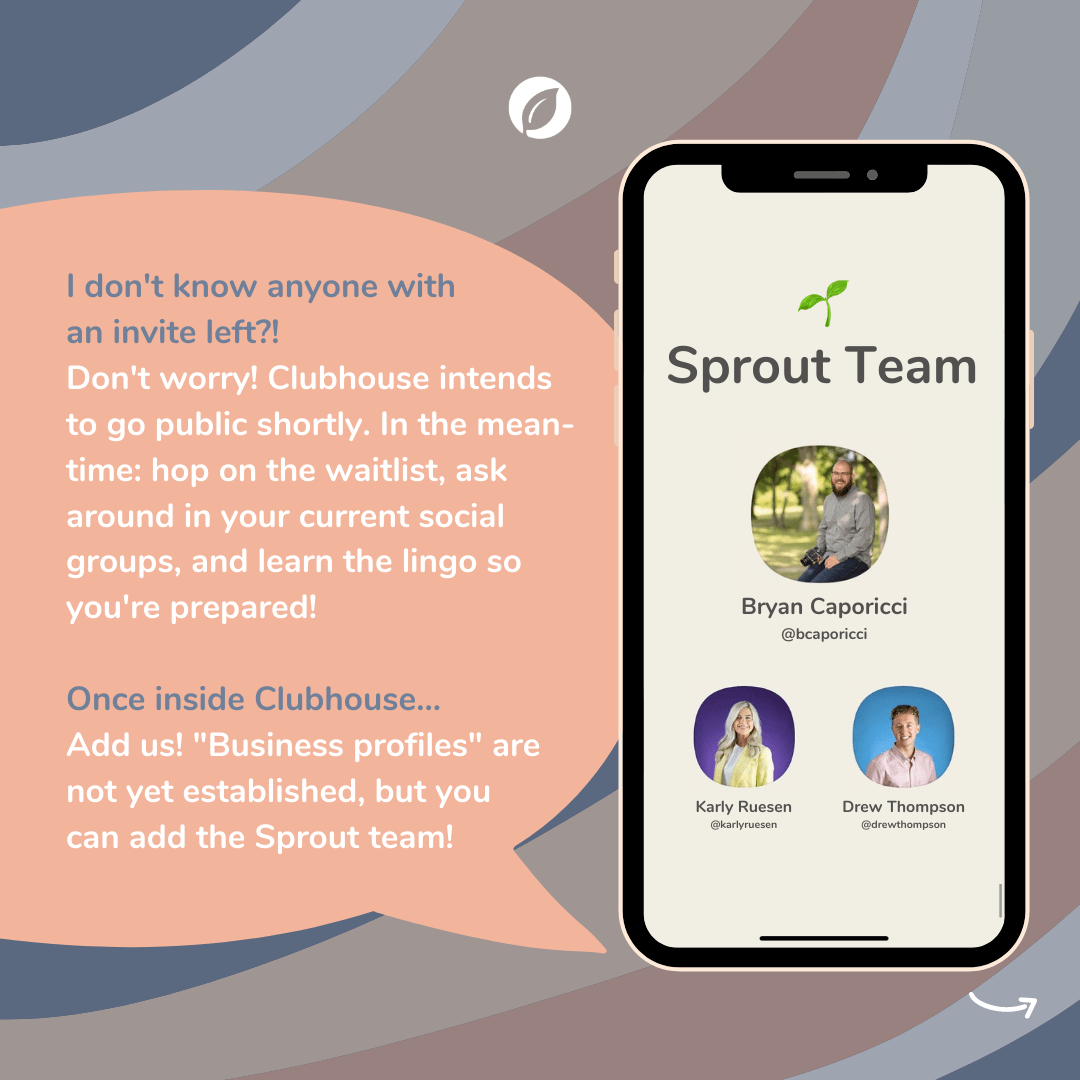
But, what if you don’t know anyone with an invite or invite left to share!?
Don’t worry!
There are a few ways we recommend going about this:
Hop on their waitlist when you download their app and reserve your username.
By reserving your spot, you might be able to sneak through the “side-door“… Depending on how many of your friends are already using Clubhouse, they may receive a notification letting them know that you’re waiting for access. When this happens, they get the option to wave you through even if they don’t have an official invitation to send (and it doesn’t use one of their invitations if they haven’t already used it yet)!!
If you’ve been asked by a colleague/collaborator to guest host a room (as a “speaker“) but don’t have access to the app yet – that colleague/collaborator can submit a request application for a time-sensitive invite.
More invites can be given out to members who contribute to the Clubhouse community—so just keep checking in with your current networks (such as asking in Facebook groups or reaching out to well-known educators like @bcapphoto who we know will be creating educational rooms on-the-regular). Contributions can include: hosting great conversations, joining the discussion, and inviting other great contributors to the “stage“.
Clubhouse intends to go public soon. The app is not meant to be exclusive and soon enough, you’ll be in! They’ve done this because they’re technically still in beta – they want to grow the audience slowly, ensuring nothing breaks, while building the features that will be able to handle the masses (plus, they’re only a small company of two fulltime employees)! Thus, if you gotta wait it out – we suggest learning the etiquette in the meantime… (below ).
Be in-the-know
Learn the Clubhouse “lingo” and “etiquette”
Clubhouse is simple and easy to understand. You’ll be acquainted in no time!
Even “etiquette” seems too formal for the causal nature of Clubhouse – let’s go with good manners!
Get familiar with the app’s lingo and good-manners:
Hallway: is what a user will see when they first log in. It displays all the rooms (curated based on your interest and connections), as well as a top menu bar, upcoming scheduled events, and the button to start a room of your own.
Explore: the page where you can discover more public rooms outside your interests and current connections (you can also search for users here).
Room: is where the magic happens – the ✨high-value conversations✨. Topics are set by the room “Moderator”. Rooms can be scheduled, reoccurring, or completely serendipitous with no topic set at all!
Room Options: “Leave” this will take you out of the room. “+ – ” this allows you to ‘ping’ or invite someone who follows you into the room. “Hand Raise” this allows you to let the moderators know you would like to come up to speak.
Room Privacy: allows you to set the level – “Open” where anyone can join; “Social” only visible to the people you follow; and “Closed” – only visible to people you select, otherwise known as “Private”.
Moderator (Mods): is the user who starts a room in Clubhouse. This means you are a “Speaker” with the special power to add, mute, and remove other speakers. You can access these tools by tapping on the photo of any user in the room. “Mods” guide the conversation and have a strong influence on the content and style of conversation.
Speaker: are the people in a room who have the ability to talk. By default, the person who starts the room (“Mod”) is a speaker and so is the first person to join them on “Stage”. Everyone else joins in the audience as a “Listener”.
Listeners: This is also known as the “Audience”. When you join a room, by default, you’re in the audience. You are automatically muted the entire time unless brought to the stage by a “Speaker” or “Mod”. You can also raise your hand ✋ to notify the moderator that you want to speak. (Pro tip: If you hold down the ✋ , you can customize to your skin tone).
Stage: This is the top half of a “Room” – separated by a line to distinguish the “Speaker(s)” or “Mod” from the “Audience”.
Other neat terms to know…
PTR: stands for “pull to refresh (hold down on the screen, drag your finger down, then let go). When in a room, this will refresh the screen so that you’ll see profile pictures that have changed, whether speakers have rearranged on stage, etc.
Leave quietly✌ button: closes the room and it doesn’t notify the speakers that you left!
Irish goodbye: happens in a bigger room, which is basically just leaving.
Re-Rooming: when a room becomes too big/chaotic – you might want to continue the previous discussion… Thus, either tap on someone’s profile picture and click on “Start a new room together” or just start a new room and pinging people to join you with the “+” button.
Tucking someone in: when “Mods” tap on “Speakers” profile photos and move them down to the audience or out of the room – typically this happens because people stay awake so late on Clubhouse, that they fall asleep in a room…
Hedge Against Snoozing: making someone else a “Mod” so they can move you to an audience if you fall asleep (we guess late-night conversations are fun)!
Theemoji: next to your profile picture means you are a newbie! For the next week or so, you will have this symbol which means people will be extra nice and welcoming to you. Take advantage of that and use your first days to explore as many rooms and meet as many people as possible. (Psst – The founders do their onboarding on Wednesdays each week so expect to be invited and welcomed by them).
“Member of” badges: can be found on some Clubhouse users’ profiles. They’ve created a Club around common interests, a shared identity, or anything their members want to gather around. While membership in a Club is determined by its admins (aka the users who created the Club), anyone can follow a Club to be notified of its gatherings.
Getting started
The 1-2-3 of getting started on Clubhouse as a photographer
Set a profile picture – one that will pop! The UX/UI design of Clubhouse has pretty muted tones, we suggest using a colorful photo to help you stand out against the crowd! Remember, this should be a high-quality headshot – but you’re a photographer, you already knew that!
Write a compelling bio – the first 3 lines, roughly 125 characters, is essential – this shows as a preview to others when in a room. Keep in mind, your bio is in only plaintext – there are no clickable links except for your “connected accounts”. Lastly, your bio is also his is searchable!!! Use keywords!! ie. Ontario Wedding Photographer – you never know how many soon-to-be brides are on this app!
Connect your accounts – currently, Instagram and Twitter are only available at this time. There are no DMs in Clubhouse, thus, connecting these social is crucial for continuing the conversation!
The possibilities of Clubhouse seem limitless! Are you already thinking of the all opportunities you could have with future clients, collaborators, and experts?? We know we are! DM us on Instagram if you ever want to host a room with Sprout – we’d love to hang out!
You can find the Sprout Team on Clubhouse: Bryan Caporicci @bcaporicci Karly Ruesen @karlyruesen Drew Thompson @drewthompson Let’s connect!
This podcast is sponsored by Sprout Studio, the first all-in-one business software made by photographers for photographers. Sprout Studio combines studio management software with online galleries, wall portrait sales tools, design proofing, bookkeeping and more!
Join the Business of Photography community on Facebook to continue the discussions between episodes. Also, be sure to join Seeds to Success, our free weekly email where you’ll discover one thing (a tip, an idea or a resource) to focus on for the week to move your business in the right direction.
This podcast is sponsored by Sprout Studio, the first all-in-one business software made by photographers for photographers. Sprout Studio combines studio management software with online galleries, wall portrait sales tools, design proofing, bookkeeping and more!
Join the Business of Photography community on Facebook to continue the discussions between episodes. Also, be sure to join Seeds to Success, our free weekly email where you’ll discover one thing (a tip, an idea or a resource) to focus on for the week to move your business in the right direction.
How to get your business back on track and make 2021 your best year ever
Nov 09, 2020
Show notes
2020 was hard. It hit like a ton of bricks. It has shaken up humankind in a way we could never have imagined.
And you? You’ve been affected, big or small.
But you are strong.
You are resilient.
You will bounce back.
You will make it out on the other side.
But … things will never be the same again.
A commitment to you
Through the pandemic, we pivoted our entire Sprout Studio team. We adopted a whole new mission and realigned our compass to help you – a professional photographer – navigate the uncertain times.
Click the image above and get help as a photographer during the Coronavirus pandemic.
And – we’re going to keep helping.
The guidance isn’t over. We will continue to be a leading voice, and continue to help you navigate the changing times, recover from the ongoing challenges and flourish as a professional photographer.
Black Friday 2020
Black Friday is usually a time when companies like ours come up with a once-in-a-year deal and create a win-win opportunity.
This year? Sure – we’re going to have a good deal for you.
But it’s so much more than that.
We are doubling down our efforts to help you. We’re pulling out all the stops. We’re committing to you because you’re committing to us.
Typically, we offer a 30% savings to new Sprout Studio users and a 15% savings to existing Sprout Studio users.
That’s our go-to deal for Black Friday. It works.
So if you sign up on a typical Black Friday, you know that you can save 30% this year and then you’ll be able to renew with a 15% savings the next year.
That’s great.
But not this year, though.
This year, for the first time (and probably the last), we’re offering a 30% savings to everyone.
But that’s not it.
We’re letting you lock those savings in for up to 3 years.
So that works out to massive savings over time!
It’s not just about the savings
Ok – so sure, that’s great and all. That’s the “once-in-a-lifetime” deal. But this isn’t about the deal or the savings. This is about us helping you. Subscribing and locking in the deal is just a way for you to raise your hand. It’s a way for you to show a commitment to grow your business and turn things around.
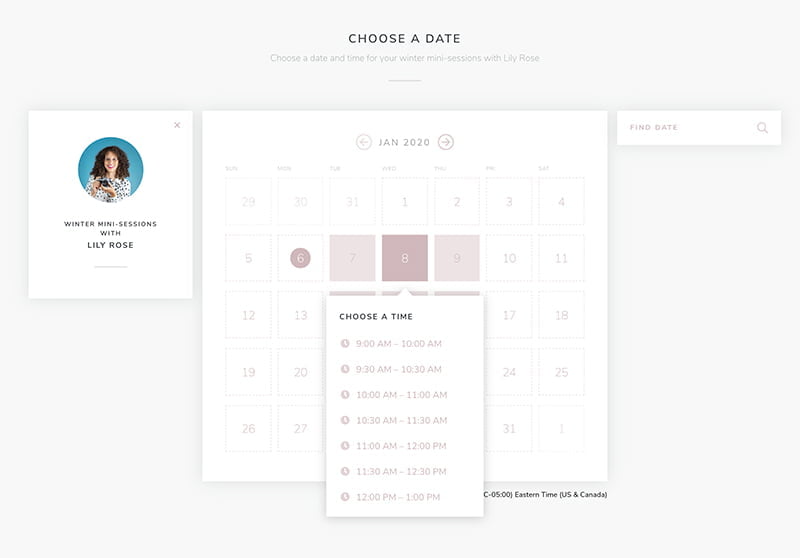
In the early days of 2020, we built invitations and public booking pages for our users to streamline their scheduling and automate their bookings. We didn’t charge anything extra for it.
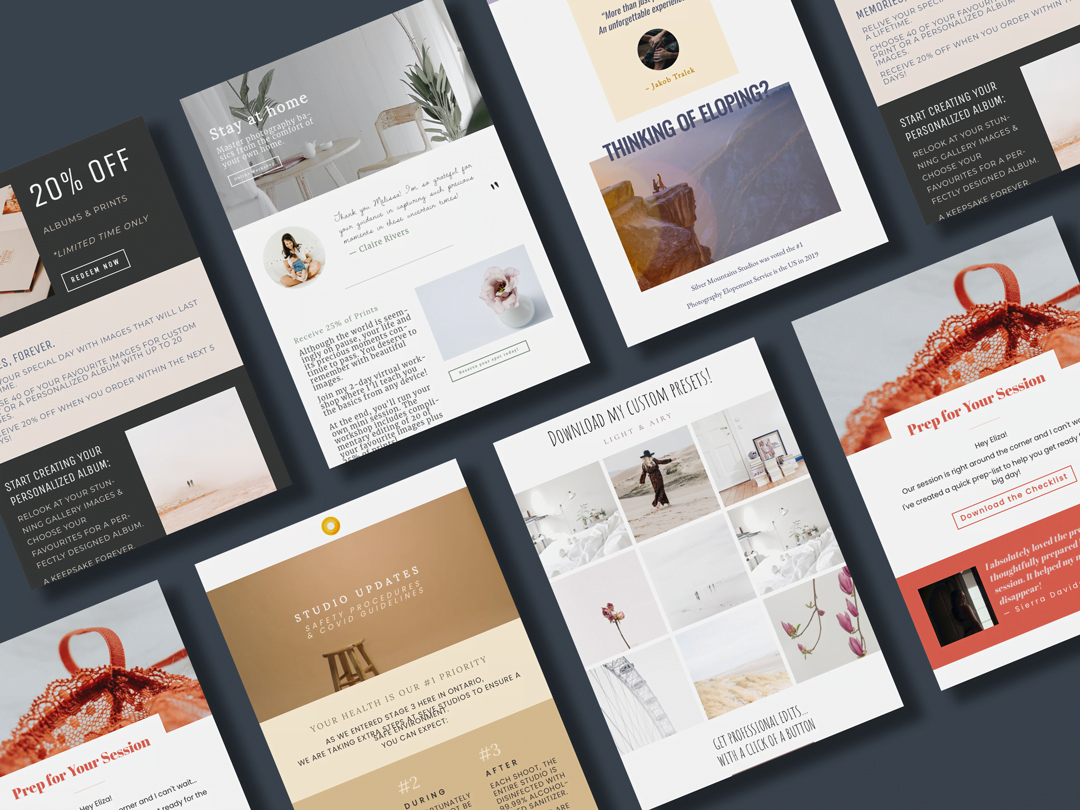
Then, earlier this year, we built email marketing into Sprout Studio as a way for our users to communicate with their clients (en masse) through the difficult times. We didn’t charge anything extra for it.
Later in the year, we built the most beautiful email drag-and-drop designer on the market. This tool has changed how photographers around the world are building and designing their email marketing efforts. We didn’t charge anything extra for it.
We have been trying to give, give, give. We’ve been trying to help you any way that we can. And now? We’re designing an online store for you, building lab integration and making an order workflow engine that’ll transform the way you sell and fulfill your photography to your clients.
And you guessed it – we won’t charge anything extra for it.
See – that’s what you’re getting when you subscribe.
You get the finest studio management suite on the market. You get the only tool that gives you everything you need in one place. You get to give your clients the most beautiful digital experience. You get to get organized. You get peace of mind.
And even though all of that would be worth it, beyond that, you also get us. You get our unapologetic, unwavering and obsessive dedication to continuing to help. You get us, showing up every day, doing anything and everything we can to continue to build the best tool for you. You get the best-in-class support and help when you need it. You get a team that listens and a company that cares.
When you subscribe for Black Friday this year, you’re committing to your business. And we’re committing to you.
Helping you redo 2020
For the first time (and probably the last), you can save 30% on your Sprout Studio annual subscription for up to 3 years.
We’ve built all-new templates for you; a business-in-a-box, if you will. You get over 100 email templates, questionnaires, contract templates, and more so you can get out of the gates swinging.
When you commit for 2 or 3 years, you’re also going to get an entirely-new course made exclusively to help you redo 2020. This redo 2020 course is an in-depth, guided course that’ll give you the mindset, the strategies and the specific tactics to help you turn things around in 2021.
We’re putting an insane amount of resources into our “redo 2020” mission this year, including our Black Friday savings. We’re doing it because we want to be there to help you. We want to walk by your side, and give you the strategies and guidance to navigate the changing times, recover from the ongoing challenges and flourish as a professional photographer.
Join us, will you? Let’s pivot, not panic. Let’s plan for a fearless future. Let’s put the year behind us, and let’s redo 2020 together.
This podcast is sponsored by Sprout Studio, the first all-in-one business software made by photographers for photographers. Sprout Studio combines studio management software with online galleries, wall portrait sales tools, design proofing, bookkeeping and more!
Join the Business of Photography community on Facebook to continue the discussions between episodes. Also, be sure to join Seeds to Success, our free weekly email where you’ll discover one thing (a tip, an idea or a resource) to focus on for the week to move your business in the right direction.
This podcast is sponsored by Sprout Studio, the first all-in-one business software made by photographers for photographers. Sprout Studio combines studio management software with online galleries, wall portrait sales tools, design proofing, bookkeeping and more!
Join the Business of Photography community on Facebook to continue the discussions between episodes. Also, be sure to join Seeds to Success, our free weekly email where you’ll discover one thing (a tip, an idea or a resource) to focus on for the week to move your business in the right direction.

 Our TOPPODCAST Picks
  Stay Connected