TopPodcast.com
Menu
  • Home
  • Top Charts
  • Top Networks
  • Top Apps
  • Top Independents
  • Top Podfluencers
  • Top Picks
    • Top Business Podcasts
    • Top True Crime Podcasts
    • Top Finance Podcasts
    • Top Comedy Podcasts
    • Top Music Podcasts
    • Top Womens Podcasts
    • Top Kids Podcasts
    • Top Sports Podcasts
    • Top News Podcasts
    • Top Tech Podcasts
    • Top Crypto Podcasts
    • Top Entrepreneurial Podcasts
    • Top Fantasy Sports Podcasts
    • Top Political Podcasts
    • Top Science Podcasts
    • Top Self Help Podcasts
    • Top Sports Betting Podcasts
    • Top Stocks Podcasts
  • Podcast News
  • About Us
  • Podcast Advertising
  • Contact
Not in our directory?
Add Show Here
Podcast Equipment
Center

toppodcastlogoOur TOPPODCAST Picks

  • Comedy
  • Crypto
  • Sports
  • News
  • Politics
  • True Crime
  • Business
  • Finance

Follow Us

toppodcastlogoStay Connected

    View Top 200 Chart
    Back to Rankings Page
    Software How-To

    Mac Geek Gab — Apple Tips, Tricks, and Troubleshooting

    Get answers to your Apple tech questions every week! Dave Hamilton, Adam Christianson, and Pilot Pete share tips, tricks, and troubleshooting advice for your Mac, iPhone, iPad, and more — all delivered in a fun, friendly way that helps geeks and everyday users alike. Don’t Get Caught without your tech working right!

    Advertise

    Copyright: © The Mac Observer, Inc. 2024

    • Apple Podcasts
    • Google Play
    • Spotify

    Latest Episodes:
    I Didn’t Use The H Word! Mar 27, 2023
    Show notes I Didn’t Use The H Word! – Mac Geek Gab 974 episode image

    Unlock the secrets of Finder with sorting, dragging, and tagging mastery! Experience lightning-fast message reactions, and let John and Dave guide you in conquering Safari spam notifications.

    Join the thrilling adventure with your two all-time favorite geeks, diving into your questions and unveiling tips, Cool Stuff Found, and more to supercharge your tech life!

    Hit play now and prepare to be blown away as you learn at least five mind-blowing new things!

    Chapters/Timestamps/Stuff mentioned:

    • 00:00:00 Mac Geek Gab 974 for Monday, March 27th, 2023 <https://mgg.fm/974>
      • Todd-QT-Finder Quick(er) Find
      • The MGG Discord Server is Live!
      • The MGG Merch Store is Live!
    • Quick Tips
      • 00:05:52 Christopher-QT-Drag Finder Tabs from One Window to Another
      • 00:07:29 QT-Use the iPhone Keyboard as a Trackpad by Pressing and holding Spacebar
      • 00:08:45 Joe-QT-Apply Multiple Tags in macOS Finder
      • 00:10:51 Stephen-QT-Double Tap a Message on iPhone to bring up Reactions
      • 00:12:07 Stephen-QT-Use a Double-i to Create a lowercase i
    • Sponsors
      • 00:12:47 SPONSOR: Notion. With whatever you’re working on, Notion AI lets you skip to the good part. Save time and write faster by letting Notion AI handle the brainstorm and first draft. For a limited time, try Notion AI for free when by visiting Notion.com/MacGeekGab.
      • 00:14:32 SPONSOR: Kolide – Kolide ensures only secure devices can access your cloud apps. It’s Zero Trust tailor-made for Okta. Book a demo today. Try Kolide Today at Kolide.com/MGG
    • Your Questions Answered and Tips Shared!
      • 00:15:55 Jeremy-Removing Safari Spam Notifications
      • 00:18:47 Xavier-IMAP Doesn’t Work on School Wi-Fi
        • PIA VPN
      • 00:25:20 Joe-SMS and Calling Internationally
        • eSIMdb
      • 00:31:00 Lee-Concerns about Losing a Security Key
        • YubiKey
      • 00:36:37 More Wood-Knocking
      • 00:39:14 Scott-How to roll back from Ventura to Monterey?
    • Sponsors
      • 00:42:48 SPONSOR: Shady Rays. What’s better than getting one pair of Shady Rays and not worrying if you break or lose them? Getting two! Go to ShadyRays.com/mgg and use code mgg and for a limited time, when you buy one pair of Shady Rays, you’ll get a second pair FREE.
      • 00:45:00 PODCAST: Software Defined Talk, the weekly podcast that recaps all the news in cloud computing, DevOps, and Enterprise Software.
    • Cool Stuff Found
      • 00:45:51 AlexS-CSF-MacWhisper uses Whisper’s AI to do transcriptions
      • 00:46:58 CSF-Hush for Cleaning Up Audio the Easy Way
      • 00:47:59 Roger-968-CSFR-Hoopla For Watching on Your Apple TV
        • Libby
        • Tubi
      • 00:51:56 CSF-Camo v2 adds support for webcams, built-in cams, and more
        • Logitech Brio
      • 00:55:36 Kamileon-CSF-Use HomePod as Intercom
        • I Didn’t Use The H Word!
        • Siri’s Listening More Than I Realized
      • 00:59:14 CSF-Rolling Square InCharge Cable
      • 01:02:03 AlexS-CSF-Warp is AI in a Terminal
        • ChatGPT
      • 01:05:50 Jeff-CSF-Creator’s Best Friend for YouTube Chapters
    • 01:07:58 Mac Geek Gab 974 Outtro
      • Bandwidth Provided by CacheFly
      • Pilot Pete’s Aviation Podcast: So There I Was
      • MGG Merch is Available!
      • Mac Geek Gab YouTube Page
      • Mac Geek Gab Live Calendar
      • This Week’s MGG Premium Contributors
      • MGG Apple Podcasts Reviews
      • feedback@macgeekgab.com
      • 224-888-GEEK
      • The Mac Geek Gab iPhone app
      • Active MGG Sponsors and Coupon Codes List
      • BackBeat Media Podcast Network

    Safari Swipes, Finder Drags, and Pings Galore Mar 20, 2023
    Show notes Safari Swipes, Finder Drags, and Pings Galore — Mac Geek Gab 973 episode image

    The Finder can be a drag…the good kind! And swiping right in Safari might not have the effect you think. Press play and listen to John F. Braun, Pilot Pete, and Dave Hamilton share these Quick Tips and SO many more. Plus, your three favorite geeks answer your questions and share your Cool Stuff Found, too. You’re guaranteed to learn at least five new things!

    Chapters/Timestamps/Stuff mentioned:

    • 00:00:00 Mac Geek Gab 973 for Monday, March 20th, 2023
      • RichardA-QT-Drag onto Finder’s Back Arrow or Path Bar to drop files
      • The MGG Discord Server is Live!
      • The MGG Merch Store is Live!
    • Quick Tips
      • 00:04:18 MarkM-Click The Safari Tab Audio Button to Mute
      • 00:05:46 PCUnix-QT-Clear iPhone Safari History by Time (and on the Mac! History > Clear History…)
      • 00:07:29 Ed-QT Safari Swipe on Address Bar, Photo Lift
        • Lift a Subject from Photo Background on iPhone
      • 00:10:30 Robert-QT-Accessing Alternate Keyboard Entries on iPadOS
        • If your iPad keyboard is small or split in half
      • 00:12:50 QT-iMessages Badge shows a number but no new messages? “Hey Siri, read my unread messages!” Poof
        • HitEmUp
      • 00:19:25 QT-Control macOS Ventura’s Access to USB and Thunderbolt Accessories
      • 00:21:37 JamCycler-QT-971–Keep Folders On Top in Finder
    • Sponsors
      • 00:22:21 SPONSOR: LinkedIn Jobs. Go to LinkedIn.com/MGG and post your first job for free!
      • 00:23:55 SPONSOR: BBEdit, the power tool for text from Bare Bones Software; now with integrated Notebooks and extended language support.
      • 00:25:25 SPONSOR: Kolide – Kolide ensures only secure devices can access your cloud apps. It’s Zero Trust tailor-made for Okta. Book a demo today. Try Kolide Today at Kolide.com/MGG
    • SXSW & Charging Interruptions
      • 00:26:48 Using the Quick Tips!
      • 00:27:26 Two Apple TV+ Movies at SXSW: Still and Tetris
      • 00:36:26 I Know What Happened To My Power/Mic In MGG972
      • 00:44:05 Flashlight with 18650 Battery and Charger
        • VICTAGEN Intelligent Charger 18650 Battery
    • Your Questions Answered and Tips Shared!
      • 00:47:46 Dennis-Mounted Disk Not Visible in Finder
      • 00:52:12 Craig-T-Mobile Acquires Mint Mobile…What’s that mean?
        • Verizon 5G Home Internet for $25
    • Cool Stuff Found
      • 01:02:24 CSF-Have I Been Pwned?
      • 01:02:59 CSF-Synology DS423+ Has a CPU with a GPU for Transcoding!
      • 01:05:48 Andrew-CSF-Ping in your Menu Bar
      • 01:07:29 Grumpy-CSM-Homebridge Net Nanny to run your 3 pings
      • 01:08:41 CSF-DownDetector to see if websites or services are down
      • 01:10:21 Ben-CSFR-972–TripMode for Managing Data
      • 01:11:50 John-CSF-971–pobox.com for Bouncing Spam
    • 01:15:36 Mac Geek Gab 973 Outtro
      • Bandwidth Provided by CacheFly
      • Pilot Pete’s Aviation Podcast: So There I Was
      • MGG Merch is Available!
      • Mac Geek Gab YouTube Page
      • Mac Geek Gab Live Calendar
      • This Week’s MGG Premium Contributors
      • MGG Apple Podcasts Reviews
      • feedback@macgeekgab.com
      • 224-888-GEEK
      • The Mac Geek Gab iPhone app
      • Active MGG Sponsors and Coupon Codes List
      • BackBeat Media Podcast Network

    Where Did My Memory Go? Mar 13, 2023
    Show notes Where Did My Memory Go? — Mac Geek Gab 972 episode image

    Is your Mac running out of memory? It might tell you it is, but is it really, or is something else going on?

    Listen as John F. Braun, Pilot Pete, and Dave Hamilton talk through this and all your other questions, providing context, answers, and those tangential Quick Tips that you know and love.

    Cool Stuff Found from both you and your three favorite geeks helps round out this episode. Press play and you’re guaranteed to learn at least five new things!

    Chapters/Timestamps/Stuff mentioned:

    • 00:00:00 Mac Geek Gab 972 for Monday, March 13th, 2023
      • PCUnix-QT-Double Tap Time to Set Minute-by-Minute reminders
      • The MGG Discord Server is Live!
      • The MGG Merch Store is Live!
    • 00:02:52 Next Hangout: Sunday, March 26th, 4pm EST
    • Quick Tips
      • 00:03:53 Adam-QT-New iPhone App Placement
      • 00:09:22 Ranelle-QT-971-Filter mail for “unsubscribe”
      • 00:12:52 Eduardo-QT-971–Default Folder adds Option + Up and Down Arrow in Finder
      • 00:17:22 PCUnix-QT-WatchOS 9 Watches Don’t Actually Power Off
      • 00:19:54 FindMy Saved Dave’s iPad
    • Sponsors
      • 00:27:03 SPONSOR: Factor. Save time with Factor’s fresh, never-frozen meals, ready to heat and eat in just 2 minutes! Head to FactorMeals.com/MGG60 to get 60% off your first box.
      • 00:28:50 SPONSOR: Kolide – Kolide ensures only secure devices can access your cloud apps. It’s Zero Trust tailor-made for Okta. Book a demo today. Try Kolide Today at Kolide.com/MGG
      • 00:30:12 SPONSOR: Wildgrain, the first-ever, bake-from-frozen subscription box for sourdough breads, fresh pastas, and artisanal pastries. Get $30 off your first box plus free Croissants (in every box!) when you visit Wildgrain.com/mgg.
    • Your Questions Answered and Tips Shared!
      • 00:31:51 Bill-Managing and Forwarding macOS Mail Email Attachments
      • 00:35:29 Steven-How to publicly share a Calendar?
        • BusyCal
      • 00:41:34 Brian-Throttling Data on iPhone
      • 00:45:49 Using Multiple Calendars for Family Members
      • 00:47:41 Steven-Getting Rid of Annoying Login Dialog
        • Automounter
      • 00:50:31 Allison-970-Managing pesky auto-capitalization
      • 00:52:29 Simon-Running Out of Application Memory/Memory Leak on M1 Mac mini
        • Enable Adobe Native M1 Mode
    • Cool Stuff Found
      • 01:00:25 PorthosJon-CSF-Shottr Screenshot App
      • 01:01:48 Dave has some USB issues…or are they power issues? Stay tuned!
      • 01:04:41 Jason-1Password 8 for iPhone adds Native Verification Code Support
      • 01:07:08 Jared-CSF-H2O Audio Sonar IPX8 Bluetooth Underwater Headphones
      • 01:09:55 CSF-PopSocket Aura Case
      • 01:11:21 Greg-CSF-Schlage Encode Plus Smart Wi-Fi Deadbolt
    • 01:15:05 Mac Geek Gab 972 Outtro
      • Pilot Pete’s Aviation Podcast: So There I Was
      • MGG Merch is Available!
      • Mac Geek Gab YouTube Page
      • Mac Geek Gab Live Calendar
      • This Week’s MGG Premium Contributors
      • MGG Apple Podcasts Reviews
      • feedback@macgeekgab.com
      • 224-888-GEEK
      • The Mac Geek Gab iPhone app
      • Active MGG Sponsors and Coupon Codes List
      • You’re downloading today’s show from CacheFly’s network
      • BackBeat Media Podcast Network

    Spam, Siri, Sorting, and Stuff Mar 06, 2023
    Show notes Spam, Siri, Sorting, and Stuff — Mac Geek Gab 971 episode image

    What do you use for spam filtering? How do you efficiently file Mail? What’s your favorite trick for the macOS Finder?

    Listen as your three geeks share their and your thoughts on this while answering your questions and helping to solve your problems.

    Press play and learn five new things along with Dave, John, and Pilot Pete!

    Chapters/Timestamps/Stuff mentioned:

    • 00:00:00 Mac Geek Gab 971 for Monday, March 6th, 2023
      • Todd-QT-Open Folder in new Finder Window (Option-Right Click)
      • The MGG Discord Server is Live!
      • The MGG Merch Store is Live!
    • Quick Tips
      • 00:05:22 Mike-QT-Sort by Kind to Display Folders first in Finder
      • 00:06:32 JFB-Somewhat New? Homepod can report room temp and humidity
        • C-Wire Adapter
      • 00:14:02 Bruno-QT-Your Gmail Address Has Dots In It
      • 00:19:56 MarkM-QT-968–Use Any Apple Remote with Apple TV
      • 00:23:36 Ken-QT-Increasing the Ventura Login Font Size
    • Sponsors
      • 00:24:49 SPONSOR: Zocdoc, the easiest way to find a great doctor and instantly book an appointment. Sign up for FREE at Zocdoc.com/MGG and download the app today.
      • 00:24:16 SPONSOR: Kolide – Kolide ensures only secure devices can access your cloud apps. It’s Zero Trust tailor-made for Okta. Book a demo today. Try Kolide Today at Kolide.com/MGG
    • Your Questions Answered and Tips Shared!
      • 00:27:33 Chuck-Low Memory Warning, Or Is It?
        • Prolong Lifetime of MacBook’s SSD By Disabling Swap Article about it for MacOS
      • 00:37:07 RLee-968-Using Siri for scheduling Home
      • 00:41:19 Jared-How do I file Mail with Single Keystrokes?
        • SmallCubed’s MailSuite
      • 00:47:08 Chris-Filtering Spam?
        • MailRoute
        • Fastmail
        • Space Lens with CleanMyMac to Delete Files
    • Sponsors
      • 00:56:56 SPONSOR: Honey, the FREE shopping tool that scours the internet for promo codes and applies the best one it finds to your cart.
      • 00:58:43 PODCAST: Software Defined Talk, the weekly podcast that recaps all the news in cloud computing, DevOps, and Enterprise Software.
    • Cool Stuff Found
      • 00:59:35 Lee-Reviving a HomePod/mini
      • 01:02:53 Allison-CSF-KYY 4K USB-C Display
      • 01:04:23 Allen-CSF-970-Google PhotoScan to Scan Photos
      • 01:06:03 Fix Expired Tailscale Key
      • 01:11:41 Neal-CSF-Satechi 4-Port USB-C Hub (Data, No Charging or Video)
      • 01:13:57 Streamdeck
      • 01:16:26 CSF-aloSIM in Mexico and elsewhere for data-only
      • Floating drink holders
    • 01:18:17 Mac Geek Gab 971 Outtro
      • Bandwidth Provided by CacheFly
      • Pilot Pete’s Aviation Podcast: So There I Was
      • MGG Merch is Available!
      • Mac Geek Gab YouTube Page
      • Mac Geek Gab Live Calendar
      • This Week’s MGG Premium Contributors
      • MGG Apple Podcasts Reviews
      • feedback@macgeekgab.com
      • 224-888-GEEK
      • The Mac Geek Gab iPhone app
      • Active MGG Sponsors and Coupon Codes List
      • BackBeat Media Podcast Network

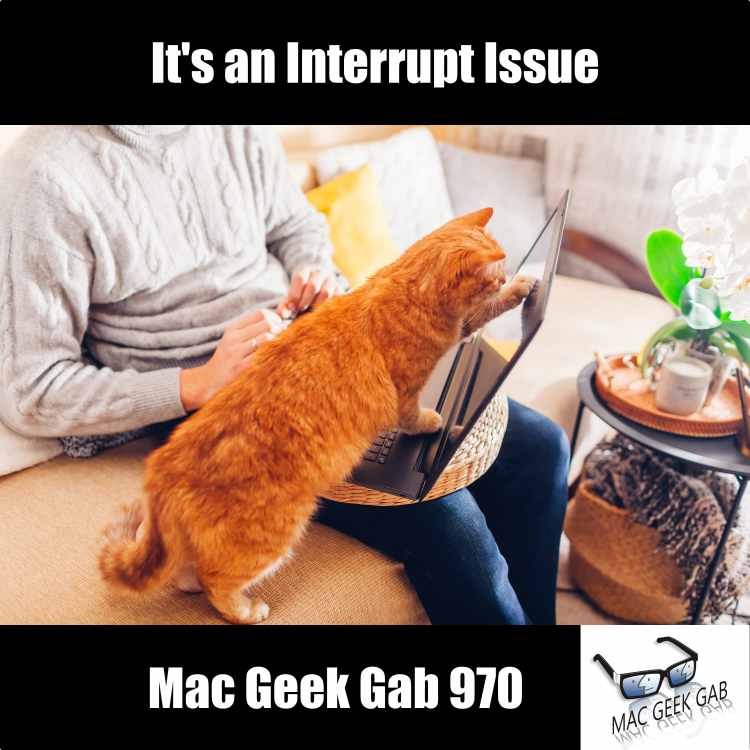
    It's an Interrupt Issue Feb 27, 2023
    Show notes It's an Interrupt Issue — Mac Geek Gab 970 episode image

    Press play to learn how to use your Apple Pencil to take screenshots and create tags on your iPad, make your iPhone display ALL the entries from Google Calendar, and much more!

    Join Dave, John, and Pilot Pete as they answer your questions and solve your problems, ensuring you learn at least five new things this week and every week.

    Oh, and hey…Don’t get caught!

    Chapters/Timestamps/Stuff mentioned:

    • 00:00:00 Mac Geek Gab 970 for Monday, February 27, 2023
      • Bob-QT-Swipe up from Lower Left on iPad to Take Screenshot
      • The MGG Discord Server is Live!
      • The MGG Merch Store is Live!
    • Quick Tips
      • 00:03:29 Todd-QT-Navigating macOS Calendar
      • 00:10:40 QT-Use Google.com/Calendar/iPhoneSelect to make Google calendars appear for the iPhone Calendar app
      • 00:13:00 Robbie-QT-Set Up Shortcut to Send Text When Battery is Low
      • 00:15:29 Nic-QT-Hashtag-and-tap in Apple Notes to Handwrite Your Tags
        • Find Any File
      • 00:19:03 Craig-QT-967-Configure AirPods to “When Last Connected” for more Consistency
      • 00:20:01 MarkM-QT-Your Apple Watch Puck will Charge your AirPods Pro (2nd gen)
      • 00:25:10 QT-Search in Settings on iPhone and Mac to Find What You Need
      • 00:26:30 QT-How to Access Roku Secret Menus
    • Sponsors
      • 00:29:04 SPONSOR: Kolide – Kolide ensures only secure devices can access your cloud apps. It’s Zero Trust tailor-made for Okta. Book a demo today. Try Kolide Today at Kolide.com/MGG
      • 00:30:33 SPONSOR: Rocket Money. Get rid of useless subscriptions with Rocket Money now. Seriously, it could save you HUNDREDS per year. Go to RocketMoney.com/MGG to get started.
    • Your Questions Answered and Tips Shared!
      • 00:32:38 Chuck-MacBook Air Freezing Regularly
        • How to read macOS Crash Reports
      • 00:43:29 Joe-968-Is it safe to use NextDNS for Ad Blocking?
      • 00:50:04 How to Use Mac Geek Gab Chapters
      • 00:51:35 Chris-Safari Tab Groups Mirror Instantly
      • 00:54:55 Tony-Digitizing Photos – Epson V39 Scanner $109 (+photos don’t get lost in shipping!)
        • Epson FastFoto FF-680W Wireless High-Speed Photo and Document Scanning System, Black
        • MacSparky’s Paperless Field Guide
      • 01:02:38 Adam-969-Replacing iCloud Drive with Synology Drive
      • 01:09:18 Andrew the 8764th-CSF-968-Use Kanopy or Hoopla to Stream Digitally from your local Library
    • 01:10:41 Mac Geek Gab 970 Outtro
      • Bandwidth Provided by CacheFly
      • Pilot Pete’s Aviation Podcast: So There I Was
      • MGG Merch is Available!
      • Mac Geek Gab YouTube Page
      • Mac Geek Gab Live Calendar
      • This Week’s MGG Premium Contributors
      • MGG Apple Podcasts Reviews
      • feedback@macgeekgab.com
      • 224-888-GEEK
      • The Mac Geek Gab iPhone app
      • Active MGG Sponsors and Coupon Codes List
      • BackBeat Media Podcast Network

    They Find The Beer Fridge First Feb 20, 2023
    Show notes They Find The Beer Fridge First – Mac Geek Gab 969 episode image

    What is your current backup routine? Do you even need one anymore? John, Dave, and Pete talk through answers to all your questions, including this one!

    Other questions answered include how to dry wet AirPods, sharing only certain Contact info, using Security Keys with Apple Devices, fixing macOS Ventura’s pesky permissions warnings, and more.

    Plus, your three favorite geeks share some Cool Stuff Found including a new password manager, a solar keyboard, and AirPlay 2 receiver, and a great Quick Look extension.

    Press play and you’re guaranteed to learn at least five new things. Don’t Get Caught!

    Chapters/Timestamps/Stuff mentioned:

    • 00:00:00 Mac Geek Gab 969 for Monday, February 20, 2023
      • QT-Alexa, Turn that Light Off in 30 Minutes (Siri says no-can-do)
      • The MGG Discord Server is Live!
      • The MGG Merch Store is Live!
    • Quick Tips
      • 00:03:39 Barry Porter-Happy 45th Anniversary to BBSing
        • DiversiDial
        • Phone Phreaking
      • 00:07:41 Mark-File Sharing Broken for Some in macOS Ventura 13.2 (Solved in 13.2.1)
    • Your Questions Answered and Tips Shared!
      • 00:08:10 James-How to Stop a Website From Loading in Safari?
        • System Setting > Screen Time > Content and Privacy > Content Restrictions > Access to Web Content > Limit Adult Websites > Customize…
        • Modify /etc/hosts on macOS Ventura
        • NextDNS
        • OpenDNS
        • ListenNotes
      • 00:14:02 Roy-What Drive Should I Get for Time Machine?
        • Pour One Out For Drobo
      • 00:28:22 Dan-Tip on drying wet AirPods
    • Sponsors
      • 00:32:52 SPONSOR: Factor. Save time with Factor’s fresh, never-frozen meals, ready to heat and eat in just 2 minutes! Head to FactorMeals.com/MGG60 to get 60% off your first box.
      • 00:34:43 SPONSOR: LinkedIn Jobs. Go to LinkedIn.com/MGG and post your first job for free!
      • 00:36:15 SPONSOR: Kolide – Kolide ensures only secure devices can access your cloud apps. It’s Zero Trust tailor-made for Okta. Book a demo today. Try Kolide Today at Kolide.com/MGG
    • More Questions Answered and Tips Shared!
      • 00:37:30 Donna-Sharing Select Contact Info with IOS (not macOS?)
      • 00:40:46 Lawyer Jeff-968-Using Third Party Hardware Keys with Apple Devices
      • 00:43:11 Gary-968-Restart Your Mac after Setting Up a Security Key
        • YubiKey
      • 00:46:53 John Activated a Passkey
      • 00:51:45 968-Dave’s Auto-Capitalization only remained disabled for 9 hours.
      • 00:52:35 968-Use OnyX to rebuild LaunchServices, and check your credit card for International Exchange Fees
      • 00:54:38 964-MGG Advice: delete your macOS Ventura TCC.db
        • Use the “DELETE TCC DATABASE” section of this article.
    • Cool Stuff Found
      • 00:57:52 Doug (and Allison)-CSF-968–Belkin SoundForm Connect AirPlay 2 Adapter & Airplay 2 Receiver
        • How I Fell In Love with AirPlay 2 with HomePod, Apple TV and Belkin
      • 01:00:01 Rotherham-CSF-968–Strongbox for Password Management
      • 01:03:20 CSF-Targus Ecosmart Energy Harvesting Keyboard
      • 01:06:30 Todd-CSF-Kaleidoscope-Find and Eliminate Duplicate text, images, files, and more
      • 01:08:27 AlexS-CSF-Peek, a Quick Look extension for macOS which adds searching, highlighting, and more
      • 01:09:25 Don-CSF-Wifi Porter for Easy Wireless Login
      • 01:13:08 Mike-QT-968–QR Your Wi-Fi with a Built-In Shortcut (and Jamie, and Steve)
    • 01:16:09 Mac Geek Gab 969 Outtro
      • Bandwidth Provided by CacheFly
      • Pilot Pete’s Aviation Podcast: So There I Was
      • MGG Merch is Available!
      • Mac Geek Gab YouTube Page
      • Mac Geek Gab Live Calendar
      • This Week’s MGG Premium Contributors
      • MGG Apple Podcasts Reviews
      • feedback@macgeekgab.com
      • 224-888-GEEK
      • The Mac Geek Gab iPhone app
      • Active MGG Sponsors and Coupon Codes List
      • BackBeat Media Podcast Network

    Don't Mute Me, Bro Feb 13, 2023
    Show notes Don't Mute Me, Bro — Mac Geek Gab 968 episode image

    iOS 16 Includes a new “Block Sender” shortcut along with a bunch of stuff added to the Lock Screen, and you can use Siri to control your Apple TV. That’s just a sampling of the Quick Tips your two favorite geeks share to start the show.

    Listen as John and Dave then dig into your questions about managing your iCloud Keychain passwords, using your Apple TV with HomePods as your speakers, extracting Blu-Ray content, and streaming audio from your phone to your stereo!

    It’s a veritable cornucopia of tips, tricks, and answers to your questions. Press play and you’re guaranteed to learn five new things!

    Chapters/Timestamps/Stuff mentioned:

    • 00:00:00 Mac Geek Gab 968 for Monday, February 13, 2023
      • Sylvain-QT-Long Press in iOS 16 Mail Now has Block Sender Option
      • The MGG Discord Server is Live!
      • The MGG Merch Store is Live!
    • Quick Tips
      • 00:03:26 Tony-QT-Bypass Auto-Capitalizing Form Fields
      • 00:05:15 Fix 1Password on Safari for iOS
      • 00:06:58 PorthosJon-QT-HomeKit Automations Can be Converted to Shortcuts
        • Join The MGG Discord Server
      • 00:08:51 Tony-QTR-Lock Screen Camera (and more) Access (recently also from Henry on MGG 949)
        • Access Additional Features from iPhone Lock Screen
      • 00:11:37 Dominic-QT-Force sending as SMS instead of iMessage
        • Change your number from iMessage to SMS
      • 00:14:48 AndrewWoodward in Discord-QT-949-Hey, Siri: Turn on Apple TV (and pause/play, and “Hey Sonos” to do the same thing)
    • Sponsors
      • 00:15:48 SPONSOR: Rocket Money. Get rid of useless subscriptions with Rocket Money now. Seriously, it could save you HUNDREDS per year. Go to RocketMoney.com/MGG to get started.
      • 00:17:29 SPONSOR: Wildgrain, the first-ever, bake-from-frozen subscription box for sourdough breads, fresh pastas, and artisanal pastries. Get $30 off your first box plus free Croissants (in every box!) when you visit Wildgrain.com/mgg.
    • Your Questions Answered and Tips Shared!
      • 00:18:56 QT-Additional Apple TV “Hey, Siri” Tips: “Go back 2 minutes” or “What did they say” (for 10-15 seconds back)
      • 00:20:12 John’s Apple TV Remote Upgrade
        • Identify Your Apple TV Model
      • Even with Apple TV 4K (1st generation) (A1842) whose remote I messed up, it works just fine with the newer Apple TV Siri Remote (2nd Generation)
      • 00:24:03 David-CSF-Function101 Apple Remote now has Bluetooth
      • 00:27:15 Patrick-Moving to TV’s HDMI ARC Port Helped Increase Dialog Clarity
      • 00:31:44 Gary-Playing or Extracting Blu-Ray Content
        • MakeMKV
        • Handbrake
        • Magnavox 4K Blu-Ray Player
      • 00:37:56 Renting from your local library
        • Libby
      • 00:38:51 Tony-Wirelessly Stream Audio to Older Stereo and Speakers?
        • Audioengine B1 Bluetooth Music Receiver
        • Audioengine B-Fi AirPlay (and more) Music Receiver
    • Sponsors
      • 00:42:30 SPONSOR: Honey, the FREE shopping tool that scours the internet for promo codes and applies the best one it finds to your cart.
      • 00:43:40 SPONSOR: BBEdit, the power tool for text from Bare Bones Software; now with integrated Notebooks and extended language support.
    • More Questions Answered
      • 00:45:26 Larry-Best Way to Manage iCloud Keychain Passwords?
        • iCloud Passwords Chrome Extension – ONLY WORKS ON WINDOWS
      • 00:52:46 Gary-Here’s Why You Shouldn’t Use Security Keys with Your Apple ID
        • YubiKey
        • Update to iOS 16.3
        • CacheFly uses Passkeys
      • 00:56:25 Dan-967-Install tailscaled to have it run as a service before login (also Scott)
      • 01:01:24 Ed-Launching Wrong App for PDF View
        • OnyX for macOS
      • 01:04:04 Gary-Apple Pay in Europe and Elsewhere?
      • 01:08:19 Ari-Removing Typo in Predictive Text
        • Reset Predictive Text Dictionary
      • 01:11:28 Bill-Add More Merch!
    • 01:12:49 Mac Geek Gab 968 Outtro <https://mgg.fm/968>
      • Bandwidth Provided by CacheFly
      • Dave’s Business Brain podcast
      • Pilot Pete’s Aviation Podcast: So There I Was
      • MGG Merch is Available!
      • Mac Geek Gab YouTube Page
      • Mac Geek Gab Live Calendar
      • This Week’s MGG Premium Contributors
      • MGG Apple Podcasts Reviews
      • feedback@macgeekgab.com
      • 224-888-GEEK
      • The Mac Geek Gab iPhone app
      • Active MGG Sponsors and Coupon Codes List
      • BackBeat Media Podcast Network

    You Beat Me To The Ding Feb 06, 2023
    Show notes You Beat Me To The Ding – Mac Geek Gab 967 episode image

    Quick Tips for your Mac and iPhone about Siri, QR codes, Voice Isolation, and Multi-Port USB-C Chargers are just the beginning today. After that, your three favorite geeks provide answers to your questions about configuring your network, properly ejecting disks, waking up your Mac remotely, and much more. Plus, John, Pete, and Dave share some Cool Stuff Found, too! Press play and enjoy learning (at least!) five new things!

    Chapters/Timestamps/Stuff mentioned:

    • 00:00:00 Mac Geek Gab 967 for Monday, February 6, 2023
      • Mike-QT-Right Click on Ventura System Settings Dock Icon for Deep Links
      • The MGG Discord Server is Live!
      • The MGG Merch Store is Live!
    • Quick Tips
      • 00:03:50 Converting Celsius to Fahrenheit
        • 16C = 61F
        • 28C = 82F
        • 0C = 32F
        • 100C = 212F
        • -40C = -40F
        • Raycast
      • 00:07:36 PorthosJon-QT-Ask Siri, What’s My Update?
      • 00:08:35 QT-Sidecar and Continuity Camera
        • Camo no work on some hotel networks unless USB
      • 00:12:15 Don-QT-965-Long-press QR Codes on your iPhone to Link to them
        • What is Apple Live Text and how does it work on your photos?
      • 00:15:07 Todd-QT Make a Lock Screen Image QR Code of your Biz-Card
        • iQR App – Mac App Store $14.99
        • QR Factory $29.99 (Tunabelly Software)
        • QR Code Generator (for Wi-Fi)
        • Eero > Settings > Guest Network > Share QR Code
      • 00:22:24 Adam-QT-macOS Ventura adds Voice Isolation Mic Mode to Control Center
      • 00:27:57 LLMMD-QT-Add Custom Effects in the ~/Library/Sounds folder
      • 00:29:19 PorthosJon-QT/PSA-Be Aware Of Multi-port PD Chargers Resetting When a New Device is Plugged in
      • 00:30:54 Jamie-QT-Use Synology to Securely Share Files with Friends/Family
    • Sponsors
      • 00:33:37 SPONSOR: Zocdoc, the easiest way to find a great doctor and instantly book an appointment. Sign up for FREE at Zocdoc.com/MGG and download the app today.
      • 00:35:08 SPONSOR: Kolide – Got Slack? Got Macs? Get Kolide: Device security that fixes challenging problems by messaging your users on Slack. Try Kolide Today at Kolide.com/MGG
    • Your Questions Answered and Tips Shared!
      • 00:36:38 Peter-My Mac Won’t Always See My Printer
      • 00:46:17 Jeremy-How do I properly eject my Photos drive?
        • lsof | grep [DriveName]
      • 00:51:43 Sylvain-Safari Time Travel for Previous or Next Page
      • 00:53:03 Andrew-Create Shortcuts for Push-Button “Radio Stations” via Apple Music
        • Mac Geek Gab app
      • 00:56:02 Ken-Waking Up Mac with CCC Scheduled Task
        • pmset -g sched
        • System Information > Hardware > Power
        • TailScale Starts On Login
    • 01:07:19 PODCAST: The Home Assistant Podcast. If you’re looking to get started with home automation, or are looking to get inspired by some neat things people are doing with their smart home, then look no further, the Home Assistant Podcast has got you covered.
    • Cool Stuff Found
      • 01:08:37 PorthosJon-CSF-965-200W USB Charger with Power Utilization Readout
      • 01:10:23 Mark M-CSF-Uptime Kuma, a free, open source engine to track when your devices/servers go offline
        • UptimeRobot
      • 01:14:39 DanWieder-CSF-Bluesnooze Disables Bluetooth While Your Mac is Sleeping (and may help with sleep/wake issues from MGG 955)
    • 01:16:22 Mac Geek Gab 967 Outtro
      • Bandwidth Provided by CacheFly
      • Pilot Pete’s Aviation Podcast: So There I Was
      • MGG Merch is Available!
      • Mac Geek Gab YouTube Page
      • Mac Geek Gab Live Calendar
      • This Week’s MGG Premium Contributors
      • MGG Apple Podcasts Reviews
      • feedback@macgeekgab.com
      • 224-888-GEEK
      • The Mac Geek Gab iPhone app
      • Active MGG Sponsors and Coupon Codes List
      • You’re downloading today’s show from CacheFly’s network
      • BackBeat Media Podcast Network

    No One Has “Mouse” Jan 30, 2023
    Show notes No One Has “Mouse” – Mac Geek Gab 966 episode image

    Learn keyboard shortcuts for logging into your Mac, tricks for controlling Open/Save dialogs, using Conversation Mode to Translate voice conversations, how to set multiple timers, and more.

    And it’s not just Quick Tips that your three favorite geeks feature this week, there’s a TON of Cool Stuff Found. John, Dave, and Pete take you through travel monitors, clipboard managers, app installers, charging stations, and more.

    Press play and you’re guaranteed to learn at least five new things or your money back!

    Chapters/Timestamps/Stuff mentioned:

    • 00:00:00 Mac Geek Gab 966 for Monday, January 30, 2023
        • QT-Ventura Battery Menu > Charge to Full Now
          • System Settings > Control Center > Battery > Show in Menu Bar
        • The MGG Discord Server is Live!
        • The MGG Merch Store is Live!
    • Quick Tips
        • 00:06:41 AppleCare Repair Battery Surprise
          • FruitJuice has been discontinued
      • 00:09:19 Joe-QT-Quick Multi-User System Login
      • 00:10:06 Ben-QT-Use Cmd-Plus to Expand/Contract Save Dialog
        • Default Folder
      • 00:11:45 QT-Use Conversation Mode in Apple and Google Translate apps (also, Safari’s “Translate to English” mode)
      • 00:15:51 Keith-QT-Screen Recording with Voice Overs
      • 00:19:04 Scott-QT-Use Crown to Dismiss Apple Watch Timer
      • 00:19:56 QT-The x-man-page://[cmd] URL can link directly to the Terminal for man pages
        • Man the man page
      • 00:21:36 Harvey-QT-Multiple Siri (Apple Watch and Otherwise) Timers
      • 00:25:32 Bill-QT-Pairing AirPods Pro with Older Apple Devices
    • Sponsors
      • 00:27:20 SPONSOR: MasterClass – Imagine learning new recipes from Gordon Ramsay, or photography from Annie Leibovitz. Now you can. Visit MasterClass.com/MGG for unlimited access to MasterClass.
      • 00:29:00 PODCAST: MacBreak Weekly: Go behind the curtain with TWiT.tv’s Leo Laporte, Rene Ritchie, Andy Ihnatko, and Alex Lindsay as they dive into everything Apple-related.
    • Cool Stuff Found
      • 00:29:40 CSF-ViewSonic VP16-OLED portable 15.6” OLED Screen
        • Business Brain episode about Traveling Productively
      • 00:33:41 Steve (and Christopher)-CSF-ClipTools-Gary Rosenzweig’s Clipboard Manager
      • 00:37:03 CSF-YeeLight Motion Sensing Closet Light
      • 00:39:48 Zack-CSF-MightyText for Syncing SMS (and more) Between Android and Your Mac
      • 00:41:02 CSF-WhatsApp for macOS now in Beta
      • 00:44:48 CSF-Use the Mobile Passport Control App when Returning to The USA
      • 00:48:54 CSF-AWOL LTV-2500 Short Throw Projector
      • 00:52:57 CSF from CES-Otterbox 3-in-1 Charging Station with MagSafe
      • 00:57:58 CSF from CES Electronic Caregiver
      • 01:01:03 Jeremy-CSF-Pebblebee FindMy Tracker
      • 01:02:11 Ben-CSF Y2Mate YouTube Downloader
      • 01:04:28 John-CSF-Amazing AI Lets you Easily run Stable Diffusion on M1/M2 Macs
      • 01:06:34 Aron-CSF-Waves Clarity Vx uses AI to Clean-up Vocal Recordings
        • iZotope RX
      • 01:11:06 Mike-CSF-MacApps.link to select apps and have them automatically installed
    • 01:13:04 Mac Geek Gab 966 Outtro
      • Bandwidth Provided by CacheFly
      • Pilot Pete’s Aviation Podcast: So There I Was
      • MGG Merch is Available!
      • Mac Geek Gab YouTube Page
      • Mac Geek Gab Live Calendar
      • This Week’s MGG Premium Contributors
      • MGG Apple Podcasts Reviews
      • feedback@macgeekgab.com
      • 224-888-GEEK
      • The Mac Geek Gab iPhone app
      • Active MGG Sponsors and Coupon Codes List
      • BackBeat Media Podcast Network

    You Don’t Have to Beat The Guillotine Jan 23, 2023
    Show notes You Don’t Have to Beat The Guillotine – Mac Geek Gab 965 episode image

    Apple’s new M2-family chips see updated Mac mini and MacBook Pro models, and Dave, John, and Pete talk through the impacts of that…for them and for you.

    Quick Tips rule the week, with the Finder sidebar getting special attention. Keyboard shortcuts are the runner-up, too, with lots of love there, as well.

    Lastly but not leastly: your questions. How do you print envelopes? How do you generate passwords? Your three favorite geeks have answers!

    Chapters/Timestamps/Stuff mentioned:

    • 00:00:00 Mac Geek Gab 965 for Monday, January 23, 2023
      • Lucas-QT-If You need to Scan a QR code from your phone, put it up on your Apple Watch! (screenshots in Photos or Mail)
      • The MGG Discord Server is Live!
      • The MGG Merch Store is Live!
    • 00:06:17 Apple’s M2 Evolution into Mac mini and MacBook Pro
      • Apple’s M2 Pro and M2 in new Mac mini
      • Create an Aggregate Device to combine multiple audio devices – not sure the time stamp
      • Apple’s new M2 Pro and M2 Max in MacBook Pro
      • Apple’s M2 Pro and M2 Max Chips
    • Sponsors
      • 00:27:19 SPONSOR: Factor. Save time with Factor’s fresh, never-frozen meals, ready to heat and eat in just 2 minutes! Head to FactorMeals.com/MGG60 to get 60% off your first box.
      • 00:29:16 SPONSOR: Kolide – Got Slack? Got Macs? Get Kolide: Device security that fixes challenging problems by messaging your users on Slack. Try Kolide Today at Kolide.com/MGG
    • Quick Tips
      • 00:30:35 Tigg-QT-Rearrange Groups in Finder Sidebar
      • 00:33:04 RichardA-QT-Keeping Finder Tags Simple…and Useful
      • 00:34:50 PorthosJon-QT-Disable Finder Icon Previews to Speed Things Up
      • 00:35:47 Lee-QT-Live Captions (Beta) in iOS and macOS
        • Use Live Captions on Mac
      • 00:39:44 Mark M-QT-Shift-and-Scroll-Wheel to Go Horizontal
      • 00:41:27 PorthosJon-QT-Mass Quit Apps with Cmd-Tab and then Q (with Keyboard Maestro you can “Undo” an oops by Cmd-Q a second time before releasing! P2 )
      • 00:44:53 Ben-QT-961-Learn iPad Keyboard Shortcuts by Holding Command Key
      • 00:45:59 AQ-QT-Touch and Hold CarPlay’s App Grid Button to Activate Siri
      • 00:47:44 TNPapa-QT-Use Cmd-Opt-W to Close all Finder Windows -> Works on MOST programs!
      • 00:49:09 CheatSheet for macOS
      • 00:50:11 Scott-QT-Use Carbon Copy Cloner to Schedule your Mac’s Weekly Restart
      • 00:52:26 Pete’s advice: restart first!
    • 00:53:18 SPONSOR: Wildgrain, the first-ever, bake-from-frozen subscription box for sourdough breads, fresh pastas, and artisanal pastries. Get $30 off your first box plus free Croissants (in every box!) when you visit Wildgrain.com/mgg.
    • Your Questions Answered and Tips Shared!
      • 00:55:00 Larry-How do you make envelopes?
      • 01:06:06 Joe-Where is macOS’s built-in Password Assistant?
      • 01:10:33 TNPapa-CSF-962-Use PSWD: Password Generator to create tough passwords when Apple can’t.
        • xkpasswd
    • 01:13:34 Mac Geek Gab 965 Outtro
      • Pilot Pete’s Aviation Podcast: So There I Was
      • Bandwidth Provided by CacheFly
      • MGG Merch is Available!
      • Mac Geek Gab YouTube Page
      • Mac Geek Gab Live Calendar
      • This Week’s MGG Premium Contributors
      • MGG Apple Podcasts Reviews
      • feedback@macgeekgab.com
      • 224-888-GEEK
      • The Mac Geek Gab iPhone app
      • Active MGG Sponsors and Coupon Codes List
      • BackBeat Media Podcast Network

    Previous 1 18 19 20 21 22 117 Next

    Related Podcasts

    Know How… (Video)

    1

    Know How… (Video) Education
    JavaScript Jabber

    2

    JavaScript Jabber Education
    Programming Throwdown

    3

    Programming Throwdown Software How-To
    Software Engineering Radio – the podcast for professional software developers

    4

    Software Engineering Radio – the podcast for professional software developers Software How-To
    The Changelog: Software Development, Open Source

    5

    The Changelog: Software Development, Open Source How To
    Coding Blocks

    6

    Coding Blocks Software How-To
    footer-logo

    Contact Us

    Toll Free: 844-670-7747

    Links

    • Home
    • Top Charts
    • Networks
    • Apps
    • Independents Podcasts
    • Podcast Advertising
    • Podcast News
    • Contact Us
    • About Us
    • Analytics & Insights

    Stay Connected

      Privacy, Terms of Use & Our Code of Ethics Protecting Content Creators Copyrights